Solink Agentic AI summit
| Tuesday, June 23 |

Table of Contents

Table of Contents

A Security Operation Center (SOC) is the nerve center of a company’s security efforts. It’s where the real-time monitoring, detection, and response to cybersecurity incidents occur. Effective SOC management is crucial to protect businesses from the ever-evolving threat landscape. This article outlines best practices for operating an effective SOC, ensuring it remains robust, responsive, and efficient.

Best practices

1. Establish Clear Objectives

Setting clear objectives is the foundation of a successful SOC. Determine what you want to achieve, such as protecting critical assets, reducing response times, and ensuring compliance with industry regulations. Clear objectives help define the scope of the SOC’s activities and guide the development of relevant policies and procedures.

2. Hire and Train Qualified Personnel

A SOC is only as effective as the people who run it. Hiring skilled analysts with a strong background in cybersecurity is essential. However, ongoing training is just as important. Cyber threats evolve rapidly, and your team needs to stay updated on the latest threats, tools, and techniques. Regular training sessions, certifications, and attending industry conferences can keep your team sharp.

3. Implement Robust Monitoring Tools

Invest in comprehensive monitoring tools that can provide real-time visibility into your network. Tools such as Security Information and Event Management (SIEM) systems, intrusion detection systems (IDS), and endpoint detection and response (EDR) solutions are vital. These tools help aggregate and analyze data from various sources, enabling quicker identification of potential threats.

4. Develop Incident Response Plans

Incident response plans are critical for guiding your team’s actions during a security event. These plans should outline the steps to take during an incident, including identification, containment, eradication, and recovery. Regularly test and update these plans to ensure they remain effective against new types of threats.

5. Utilize Threat Intelligence

Incorporating threat intelligence into your SOC operations can provide valuable context for potential threats. Threat intelligence involves gathering data about emerging threats from various sources, such as cybersecurity communities, government agencies, and commercial providers. This information can help predict and prevent attacks before they happen.

6. Prioritize Alerts

Not all alerts are created equal. A SOC can be overwhelmed with numerous alerts daily, many of which may be false positives. Implement a prioritization system to focus on the most critical alerts first. This can be achieved through automated tools that categorize alerts based on severity and potential impact on your business.

7. Foster Collaboration and Communication

Effective communication within the SOC and with other departments is crucial. Establishing clear lines of communication ensures that information flows seamlessly during an incident. Regular meetings, briefings, and a centralized communication platform can help keep everyone informed and coordinated.

8. Conduct Regular Audits and Assessments

Regular audits and assessments of your SOC operations can identify weaknesses and areas for improvement. These evaluations should include reviewing your tools, processes, and personnel. External audits can provide an unbiased perspective and highlight issues that internal teams might overlook.

9. Maintain Compliance with Regulations

Ensure your SOC operations comply with relevant regulations and standards, such as GDPR, HIPAA, or PCI-DSS. Compliance not only protects your business from legal repercussions but also strengthens your security posture. Regularly review and update your policies to align with any changes in the regulatory landscape.

10. Implement Red Team Exercises

Red team exercises involve simulating attacks on your organization to test the effectiveness of your SOC. These exercises can reveal vulnerabilities and help your team practice their response procedures. Conducting these exercises regularly can ensure your SOC is prepared for real-world incidents.

11. Leverage Automation

Automation can significantly enhance the efficiency of your SOC. Automate repetitive tasks, such as log analysis and threat hunting, to free up your analysts for more complex investigations. Tools like security orchestration, automation, and response (SOAR) platforms can streamline workflows and improve incident response times.

12. Ensure 24/7 Coverage

Cyber threats can occur at any time, making 24/7 coverage essential for a SOC. Implement a shift system to ensure continuous monitoring and response capabilities. Consider outsourcing to a managed security service provider (MSSP) if maintaining around-the-clock coverage in-house is challenging.

13. Monitor and Protect Critical Assets

Identify and prioritize the protection of your most critical assets. Focus your monitoring efforts on these assets to detect and respond to threats more effectively. This approach ensures that your most valuable resources are always safeguarded.

14. Establish Metrics and KPIs

Define and track key performance indicators (KPIs) to measure the effectiveness of your SOC. Metrics such as mean time to detect (MTTD), mean time to respond (MTTR), and the number of incidents detected can provide insights into your SOC’s performance. Regularly review these metrics to identify trends and areas for improvement.

15. Create a Positive Work Environment

A positive work environment can enhance productivity and morale within your SOC. Encourage teamwork, recognize achievements, and provide opportunities for career growth. A supportive environment can help retain top talent and maintain a high level of performance.

16. Continuously Improve and Adapt

The cybersecurity landscape is constantly changing, and so should your SOC. Encourage a culture of continuous improvement, where lessons learned from past incidents are used to enhance future responses. Stay updated on the latest trends and adjust your strategies accordingly.

17. Develop Strong Vendor Relationships

Establishing strong relationships with your security vendors can be beneficial. Vendors can provide valuable insights into emerging threats, offer support during incidents, and help you get the most out of your security tools. Regularly communicate with your vendors to stay informed and leverage their expertise.

18. Implement Network Segmentation

Network segmentation involves dividing your network into smaller segments to limit the spread of an attack. This practice can enhance your SOC’s ability to detect and contain threats. Implement strict access controls between segments to ensure only authorized users can access sensitive areas.

19. Use Data Analytics

Data analytics can provide deeper insights into your security data. Utilize advanced analytics tools to identify patterns, trends, and anomalies that may indicate a security threat. These insights can help your SOC make more informed decisions and improve threat detection capabilities.


A laptop and smartphone displaying security software interfaces on a teal background with the text "Discover Security on a Whole New Level" and "Book a Demo Now.

20. Prepare for Insider Threats

Insider threats, whether malicious or accidental, can pose significant risks to your organization. Implement monitoring and detection tools specifically designed to identify suspicious activity from within. Educate employees on security best practices and establish clear policies to mitigate the risk of insider threats.

21. Focus on Endpoint Security

Endpoints are often the target of cyberattacks, making endpoint security a critical aspect of your SOC operations. Deploy endpoint protection solutions and ensure they are regularly updated. Monitor endpoints for suspicious activity and respond promptly to any detected threats.

22. Establish Clear Reporting Protocols

Clear reporting protocols ensure that incidents are documented and communicated effectively. Establish a standardized reporting format and ensure all team members are trained on how to report incidents. Regularly review and analyze these reports to identify patterns and improve your SOC’s response strategies.

23. Invest in Employee Awareness Programs

Human error is a common factor in many security incidents. Invest in employee awareness programs to educate your staff about common threats and best practices. Regular training sessions and simulated phishing exercises can help reinforce good security habits.

24. Integrate with Other Security Functions

Your SOC should not operate in isolation. Integrate its activities with other security functions, such as risk management, compliance, and physical security. This holistic approach ensures that all aspects of your security posture are aligned and working towards common goals.

25. Maintain Incident Documentation

Thorough documentation of incidents is essential for post-incident analysis and future reference. Ensure that all incidents are documented in detail, including the steps taken to resolve them. This documentation can provide valuable insights and help improve your SOC’s response capabilities over time.

Conclusion

Implementing these best practices can significantly enhance the effectiveness of your Security Operation Center. From hiring and training qualified personnel to leveraging automation and maintaining compliance, each practice plays a vital role in creating a robust and responsive SOC. By continuously improving and adapting to new threats, your SOC can remain at the forefront of your organization’s cybersecurity efforts.


Protect your business today with Solink

Experience the power of Solink’s video analytics and monitoring solutions. Transform your business into a safe, secure, and thriving environment. Fill out the form for a demo and see the difference!

Schedule a product demo with our experts

*Solink does not currently service private residential properties

Table of Contents

Table of Contents

Cybersecurity is the practice of protecting computers, networks, and data from digital attacks, unauthorized access, and damage. It encompasses technologies, processes, and controls designed to safeguard digital information. In today’s interconnected world, cybersecurity is essential for protecting sensitive information, maintaining privacy, and ensuring the integrity of systems.

Cybersecurity threats come in many forms. Malware is malicious software designed to damage or disrupt systems, including viruses, worms, trojans, ransomware, and spyware. Phishing is a social engineering attack where attackers impersonate trusted entities to trick individuals into providing sensitive information or installing malware. Denial of service (DoS) and distributed denial of service (DDoS) attacks overwhelm systems, networks, or websites with traffic, rendering them unavailable to users. Man-in-the-middle (MitM) attacks involve intercepting and altering communication between two parties without their knowledge. SQL injection attacks involve inserting malicious SQL code into a query to manipulate databases and access sensitive information.

It is a critical aspect of modern digital life. By understanding its key components and the various types of threats, individuals and organizations can better protect themselves from cyberattacks and ensure the safety and integrity of their digital assets.

Examples of cybersecurity in action

Cybersecurity measures are implemented in various ways to protect data, systems, and networks. Here are some detailed examples:

Firewalls

Firewalls are a critical component of cybersecurity. They act as a barrier between your internal network and external sources, such as the internet. Firewalls monitor incoming and outgoing traffic and decide whether to allow or block specific traffic based on predetermined security rules.

Types of firewalls:

  • Packet-filtering firewalls: Analyze packets and block those that do not match the established security rules.
  • Stateful inspection firewalls: Monitor active connections and determine which network packets to allow through.
  • Proxy firewalls: Filter network traffic at the application level, inspecting and filtering specific applications.

Antivirus software

Antivirus software is designed to detect, prevent, and remove malware, including viruses, worms, trojans, and spyware. It scans files and compares them to a database of known malware signatures.

Features:

  • Real-time scanning: Continuously monitors your system for threats.
  • Scheduled scans: Allows users to set specific times for thorough system scans.
  • Automatic updates: Keeps the antivirus database current to protect against new threats.

Encryption

Encryption is the process of converting data into a code to prevent unauthorized access. It ensures that even if data is intercepted, it cannot be read without the decryption key.

Types of Encryption:

  • Symmetric encryption: Uses the same key for both encryption and decryption. Examples include AES (Advanced Encryption Standard).
  • Asymmetric encryption: Uses a pair of keys – a public key for encryption and a private key for decryption. Examples include RSA (Rivest-Shamir-Adleman).

Multi-factor Authentication (MFA)

MFA adds an extra layer of security by requiring two or more verification factors to gain access to a resource. This could include something you know (password), something you have (smartphone), and something you are (fingerprint).

Examples:

  • SMS-based verification: A code is sent to your phone that you must enter to log in.
  • Authenticator apps: Generate time-based one-time passwords (TOTPs) for login.
  • Biometric authentication: Uses fingerprints, facial recognition, or retina scans.

Intrusion Detection and Prevention Systems (IDPS)

IDPS monitor networks and systems for suspicious activity and potential threats. They can detect and respond to attacks in real-time.

Types of IDPS:

  • Network-based (NIDPS): Monitors network traffic for signs of attacks.
  • Host-based (HIDPS): Monitors individual devices for malicious activity.
  • Hybrid systems: Combine both network and host-based monitoring for comprehensive protection.

Security Information and Event Management (SIEM)

SIEM systems collect and analyze data from various sources to identify and respond to potential security threats. They provide real-time analysis and historical data tracking.

Features:

  • Log management: Aggregates and analyzes logs from multiple sources.
  • Event correlation: Links related security events to identify patterns.
  • Incident response: Automates responses to identified threats.

Examples of cybersecurity incidents

Real-world examples of cybersecurity incidents help illustrate the importance of robust security measures:

  • WannaCry ransomware attack (2017): This global ransomware attack affected over 200,000 computers in 150 countries. It exploited a vulnerability in Windows and demanded ransom payments in Bitcoin to unlock infected systems.
  • Equifax data breach (2017): One of the largest data breaches in history, compromising the personal information of 147 million people. Hackers exploited a vulnerability in the company’s web application framework.
  • SolarWinds attack (2020): A sophisticated cyber espionage campaign that targeted multiple U.S. government agencies and private sector organizations. Attackers inserted malicious code into a software update for SolarWinds’ Orion platform.

Jobs in cybersecurity

Cybersecurity offers a wide range of career opportunities, each playing a crucial role in protecting data, networks, and systems from cyber threats. Here are some key roles in the field, along with detailed descriptions of their responsibilities and required skills:

Security Analyst

Security analysts are responsible for monitoring an organization’s network for security breaches and investigating incidents when they occur.

Penetration Tester (Ethical Hacker)

Penetration testers, or ethical hackers, simulate cyberattacks on an organization’s systems to identify and fix security vulnerabilities before malicious hackers can exploit them.

Security Consultant

Security consultants advise organizations on how to protect their information systems and data from cyber threats.

Incident Responder

Incident responders, or cybersecurity incident response analysts, handle security breaches and cyberattacks, working to mitigate damage and prevent future incidents.

Security Architect

Security architects design and implement an organization’s security infrastructure, ensuring that systems are secure from potential threats.

A laptop and smartphone displaying security software interfaces on a teal background with the text "Discover Security on a Whole New Level" and "Book a Demo Now.

How you can fight against cyber threats

Fighting against cyber threats requires a multi-layered approach that involves implementing various security measures, staying informed about potential risks, and practicing good digital hygiene. Here’s a detailed look at how you can protect yourself and your organization from cyber threats:

1. Use strong passwords and multi-factor authentication (MFA)

  • Strong passwords: Create complex passwords using a mix of uppercase and lowercase letters, numbers, and special characters. Avoid using easily guessable information like birthdays or common words.
  • Password management tools: Use a password manager to generate and store strong, unique passwords for each of your accounts.
  • Multi-factor authentication (MFA): Enable MFA wherever possible. This adds an extra layer of security by requiring a second form of verification, such as a text message code or a fingerprint scan, in addition to your password.

2. Keep software and systems updated

  • Regular updates: Regularly update your operating system, applications, and firmware. Software updates often include patches for security vulnerabilities.
  • Automatic updates: Enable automatic updates to ensure you receive the latest security patches as soon as they are released.

3. Install and maintain security software

  • Antivirus and anti-malware: Install reputable antivirus and anti-malware software to detect and remove malicious programs.
  • Firewalls: Use both hardware and software firewalls to protect your network from unauthorized access.
  • Intrusion detection and prevention systems (IDPS): Implement IDPS to monitor and respond to suspicious activities on your network.

4. Secure your network

  • Wi-Fi security: Use WPA3 encryption for your Wi-Fi network and change the default router password to a strong one.
  • Virtual private network (VPN): Use a VPN when accessing public Wi-Fi to encrypt your internet traffic and protect your data from eavesdroppers.
  • Network segmentation: Segment your network to limit access to sensitive information and reduce the impact of a potential breach.

The future of cybersecurity

As technology evolves, so do the tactics of cybercriminals. The future of cybersecurity will likely involve:

  • Artificial intelligence (AI): AI can quickly identify and respond to threats, enhancing the speed and accuracy of cybersecurity measures.
  • Internet of Things (IoT) security: With more devices connected to the internet, securing these devices becomes critical to prevent breaches.
  • Quantum computing: This new type of computing could break traditional encryption methods, requiring new cybersecurity strategies.

Banner promoting Solink with the text "Top Reasons People Are Going With Solink" and three reasons listed: Event Search, Remote Access, and Video Wall. A "Book My Demo Today" button is featured.

Protect your business today with Solink

Experience the power of Solink’s video analytics and monitoring solutions. Transform your business into a safe, secure, and thriving environment. Fill out the form for a demo and see the difference!

Schedule a product demo with our experts

*Solink does not currently service private residential properties

Table of Contents

Table of Contents

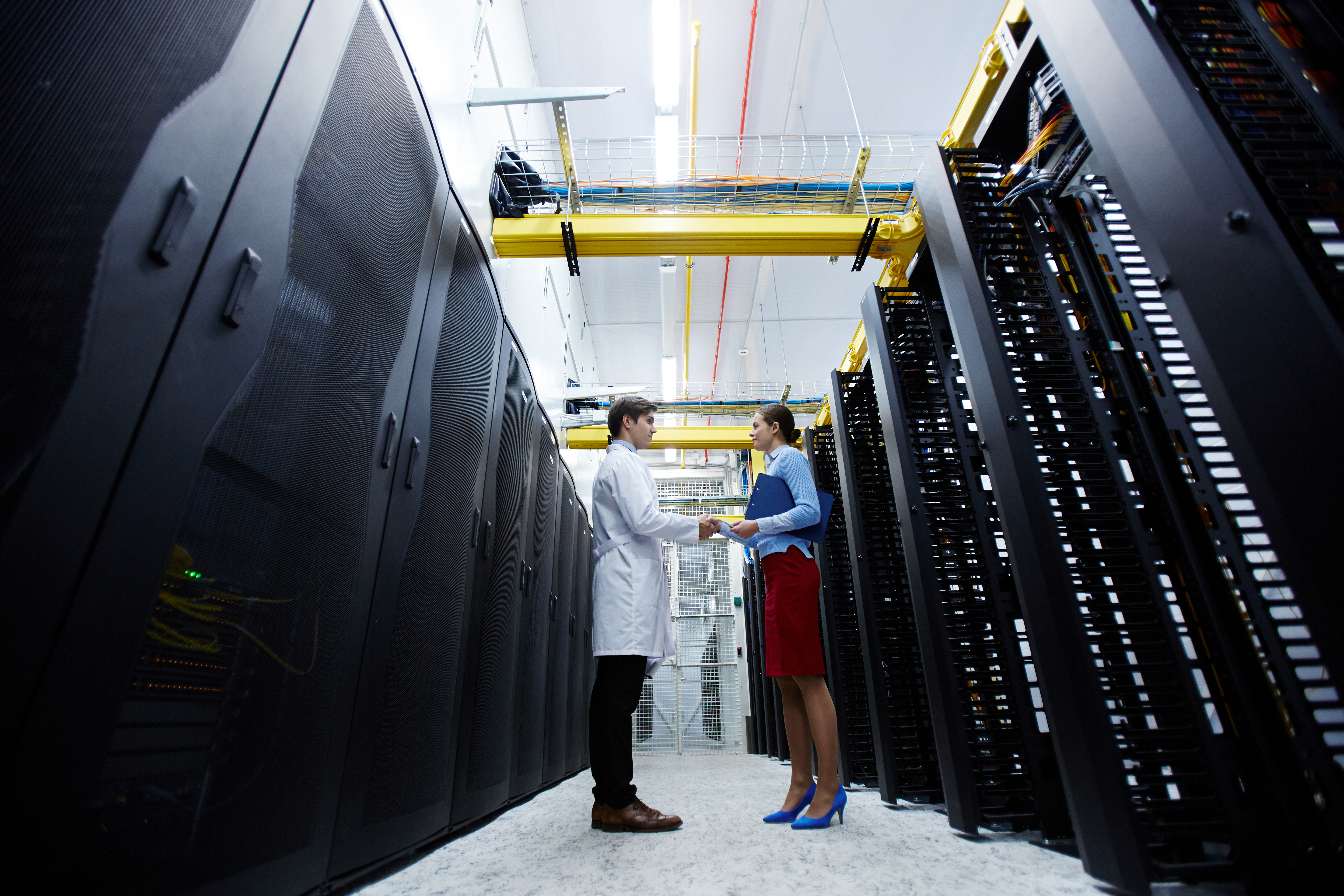
Data centers are vital hubs where computing and networking gear, commonly known as IT equipment and network infrastructure, are centralized. This infrastructure includes gateways, routers, switches, servers, firewalls, storage systems, and application delivery controllers, which are crucial for managing and storing data and applications. These centers handle massive data volumes for processing, analysis, and distribution, linking organizations to service providers. Many businesses opt to rent space and networking equipment in an off-site data center rather than owning one. A data center that serves multiple organizations is termed a multi-tenant or colocation data center, managed by a third party.

Organizations with on-site data centers must protect both the hardware and software within them. Security falls into two categories: physical and software security.

Physical security involves safeguarding people, property, and assets such as hardware, software, network, and data, from threats like natural disasters, theft, vandalism, and other potential damages. On the other hand, software security focuses on preventing unauthorized access to data stored on servers. As new malicious software (malware) emerges each year, security measures must be regularly updated to maintain robust protection.

An ad featuring a clickable link to book a demo with solink.

Safety measures for data centers: Ensuring physical security and protecting critical infrastructure

Physical security in a data center involves multiple integrated safety measures to safeguard the facility and the critical equipment storing data for various clients. Ensuring the premises’ security requires thorough consideration, monitoring, and auditing of several factors, from site selection to controlled personnel access. To effectively deter physical threats, the following aspects should be addressed:

1. Strategic location:

  • Avoid high-risk areas: Choose a location away from switchyards, chemical facilities, and other high-risk zones that could pose safety hazards. Proximity to these areas can increase the risk of accidents or targeted attacks.
  • Reliable infrastructure access: Ensure the location provides stable access to essential infrastructure, including network carriers, power, water, and transport systems. These are crucial for maintaining continuous operations and ensuring quick response times in emergencies.
  • Natural disaster assessment: Evaluate the site’s susceptibility to natural disasters like earthquakes, hurricanes, and floods. Select a location with a low risk of these events to minimize potential disruptions and damages.

2. Controlled access:

  • Advanced access control systems: Implement an access control system that includes anti-tailgating and anti-pass-back features. These measures prevent unauthorized individuals from entering by ensuring that only one person can pass through a security checkpoint at a time.
  • Single entry point: Design the facility with a single entry point to streamline monitoring and control. This approach simplifies the tracking of personnel movements and reduces the chances of unauthorized access.

3. 24/7 monitoring and security:

  • Comprehensive CCTV coverage: Install closed-circuit television (CCTV) cameras throughout the facility, ensuring they cover all critical areas. Retain video footage according to organization policies to assist in investigations and audits.
  • On-site security personnel: Employ trained security guards to provide round-the-clock vigilance. Their presence deters unauthorized access and allows for immediate response to security incidents.
  • Technical team oversight: Maintain a dedicated technical team to monitor and manage the network system continuously. Their expertise ensures that any technical issues or breaches are swiftly addressed.

4. Periodic maintenance and monitoring:

  • Regular hardware checks: Schedule routine maintenance for all hardware components to ensure optimal performance and prevent failures. Regular checks can identify and resolve potential issues before they escalate.
  • Access control audits: Frequently review and update access control rights to ensure that only authorized personnel have access to sensitive areas. Periodic audits help maintain the integrity of the security system and adapt to changes in personnel.

5. Environmental controls:

  • Temperature and humidity management: Use advanced air conditioning and indirect cooling systems to maintain ideal temperature and humidity levels within the data center. Proper environmental controls prevent overheating and ensure the longevity of equipment.
  • Uninterruptible power supply (UPS): Implement a UPS system to provide backup power during outages. This ensures that critical systems remain operational and data integrity is maintained during power interruptions.

6. Fire and water protection:

  • Early fire detection systems: Install both a fire alarm system and an aspirating smoke detection system (e.g., VESDA). These systems detect fires at an early stage, providing alerts before they become critical, allowing for quick response and mitigation.
  • Water leakage detection: Use a water leakage detector panel to monitor for any water ingress in the server room. Early detection of leaks helps prevent damage to sensitive equipment and ensures quick remediation.
  • Advanced fire suppression: Implement a fire protection system with a double interlock mechanism. This ensures that water is only released into the pipes when both the detector and sprinkler are activated, minimizing the risk of accidental water damage.

7. Rodent control:

  • Electronic rodent repellent: Install an electronic rodent repellent system to protect against rodents, which can cause significant damage to servers and wiring. This preventive measure helps maintain the integrity of the data center’s infrastructure.

8. Efficient cabling:

Raised floor cabling: Utilize a raised floor system for network cabling to avoid overhead cables. This setup reduces the heat load in the room, improves airflow, and enhances the overall aesthetics of the data center. Raised flooring also simplifies maintenance and future upgrades.


Periodic audits and maintenance for data center security

Periodic audits and maintenance are crucial for ensuring the ongoing security of a data center. Regular audits help identify potential vulnerabilities in the physical security infrastructure, allowing for timely adjustments and enhancements. These audits should include a thorough review of access control systems, security setups, environmental controls, and fire protection measures. By evaluating these components consistently, organizations can ensure that all security protocols are up-to-date and functioning correctly, reducing the risk of breaches and equipment failure.

Maintenance plays an equally important role in data center security. Routine maintenance of hardware, such as servers, cooling systems, and power supplies, ensures that all equipment operates efficiently and reduces the likelihood of unexpected failures. This includes cleaning and inspecting physical components to prevent wear and tear that could compromise security. Moreover, keeping software and firmware updated is essential to protect against new security threats. Regular maintenance ensures that both physical and digital security measures remain robust, providing a reliable safeguard for the critical data housed within the center.

Combining periodic audits with diligent maintenance creates a proactive security approach for data centers. This dual strategy allows for the early detection of potential issues and the continuous improvement of security measures. It ensures that data centers can withstand various threats, from physical breaches to environmental hazards, thereby maintaining the integrity and availability of the critical data they store.

A laptop and smartphone displaying security software interfaces on a teal background with the text "Discover Security on a Whole New Level" and "Book a Demo Now.

Advanced security technologies for modern data centers

Advanced security technologies are essential for modern data centers to combat evolving threats and ensure the protection of critical data. Biometric access control systems, such as fingerprint scanners and facial recognition, provide a higher level of security by verifying the identity of personnel before granting access. These systems reduce the risk of unauthorized entry by ensuring that only authenticated individuals can access sensitive areas. Additionally, multi-factor authentication (MFA) combines something the user knows (password), something the user has (security token), and something the user is (biometric verification) to further enhance access security.

Another key technology is the integration of artificial intelligence (AI) and machine learning (ML) in security systems. These advanced systems can analyze video footage in real-time, identifying unusual activities or potential security breaches without human intervention. AI-driven security can recognize patterns and detect anomalies, such as unauthorized personnel or suspicious behavior, and alert security teams instantly. This proactive approach enables quicker response times and reduces the likelihood of undetected security incidents.

Physical intrusion detection systems (PIDS) also play a vital role in securing modern data centers. These systems use a combination of sensors, such as infrared, microwave, and fiber optics, to detect and respond to physical intrusions. When an intrusion is detected, the system can trigger alarms, lock down affected areas, and notify security personnel. Coupled with advanced video monitoring and biometric access control, PIDS provide a comprehensive security solution that addresses various potential threats. Implementing these advanced technologies ensures that modern data centers are well-equipped to protect their assets and maintain the integrity of their operations.

Conclusion

In conclusion, ensuring the physical security of a data center involves a multi-faceted approach that integrates strategic planning, advanced technology, and ongoing maintenance. From the initial site selection to the implementation of sophisticated access control systems and continuous video monitoring, each aspect plays a critical role in safeguarding the sensitive data housed within these facilities. Regular audits and maintenance further reinforce these measures, allowing for the timely identification and resolution of potential vulnerabilities. By addressing both physical and environmental threats, organizations can create a robust security framework that protects their critical assets and maintains operational integrity.

Advanced security technologies, such as biometric access controls, AI-driven surveillance, and physical intrusion detection systems, have become indispensable in modern data centers. These technologies offer enhanced protection by providing real-time monitoring and sophisticated threat detection capabilities. Coupled with traditional security measures and best practices, they ensure a comprehensive defense against a wide range of security challenges. As the landscape of threats continues to evolve, adopting a proactive and layered security approach will remain essential for data centers to secure their operations and safeguard the invaluable data they store.
Protect your business today with Solink

Experience the power of Solink’s video analytics and monitoring solutions. Transform your business into a safe, secure, and thriving environment. Fill out the form for a demo and see the difference!

Schedule a product demo with our experts

*Solink does not currently service private residential properties

Table of Contents

Table of Contents


The importance of parking lot security and why it matters

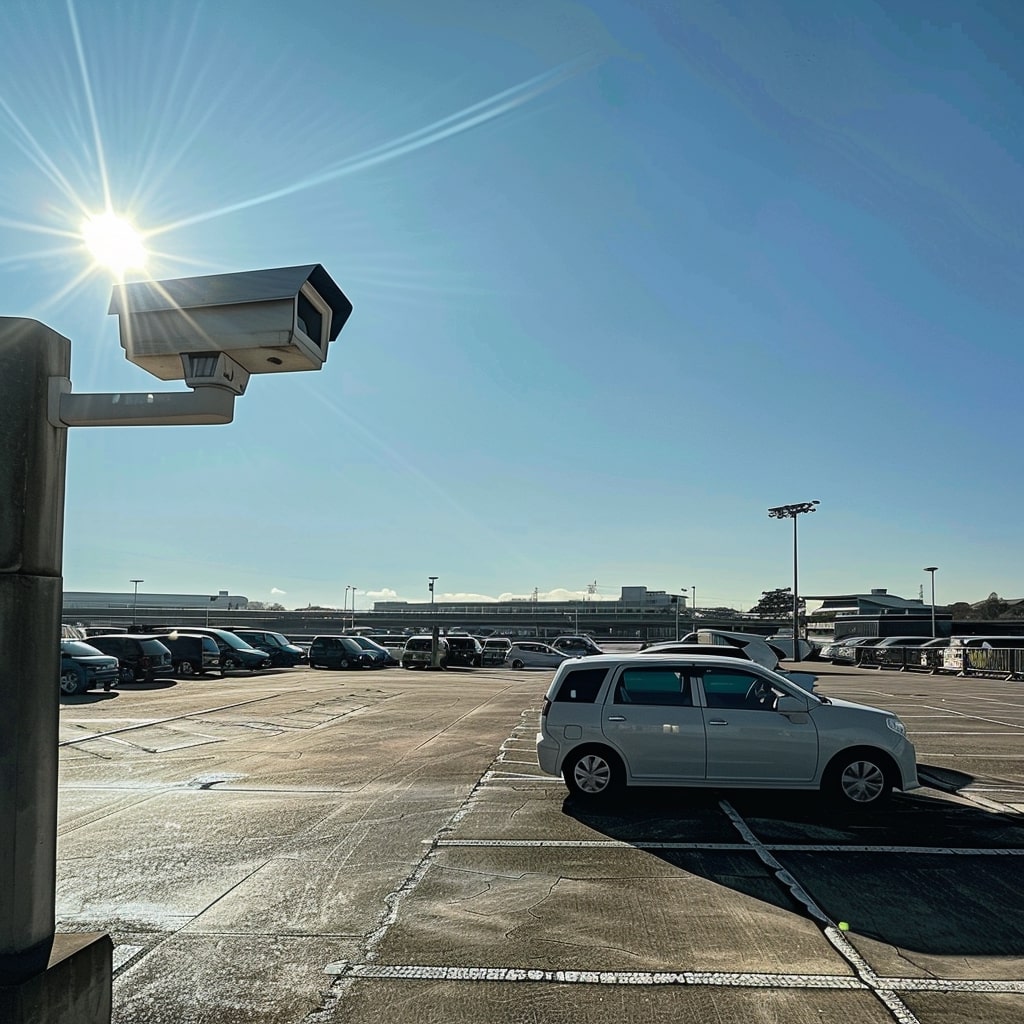
Parking lot security is vital for businesses because it directly impacts the safety and satisfaction of customers and employees. A secure parking lot reduces the risk of theft, vandalism, and other criminal activities, which can lead to costly damages and liability issues. Effective security measures, like high-quality cameras and proper lighting, help deter potential criminals and provide valuable evidence if an incident occurs. Additionally, a well-monitored parking lot fosters a sense of safety, encouraging customers to return and employees to feel secure at work. Ultimately, investing in parking lot security enhances the overall reputation and trustworthiness of your business.

An ad featuring a clickable link to book a demo with solink.

What parking lot security cameras can do for you specifically

Parking lot security cameras offer numerous specific benefits, enhancing both safety and operational efficiency:

  1. Theft and vandalism prevention: Visible cameras act as a deterrent, discouraging criminals from targeting vehicles or property. High-definition footage can identify suspects and provide evidence for law enforcement.
  2. Real-time monitoring: Advanced systems like Solink offer real-time monitoring, enabling security personnel to watch live feeds and respond immediately to suspicious activities.
  3. Incident documentation: Detailed video footage documents incidents such as accidents, slip-and-fall injuries, or disputes. This can protect your business from fraudulent claims and provide clear evidence in legal cases.
  4. License plate recognition: Cameras positioned at entry and exit points can capture license plate numbers, helping track vehicle movements and identify suspicious or banned vehicles.
  5. Motion detection and alerts: Solink’s motion detection technology reduces unnecessary recording by capturing only significant events. Automated alerts notify you immediately of unusual activity, allowing for prompt action.
  6. Employee and customer safety: Monitoring parking lots ensures the safety of employees and customers, creating a secure environment that encourages repeat business and boosts employee morale.
  7. Operational insights: Security cameras can also provide insights into parking lot usage, helping optimize traffic flow and improve the efficiency of parking operations.
  8. Remote access: With Solink’s cloud-based platform, you can access and review footage from any location, ensuring you stay informed and in control, even when off-site.
  9. Cost savings: By preventing theft, vandalism, and fraudulent claims, security cameras can save businesses significant costs. The investment in a robust security system often pays for itself through these savings.
  10. Enhanced security integration: Solink’s system can integrate with other security measures, such as access control and alarm systems, creating a comprehensive security solution that enhances overall effectiveness.

Effective optimization of parking lot security cameras

To optimize your cameras for the best parking lot security footage, consider the following steps:

Choose high-resolution cameras

High-resolution cameras provide sharp and detailed footage, making it easier to identify individuals and objects. Opt for cameras with at least 1080p resolution to ensure clarity. This can be especially important for capturing small details like license plates or facial features, which are crucial for security investigations.

Strategic camera placement

Placing cameras strategically is key to maximizing coverage. Position cameras at entrances, exits, and high-traffic areas to monitor all activities. Additionally, cover secluded areas where criminal activities might occur. Overlapping camera views can help eliminate blind spots and provide multiple angles of an incident.

  1. Focus on isolated spots: Place cameras in less frequented areas, such as remote corners and behind large structures, where criminal activities are more likely to occur unnoticed.
  2. Overlap fields of view: Ensure that the fields of view of adjacent cameras overlap slightly. This eliminates blind spots and provides multiple angles of the same area, which can be invaluable for understanding incidents.
  3. Capture critical details: Adjust camera angles to focus on specific details, such as license plates at entrances and exits or facial features at pedestrian pathways. This can be crucial for identifying suspects and vehicles involved in crimes.

Proper lighting

Adequate lighting is essential for clear footage, especially at night. Install lighting that evenly illuminates the parking lot without creating harsh shadows or glare. Motion-activated lights can also enhance security by deterring potential criminals and improving camera visibility during critical moments.

Regular maintenance

Keeping cameras clean and free of obstructions is vital for clear footage. Regularly inspect cameras for dirt, dust, or debris on lenses and remove any blockages. Check for wear and tear and ensure all parts are functioning correctly. Regular maintenance helps maintain optimal performance and extends the lifespan of your cameras.

Use weatherproof cameras

Outdoor cameras must withstand various weather conditions. Choose cameras with weatherproof ratings to ensure they can handle rain, snow, and extreme temperatures. Weatherproof cameras are built to last, providing reliable security footage in any condition.

Utilize motion detection

Motion detection reduces the amount of footage to review by only recording when there is movement, making it easier to focus on important events. Solink’s advanced motion detection feature helps conserve storage space by eliminating unnecessary footage, ensuring that only significant activities are captured. Additionally, Solink’s system can trigger instant alerts when motion is detected, allowing you to respond quickly to potential security breaches. These real-time alerts can be sent to your smartphone or email, ensuring you’re always aware of any unusual activity. By integrating with Solink’s cloud-based platform, you can easily access, review, and share motion-triggered footage from anywhere, enhancing your overall security management.

Consistently monitor and review footage

Regularly reviewing footage ensures your system is functioning correctly and helps you identify any security gaps. With Solink’s intuitive platform, you can set up a routine to check recordings and monitor live feeds effortlessly. Solink’s user-friendly interface allows for easy navigation through footage, making it simple to spot any irregularities. Promptly addressing issues like camera malfunctions or poor image quality is crucial, and Solink’s system can send automated alerts if it detects such problems. This proactive approach ensures your security system remains effective, providing continuous, reliable protection for your property. By leveraging Solink’s advanced features, you can maintain optimal performance and enhance your overall security strategy.

Conclusion

Investing in parking lot security cameras is a crucial step in safeguarding your property, employees, and customers. By optimizing camera placement, using high-resolution devices, ensuring proper lighting, and leveraging advanced features like motion detection and real-time alerts, you can significantly enhance your security measures. Solink’s cloud-based platform offers comprehensive solutions that simplify monitoring, provide valuable insights, and ensure reliable protection. Implementing these strategies not only deters criminal activities but also creates a safe and welcoming environment, ultimately benefiting your business’s reputation and bottom line.

Solink can transform your parking lot security with its advanced cloud-based video management system. Solink’s platform offers seamless integration with your existing cameras, enhancing their capabilities with powerful features like motion detection, real-time alerts, and license plate recognition. This ensures you capture and focus on significant events, reducing unnecessary footage and saving storage space.

Solink’s user-friendly interface allows for easy access and management of video footage from any location, providing you with the flexibility to monitor your property remotely. Automated alerts notify you immediately of any unusual activity, enabling quick response to potential security threats. Additionally, Solink’s detailed analytics offer valuable insights into parking lot

A laptop and smartphone displaying security software interfaces on a teal background with the text "Discover Security on a Whole New Level" and "Book a Demo Now.

Protect your business today with Solink

Experience the power of Solink’s video analytics and monitoring solutions. Transform your business into a safe, secure, and thriving environment. Fill out the form for a demo and see the difference!

Schedule a product demo with our experts

*Solink does not currently service private residential properties

Table of Contents

Table of Contents

Daycare centers are responsible for the safety and security of young children, making robust security measures crucial. One critical aspect is door security. Ensuring that only authorized individuals can enter the facility is key to maintaining a safe environment. Solink’s cloud video management system (VMS) can play a significant role in enhancing daycare center door security.

An ad featuring a clickable link to book a demo with solink.

The Importance of Door Security in Daycare Centers

Door security is the first line of defense in protecting children from potential threats. With numerous people entering and exiting throughout the day, maintaining strict control over who can access the facility is vital. Effective door security helps in:

  • Preventing unauthorized access: Ensuring that only parents, caregivers, and staff with proper credentials can enter.
  • Tracking entries and exits: Keeping an accurate log of all individuals entering and leaving the facility.
  • Providing peace of mind: Reassuring parents and staff that the daycare is a secure environment for children.

How Solink’s Cloud Video Management System Works

Solink’s cloud-based VMS enhances daycare door security by integrating with existing security cameras and access control systems. Here are the key features of Solink that make it an ideal choice for daycare centers:

Real-time monitoring: Solink allows staff to monitor all entry points in real time. This immediate visibility ensures that any suspicious activity can be quickly addressed, reducing the risk of unauthorized access.

Daily example: At ABC Daycare, the front entrance is equipped with cameras connected to Solink’s VMS. During busy drop-off times, staff can monitor the live video feed on their tablets, ensuring that only authorized parents are entering with their children. If someone unfamiliar approaches, staff can quickly assess and respond before allowing entry.

Automated alerts: The system can be configured to send automated alerts if a door is left open or if an unauthorized access attempt is detected. This feature ensures that staff can respond promptly to any potential security breaches.

Daily example: At ABC Daycare, an automated alert system is set up through Solink. One afternoon, a delivery person forgets to properly close the side door. Solink detects the open door and sends an instant alert to the daycare director’s phone, allowing her to promptly secure the door and prevent potential unauthorized access.

Video analytics: Advanced video analytics can detect unusual activities around entry points, such as loitering or forced entry attempts. These analytics help identify and address security risks before they escalate.

Daily example: ABC Daycare uses Solink’s video analytics to enhance security. The system detects unusual activity outside the main entrance after hours. One night, it identifies a person loitering near the door. Solink immediately alerts the security team, who then reviews the footage and contacts local authorities, preventing a possible break-in.

Cloud storage: Solink’s cloud storage ensures that video footage is securely stored and easily accessible for review. This feature is particularly useful for incident investigations and audits, providing clear evidence when needed.

Daily example: ABC Daycare relies on Solink’s cloud storage for video footage. After a parent reports a missing backpack, staff quickly access stored footage from the previous day. They review the video and see that the backpack was left in the playground area. This quick resolution saves time and provides a clear record of events.

Benefits for Daycare Centers

Implementing Solink’s VMS for door security offers numerous benefits:

  • Enhanced safety: With robust monitoring and access control, daycare centers can ensure a safer environment for children.
  • Increased efficiency: Automated alerts and real-time monitoring reduce the need for constant manual supervision, allowing staff to focus on childcare.
  • Peace of mind: Knowing that a reliable security system is in place reassures parents and staff, fostering trust and confidence in the daycare center.

Conclusion

Daycare center door security is a critical component of overall safety. Solink’s cloud video management system provides an effective solution for monitoring and controlling access to daycare facilities. By integrating with existing systems and offering features like real-time monitoring, automated alerts, and video analytics, Solink helps daycare centers maintain a secure environment for the children in their care.

A laptop and smartphone displaying security software interfaces on a teal background with the text "Discover Security on a Whole New Level" and "Book a Demo Now.

Protect your business today with Solink

Experience the power of Solink’s video analytics and monitoring solutions. Transform your business into a safe, secure, and thriving environment. Fill out the form for a demo and see the difference!

Schedule a product demo with our experts

*Solink does not currently service private residential properties

Table of Contents

Table of Contents

Ensuring the safety of your workplace is a team effort that starts with informed and vigilant employees. By understanding and implementing key security awareness tips, both employees and businesses can significantly reduce risks and enhance overall protection. This list will cover practical steps and best practices that everyone in your organization can follow to create a safer and more secure environment.

Here is a list of some of the most prominent security practices you can put in place, that can be taught and that must be remembered amongst staff and businesses:

A laptop and smartphone displaying security software interfaces on a teal background with the text "Discover Security on a Whole New Level" and "Book a Demo Now.

  1. Access control
    • Do not transfer access cards, keys, or combinations to other individuals.
    • Report lost or stolen keys and ID cards immediately.
    • Change combinations and locks if they are suspected to be compromised.
  2. Physical security
    • Do not prop open doors and gates that should be closed.
    • Report broken fences, malfunctioning locks, and inadequate lighting.
    • Secure any unsecured entry and exit doors.
  3. Visitor management
    • Direct visitors or contractors to the appropriate individual.
    • Escort all visitors at all times.
    • Ensure visitors do not access secure or restricted areas.
  4. Personal safety
    • Be aware of who is around you when discussing sensitive information.
    • Take precautions with personal information to prevent identity theft.
    • Vary routines and avoid predictable patterns.
  5. Emergency preparedness
    • Know your facility’s emergency evacuation plans and shelter areas.
    • Participate in Shelter-in-Place and Occupant Emergency Plan drills.
    • Be ready to assist anyone needing help during an evacuation.
  6. Device security
    • Lock your computer with a password-protected screen saver.
    • Protect cell phones and PDAs from malicious attacks.
    • Use anti-virus software and keep it up to date.
  7. Cybersecurity
    • Avoid sharing passwords and keep them confidential.
    • Be cautious with email and internet usage to avoid phishing attacks.
    • Ensure sensitive data is properly destroyed when no longer needed.
  8. Unusual activities
    • Report suspicious behavior, such as unfamiliar couriers or loiterers.
    • Observe and report any unusual or out-of-place items.
    • Be on the lookout for private vehicles loading or unloading suspicious items.
  9. General awareness
    • Be familiar with your work environment and report suspicious activities.
    • Practice good operational security by not sharing sensitive information.
    • Use your business email address for business purposes only.
  10.  Supportive needs considerations
    • Supervisors should develop supportive needs plans for emergencies.
    • Employees with supportive needs should self-identify for assistance.
    • Never separate service dogs from their owners during an emergency.

Why be security-aware?

Following these security awareness tips is crucial for maintaining a safe and secure workplace. These guidelines help prevent unauthorized access, protect sensitive information, and ensure everyone’s safety during emergencies. By adhering to access control measures, such as not sharing keys or ID cards, employees can prevent security breaches that might otherwise go unnoticed. Proper physical security practices, like reporting broken locks and securing doors, help safeguard the premises from potential intruders.

These tips also emphasize the importance of cybersecurity, which is vital in an age where digital threats are prevalent. Protecting devices with strong passwords and being cautious of phishing attacks can prevent data breaches and protect both personal and company information. Additionally, understanding and participating in emergency preparedness drills ensure that everyone knows what to do in case of a real incident, minimizing panic and potential harm. Overall, these practices foster a culture of vigilance and responsibility, making the workplace safer and more secure for all employees.

Easy ways to teach these security awareness tips

Interactive Training Sessions:

  • Host regular in-person or virtual training sessions where employees can learn about security awareness through presentations and demonstrations.
  • Use real-life scenarios and role-playing exercises to make the training more engaging and relatable.

E-Learning Modules:

  • Develop e-learning courses that employees can complete at their own pace. Include quizzes and interactive elements to reinforce learning.
  • Ensure the modules are short, focused, and cover key security awareness tips.

Visual Aids:

  • Create posters, infographics, and cheat sheets that highlight essential security tips. Place these in common areas like break rooms and near entry points.
  • Use videos and animations to explain complex concepts in a simple and engaging way.

Regular Reminders:

  • Send out weekly or monthly email reminders with a security tip of the week. Keep these messages concise and actionable.
  • Use the company’s intranet or internal communication platforms to share security tips and updates regularly.

Hands-On Workshops:

  • Organize workshops where employees can practice security measures, such as setting strong passwords or identifying phishing emails.
  • Include activities like fire drills and Shelter-in-Place exercises to ensure everyone knows their roles during emergencies.

Gamification:

  • Implement gamified training programs where employees can earn points, badges, or rewards for completing security-related tasks or quizzes.
  • Create friendly competitions or challenges to motivate employees to stay engaged with security practices.

Leadership Involvement:

  • Encourage managers and team leaders to regularly discuss security tips in team meetings.
  • Lead by example; when employees see their supervisors taking security seriously, they are more likely to follow suit.

Feedback and Assessment:

  • Conduct regular assessments to gauge employees’ understanding of security practices and identify areas for improvement.
  • Solicit feedback from employees about the training programs and make adjustments based on their suggestions.

Using these methods, businesses can ensure that security awareness becomes an integral part of the company culture, helping to protect both employees and the organization from potential threats.

Protect your business today with Solink

Experience the power of Solink’s video analytics and monitoring solutions. Transform your business into a safe, secure, and thriving environment. Fill out the form for a demo and see the difference!

Schedule a product demo with our experts

*Solink does not currently service private residential properties

Table of Contents

Table of Contents

Bad actors in cybersecurity pose serious threats to businesses of all sizes. These malicious individuals or groups exploit vulnerabilities to steal data, disrupt operations, or cause other harm. Understanding the different types of bad actors and knowing how to identify them is crucial for maintaining your company’s security. This article will help you recognize these threats and provide practical tips to safeguard your business.

What are bad actors called in cybersecurity?

In cybersecurity, bad actors are individuals or groups who attack and invade digital systems with malicious intent. They can be motivated by anything from money, politics, or a general harmful objective, they are often called cyber threat actors (CTAs), threat actors, or malicious actors.

Every computer has security measures to keep unauthorized users out, similar to how a lock secures a door. For example, smartphones require passwords for access, you need the correct password to access that smartphone and without it, you must get permission from someone with authority.

Passwords protect the valuable and personal information stored on computers or smartphones. If a cybercriminal gains access to your bank account online for instance, they can steal money by transferring it to their own account.

When cybercriminals infiltrate company databases, they can hold the data hostage, blocking access until the company pays a ransom to regain control. On a smaller scale, if they access personal data like a person’s name, address, or phone number, they can impersonate that person and commit identity theft.

A person holding a smartphone showing a video while another screen in the background displays security footage. The text reads "Get Started - Solink - Demo With Us Now.

Different types of cyber threat actors (CTA)

There are many types of threat actors. Here are few more well-known ones:

Hacktivists

  • Motivation: Political, social, or ideological causes.
  • Activities: Website defacements, data leaks, and denial-of-service attacks to promote their agenda.

Cybercriminals

  • Motivation: Financial gain.
  • Activities: Phishing, ransomware attacks, identity theft, and credit card fraud.

Insider Threats

  • Motivation: Disgruntlement, financial incentives, or coercion.
  • Activities: Data theft, sabotage, and unauthorized access to sensitive information.

State-Sponsored Actors

  • Motivation: National interests, espionage, or geopolitical advantages.
  • Activities: Cyber espionage, intellectual property theft, and disruption of critical infrastructure.

Script Kiddies

  • Motivation: Thrill-seeking, notoriety, or learning experience.
  • Activities: Using pre-written scripts and tools to launch basic attacks like website defacements or DDoS attacks.

Advanced Persistent Threats (APTs)

  • Motivation: Long-term espionage or data theft.
  • Activities: Sophisticated, prolonged attacks aimed at high-value targets, often involving extensive planning and advanced techniques.

Cyber Terrorists

  • Motivation: Political or ideological aims to cause disruption or fear.
  • Activities: Attacks on critical infrastructure, spreading propaganda, and creating chaos through cyber means.

Organized Crime Groups

  • Motivation: Financial profit.
  • Activities: Coordinated attacks, including ransomware campaigns, money laundering, and fraud schemes.

Defending against threat actors

Defending against cyber threat actors requires a multi-layered approach. Start by implementing strong passwords and multi-factor authentication to add extra layers of security. Regularly update and patch software to close vulnerabilities that threat actors could exploit. Use advanced threat detection systems to monitor and respond to suspicious activities in real-time. Educate employees on recognizing phishing attempts and safe internet practices, as human error often leads to breaches. Regularly back up important data to mitigate the impact of ransomware attacks. Lastly, develop and maintain an incident response plan to swiftly address any security breaches, minimizing damage and recovery time.

Spotting cyber threat actors early can significantly reduce the damage they can cause. Start by monitoring network traffic for unusual patterns, such as unexpected data transfers or login attempts from unfamiliar locations. Implement user behavior analytics to identify anomalies in how users interact with systems and data. Use threat intelligence services to stay informed about the latest tactics and tools used by cybercriminals. Regularly conduct security audits and vulnerability assessments to identify and address potential weaknesses. Encourage employees to report suspicious activities or emails, and ensure they know the signs of a potential attack, such as unexpected requests for sensitive information or unusual system behavior.

Conclusion

Understanding and defending against cyber threat actors is crucial for maintaining your business’s security. By recognizing the various types of threat actors and implementing best practices to safeguard your systems, you can significantly reduce the risk of an attack. Regularly monitoring for suspicious activities, educating employees, and staying informed about the latest threats will help you stay ahead of potential cyber threats. Prioritizing these proactive measures ensures that your business remains resilient against the evolving landscape of cybercrime.

Protect your business today with Solink

Experience the power of Solink’s video analytics and monitoring solutions. Transform your business into a safe, secure, and thriving environment. Fill out the form for a demo and see the difference!

Schedule a product demo with our experts

*Solink does not currently service private residential properties

Table of Contents

Table of Contents

Using a hotspot for Wi-Fi enabled security cameras is possible, but it comes with a few challenges. Let’s explore how it works and what you need to consider.

Can you use mobile Wi-Fi or a hotspot for wi-fi enabled security (CCTV) cameras?

A hotspot is a device or feature that provides internet access by creating a Wi-Fi network. It allows other devices, like security cameras, to connect to the internet using this Wi-Fi network. Many smartphones have a built-in hotspot feature, enabling them to act as a router and share their mobile data connection.

The main key to a hotspot is that you don’t need to purchase a router. Existing cellular internet service will be used instead of needing a separate connection.

Yes, you can use mobile Wi-Fi or a hotspot for Wi-Fi enabled security cameras. This setup is handy for locations without traditional Wi-Fi. However, it may not be as reliable as a wired connection. Hotspots can provide the necessary internet connection for your cameras to stream and store video footage. Just ensure your data plan can handle the extra usage. You can use your phone as a router to connect your security cameras to the Internet, allowing them to send and receive data. If you often need to link your Wi-Fi security camera to your phone’s hotspot, consider getting a cellular or 4G camera.


How to use a mobile hotspot on your smartphone

Android

  1. Enable the hotspot:
    • Open the Settings app.
    • Tap on Network & Internet or Connections.
    • Select Hotspot & Tethering.
    • Turn on the Wi-Fi Hotspot.
  2. Set up the hotspot:
    • Tap on Wi-Fi Hotspot.
    • Configure your hotspot name (SSID) and password.
  3. Connect the camera:
    • Access your security camera’s Wi-Fi settings.
    • Select your phone’s hotspot network.
    • Enter the hotspot password to connect.
  4. Check the connection:
    • Ensure the camera is connected to the hotspot and can stream video to your cloud storage or monitoring device.

IOS

  1. Enable the hotspot:
    • Open the Settings app.
    • Tap on Cellular.
    • Select Personal Hotspot.
    • Turn on Allow Others to Join.
  2. Set up the hotspot:
    • Make note of the Wi-Fi password displayed on the screen.
    • Optionally, tap on Wi-Fi Password to change it.
  3. Connect the camera:
    • Access your security camera’s Wi-Fi settings.
    • Select your iPhone’s hotspot network.
    • Enter the hotspot password to connect.
  4. Check the connection:
    • Ensure the camera is connected to the hotspot and can stream video to your cloud storage or monitoring device.

How much hotspot does a security camera use?

The primary factors that affect the amount of data used by security cameras per day are:

  • Hours per day: The total time cameras are recording each day directly impacts data usage. More hours of recording result in more data.
  • Days of retention: The length of time you store recorded footage affects the total storage required. Longer retention periods increase storage needs.
  • Number of cameras: More cameras contribute to higher data usage, as each camera adds to the total amount of footage captured and stored.
  • Frames per second (FPS): A higher frame rate means more frames are captured every second, leading to smoother video but also more data.
  • Resolution: Higher resolution cameras capture more detail, resulting in larger video files. This clarity comes at the cost of increased data usage.
  • Video quality: The quality setting of the video affects its size. Higher quality videos look better but use more data.
  • Compression type: Different compression technologies can reduce file sizes to varying extents. More effective compression reduces data usage without significantly compromising video quality.

Each of these factors plays a significant role in determining the overall data consumption of security cameras. By adjusting these variables, you can find the right balance between video quality and storage requirements to meet your security needs.

*Manufacturer Specifications

Data usage can vary a lot by camera model and brand and your settings being used. Always refer to the user manual or contact the camera manufacturer for specific details on data consumption. Adjusting settings to balance video quality and data usage can help manage your data plan effectively.

Conclusion

Using a hotspot for security cameras can work in a pinch, but be aware of the data usage and potential connectivity issues. Make sure to monitor your data plan to avoid unexpected charges.

Protect your business today with Solink

Experience the power of Solink’s video analytics and monitoring solutions. Transform your business into a safe, secure, and thriving environment. Fill out the form for a demo and see the difference!

Schedule a product demo with our experts

Table of Contents

Table of Contents

A Security Threat Assessment is a critical process used to identify, evaluate, and mitigate potential threats to an organization’s assets, including its people, information, and infrastructure. By conducting a thorough security threat assessment, businesses can safeguard themselves against various risks such as cyber attacks, physical breaches, and insider threats. Here’s a detailed yet easy-to-understand guide to help you grasp the essentials of security threat assessment.

Key Components of a Security Threat Assessment

  1. Identification of Assets: Understanding what needs protection, including physical assets (buildings, equipment), digital assets (data, networks), and human resources.
  2. Threat Analysis: Identifying potential threats such as cyber attacks, natural disasters, insider threats, and more.
  3. Vulnerability Assessment: Evaluating weaknesses in current security measures that could be exploited by threats.
  4. Risk Assessment: Determining the likelihood and potential impact of identified threats on the organization.
  5. Mitigation Strategies: Developing plans and measures to reduce the identified risks, including enhancing security protocols, employee training, and implementing new technologies.

Why is a Security Threat Assessment Important?

A security threat assessment is crucial for several reasons. First and foremost, it enables proactive protection by identifying potential threats before they occur, allowing organizations to implement preventive measures to avoid security breaches. Additionally, many industries require regular security threat assessments to comply with various regulations and standards, ensuring that businesses meet legal and operational guidelines. Conducting these assessments also leads to significant cost savings, as preventing security incidents can save organizations substantial amounts of money that would otherwise be spent on potential damages, legal fees, and reputation management. Moreover, having a comprehensive understanding of potential threats and a plan in place ensures a faster and more efficient response to security incidents, minimizing damage and reducing recovery time. Overall, a security threat assessment is essential for maintaining the integrity, safety, and financial stability of any organization.

Example of a Security Threat Assessment

Scenario: Mid-Sized Financial Institution

Objective: To identify, evaluate, and mitigate potential security threats to a mid-sized financial institution’s operations, assets, and data.

Step 1: Identification of Assets

  • Physical Assets: Branch offices, ATMs, servers, and backup facilities.
  • Digital Assets: Customer databases, transaction records, internal communication systems, and online banking platforms.
  • Human Resources: Employees, contractors, and third-party service providers.

Step 2: Threat Analysis

  • Cyber Threats: Phishing attacks, malware, ransomware, and data breaches.
  • Physical Threats: Unauthorized access to facilities, theft of equipment, and vandalism.
  • Insider Threats: Disgruntled employees, negligent actions, and unintentional data leaks.
  • Environmental Threats: Natural disasters (e.g., floods, earthquakes), fires, and power outages.

Step 3: Vulnerability Assessment

  • Cybersecurity Measures: Evaluate the strength of firewalls, encryption methods, and intrusion detection systems.
  • Physical Security Measures: Assess the effectiveness of security guards, security systems, and access control mechanisms.
  • Employee Practices: Review policies on password management, employee training programs, and incident reporting procedures.

Step 4: Risk Assessment

  • Likelihood and Impact:
    • Phishing Attacks: High likelihood, moderate to high impact.
    • Data Breaches: Moderate likelihood, high impact.
    • Natural Disasters: Low likelihood, high impact.
    • Insider Threats: Moderate likelihood, moderate impact.

Step 5: Mitigation Strategies

  • Cybersecurity Enhancements:
    • Implement multi-factor authentication (MFA) for all systems.
    • Conduct regular cybersecurity training for employees.
    • Upgrade antivirus and anti-malware software.
  • Physical Security Improvements:
    • Install biometric access controls in sensitive areas.
    • Increase surveillance coverage in and around branch offices.
    • Conduct regular audits of security protocols.
  • Employee and Insider Threat Mitigation:
    • Develop a robust insider threat detection program.
    • Establish clear policies for data access and handling.
    • Promote a culture of security awareness and vigilance.

Step 6: Implementation and Monitoring

  • Action Plan:
    • Deploy MFA and new cybersecurity software within three months.
    • Schedule quarterly employee training sessions.
    • Enhance physical security measures over the next six months.
    • Monitor and review the effectiveness of the implemented strategies regularly.
  • Continuous Monitoring:
    • Set up a dedicated security operations center (SOC) to oversee security measures.
    • Use automated tools to monitor network traffic and detect anomalies.
    • Perform regular security audits and update the threat assessment periodically.

Conclusion

A comprehensive security threat assessment is vital for any organization aiming to protect its assets from potential risks. By understanding and implementing the steps outlined in this guide, businesses can enhance their security posture, comply with regulations, and ensure a safer operational environment.

Conducting regular security threat assessments not only helps in identifying and mitigating risks but also builds a culture of security awareness and preparedness within the organization. Start your security threat assessment today to safeguard your business against potential threats and ensure long-term success.

Protect your business today with Solink

Experience the power of Solink’s video analytics and monitoring solutions. Transform your business into a safe, secure, and thriving environment. Fill out the form for a demo and see the difference!

Schedule a product demo with our experts

*Solink does not currently service private residential properties

Table of Contents

Table of Contents

Definition of physical security safeguards

Physical security safeguards are measures designed to protect buildings, equipment, and valuable assets from theft, vandalism, and unauthorized access. These safeguards include locks, security cameras, alarm systems, access control protocols, and security personnel, all working together to ensure a safe and secure environment.

What is the purpose of physical security safeguards?

Physical security safeguards serve a crucial role in protecting a business’s assets, personnel, and information from theft, damage, and unauthorized access. The primary purpose of these measures is to create a secure environment that deters potential intruders while ensuring the safety of those inside the premises. From locks and security cameras to access control systems and security personnel, each component plays a vital part in forming a robust defense against potential security threats. This comprehensive approach helps maintain operational continuity and fosters a sense of safety and security for employees and customers alike.

Types of physical security safeguards include

  1. Locks and Keys: The most basic form of security, locks and keys control access to buildings, rooms, and storage facilities, helping to prevent unauthorized entry.
  2. Security Cameras: These devices monitor and record activities in and around a facility. They act as a deterrent to theft and misconduct and can provide valuable evidence in the event of an incident.
  3. Alarm Systems: Alarms serve to alert security personnel and local authorities when there is unauthorized access or other security breaches. They can be triggered manually or automatically and are essential for immediate response.
  4. Access Control Systems: These systems restrict entry to a building or area to authorized individuals. They can use keycards, biometrics, or PINs to ensure that only permitted personnel can enter sensitive areas.
  5. Security Personnel: Trained guards or security officers provide a human element to physical security, capable of responding dynamically to potential threats or emergencies.
  6. Fencing and Gates: Physical barriers that enclose a property or sensitive areas, preventing or controlling access. This can range from simple chain-link fences to sophisticated electronically controlled gate systems.
  7. Lighting: Adequate lighting is crucial for both visibility and security, especially during nighttime hours. It helps deter criminal activity by increasing the likelihood that intruders will be seen.
  8. Bollards and Barriers: Physical obstructions used to prevent vehicle access to pedestrian areas or protect sensitive building exteriors against ram-raid attacks.

Each type of safeguard is designed to address specific security concerns and, when combined, they provide a comprehensive security solution that protects both physical and human assets.

Best practices for implementing physical security safeguards include

  1. Conduct a Risk Assessment: Begin with a thorough assessment of your facility to identify potential security risks and vulnerabilities. This assessment should consider the location, type of business, past security incidents, and potential threats.
  2. Layered Security Approach: Implement multiple layers of security measures to ensure that if one layer fails, others will still protect the facility. This can include a combination of barriers, alarms, cameras, and access controls.
  3. Regularly Update Security Measures: As technology advances and threats evolve, so should your security measures. Regularly review and update your security systems to address new risks and incorporate the latest security technology.
  4. Control Access Points: Minimize the number of access points to your facility and ensure they are well secured with electronic access controls and monitored by cameras and alarms.
  5. Monitor and Maintain Security Systems: Ensure that all security systems, such as cameras and alarms, are in good working condition and monitored regularly. This includes performing regular maintenance checks and promptly repairing any malfunctions.

By following these best practices, businesses can enhance their physical security posture and better protect their assets, personnel, and operations from potential threats.

The future of physical security safeguards

The future of physical security safeguards is poised for significant advancements, driven by technological innovation and a growing need for sophisticated security solutions. As digital and physical security realms converge, we can expect to see more integrated systems that leverage artificial intelligence (AI) and machine learning to enhance threat detection and response. Biometric systems will become more advanced, utilizing not only fingerprints and facial recognition but also other identifiers such as gait or voice patterns, for more accurate and less intrusive user verification. Additionally, the integration of Internet of Things (IoT) devices will expand the capabilities of security systems, enabling real-time, interconnected responses across multiple platforms and devices. Automation will play a key role, with drones and robotic guards augmenting human security efforts, especially in monitoring hard-to-reach or hazardous areas.

Protect your business today with Solink

Experience the power of Solink’s video analytics and monitoring solutions. Transform your business into a safe, secure, and thriving environment. Fill out the form for a demo and see the difference!

Schedule a product demo with our experts

*Solink does not currently service private residential properties