Solink Agentic AI summit
| Tuesday, June 23 |

Table of Contents

Table of Contents

In the world of business security, 360 degree security cameras have become increasingly popular. These innovative cameras offer comprehensive coverage, capturing every angle of a space, which helps businesses maintain safety and security. This article explores the history, benefits, and drawbacks of 360 degree cameras and provides practical tips for those considering purchasing one.

A brief history of the 360 degree camera

The concept of 360 degree cameras originated in the early 2000s. Initially developed for panoramic photography, these cameras soon found applications in the security industry. By using multiple lenses and advanced stitching software, manufacturers created cameras capable of providing a seamless, all-encompassing view. Over time, improvements in image resolution and software integration have made 360 degree cameras a staple in modern security systems.

See how Solink can help your security.

Why 360 degree cameras are necessary

360 degree cameras are essential for businesses that require constant, comprehensive monitoring. Traditional cameras often miss crucial details because they cover limited angles. A 360 degree camera, on the other hand, eliminates blind spots, making it easier to track movements and detect suspicious activity. This level of coverage is particularly useful in areas like retail stores, warehouses, and large office spaces where monitoring multiple viewpoints simultaneously is crucial.

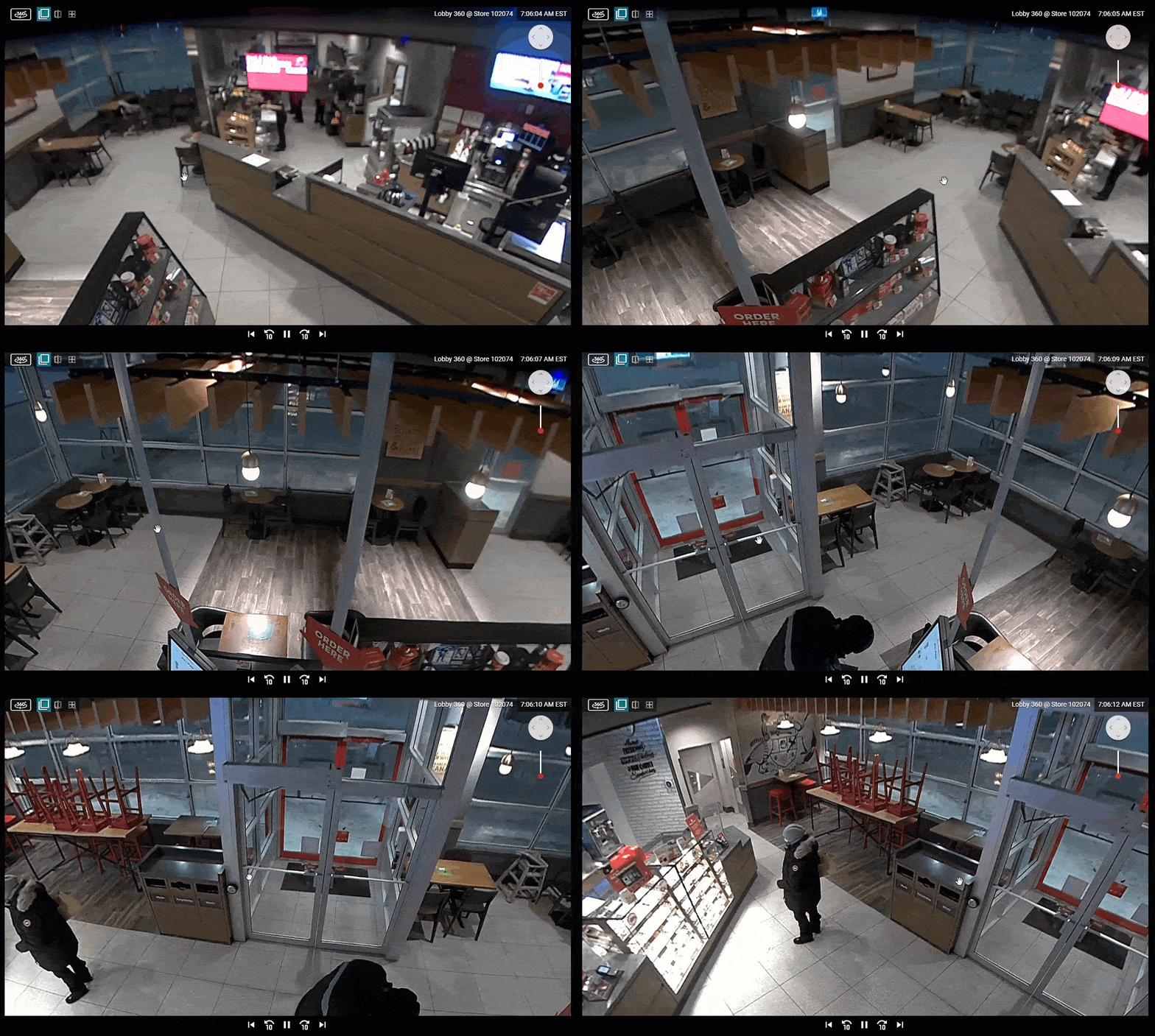
View all angles of your restaurant with a 360 degree restaurant camera system
A 360 view of the dining room in this quick-service restaurant.

Pros and cons of 360 degree cameras

Pros:

  • Comprehensive Coverage: Captures every angle, reducing blind spots.
  • Cost-Efficient: One camera can cover the area of several traditional cameras.
  • Ease of Monitoring: Simplifies security with fewer cameras and less complex setups.
  • Enhanced Security: Deters theft and vandalism by providing complete visibility.

Cons:

  • Higher Initial Cost: Can be more expensive than traditional cameras.
  • Potential Blind Spots: The stitching process can sometimes create minor blind spots.
  • Complex Installation: Requires professional setup for optimal performance.
  • Data Overload: Generates large amounts of data, needing robust storage solutions.

Where 360 degree cameras are most effective

360 degree cameras are particularly effective in environments that require broad visibility. Retail stores use them to monitor customer behavior and prevent theft. Warehouses benefit from their ability to oversee large areas and track inventory movements. Office buildings install them in lobbies and common areas for comprehensive security coverage. These cameras are also common in public spaces like airports and stadiums, where large crowds need to be monitored.

What to consider when purchasing a 360 degree camera

When considering a 360 degree camera, evaluate the following factors:

  • Resolution: Higher resolution cameras provide clearer images.
  • Field of View: Ensure the camera covers the necessary area.
  • Integration: Check compatibility with existing security systems.
  • Storage Needs: Plan for the increased data storage requirements.
  • Budget: Balance the initial investment with long-term benefits.

Conclusion

360 degree security cameras are a powerful tool for enhancing business security. With their ability to provide comprehensive coverage and reduce blind spots, they are invaluable in various settings. While they come with higher initial costs and complex installation requirements, their benefits often outweigh these drawbacks. If you’re considering upgrading your security system, 360 degree cameras are worth exploring.

Protect your business today with Solink

Solink’s video analytics and monitoring solutions help create a safe, secure, and healthy environment for businesses.

Schedule a product demo with our experts

*Solink does not currently service private residential properties

Table of Contents

Table of Contents

In the world of security systems, the terms “fail safe” and “fail secure” are often thrown around but just as often misunderstood. This article demystifies these crucial concepts, helping you make informed decisions about the safety and security of your premises. Whether you’re outfitting a commercial building or securing a residential property, understanding the difference between fail-safe and fail-secure locks is essential for choosing the right lock for the right situation. Discover the crucial differences between fail safe vs fail secure locks in our comprehensive guide and gain knowledge.

What are fail safe and fail secure locks?

Fail Safe Locks are designed to unlock when power is lost. They rely on electric power to remain locked. This mechanism ensures that in the event of a power outage, the doors automatically unlock, allowing for safe exit during emergencies like fires or other hazards. Fail-safe locks are commonly used in public buildings where life safety is a priority over property security.

Fail Secure Locks, on the other hand, remain locked even when the electrical power is cut. These locks require power to open, not to stay locked. In emergencies, fail-secure locks ensure that the door remains locked, protecting the property from unauthorized access even during a power failure. This type of lock is ideal for areas needing to remain secure regardless of power status, such as storage rooms or server rooms.

See how Solink can help your security.

Differentiating fail safe and fail secure

The primary difference between fail-safe and fail-secure locks lies in their reaction to power loss. Fail-safe locks unlock, facilitating evacuation and access, particularly in emergencies. Fail-secure locks stay locked, focusing on securing valuables and sensitive areas from intrusion even when the power is out.

Common misconceptions

One of the most common misconceptions about these locks is that fail-secure locks provide no way out in an emergency. However, these locks typically allow egress from the inside, ensuring compliance with life safety codes. Another misconception is that fail-safe locks are universally better for all scenarios. In reality, the best choice depends heavily on the specific security needs and emergency protocols of the building or area.

Applications of fail safe and fail secure locks

Fail Safe Locks are most commonly used in areas where human safety must override security in emergencies, such as in healthcare facilities, aged care homes, and high-traffic public buildings like malls and cinemas.

Fail Secure Locks are suited for locations where items of high value or sensitivity are stored, including data centers, offices with sensitive documents, or pharmacies storing controlled substances.

Conclusion

Choosing between fail-safe and fail-secure locks depends largely on the specific requirements of the installation site and the priorities of the facility managers. While fail-safe locks prioritize human safety, allowing people to exit freely during power failures, fail-secure locks protect property against unauthorized access under the same circumstances. Understanding these distinctions and common misconceptions can significantly impact the safety and security of both people and property. Always assess the unique needs of your facility to make the most informed decision about which lock type to install.

Protect your business today with Solink

Solink’s video analytics and monitoring solutions help create a safe, secure, and healthy environment for businesses.

Schedule a product demo with our experts

*Solink does not currently service private residential properties

Table of Contents

Table of Contents

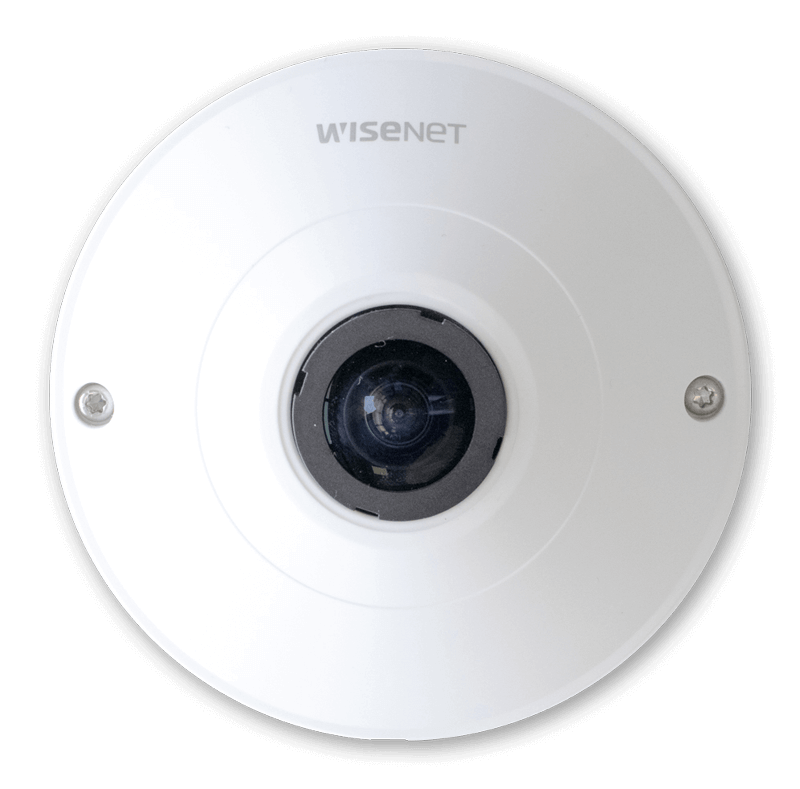
A fisheye security camera is a type of security device equipped with a special lens that offers a 180-degree or 360-degree field of view. Unlike traditional cameras that focus on a limited area, fisheye cameras capture a panoramic view, making them ideal for monitoring large spaces like retail stores, parking lots, or open office areas.

A white dome camera on a black background.

Key features of fisheye security cameras

Wide-angle view: The distinctive fisheye lens provides comprehensive coverage, reducing the number of cameras needed to monitor a large area.

De-warping technology: Modern fisheye cameras use software to correct the curved, distorted images produced by the lens, creating a more usable, flat image.

High-resolution imaging: These cameras often come with high megapixel sensors, ensuring clear, detailed images even in wide-angle views.

360-degree monitoring: They offer a full-circle view, which is particularly useful for identifying incidents and tracking movements in real-time.

Cost-effective: By covering more area with fewer cameras, businesses can save on installation and maintenance costs.

See how Solink can help your security.

Benefits of fisheye security cameras

  • Comprehensive coverage: Ideal for large, open areas, minimizing blind spots.
  • Reduced costs: Fewer cameras needed, lowering hardware and installation expenses.
  • Enhanced situational awareness: Provides a complete overview of the area, helping with incident detection and response.
  • Flexible monitoring options: Can be used for both live monitoring and recording, offering versatile security solutions.

Drawbacks of fisheye security cameras

  • Image distortion: Without proper de-warping, the images can be curved and less useful for detailed analysis.
  • Lower detail in large areas: While they cover wide areas, the detail in any specific part of the image can be lower compared to focused cameras.
  • Complex setup: Requires advanced software and proper installation to maximize benefits and minimize distortion.
  • Potential for overlap: In some setups, multiple fisheye cameras can have overlapping views, leading to redundancy.

Fisheye security cameras are a powerful tool for businesses needing comprehensive security in large areas. With their ability to cover wide spaces and advanced imaging technology, they offer a balance of efficiency and effectiveness. However, it’s essential to consider their limitations and ensure proper setup to get the best results.

View all angles of your restaurant with a 360 degree restaurant camera system
A 360 view of the dining room in this quick-service restaurant.

Common uses for fisheye security cameras

Fisheye security cameras are versatile and can be utilized in various settings to maximize coverage and efficiency. Here are some of the most common places where these cameras are deployed:

Retail stores: Fisheye cameras are ideal for monitoring retail environments. They can cover large sales floors, reducing blind spots and helping to prevent theft and ensure customer safety. By placing a fisheye camera on the ceiling, store owners can get a full view of the area without the need for multiple traditional cameras.

Parking lots: With their wide field of view, fisheye cameras are perfect for overseeing parking lots. They provide comprehensive coverage, making it easier to monitor vehicle movements, detect suspicious activities, and ensure the safety of both vehicles and pedestrians.

Warehouses: In large, open spaces like warehouses, fisheye cameras can effectively monitor inventory and personnel. They help in tracking the movement of goods and detecting any unauthorized access or potential safety hazards.

Open office areas: For businesses with open office layouts, fisheye cameras can provide extensive coverage of the workspace. This helps in maintaining security, monitoring employee activity, and ensuring a safe working environment.

Public areas: Locations such as airports, train stations, and shopping malls benefit from the wide coverage of fisheye cameras. These cameras help in crowd management, incident detection, and ensuring public safety by providing a comprehensive view of high-traffic areas.

Hospitals and healthcare facilities: Fisheye cameras are used in hospitals to monitor large waiting areas, emergency rooms, and corridors. They help in ensuring patient safety, managing visitor flow, and maintaining security within the facility.

Educational institutions: Schools, colleges, and universities use fisheye cameras to monitor common areas such as hallways, cafeterias, and gymnasiums. They help in preventing unauthorized access, ensuring student safety, and maintaining a secure campus environment.

Fisheye cameras are valuable in any setting that requires extensive monitoring with minimal equipment. Their ability to cover large areas makes them a cost-effective solution for enhancing security and ensuring comprehensive monitoring.

Things to consider when buying a fisheye camera

When purchasing a fisheye security camera, it’s crucial to evaluate various factors to ensure you select the best option for your needs. Here are key considerations to keep in mind:

  1. Field of view: Check the camera’s field of view to ensure it meets your coverage requirements. Most fisheye cameras offer 180-degree or 360-degree views. Choose the one that best fits your monitoring area.
  2. Resolution: Higher resolution cameras provide clearer, more detailed images. Look for cameras with at least 1080p resolution, but for larger areas, consider cameras with 4K resolution to maintain image quality across the entire field of view.
  3. De-warping technology: Fisheye lenses create a curved, distorted image. Ensure the camera has effective de-warping technology to convert these images into usable, flat views for better analysis and monitoring.
  4. Night vision: If you need 24/7 security, check if the camera has night vision capabilities. Infrared (IR) LEDs and low-light sensors can help capture clear images in low-light or no-light conditions.
  5. Installation requirements: Consider the ease of installation. Some fisheye cameras may require professional installation, especially if they need to be integrated with existing security systems. Wireless options can be easier to install but might have limitations in terms of range and reliability.
  6. Weather resistance: For outdoor use, ensure the camera is weatherproof. Look for cameras with an IP66 or higher rating to withstand rain, dust, and extreme temperatures.
  7. Storage options: Determine how the camera stores footage. Options include cloud storage, local storage (SD cards), or network-attached storage (NAS). Cloud storage offers remote access and backup but may involve recurring costs.
  8. Integration with existing systems: Check if the fisheye camera can integrate with your current security infrastructure, including software and other cameras. Compatibility with video management systems (VMS) like Solink can streamline operations and enhance functionality.
  9. Power supply: Ensure the camera’s power requirements fit your setup. Some cameras are powered through Power over Ethernet (PoE), which simplifies installation by using a single cable for power and data. Others may need separate power sources.
  10. Cost: Balance your budget with the camera’s features and quality. While fisheye cameras can be more expensive than traditional ones, their wide coverage can reduce the need for multiple cameras, potentially lowering overall costs.

By carefully considering these factors, you can choose a fisheye security camera that provides comprehensive coverage, high-quality images, and reliable performance, enhancing your overall security system.

Protect your business today with Solink

Solink’s video analytics and monitoring solutions help create a safe, secure, and healthy environment for businesses.

Schedule a product demo with our experts

*Solink does not currently service private residential properties

Table of Contents

Table of Contents

The legality of installing cameras in classrooms varies based on state laws and school district policies. This article explores is it illegal to have cameras in classrooms and whether cameras are legal in specific states inside of classrooms. We will outline the regulations and best practices surrounding their use.

Is it illegal to have cameras in classrooms? A general overview

Across the United States and Canada, it is not universally illegal to install cameras in school classrooms. However, specific state laws and school district policies regulate their use to protect the privacy rights of students and teachers. Generally, visible cameras installed with proper consent from administrators, teachers, parents, and students are legal. Strict protocols must also govern access, storage, and use of any video footage.

See how Solink can help your school security.

A laptop and smartphone displaying security software interfaces on a teal background with the text "Discover Security on a Whole New Level" and "Book a Demo Now.

Why cameras might be illegal

In some states, covertly installing hidden cameras or continuously recording without consent is illegal due to privacy rights held by students and teachers. Unauthorized video monitoring can violate these rights, especially when it involves minor students. Specific laws regulate how video recordings of children can be accessed, stored, and used.

State-specific regulations

Each state has its own set of laws and guidelines that schools must follow to ensure compliance while maintaining safety and privacy. Take a look into some of the regulations of various states, highlighting the key legal requirements and best practices for the use of security cameras in educational settings.

Texas

Texas law requires school districts to install cameras in special education classrooms upon request. Parents, staff, or administrators can request these cameras, which must record both video and audio, though the recordings are only accessible under certain conditions. General classrooms, however, fall under the expectation of privacy, and unauthorized recording is prohibited​.

Florida

In Florida, cameras are allowed in classrooms to enhance safety, but audio recording requires consent from all parties involved. Schools can legally install video-only cameras in classrooms for security purposes without needing parental permission, provided they do not record audio. This aligns with Florida’s all-party consent law, which mandates that all participants must agree to be recorded when audio is involved.

California

In California, the use of video cameras in classrooms is generally prohibited without prior consent from the administration and the teachers involved. This is primarily to protect privacy rights and ensure that monitoring is conducted for legitimate educational purposes. Monitoring  in schools is restricted to public areas such as hallways and playgrounds. Classrooms, considered semi-private spaces, require explicit consent for recording.

New York

New York’s laws allow video monitoring in public areas where there is no reasonable expectation of privacy. Consent is generally required for audio recordings. Schools must adhere to privacy guidelines and notify students and parents if cameras are used in classrooms. Schools in New York can install video cameras in classrooms and other educational spaces primarily for safety and security purposes. However, this must be done transparently, with clear notifications to students, parents, and staff. Schools must provide clear and conspicuous notice about the presence of video cameras. This typically involves placing signs at the entrances of monitored areas to inform everyone that they are under monitoring.

Michigan

In Michigan, the use of video monitoring in classrooms is subject to stringent regulations primarily aimed at protecting privacy. School boards are required to adopt written policies if they decide to implement video monitoring systems. These policies must address various aspects such as where cameras can be placed, how footage will be stored, and who has access to the recordings. Generally, monitoring is more accepted in public areas like hallways and entrances but is highly restricted in private spaces.

Illinois

In Illinois, the use of video monitoring, including in classrooms, is legal but subject to strict regulations to ensure privacy and compliance with consent laws. Illinois is an all-party consent state, meaning that all individuals being recorded must give their explicit consent. This applies to both video and audio recordings. In educational settings, this means schools must notify students and parents and obtain consent before recording in classrooms. Video monitoring in schools is generally allowed for safety and security purposes. Common areas such as hallways, cafeterias, and gymnasiums are typical locations for cameras. However, classrooms can also be monitored if proper consent is obtained and privacy laws are respected.

Regulations in Canada

In Canada, the use of cameras in classrooms is similarly governed by privacy laws and regulations at the provincial level. For example, the Personal Information Protection and Electronic Documents Act (PIPEDA) sets the standards for collecting, using, and disclosing personal information, which includes video recordings. Schools must ensure cameras are used for legitimate purposes such as safety and that privacy rights are respected through proper consent and data management practices.

A person holding a smartphone showing a video while another screen in the background displays security footage. The text reads "Get Started - Solink - Demo With Us Now.

Benefits of cameras in classrooms

When used legally and ethically, classroom cameras offer several benefits:

Enhanced safety

Cameras play a crucial role in deterring unauthorized entry and violence. The mere presence of security cameras can discourage potential intruders or individuals considering harmful actions. By continuously monitoring entrances and exits, schools can quickly identify and address unauthorized access, enhancing overall security.

Incident investigation

Classroom cameras provide vital footage that can help resolve disputes and understand altercations. This visual evidence allows school administrators to review incidents accurately and take appropriate action based on concrete proof, thereby reducing misunderstandings and ensuring fair outcomes.

Daily monitoring

Security cameras enable passive oversight of student behavior and adherence to codes of conduct. By monitoring classrooms, school staff can ensure that students follow school rules and maintain a conducive learning environment. This constant supervision helps in identifying and addressing behavioral issues promptly.

Emergency response

In critical incidents such as student health emergencies, fires, or security threats requiring lockdowns, live camera feeds provide real-time information. This allows school security officers, administrators, and first responders to make informed decisions and coordinate effective responses, potentially saving lives and minimizing harm.

Legal compliance and best practices

To ensure legal compliance and respect privacy:

Visible placement

Cameras should be clearly visible and accompanied by signage indicating their presence. This transparency helps in maintaining trust and ensuring that all individuals are aware of the monitoring, which is essential for both ethical and legal reasons.

Privacy respect

Policies should comply with state laws and protect privacy. Schools must develop comprehensive policies that outline the use of monitoring equipment, ensuring that cameras are placed only in areas where there is no reasonable expectation of privacy, such as hallways and common areas.

Education

It is crucial to inform teachers, students, parents, and staff about the specific purposes and protocols for classroom cameras. Providing clear information through meetings, notices, and handbooks helps in gaining community support and ensuring that everyone understands the importance and limitations of monitoring.

Data security

Strictly control access to live feeds and stored footage to protect data integrity and privacy. Schools should implement robust security measures to ensure that only authorized personnel can access security footage, preventing misuse or unauthorized sharing.

Consistent monitoring

Appoint dedicated staff for policy enforcement and data management. Having a team responsible for regularly auditing and updating monitoring policies ensures that the system remains compliant with legal standards and adapts to any changes in regulations or school needs.

By adhering to these best practices, schools can effectively use classroom cameras to enhance safety and accountability while respecting the privacy rights of students and staff.

Conclusion

The legality of classroom cameras depends on state laws and district policies, which can vary significantly across different jurisdictions. When installed with proper consent and protocols, cameras can significantly enhance safety and accountability within educational environments. They help deter unauthorized access, provide valuable evidence during incident investigations, monitor daily activities, and support emergency responses effectively. However, it is crucial to balance these benefits with the privacy rights of students and staff to ensure ethical and legal

use. Implementing security systems thoughtfully and transparently not only helps in maintaining trust among students, parents, and staff but also ensures that the primary goal of enhancing safety does not infringe on the fundamental rights to privacy and dignity of the school community.

Frequently Asked Questions (FAQs)

Are cameras allowed in classrooms in the United States and Canada?

Yes, but the legality varies based on state laws, provincial regulations, and school district policies. Generally, visible cameras with proper consent from administrators, teachers, parents, and students are legal. Each state and province has specific regulations to ensure privacy rights are protected.

Why might cameras be illegal in classrooms?

Cameras might be illegal if they are installed covertly, record continuously without consent, or violate privacy rights, especially when involving minors. Unauthorized video monitoring can infringe on the privacy rights of students and teachers, and specific laws regulate how recordings are accessed, stored, and used.

What are the general guidelines for using cameras in classrooms?

Consent: Obtain proper consent from administrators, teachers, parents, and students.

Visibility: Ensure cameras are clearly visible and accompanied by signage.

Purpose: Use cameras primarily for safety and security purposes.

Compliance: Follow state and federal privacy laws, including FERPA in the U.S. and PIPEDA in Canada.

What are the benefits of using cameras in classrooms?

Enhanced Safety: Deter unauthorized entry and violence.

Incident Investigation: Provide visual evidence to resolve disputes and understand altercations.

Daily Monitoring: Oversee student behavior and adherence to school rules.

Emergency Response: Provide real-time information for quick decision-making during critical incidents.

What are best practices for ensuring legal compliance with classroom cameras?

Visible Placement: Clearly visible cameras with accompanying signage to maintain transparency.

Privacy Respect: Develop and adhere to policies that comply with state laws and protect privacy.

Education: Inform teachers, students, parents, and staff about the specific purposes and protocols for camera use.

Data Security: Strictly control access to live feeds and stored footage to protect data integrity and privacy.

Consistent Monitoring: Appoint dedicated staff for policy enforcement and data management, ensuring compliance with legal standards.

How should schools inform stakeholders about the use of cameras?

Schools should provide clear information through meetings, notices, and handbooks. Transparency helps gain community support and ensures that everyone understands the importance and limitations of monitoring.

What are the legal considerations for storing and accessing camera footage?

Access Control: Ensure that only authorized personnel can access live feeds and stored footage.

Data Retention: Follow legal guidelines on how long footage can be stored and ensure it is securely deleted when no longer needed.

Usage: Use footage strictly for the purposes outlined in school policies, such as enhancing safety and resolving incidents.

How can schools balance the benefits of cameras with privacy concerns?

Schools can balance these aspects by following best practices, such as obtaining consent, ensuring transparency, adhering to privacy laws, and implementing robust data security measures. This approach helps maintain trust and respect the privacy rights of students and staff.

By addressing these common questions and adhering to legal guidelines, schools can effectively use cameras to enhance safety and accountability while respecting the privacy of students and staff.

Protect your business today with Solink

Solink’s video analytics and monitoring solutions help create a safe, secure, and healthy environment for businesses.

Schedule a product demo with our experts

*Solink does not currently service private residential properties

Table of Contents

Table of Contents

What is an internet protocol (IP) camera?

An internet protocol (IP) camera is a digital video camera that sends and receives data over a network or the Internet. Unlike traditional analog cameras, IP cameras offer higher resolution and advanced features like remote access and motion detection. They connect directly to your network, allowing you to monitor your business in real-time from any device with an internet connection. This makes them a popular choice for modern security solutions, providing flexibility and ease of use for business owners.

Types of IP cameras

Fixed IP cameras: Stationary cameras that provide a consistent field of view.

PTZ (pan-tilt-zoom) IP cameras: Cameras that can pan, tilt, and zoom to cover a wide area.

Dome IP cameras: Cameras encased in a dome, often used for discrete monitoring and protection against tampering.

Bullet IP cameras: Long, cylindrical cameras typically used for outdoor security.

Wireless IP cameras: Cameras that connect to the network wirelessly, offering flexible installation options.

Infrared (IR) IP cameras: Cameras equipped with IR LEDs for night vision capabilities.

360-degree IP cameras: Cameras that provide a full panoramic view, reducing blind spots.

Box IP cameras: Versatile cameras often used with different lenses for various applications.

A laptop and smartphone displaying security software interfaces on a teal background with the text "Discover Security on a Whole New Level" and "Book a Demo Now.

Where are IP cameras most commonly seen or used?

  • Retail stores: To monitor customer activity and prevent theft.
  • Office buildings: For ensuring employee safety and protecting assets.
  • Warehouses: To keep track of inventory and oversee operations.
  • Hospitals: To enhance security and monitor sensitive areas.
  • Schools and universities: For campus safety and incident monitoring.
  • Parking lots and garages: To watch over vehicles and prevent vandalism.
  • Banks and financial institutions: To deter crime and ensure security.
  • Public spaces: For general safety and crowd management.

Pros and Cons of an IP Camera

Pros

Cons

High-resolution video quality

Higher initial cost

Remote access and monitoring

Requires network infrastructure

Advanced features (motion detection, two-way audio)

Potential cybersecurity risks

Easy scalability

Can require more bandwidth

Power over Ethernet (PoE)

Complex installation for larger systems

Night vision capabilities

Dependent on internet connection

Flexible storage options

Potential compatibility issues

Why IP cameras are important or useful

IP cameras are crucial for enhancing security due to their high-resolution video and advanced features like motion detection, which help identify and respond to threats quickly. Remote monitoring allows business owners to access live feeds from anywhere, ensuring constant oversight even when they are off-site. These cameras are also cost-effective; features like Power over Ethernet (PoE) reduce the need for multiple cables and infrastructure. Additionally, IP cameras offer easy scalability, enabling businesses to expand their security coverage as needed.

Flexible storage options, including local and cloud storage, provide versatile solutions for data management and retrieval. IP cameras can also improve productivity by allowing employers to monitor employee activity, optimize operations, and ensure adherence to company policies. Finally, high-quality video recordings from IP cameras serve as valuable evidence in legal and insurance cases, helping to resolve disputes and claims efficiently.

Protect your business today with Solink

Solink’s video analytics and monitoring solutions help create a safe, secure, and healthy environment for businesses.

Schedule a product demo with our experts

*Solink does not currently service private residential properties

Table of Contents

Table of Contents

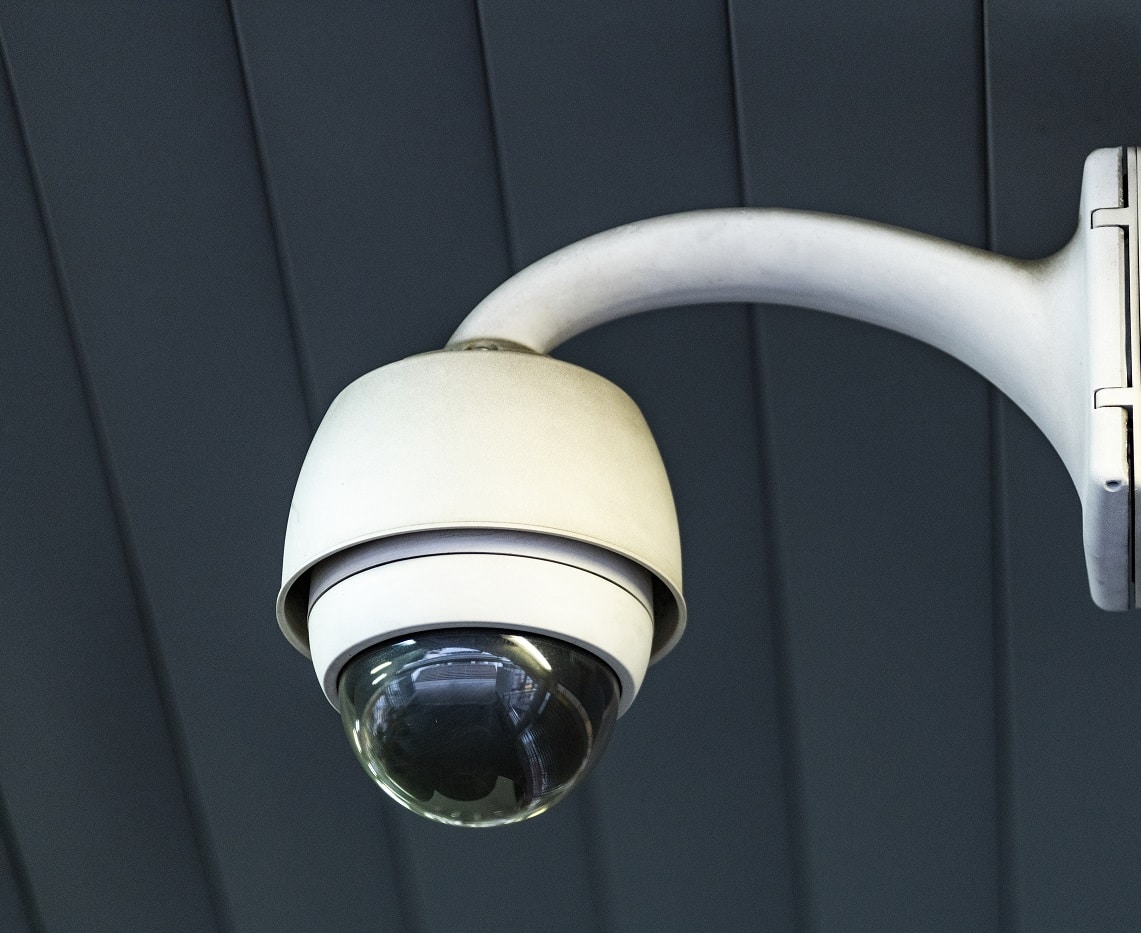
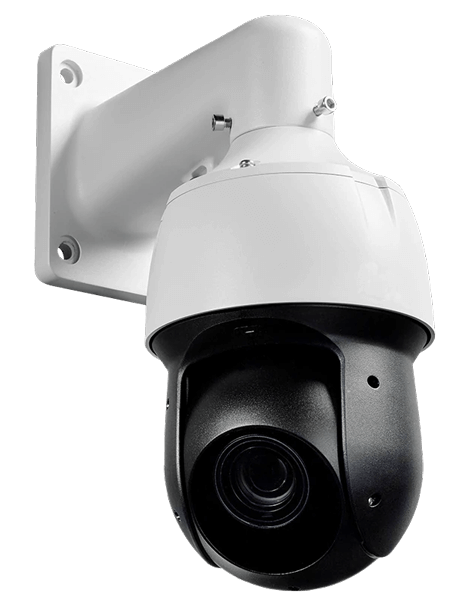
Pan-tilt-zoom (PTZ) cameras have mechanical parts that let them move side to side, tilt up and down, and zoom in and out. These cameras are often used in large open areas that need a full 180- or 360-degree view. Security personnel usually control them remotely. Depending on the model or software, PTZ cameras can automatically track motion or follow a set schedule. They are often part of a larger security system, where the PTZ camera tracks movement and a fixed camera captures detailed images.

In contrast, ePTZ stands for electronic pan-tilt-zoom and refers to a software feature. ePTZ cameras don’t physically move. Instead, they use digital zoom to create the pan-tilt-zoom effect on a stationary camera. This allows operators to zoom in on specific areas without losing coverage, which can happen with traditional PTZ cameras. Some ePTZ cameras offer 360° coverage, providing a PTZ-like experience while still recording the entire view.

A laptop and smartphone displaying security software interfaces on a teal background with the text "Discover Security on a Whole New Level" and "Book a Demo Now.

Pros and cons of PTZ cameras

Pros

Cons

Wide Coverage: Can cover 180- or 360-degree views.

Expensive: Generally more costly than fixed cameras.

Remote Control: Can be controlled remotely for better monitoring.

Mechanical Wear: Moving parts can wear out over time.

Flexible Monitoring: Can automatically track movement or follow a preset schedule.

Complex Setup: Installation and setup can be more complicated.

Versatile Use: Suitable for large, open areas requiring detailed monitoring.

Blind Spots: Can miss coverage areas when focused on a specific spot.

Integration: Often works well as part of a larger security system.

Requires Active Monitoring: May need personnel to operate effectively.

Zoom Capability: Offers powerful zoom to capture detailed images.

Power Consumption: Typically consumes more power than fixed cameras.

Where are PTZ cameras most commonly used or found?

PTZ cameras are most commonly used in the following areas:

  1. Shopping centers and malls: To monitor large areas and track suspicious activity.
  2. Parking lots and garages: For wide coverage and to focus on specific incidents.
  3. Stadiums and arenas: To oversee large crowds and enhance security.
  4. Airports and train stations: To ensure passenger safety and monitor vast spaces.
  5. City security: For monitoring traffic and public areas in urban settings.
  6. Industrial sites: To keep an eye on large equipment and facilities.
  7. Office buildings and campuses: For comprehensive security and to track movement.
  8. Correctional facilities: To supervise inmates and maintain security.

What to think about when buying a PTZ camera

When buying a PTZ camera, consider the following key factors:

Coverage Area: Ensure the camera can cover the area you need to monitor, including its pan, tilt, and zoom capabilities.

Image Quality: Look for high-resolution cameras for clear images, especially when zooming in.

Night Vision: Check if the camera has good low-light performance or infrared capabilities for nighttime monitoring.

Durability: Consider the camera’s build quality and weather resistance, especially for outdoor use.

Integration: Ensure it can integrate with your existing security system and software.

Control Options: Decide if you need remote control capabilities and automatic tracking features.

Installation and Maintenance: Consider the ease of installation and the maintenance required for the moving parts.

Budget: Balance the features you need with your budget, including potential ongoing costs for maintenance and power consumption.

Focusing on these factors will help you choose a PTZ camera that meets your security needs effectively.

Types of PTZ Cameras

PTZ IP Camera: PTZ internet protocol (IP) cameras connect via WiFi or Power over Ethernet (PoE). These are more advanced than traditional analog PTZ cameras.

WiFi PTZ Camera: These cameras connect wirelessly to a router but still need a power source. A strong WiFi connection is crucial to avoid lag and maintain video quality.

PTZ PoE Camera: PoE cameras use an Ethernet cable plugged into a PoE switch for both power and internet. They generally have a more reliable connection over longer distances compared to WiFi.

PTZ Analog Camera: Analog (CCTV) PTZ cameras use an analog signal to capture footage and connect to digital video recorders (DVRs) via coaxial cables. They can’t transmit video data independently and need a DVR to convert, compress, and store footage.

Outdoor PTZ Camera: Designed for outdoor use, these cameras are built to withstand extreme temperatures and weather conditions. They come with a weatherproof exterior and an IP rating for protection against natural elements.

Wireless PTZ Camera: Ideal for installations where running cables isn’t feasible, these cameras transmit video wirelessly, usually via WiFi. They are often used for long-distance outdoor monitoring, especially where cabling is difficult or costly to install.

An ad featuring a clickable link to book a demo with solink.

Protect your business today with Solink

Solink’s video analytics and monitoring solutions help create a safe, secure, and healthy environment for businesses.

Schedule a product demo with our experts

*Solink does not currently service private residential properties

Table of Contents

Table of Contents

A physical security audit is essential for protecting your business. By conducting a thorough review, you can identify weaknesses in your current security measures and implement effective solutions. This guide will walk you through the steps of performing a physical security audit, helping you safeguard your assets and ensure the safety of your employees and customers. Let’s get started on strengthening your business’s security.

What is a physical security audit?

A physical security audit is a comprehensive evaluation of your business’s physical security measures. This process involves assessing all aspects of your security setup, including access controls, alarm systems, security cameras, and the physical layout of your premises. The goal is to identify any vulnerabilities or gaps that could be exploited by intruders or unauthorized individuals. By thoroughly examining these elements, you can determine how well your current security measures are working and what improvements are necessary.

During a physical security audit, a security professional will typically conduct a walkthrough of your facility, inspect key security components, and review security policies and procedures. They may also test alarm systems and check the placement and functionality of security cameras. The findings from the audit will be compiled into a detailed report, highlighting areas of concern and providing recommendations for enhancing your security posture. Conducting regular physical security audits helps ensure that your business remains secure and compliant with industry standards.

A laptop and smartphone displaying security software interfaces on a teal background with the text "Discover Security on a Whole New Level" and "Book a Demo Now.

The importance of a physical security audit for businesses

The importance of a physical security audit for businesses cannot be overstated. This audit helps identify and address vulnerabilities that could lead to security breaches, theft, or other incidents. By conducting regular audits, businesses can proactively manage risks and implement necessary improvements to their security systems. This not only protects physical assets but also ensures the safety of employees and customers, fostering a secure and trustworthy environment.

Additionally, a physical security audit is crucial for regulatory compliance. Many industries have specific security standards and requirements that businesses must adhere to. Regular audits ensure that your business complies with these regulations, avoiding potential fines and legal issues. Moreover, a robust security framework can enhance your business’s reputation, giving clients and partners confidence in your commitment to safety and security.

What is involved in a physical security audit?

A physical security audit involves a detailed examination of a business’s security measures to identify weaknesses and areas for improvement. Here’s what typically happens during an audit:

  1. Initial assessment: The process starts with a meeting to understand the specific security needs and concerns of the business. This includes discussing past incidents and current security policies.
  2. Facility walkthrough: The auditor conducts a thorough walkthrough of the entire facility, inspecting access points, lighting, locks, doors, windows, and any other potential entry points. This helps identify physical vulnerabilities.
  3. Security systems review: The audit includes a detailed review of all security systems in place, such as alarm systems, security cameras, and access control systems. The auditor checks the placement, functionality, and maintenance records of these systems.
  4. Policy and procedure evaluation: The auditor examines existing security policies and procedures, such as visitor management, employee access, and emergency response plans. This ensures that protocols are being followed and are effective.
  5. Interviews and observations: Interviews with staff members and observations of daily operations help assess how security measures are implemented and followed in practice.
  6. Testing: Some audits may include testing of security systems, such as triggering alarms or attempting unauthorized access to evaluate the response and effectiveness of security measures.
  7. Report and recommendations: After the audit, the auditor compiles a comprehensive report detailing findings, vulnerabilities, and recommendations for improvement. This report helps the business prioritize and address security gaps.

Conducting a physical security audit is a proactive step towards ensuring the safety and security of your business, employees, and assets.

A person holding a smartphone showing a video while another screen in the background displays security footage. The text reads "Get Started - Solink - Demo With Us Now.

Creating a physical security audit checklist for yourself

Creating a physical security audit checklist for your business ensures that you cover all essential aspects during the audit. Here’s a comprehensive checklist to guide you:

Physical Security Audit Checklist

Access Control

  • Inspect all entry points (doors, windows, gates).
  • Check the functionality of locks, key cards, and access codes.
  • Verify that only authorized personnel have access to sensitive areas.
  • Assess visitor management procedures (sign-in logs, badges).
  • Review employee access levels and restrictions.

Security Systems

  • Test alarm systems for proper operation.
  • Evaluate the placement and functionality of security cameras.
  • Ensure security cameras cover all critical areas (entrances, exits, parking lots, high-value storage).
  • Review maintenance records for all security systems.

Lighting and Visibility

  • Check outdoor and indoor lighting for adequate coverage.
  • Ensure all areas are well-lit, especially entry points and parking lots.
  • Inspect lighting timers and motion sensors.

Physical Barriers

  • Examine fences, walls, and barriers for integrity and effectiveness.
  • Assess the condition of locks, gates, and access control points.
  • Verify that all security barriers are in good repair.

Employee and Visitor Policies

  • Review security policies for employees and visitors.
  • Ensure proper procedures for issuing and returning access credentials.
  • Verify training records for employees on security protocols.

Emergency Procedures

  • Evaluate emergency exits and evacuation routes.
  • Check the availability and accessibility of emergency equipment (fire extinguishers, first aid kits).
  • Review the effectiveness of emergency response plans.

Data Security

  • Assess the physical security of IT infrastructure (servers, data centers).
  • Ensure secure storage of backup data and sensitive documents.
  • Verify that access to data storage areas is restricted to authorized personnel.

General Observations

  • Observe daily operations to ensure compliance with security protocols.
  • Conduct interviews with staff to understand their knowledge of security procedures.
  • Note any areas that require immediate attention or improvement.

Action Plan

  • Compile a list of identified vulnerabilities and areas for improvement.
  • Prioritize actions based on the level of risk and potential impact.
  • Develop a timeline for implementing recommended changes.
  • Assign responsibility for each action item to ensure accountability.

By following this checklist, you can thoroughly evaluate your business’s physical security and identify opportunities for enhancement, ensuring a safer environment for your assets, employees, and customers.

An ad featuring a clickable link to book a demo with solink.

What role does a physical security audit play in protecting your business?

A physical security audit plays a crucial role in protecting your business by systematically identifying and addressing vulnerabilities in your security measures. Here’s how it helps:

Identifying Vulnerabilities

A physical security audit involves a thorough examination of your business’s security infrastructure, including access controls, security systems, and physical barriers. This process helps identify weak points that could be exploited by intruders or unauthorized individuals. By uncovering these vulnerabilities, you can take proactive steps to strengthen your defenses.

Enhancing Safety Measures

The audit provides detailed insights into the effectiveness of your current safety measures. This includes evaluating alarm systems, security cameras, lighting, and emergency procedures. With this information, you can enhance or upgrade your security systems to better protect your assets, employees, and customers. Improved safety measures reduce the risk of theft, vandalism, and other security breaches.

Ensuring Compliance

Many industries have specific security regulations and standards that businesses must comply with. A physical security audit helps ensure that your business meets these requirements, avoiding potential fines and legal issues. Compliance not only protects your business legally but also enhances your reputation as a secure and trustworthy operation.

Guiding Policy Improvements

During the audit, security policies and procedures are evaluated to ensure they are effective and up-to-date. This includes reviewing employee access controls, visitor management, and emergency response plans. The findings from the audit can guide improvements to these policies, ensuring they align with best practices and effectively mitigate risks.

Fostering a Secure Environment

Regular physical security audits foster a culture of security awareness among employees. When staff members see that the business is committed to maintaining a secure environment, they are more likely to follow security protocols and report potential issues. This collective vigilance helps maintain a higher level of security across the organization.

In summary, a physical security audit is an essential tool for protecting your business. It helps identify weaknesses, enhance safety measures, ensure compliance, guide policy improvements, and foster a secure environment, ultimately safeguarding your business’s assets and people.

Key takeaways

A physical security audit is essential for any business aiming to protect its assets, employees, and customers. By systematically identifying vulnerabilities and assessing the effectiveness of current security measures, businesses can take proactive steps to enhance their defenses. Regular audits ensure compliance with industry standards, guide policy improvements, and foster a culture of security awareness. Implementing the insights from a physical security audit helps create a safer and more secure environment, ultimately safeguarding the business’s operations and reputation. Prioritizing physical security audits is a strategic investment in the long-term safety and success of your business.

Protect your business today with Solink

Experience the power of Solink’s video analytics and monitoring solutions. Transform your business into a safe, secure, and thriving environment. Fill out the form for a demo and see the difference!

Schedule a product demo with our experts

*Solink does not currently service private residential properties

Table of Contents

Table of Contents

4K security cameras are transforming how businesses protect their assets. With four times the resolution of standard HD cameras, 4K cameras offer unparalleled video clarity. This high level of detail helps identify faces, license plates, and other critical elements with precision. Whether you’re upgrading your current system or installing new cameras, understanding 4K resolution can significantly enhance your security strategy. In this article, we’ll explore the key benefits and practical applications of 4K security cameras for businesses.

Understanding 4K resolution in security cameras

4K resolution means a camera captures images at 3840 x 2160 pixels, providing four times the detail of standard 1080p HD cameras. This higher pixel count results in sharper, clearer images, making it easier to identify small details such as faces, license plates, and other crucial elements. For businesses, this means more reliable evidence in case of incidents and a stronger deterrent against potential threats. Enhanced image quality ensures that nothing is missed, even in low-light conditions or at greater distances.

Resolution

Pixel Dimensions

Description

SD (Standard Definition)

720 x 480

Basic quality, low clarity

720p (HD)

1280 x 720

Basic high definition, decent clarity

1080p (Full HD)

1920 x 1080

Standard high definition, good clarity

1440p (2K)

2560 x 1440

Higher definition, very good clarity

2160p (4K)

3840 x 2160

Ultra high definition, excellent clarity

4320p (8K)

7680 x 4320

Extreme definition, top-tier clarity

As you can see, there is also video resolution as high as 8K. 8K video offers an unprecedented level of detail with a resolution of 7680 x 4320 pixels, providing sixteen times the clarity of standard 1080p HD. This extreme definition ensures that every detail is captured with stunning accuracy, making it ideal for environments requiring the highest video quality, such as large-scale facilities or critical security areas. However, the increased resolution demands significant storage and processing power, which may be a consideration for businesses looking to implement 8K cameras. Despite these challenges, 8K video represents the future of high-definition security technology.

A laptop and smartphone displaying security software interfaces on a teal background with the text "Discover Security on a Whole New Level" and "Book a Demo Now.

Key benefits of 4K security cameras for businesses

4K security cameras offer several advantages that make them a valuable addition to any business security system. Here are some key benefits:

Enhanced image clarity: With four times the resolution of 1080p cameras, 4K cameras capture incredibly detailed images. This level of clarity helps in accurately identifying faces, license plates, and other important details, which can be crucial in investigations.

Wider coverage: The high resolution of 4K cameras allows them to cover larger areas without losing image quality. This means you can monitor expansive spaces with fewer cameras, reducing the overall cost and complexity of your security system.

Improved digital zoom: When you need to zoom in on a specific part of the footage, 4K resolution ensures that the image remains clear and sharp. This enhanced zoom capability is especially useful for closely examining incidents or identifying individuals from a distance.

Better low-light performance: Many 4K cameras are equipped with advanced sensors and technologies that improve performance in low-light conditions. This means clearer and more useful footage during nighttime or in poorly lit areas.

Future-proofing your security system: Investing in 4K cameras ensures that your security infrastructure remains up-to-date with the latest technology. As video quality standards continue to rise, having 4K cameras in place will help you stay ahead of the curve and avoid frequent upgrades.

How 4K cameras enhance video quality and clarity

4K cameras significantly improve video quality and clarity, providing a superior level of detail compared to lower-resolution cameras. Here’s how:

Higher pixel count: With 3840 x 2160 pixels, 4K cameras capture more detailed images, making it easier to distinguish fine details like facial features and text on documents or signs.

Clearer zooming: When you zoom in on footage from a 4K camera, the image remains clear and sharp. This is crucial for identifying details in large or crowded areas, such as retail stores or parking lots.

Better frame rates: Many 4K cameras support higher frame rates, resulting in smoother video playback. This helps in accurately capturing fast-moving objects or people, reducing motion blur and improving the overall quality of the footage.

Superior low-light performance: Advanced sensor technology in many 4K cameras allows for better performance in low-light conditions. This means you get clearer images at night or in dimly lit environments, enhancing overall security coverage.

Enhanced color accuracy: 4K cameras often provide more accurate color representation, which helps in identifying objects and people based on their true colors. This can be critical in situations where precise identification is needed.

A person holding a smartphone showing a video while another screen in the background displays security footage. The text reads "Get Started - Solink - Demo With Us Now.

Comparing 4K cameras to traditional security systems

When deciding between 4K cameras and traditional security systems, it’s essential to understand how they differ in terms of performance and capabilities. Here’s a comparison to help you make an informed choice:

4K cameras provide several advantages over traditional security systems. Their higher resolution offers significantly clearer and more detailed images, making it easier to identify faces, license plates, and other crucial details. This level of detail can be critical for investigations and evidence gathering.

Traditional security systems, often featuring 720p or 1080p resolution, may still be sufficient for some businesses, especially those with smaller areas to monitor or lower security needs. However, they generally lack the image clarity and coverage capabilities of 4K cameras.

Pros and cons of 4K cameras and traditional security systems

Feature

4K Cameras

Traditional Security Systems

Image quality

Exceptional clarity and detail

Decent, but lower detail

Coverage area

Larger areas with fewer cameras needed

Smaller areas, may require more cameras

Zoom capability

Clearer zoomed-in images

Less clear when zoomed in

Low-light performance

Advanced sensors for better night vision

Generally lower performance in low light

Storage requirements

Higher storage needed due to large files

Lower storage needs

Cost

Higher initial investment

More affordable options available

Future-proofing

More future-proof with the latest technology

May require upgrades sooner

This table highlights the key differences, making it easier to weigh the benefits and drawbacks of each option. While 4K cameras offer superior image quality and advanced features, they come with higher storage requirements and initial costs. Traditional systems might be more budget-friendly but lack the enhanced capabilities of 4K technology.

Practical applications of 4K security cameras in various industries

4K security cameras have a wide range of applications across different industries, thanks to their high-resolution capabilities and enhanced features. Here are some practical examples:

Retail: In retail environments, 4K cameras help reduce theft and enhance loss prevention efforts by capturing clear images of customers and staff. High-resolution footage aids in identifying suspicious behavior and providing solid evidence in case of incidents.

Hospitality: Hotels and restaurants benefit from 4K cameras by improving guest safety and monitoring staff activities. Clear video quality helps in resolving disputes and maintaining high service standards.

Healthcare: In hospitals and clinics, 4K cameras enhance security and patient safety by providing detailed monitoring of sensitive areas. They help ensure compliance with regulations and improve incident response times.

Manufacturing: Factories and warehouses use 4K cameras to monitor production lines, ensuring quality control and workplace safety. Detailed footage assists in identifying operational issues and preventing accidents.

Transportation: Airports, train stations, and other transportation hubs employ 4K cameras for security and crowd management. The high-resolution video helps in monitoring large areas and quickly responding to security threats.

Conclusion

4K security cameras offer unparalleled video clarity and a host of advanced features that traditional security systems can’t match. With applications across various industries—from retail to healthcare—these cameras enhance security, improve operational efficiency, and provide detailed evidence when needed. While they come with higher initial costs and storage requirements, their benefits make them a worthwhile investment for businesses looking to upgrade their security infrastructure. By choosing 4K cameras, you’re ensuring your business is equipped with the latest technology for the highest level of protection.

Protect your business today with Solink

Experience the power of Solink’s video analytics and monitoring solutions. Transform your business into a safe, secure, and thriving environment. Fill out the form for a demo and see the difference!

Schedule a product demo with our experts

*Solink does not currently service private residential properties

Table of Contents

Table of Contents

Understanding how long security cameras store footage is crucial for effective security, especially when it comes to your business. Missing important footage can leave gaps in addressing incidents. This article explains why the right storage duration matters for spotting threats, analyzing trends, and maintaining a strong security system.

How long do security cameras keep footage on average?

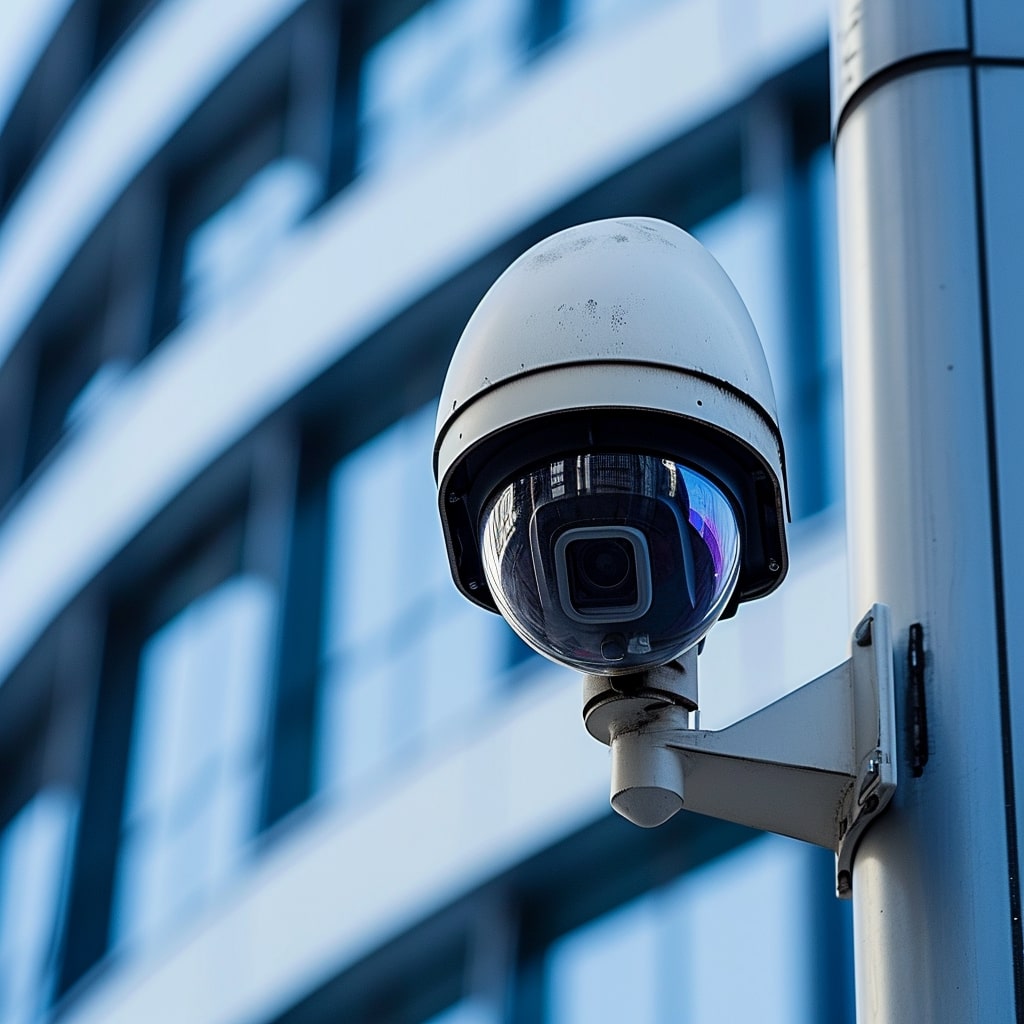
Different types of business have different video retention needs, but as a general guideline footage recorded by security systems should be retained for a minimum of 30 days. Certain industries, for example cannabis or financial services, may be required to maintain more than a year of security footage on-site and/or in the cloud.

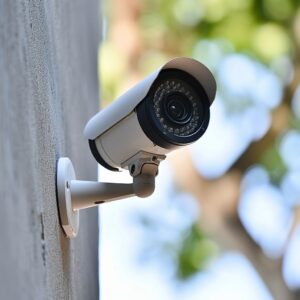
Cctv camera on a wall with trees in the background.

Furthermore, businesses may choose to retain, for example, 90 days of standard definition (SD) video but only 14 days of high-definition (HD) video. This gives them the long-term coverage needed for internal theft investigations as well as the time required to save and share major incidents with law enforcement, insurance companies, and any other stakeholders.

Retention of security footage can help in many different ways. It isn’t only theft or shrinkage where video retention can help, security camera systems can also record events related to liability. For example, if an employee or customer is injured, security footage can be pivotal to demonstrate who was at fault. Liability issues often do not surface for several months, making longer video retention a practical way to protect your business from unforeseen risks.

A laptop and smartphone displaying security software interfaces on a teal background with the text "Discover Security on a Whole New Level" and "Book a Demo Now.

Where can security camera footage be stored?

Security camera footage can be stored in several ways, each offering distinct benefits:

  1. On-site storage: Footage is stored on physical devices such as DVRs (Digital Video Recorders) or NVRs (Network Video Recorders) located at your business. This method provides quick access to recent recordings but can be at risk of theft, tampering, or damage due to events like fires or floods.
  2. Cloud storage: Footage is stored on remote servers accessed via the internet. This method offers secure, scalable storage and allows you to access footage from anywhere with an internet connection. Cloud storage is ideal for protecting data from physical damage or theft and often includes automatic backups and enhanced security features.
  3. Hybrid storage: Combines on-site and cloud storage. Critical footage is stored on-site for immediate access, while backups are kept in the cloud for long-term security. This approach provides the benefits of both methods, ensuring quick access to important footage while maintaining a secure backup off-site.

Choosing the right storage method depends on your business needs, budget, and security requirements. Assess your priorities to decide which option offers the best balance of accessibility and safety for your security footage.

Retention time for each individual storage type

Here’s a breakdown of different storage options and their typical retention times:

On-site storage

7 days to several months

Footage stored on physical devices (DVR/NVR) at your location. Retention time depends on storage capacity and recording settings. Quick access but vulnerable to theft or damage.

Cloud storage

30 days to several years

Footage stored on remote servers, accessible via the internet. Secure, scalable, and protected from physical damage. Often includes automatic backups and enhanced security.

Hybrid storage

Same as above

Combines on-site and cloud storage. Critical footage is stored on-site for quick access, with secure backups in the cloud for long-term protection. Flexible and enhances data security.

Key elements affecting camera storage capacity

Several factors influence the storage capacity of security cameras:

Resolution: Higher resolution footage requires more storage space. Cameras recording in 4K will use more storage compared to those recording in 1080p or 720p.

Frame rate: Higher frame rates (e.g., 30 fps) create smoother videos but consume more storage than lower frame rates (e.g., 15 fps).

Compression technology: Advanced compression formats like H.265 reduce file sizes more efficiently than older formats like H.264, extending storage capacity without sacrificing quality.

Recording settings: Continuous recording uses more storage than motion-triggered or scheduled recording. Adjusting these settings can help manage storage needs.

Number of cameras: More cameras recording simultaneously will require more storage space. The combined data from all cameras must be factored into overall capacity planning.

Retention period: Longer retention times require more storage. Decide how long you need to keep footage based on your business needs and legal requirements.

Storage hardware capacity: The physical capacity of DVR, NVR, or cloud storage plans impacts how much footage can be stored. Larger hard drives or higher-tier cloud plans offer more storage space.

By understanding and managing these factors, businesses can optimize their storage solutions to meet their security needs efficiently.

Tactics to keep security camera footage for longer

To extend the retention period of your security camera footage, consider the following tactics:

Optimize resolution and frame rate: Lowering the resolution and frame rate of your recordings can significantly reduce storage requirements, allowing you to keep footage for longer periods.

Use advanced compression: Implement advanced compression technologies like H.265, which reduce file sizes more efficiently than older formats such as H.264, extending your storage capacity without sacrificing video quality.

Enable motion detection recording: Configure your cameras to record only when motion is detected. This minimizes the amount of footage stored, conserving space and extending retention times.

Invest in additional storage: Upgrade your DVR, NVR, or cloud storage plan to a higher capacity option. Larger storage solutions can hold more footage, allowing for longer retention periods.

Regularly archive important footage: Periodically review and archive critical footage to external storage devices or cloud services. This frees up space for new recordings while preserving important data for long-term use.

Adjust retention settings: Tailor your retention settings based on your business needs. Determine the optimal balance between retention time and available storage, and adjust settings accordingly.

Use hybrid storage solutions: Combine on-site storage with cloud backups. Store immediate access footage locally while keeping long-term backups in the cloud, ensuring extended retention without compromising accessibility.

Implementing these strategies can help maximize your storage efficiency and ensure that you retain important security footage for as long as necessary.

Conclusion

Understanding how long the average security camera stores footage is vital for effective security management. Implementing the right storage strategy ensures that critical footage is available when needed, enhancing overall security and peace of mind.

Protect your business today with Solink

Experience the power of Solink’s video analytics and monitoring solutions. Transform your business into a safe, secure, and thriving environment. Fill out the form for a demo and see the difference!

Schedule a product demo with our experts

*Solink does not currently service private residential properties

Table of Contents

Table of Contents

In today’s digital age, cyber threats are a constant concern for businesses of all sizes. Protecting your data and ensuring your company’s online safety is more important than ever. To help you stay secure, we’ve compiled a list of 20 essential cybersecurity awareness tips. These straightforward, practical tips will guide you and your team in maintaining a robust defense against potential cyber threats. Implementing these practices can make a significant difference in keeping your business safe online. Let’s dive in and enhance your cybersecurity awareness.

A laptop and smartphone displaying security software interfaces on a teal background with the text "Discover Security on a Whole New Level" and "Book a Demo Now.

Keeping your business safe online is crucial. Here are 20 simple tips to boost your cyber security awareness:

1. Use strong passwords

  • Combine upper and lower case letters, numbers, and symbols.
  • Avoid common words and easily guessable information.

2. Enable two-factor authentication (2FA)

  • Adds an extra layer of security.
  • Requires a second form of identification.

3. Keep software updated

  • Install updates and patches regularly.
  • Protects against known vulnerabilities.

4. Educate employees

  • Train staff on security best practices.
  • Regularly update them on new threats.

5. Use antivirus software

  • Detects and removes malicious software.
  • Keep it updated to handle new threats.

6. Be wary of phishing emails

  • Don’t click on links or download attachments from unknown sources.
  • Verify the sender before responding.

7. Secure your Wi-Fi network

  • Use strong encryption like WPA3.
  • Change default passwords on routers.

8. Backup data regularly

  • Store backups offline or in the cloud.
  • Ensure you can recover important data if needed.

9. Limit access to sensitive information

  • Only give access to those who need it.
  • Use role-based access controls.

10. Use encryption

  • Encrypt sensitive data in transit and at rest.
  • Protects information from unauthorized access.

Banner promoting Solink with the text "Top Reasons People Are Going With Solink" and three reasons listed: Event Search, Remote Access, and Video Wall. A "Book My Demo Today" button is featured.

11. Monitor network activity

  • Watch for unusual activity or unauthorized access.
  • Use tools to help detect threats early.

12. Avoid using public Wi-Fi for sensitive transactions

  • Use a virtual private network (VPN) if you must connect.
  • Protects your data on unsecured networks.

13. Secure physical devices

  • Lock computers and mobile devices when not in use.
  • Use strong passwords or biometric locks.

14. Implement a firewall

  • Blocks unauthorized access to your network.
  • Use both hardware and software firewalls.

15. Stay informed about new threats

  • Follow cyber security news.
  • Adjust your security measures accordingly.

16. Develop an incident response plan

  • Know what to do in case of a breach.
  • Regularly test and update your plan.

17. Use secure connections

  • Ensure websites use HTTPS.
  • Encrypts data between your browser and the server.

18. Manage and update user privileges

  • Regularly review and adjust user access levels.
  • Remove access for former employees immediately.

19. Be cautious with social media

  • Don’t share sensitive business information.
  • Adjust privacy settings to limit exposure.

20. Regularly audit your security measures

  • Conduct periodic security assessments.
  • Identify and fix vulnerabilities.

By following these tips, you can significantly enhance your business’s cybersecurity. Stay proactive and keep your data safe.

Protect your business today with Solink

Experience the power of Solink’s video analytics and monitoring solutions. Transform your business into a safe, secure, and thriving environment. Fill out the form for a demo and see the difference!

Schedule a product demo with our experts

*Solink does not currently service private residential properties