

Table of Contents
Table of Contents
If your security footage disappears when you need it, it’s not security. It’s a liability.
Businesses can’t afford to fumble video evidence. Whether it’s for an incident, insurance claim, or investigation, video is only valuable if it’s saved, managed, and shared the right way.
Here’s how to make sure you never lose it – and never waste time tracking it down.
Stop babysitting video: Use a VMS
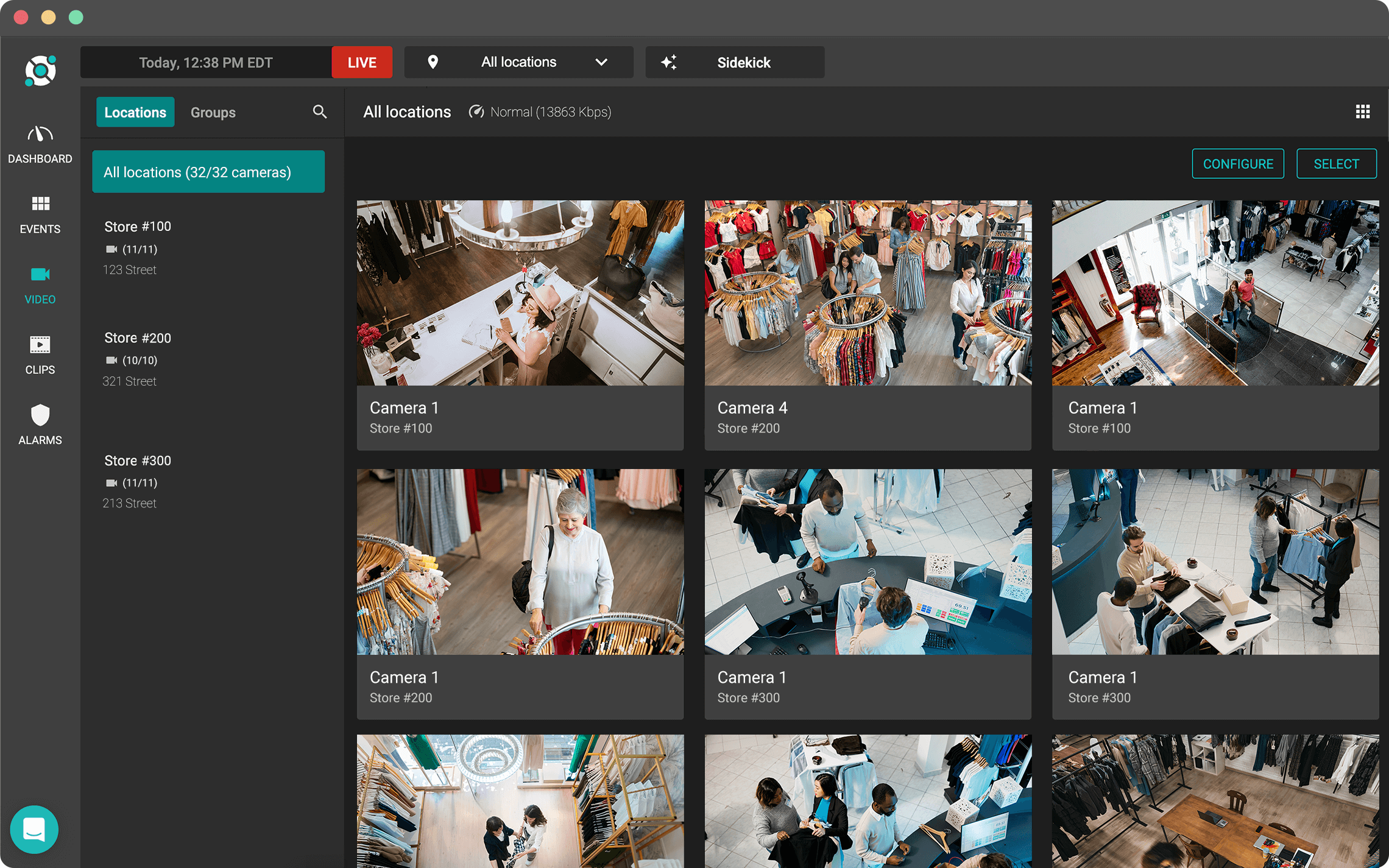
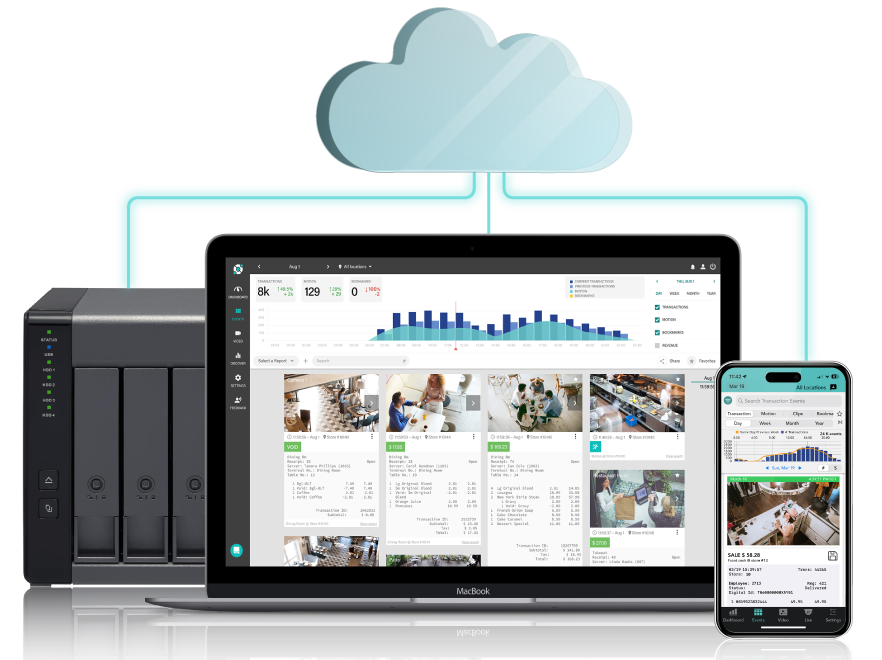
A video management system (VMS) changes how you handle security footage. Instead of digging through hours of video, you’re typing in keywords. Instead of USBs, you’re sharing links. Instead of a back room full of DVRs, everything’s in one dashboard.
Solink takes this further by integrating your video with your business data. That means you can pull footage of a refund, a door left open, or a cash drawer opened too often, automatically.
Saving video isn’t just easier. It’s smarter.
Saving footage should take seconds, not hours
Most business owners don’t save footage until something happens. By then, it might be too late. Cameras record on a loop, and footage is gone in days if you don’t lock it.
With Solink, saving a clip is instant:
-
Search by event, time, or keyword
-
Select the footage
-
Click save
Done. The clip stays secure in the cloud and doesn’t get overwritten.
Don’t just store it, manage it
Saving video is one thing. Finding it later is another.
If you’re still dealing with folders, file names, and external drives, you’re wasting time and risking your evidence.
Solink lets you:
-
Search by employee, transaction, or time
-
Add notes for context
-
See saved clips across locations
Everything is organized, searchable, and shareable.
Share footage like a pro
Handing over a USB or burning a DVD? That’s not just outdated. It’s risky.
Footage should be shared like any other digital file: securely, instantly, and without hardware.
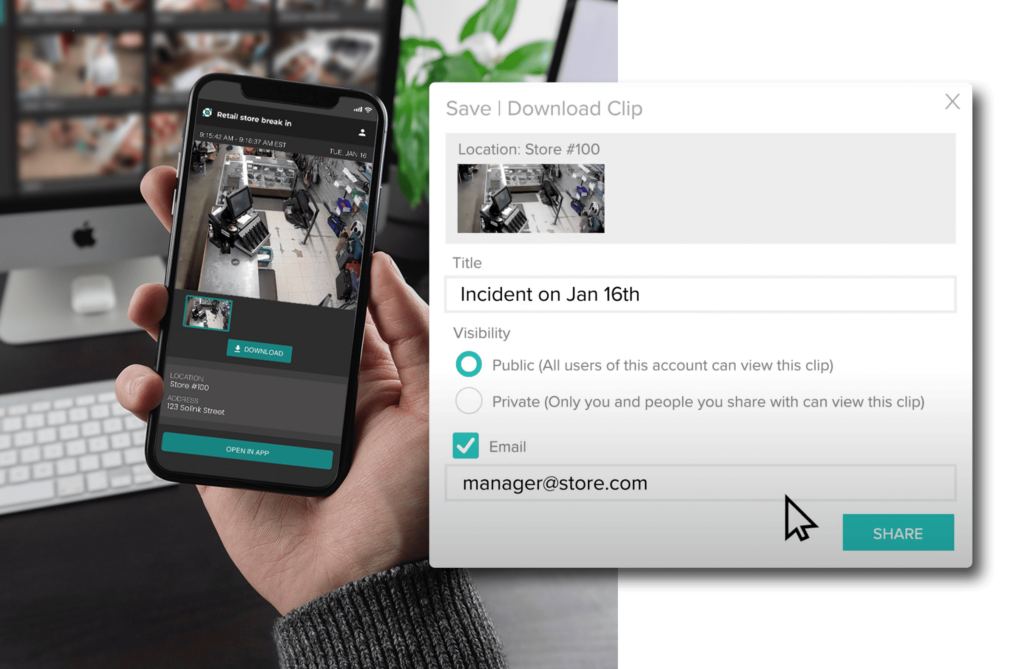
Solink lets you share video links with:
-
Law enforcement
-
Insurance providers
-
Employees or HR
-
Internal investigators
You control access. You can revoke it anytime. And you see when the video’s been viewed.
Store it where it’s safe: The cloud
Cloud storage means:
-
No physical equipment to break or steal
-
Footage is encrypted and backed up
-
Access it from anywhere
-
No caps on how much you save
With Solink, you choose how long to keep footage. Whether it’s 30 days, 90 days, or indefinitely, you set the rules.
Or go hybrid for full control
Need to meet compliance or corporate policies? Hybrid storage gives you both: on-site backup and cloud access.
You still get:
-
Centralized access
-
Smart search
-
Instant sharing
But you also meet strict retention requirements if you’re in a high-security industry like banking or cannabis.
Get footage to authorities fast
The clock starts ticking the moment something happens.
If you’re scrambling to find and export video, the investigation already has a delay. That delay could cost you – especially when it comes to theft or liability.
Solink makes it easy to send footage to police or internal teams in minutes. No waiting. No second-guessing. No lost evidence.
Insurance moves faster when you send footage faster
If you’re filing a claim, footage is the proof. But only if you can get it into the hands of your provider quickly.
The faster you share it, the faster your claim moves.
Solink gives you the ability to save and send footage the same day something happens. That helps you:
-
Get payouts faster
-
Prove your case clearly
-
Prevent future issues
Take control of your security camera footage
If your system makes it hard to find or share footage, it’s already failing.
Solink makes saving, managing, and sharing video effortless – and powerful. Whether you run one store or a hundred, you get full visibility and control without the hardware headaches.
Book a demo and find out how Solink saves businesses time, money, and stress every day.
FAQ: Security footage storage and sharing made easier
How long should I store my business’s security footage?
It depends on your industry, but most businesses keep 30 to 90 days. Solink lets you set custom retention times per location or camera.
Can I share video clips outside my organization?
Yes. Solink generates secure links you can send to law enforcement, insurance providers, or other stakeholders.
What happens if the internet goes out?
Solink continues to record locally and uploads once the connection is back. No footage is lost.
Is cloud storage secure?
Yes. Solink uses encryption and strict access controls to protect every clip.
Can I get alerts when something happens?
Absolutely. Solink integrates with your business data to send real-time alerts for specific events, so you can jump straight to the footage.
Protect your business today with Solink
Solink’s video analytics and monitoring solutions help create a safe, secure, and healthy environment for businesses.
Schedule a product demo with our experts