Solink Agentic AI summit
| Tuesday, June 23 |

Table of Contents

Table of Contents

Explore the top grocery store video security systems and learn how these solutions enhance loss prevention and streamline store operations. This guide breaks down the essential features of modern security systems, including video security, data integration, and mobile accessibility. Plus, discover a list of the best grocery store security providers in the industry.

When choosing the best grocery store security system, several critical factors come into play. From seamless integration and real-time monitoring to advanced analytics and theft prevention features, understanding what sets a system apart is key. First, we’ll cover what a modern grocery store security system offers, then dive into the vital components that define top-tier solutions to help you protect your business.

See how Solink’s data-driven video security system can elevate the safety and efficiency of your grocery store.

What Is a Grocery Store Security System and How Does It Work?

Grocery store security systems are advanced video security solutions designed to integrate seamlessly with store operations and store footage on secure, remote servers. These systems provide real-time monitoring and management, offering flexibility and scalability for grocery store owners.

The best grocery store security systems feature:

  • Always operational: These systems ensure zero downtime, alerting you to any issues with cameras or connected devices. Continuous functionality is critical to reliable store security.
  • Seamlessly compatible: A true grocery store security system connects hardware and software, enabling video and data to work together for remote access and smooth integration with other business systems.
  • Accessible anywhere, anytime: The ability to monitor your store from anywhere at any time is essential, allowing you to keep tabs on security and key operational metrics remotely.
  • Automatically updated: These systems stay current with the latest security patches and updates, protecting against cybersecurity threats without manual intervention. This ensures that you always benefit from new features to maximize ROI.

While many systems claim to be cloud-based, they often fall short of utilizing true cloud technology. At Solink, our approach to grocery store security goes beyond basic video storage. We believe that a comprehensive security solution should enhance both safety and operational efficiency, providing robust features that drive business improvement.
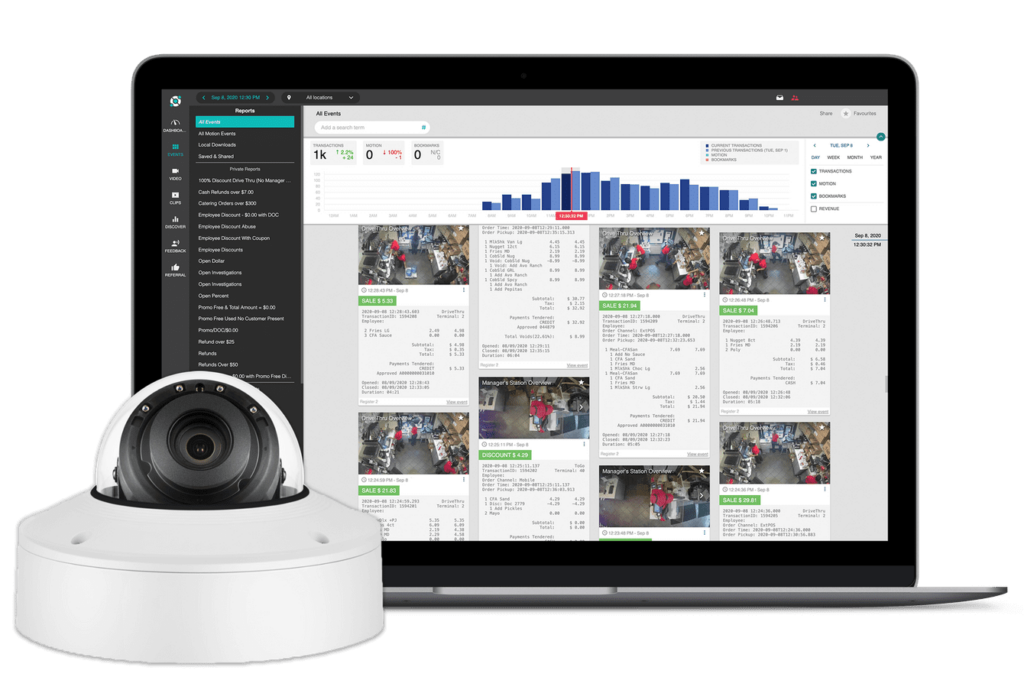
White Camera in front of a withe dashboard with analytics blue and navy

What Are the Benefits of a Grocery Store Security System?

The best grocery store security systems offer significant value, often paying for themselves through cost savings, enhanced security, and improved operational efficiency. Here’s how these systems drive ROI for grocery stores:

Easy video sharing

Cloud-based storage simplifies video management. With security footage stored on a cloud server, sharing critical clips is as simple as sending a link. This feature is essential for quick access during investigations or law enforcement inquiries. Solink’s platform enhances this by automatically saving relevant footage based on triggers like motion detection, saving you time and allowing for instant sharing.


Remote monitoring

Access your security data from anywhere, whether you manage a single grocery store or multiple locations. Solink provides real-time video and data access across all your stores, allowing you to monitor ongoing events and make informed decisions remotely.

Unified data and video

Managing vast amounts of business data can be overwhelming. Solink’s platform integrates video footage with data from other systems, offering security insights while also revealing key operational metrics to streamline grocery store operations.

Proactive alerts

Instead of constantly monitoring your store, Solink uses AI and motion detection to alert you of potential issues. From restricted area access to inventory discrepancies, Solink notifies you when important metrics deviate, enabling quick responses before problems escalate.

Off-site cloud storage backup

While cloud storage can consume bandwidth, combining cloud storage with local storage boosts system resilience. Solink’s hybrid approach ensures important footage is securely stored off-site while keeping costs down, ensuring compliance with industry regulations.

Continuous improvements

Unlike traditional systems, cloud-based security evolves with regular updates. Solink consistently rolls out new features, like Location Management, to enhance security and operational efficiency, ensuring your grocery store stays ahead with the latest innovations.

Automated security updates

Cybersecurity is crucial. Unlike traditional systems, cloud-based solutions like Solink receive free, automated security updates to protect your business from vulnerabilities, keeping your data safe over time.

System health checks

Solink performs regular checks to ensure your cameras and connected systems stay online. If issues are detected, you receive instant alerts, allowing you to address problems before they affect security. Regular health checks also keep your system secure from potential vulnerabilities.

POS system integration

Solink elevates security by integrating with your grocery store’s POS system. This feature pairs transactional data with corresponding video footage, allowing you to verify every sale or void in real time. For example, if an unusual transaction occurs, you can immediately review the video, reducing theft, preventing fraud, and improving employee accountability. This integration provides both operational insights and increased security, helping you optimize efficiency and protect revenue.

AI Features and Benefits for Grocery Store Security Systems

Storing your grocery store security footage in the cloud unlocks powerful AI-driven features that surpass traditional systems. Cloud computing provides the processing power needed for advanced capabilities, transforming how you monitor and manage your store. Here are some key AI features:

Motion search

AI-powered motion search makes reviewing footage faster and more efficient, especially for investigating incidents like theft. Simply select the area where an item went missing, and the system will highlight all motion events in that zone, skipping unnecessary footage. This saves valuable time and helps quickly identify suspicious activity.


Event search

Employee theft at the point of sale (POS) is a common issue in grocery stores. With POS integration, you can search for high-risk transactions—such as discounts, voids, or no-sale till openings—paired with corresponding video footage. This allows you to review these transactions in real time, enhancing loss prevention efforts and identifying potential fraud.

Camera linking

Solink’s AI-driven Camera Linking automatically detects overlapping views across your cameras. This feature makes it easy to follow an individual’s movements throughout your store, tracking them from one camera to the next. Whether investigating suspicious activity or verifying customer behavior, Camera Linking provides seamless navigation for complete oversight.

Customer wait time tracking

For grocery stores with drive-thrus or busy checkout lanes, AI can track customer wait times to optimize service. This feature monitors how long customers are waiting and sends alerts when delays occur, allowing staff to respond immediately. By reducing wait times and improving service speed, this tool helps enhance the overall customer experience and improve operational efficiency.

Line crossing

AI-powered line crossing technology allows you to set up virtual lines within your camera feeds to detect when someone enters a restricted or critical area. This feature goes beyond security by integrating with POS data, enabling you to track foot traffic and analyze customer behavior. With these insights, you can assess conversion rates, improve store layout, and maximize sales opportunities.

Zone tracking

With AI-enabled zone tracking, you can measure how long customers or employees spend in key areas like checkout lines, product displays, or service counters. By tracking dwell time, you can identify bottlenecks, evaluate the effectiveness of store layouts, and improve customer flow. This feature helps optimize store operations, reduce wait times, and enhance the overall shopping experience.

Scalability for Growing Grocery Businesses

Cloud-based grocery store security systems offer unmatched scalability, making it easy to expand your security setup as your business grows. Remote monitoring and cloud integration further simplify the process, allowing you to manage multiple locations and users with ease. Here’s how cloud-based video security scales with your business:

Number of sites: With cloud-based systems, adding new store locations is simple. As your grocery chain grows, you can bring additional sites online seamlessly. Remote monitoring lets you oversee all locations from one platform, ensuring consistent security across every store.

Number of users: It’s easy to add new users as your team expands. You can also customize access levels, ensuring that employees only view the data and footage they need while protecting sensitive information.

Number of connected systems: Solink’s system integrates with various grocery store technologies, from POS systems to scheduling software and access control. As you implement new systems, Solink can integrate them into your dashboard, providing a centralized view of both security and operational data. This flexibility ensures your security system grows alongside your business.

The Best Grocery Security System Companies on the Market

The logo for solink.

1) Solink

Solink stands out as one of the top grocery store security system providers, with over 30,000 locations and hundreds of thousands of cameras under management. Solink offers scalable solutions for grocery businesses of all sizes. What sets Solink apart is its highly customizable platform, specifically designed for industries like retail, grocery, banking, and more.

A key differentiator is Solink’s integration of video security with point-of-sale (POS) data, giving grocery store owners insights beyond traditional security. This feature allows you to link transactions with video footage, making it easier to detect and address incidents like theft or fraud. Solink also excels in user experience with one-click video sharing, advanced search tools, and automatic event tagging to streamline operations.

Compared to other systems that focus on basic video storage and remote access, Solink’s advanced analytics and data integration make it a comprehensive business intelligence solution, providing both enhanced security and valuable operational insights.

Advantages of Solink

Here are some key features that set Solink’s grocery store security system apart:

  • User-friendly platform: Easy to learn and accessible to staff in various roles, making it quick to adopt across your organization.
  • Continuous updates: Regularly releases new features like Camera Linking, Threshold Notifications, and Location Management.
  • 24/7 support: Get assistance anytime through in-app chat, email, phone, or access to a comprehensive help center.
  • Mobile excellence: Best-in-class mobile experience on Apple and Android devices, as well as Apple TV and web apps.
  • High ROI: Saves time, increases revenue, and reduces costs by preventing theft and improving operational efficiency.
  • Top-tier security: Offers industry-leading network security and data protection to safeguard your business.
  • Quick installation and maintenance: Fully managed hardware, with installation and upkeep handled by Solink.
  • Hundreds of integrations: Seamlessly connects with POS systems, access control, scheduling software, and more.
  • Video alarms: Choose between self-serve or managed options for video verification of alarms.
  • Flexible contracts: No-term agreements, offering flexibility as your business evolves.
  • Real-time alerts and daily reports: Get instant notifications for critical metrics and daily summary emails of key data points.
  • Technology-agnostic: Works with most existing security cameras and connected systems.
  • End-to-end solution: Can source, install, and manage your entire security camera setup, making it a complete solution for your grocery store.

Direct comparison table

In the chart below, we provide a detailed comparison between Solink and other leading video security providers, such as Verkada, Avigilon, and Eagle Eye Networks. This side-by-side analysis highlights key features and capabilities of each system, helping you understand how Solink’s integration of video security with POS data, advanced analytics, and user-friendly functionalities beats out the offerings of these competitors. Whether you’re prioritizing advanced data correlation, ease of use, or comprehensive security solutions, this chart will help you see why Solink is the superior choice for your business needs.
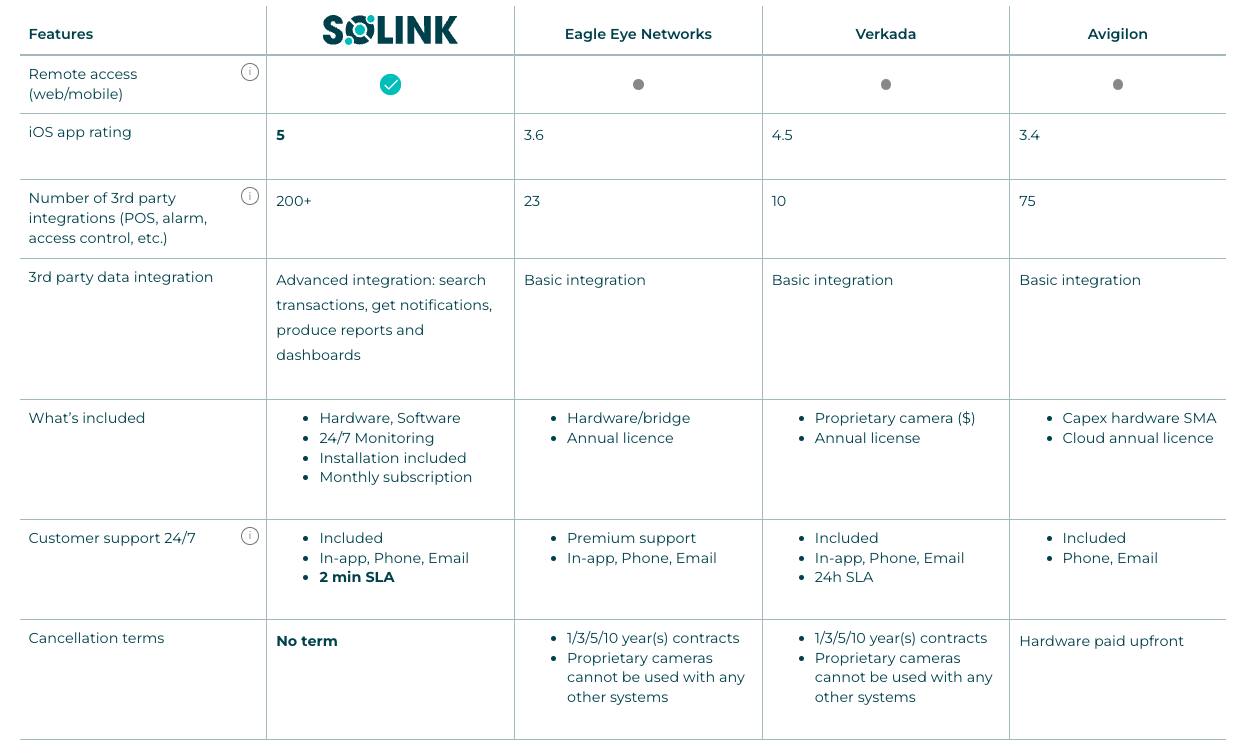
Comparison chart of remote access tools showing features and terms for link, eagle eye networks, verkada, and avigilon. columns include integration, included features, and connection terms.

2) Verkada

Verkada is a cloud-based security camera company offering a simple, scalable solution for businesses. Their system combines cloud management with onboard storage, ensuring secure, accessible video. Key features include AI-powered analytics, end-to-end encryption, and a user-friendly interface. Verkada designs both hardware and software for seamless integration, making it a solid choice for businesses of all sizes.

Quick overview:

  • Cloud-managed cameras: Access footage and manage systems remotely.
  • Hybrid storage: Combines local and cloud storage for reliability.
  • Integrated design: Hardware and software built for seamless use.
  • Security-focused: End-to-end encryption and access controls.
  • AI analytics: Facial recognition, people counting, vehicle detection.
  • User-friendly: Intuitive interface for easy management.

3) Eagle Eye Networks

Eagle Eye Networks is a leading provider of cloud-based video security solutions, offering flexibility, scalability, and advanced features for businesses of all sizes.

Quick overview:

  • Cloud-based platform: Manage and access video footage remotely.
  • Open API: Integrates easily with existing security systems.
  • Flexible storage: Choose from cloud, local, or hybrid options.
  • AI-powered analytics: Features like object detection, license plate recognition, and real-time alerts.
  • Cybersecurity focus: Strong encryption and regular updates.
  • Scalable solutions: Suitable for any size business, from small retail to large enterprises.

4) Rhombus

Rhombus offers a cloud-based security camera system with a focus on simplicity, AI-driven features, and robust security. Their platform is designed for easy deployment and management across multiple locations.

Quick overview:

  • Cloud-based system: Access and manage video remotely.
  • AI-driven analytics: Includes facial recognition, object detection, and people counting.
  • Scalable deployment: Add or manage cameras easily across locations.
  • Strong security: Ensures data encryption and secure handling.
  • User-friendly interface: Designed for simple management.
  • Real-time alerts: Immediate notifications for suspicious activity.

5) Avigilon

Avigilon, part of Motorola Solutions, provides high-quality security camera systems known for their advanced video analytics and high-resolution video.

Quick overview:

  • High-definition video: Exceptional clarity and resolution.
  • AI-powered analytics: Includes facial recognition and unusual motion detection.
  • End-to-end solutions: Integrated hardware and software for seamless performance.
  • Scalability: Ideal for businesses ranging from small operations to large enterprises.
  • Strong security: Data encryption and secure video management.
  • Easy integration: Works with existing systems and infrastructure.

6) Spot AI

Spot AI provides an advanced cloud-based video security system that focuses on making video footage actionable through AI-driven insights. Their system is designed for businesses that want to enhance their security without overhauling existing infrastructure.

Quick overview:

  • Hybrid cloud system: Uses both cloud and on-premises storage, offering flexibility and enhanced security.
  • AI-powered features: Real-time alerts, advanced search, and video analytics help quickly identify and resolve incidents.
  • Compatibility: Works with any existing IP cameras, allowing easy integration without needing new hardware.
  • Centralized management: A single dashboard to manage all camera feeds, improving efficiency and accessibility.
  • Scalability: Easily scales to meet the needs of growing businesses.
  • Easy deployment: Quick setup with minimal disruption to current operations.

7) Axis Communications

Axis Communications is a leader in network video solutions, offering cloud-based options that integrate seamlessly with their high-quality IP cameras. Axis is known for its reliability and innovation in video security technology.

Quick overview:

  • Cloud-based management: Axis offers cloud storage and management options that allow users to access and control their camera systems remotely.
  • Advanced analytics: Their systems support various analytics like motion detection, people counting, and license plate recognition, which are processed either on the camera itself or via cloud services.
  • High-definition video: Axis cameras provide exceptional image quality, even in challenging lighting conditions.
  • Cybersecurity: Strong focus on cybersecurity with features like secure boot, signed firmware, and encrypted data streams to protect video footage.
  • Integration capabilities: Easily integrates with other security systems like access control and alarm systems, making it ideal for complex, large-scale installations.

8) Hanwha Techwin (Wisenet)

Hanwha Techwin, known for its Wisenet camera line, provides cloud-based video security solutions focused on high-resolution imaging and AI-driven analytics.

Quick overview:

  • Cloud and hybrid storage: Offers both cloud and hybrid storage solutions, giving businesses flexibility in how they store their video footage.
  • AI-driven features: Includes advanced analytics like facial recognition, object detection, and people counting, helping businesses get more actionable insights from their security footage.
  • High-resolution cameras: Hanwha’s cameras are known for delivering crisp, clear video, even in low-light conditions.
  • Scalability: The system is designed to scale easily, making it suitable for both small businesses and large enterprises.
  • Cybersecurity: Equipped with strong security protocols to protect video data from unauthorized access and cyber threats.

Why Solink is the Best Choice for Your Grocery Store Security System

Solink is the ideal choice for a grocery store security system because it combines powerful video monitoring with intelligent data integration to deliver actionable insights. Unlike traditional systems that only store footage, Solink integrates with your existing cameras and POS systems, transforming your video into a valuable tool for enhancing security, improving efficiency, and reducing loss.

With a user-friendly platform, real-time alerts, remote access, and advanced search features, Solink makes it easy to manage multiple store locations from one dashboard. Additionally, Solink prioritizes cybersecurity with end-to-end encryption and regular updates, ensuring a secure, reliable solution for modern grocery businesses.

Protect your business today with Solink

Solink’s video analytics and monitoring solutions help create a safe, secure, and healthy environment for businesses.

Schedule a product demo with our experts

*Solink does not currently service private residential properties

Table of Contents

Table of Contents

Explore the top cannabis video security systems and learn how these solutions enhance compliance and streamline dispensary operations. This guide breaks down the essential features of modern security systems, including video security, data integration, and mobile accessibility. Plus, discover a list of the best cannabis security providers in the industry.

When choosing the best cannabis security system, several critical factors come into play. From seamless integration and real-time access to advanced analytics and reliable compliance features, understanding what sets a system apart is key. First, we’ll cover what a modern cannabis security system offers, then dive into the vital components that define top-tier solutions to help you protect your business.

See how Solink’s data-driven video security system can elevate the safety and efficiency of your cannabis operation.

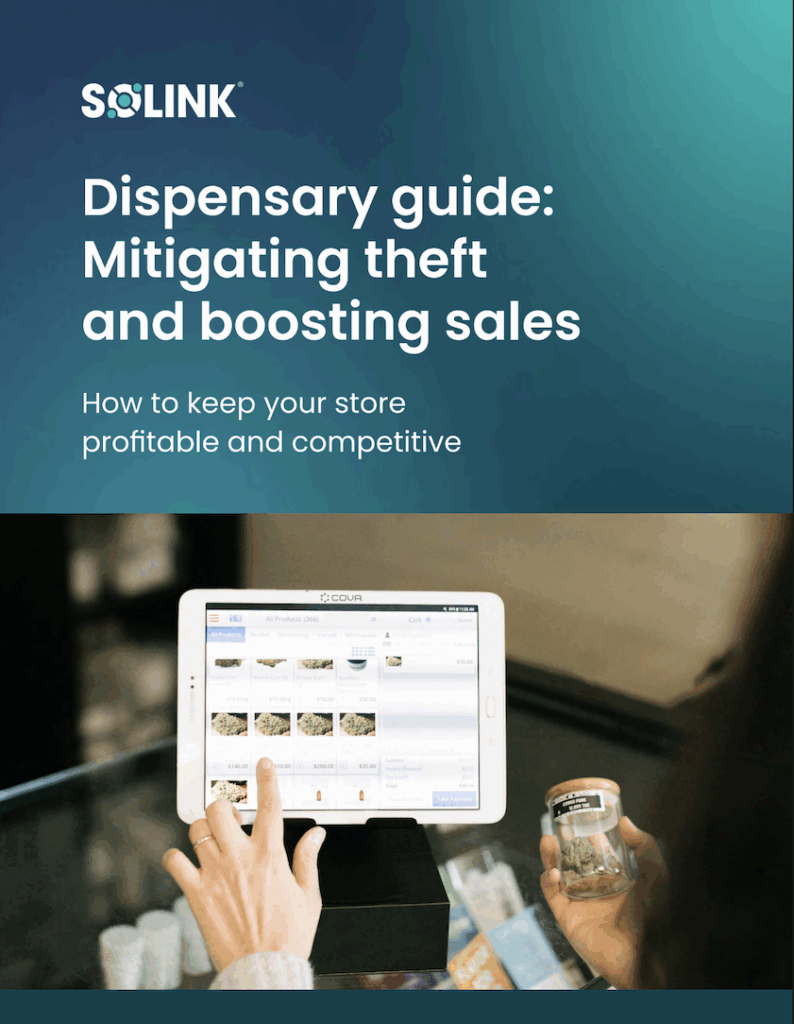
A person holds a jar with herbs in front of a tablet displaying product images. Text reads "Dispensary guide: Mitigating theft and boosting sales.

You're leaving money on the table if you skip this.

“Dispensary Guide: Mitigating Theft and Boosting Sales” reveals how to protect profits, prevent losses, and stay ahead of the competition. Download now—before your competitors do.

What Is a Cannabis Security System and How Does It Work?

Cannabis security systems are modern video security solutions designed to integrate with dispensary operations and store footage on secure, remote servers. These systems provide real-time monitoring and management, offering flexibility and scalability for cannabis business owners.

The best cannabis security systems feature:

Always operational: These systems ensure zero downtime, alerting you to any issues with cameras or connected devices. Continuous functionality is key to reliable security.

Seamlessly compatible: A true cannabis security system connects hardware and software, enabling video and data to work together for remote access and smooth integration with other systems.

Accessible anywhere, anytime: The ability to monitor your dispensary from anywhere at any time is essential, allowing you to keep tabs on security and key business metrics remotely.

Automatically updated: These systems stay current with the latest security patches and updates, protecting against cybersecurity threats without requiring manual updates. This also ensures you’re always benefiting from new features to maximize ROI.

While many systems claim to be cloud-based, they often fall short of utilizing true cloud technology. At Solink, our approach to cannabis security goes beyond basic video storage. We believe that a comprehensive security solution should enhance both safety and operational efficiency, providing robust features that drive business improvement.

What Are the Benefits of a Cannabis Security System?

The best cannabis security systems deliver significant value, often paying for themselves through cost savings, enhanced security, and improved efficiency. Here’s how these systems drive ROI for dispensaries:

Easy video sharing

Cloud-based storage simplifies video management. With security footage stored on a cloud server, sharing critical clips is as easy as sending a link. This feature is crucial when quick access is needed for investigations or law enforcement. Solink’s platform enhances this by automatically saving relevant footage based on triggers like motion detection, saving you time and allowing instant sharing.


Remote monitoring

Access your security data from anywhere, whether you manage a single location or multiple dispensaries. Solink provides real-time video and data access across all your locations, allowing you to monitor ongoing events and make informed decisions.

Unified data and video

Managing vast amounts of business data can be overwhelming. Solink’s platform integrates video footage with data from other systems, offering security insights while revealing key business metrics to help streamline operations.

Proactive alerts

Rather than constantly monitoring your dispensary, Solink uses AI and motion detection to alert you of potential issues. From restricted area access to inventory discrepancies, Solink notifies you when important metrics deviate, enabling quick responses before problems escalate.

Off-site cloud storage backup

While cloud storage can consume bandwidth, combining cloud storage with local storage boosts system resilience. Solink’s hybrid approach ensures important footage is securely stored off-site while keeping costs down, ensuring compliance with industry regulations.

Continuous improvements

Unlike traditional systems, cloud-based security evolves with regular updates. Solink consistently rolls out new features, like Location Management, to enhance security and operational efficiency, ensuring you stay ahead with the latest innovations.

Automated security updates

Cybersecurity is critical. Unlike traditional systems, cloud-based solutions like Solink receive free, automated security updates to protect your business from vulnerabilities, keeping your data safe over time.

System health checks

Solink performs regular checks to ensure your cameras and connected systems stay online. If issues are detected, you receive instant alerts, allowing you to address problems before they affect security. Regular health checks also keep your system secure from potential vulnerabilities.

POS system integration

Solink takes security to the next level by integrating with your dispensary’s POS system. This feature pairs transactional data with corresponding video footage, allowing you to verify every sale or void in real time. For example, if an unusual transaction occurs, you can immediately review the video, reducing theft, preventing fraud, and improving employee accountability. This integration provides both operational insights and increased security, helping you optimize efficiency and protect revenue.

AI Features and Benefits for Cannabis Security Systems

Storing your cannabis security footage in the cloud unlocks powerful AI-driven features that go far beyond traditional systems. Cloud computing provides the processing power needed for advanced capabilities, transforming how you monitor and manage your business. Here are some key AI features:

Motion search

AI-powered motion search makes reviewing footage faster and more efficient, especially for investigating incidents like theft. Simply select the area where an item went missing, and the system will highlight all motion events in that zone, skipping unnecessary footage. This saves valuable time and helps quickly identify suspicious activity.


Event search

Employee theft at the point of sale (POS) is a common issue in dispensaries. With POS integration, you can search for high-risk transactions—such as discounts, voids, or no-sale till openings—paired with corresponding video footage. This allows you to review these transactions in real time, enhancing loss prevention efforts and identifying potential fraud.

Camera linking

Solink’s AI-driven Camera Linking automatically detects overlapping views across your cameras. This feature makes it easy to follow an individual’s movements throughout your dispensary, tracking them from one camera to the next. Whether investigating suspicious activity or verifying customer behavior, Camera Linking provides seamless navigation for complete oversight.

Line crossing

AI-powered line crossing technology allows you to set up virtual lines within your camera feeds to detect when someone enters a restricted or critical area. This feature goes beyond security by integrating with POS data, enabling you to track foot traffic and analyze customer behavior. With these insights, you can assess conversion rates and calculate revenue per customer, turning video footage into actionable business intelligence.

Zone tracking

With AI-enabled zone tracking, you can measure how long customers or employees spend in key areas like service counters, waiting lines, or product displays. By tracking dwell time, you can identify bottlenecks, assess the effectiveness of store layouts, and improve customer flow. This feature helps optimize operations, reduce wait times, and enhance the overall customer experience.

Scalability for Growing Cannabis Businesses

Cloud-based cannabis security systems offer unparalleled scalability, making it easy to grow your security setup as your business expands. Remote monitoring and cloud integration further simplify the process, allowing you to manage multiple locations and users with ease. Here’s how cloud-based video security scales with your business:

Number of sites: With cloud-based systems, adding new locations is simple. As your cannabis chain grows, you can bring additional sites online seamlessly. Remote monitoring lets you oversee all locations from one platform, ensuring consistent security across the board.

Number of users: It’s easy to add new users as your team expands. You can also customize access levels, ensuring that employees only view the data and footage they need, while protecting sensitive information.

Number of connected systems: Solink’s system integrates with various dispensary technologies, from POS systems to scheduling software and access control. As you implement new systems, Solink can integrate them into your dashboard, providing a centralized view of both security and operational data. This flexibility ensures your security system grows alongside your business.

The Best Cannabis Security System Companies on the Market

The logo for solink.

1) Solink

Solink stands out as one of the top cannabis security system providers. With over 30,000 locations and hundreds of thousands of cameras under management, Solink offers scalable solutions for businesses of all sizes. What sets Solink apart is its highly customizable platform, specifically designed for industries like cannabis, retail, banking, and more.

A key differentiator is Solink’s integration of video security with point-of-sale (POS) data, giving dispensary owners insights beyond traditional security. This feature allows you to link transactions with video footage, making it easier to detect and address incidents like theft or fraud. Solink also excels in user experience with one-click video sharing, advanced search tools, and automatic event tagging to streamline operations.

Compared to other systems that focus on basic video storage and remote access, Solink’s advanced analytics and data integration make it a comprehensive business intelligence solution, providing both enhanced security and valuable operational insights.

Advantages of Solink

Here are some of the key features that set Solink’s cannabis security system apart:

  • User-friendly platform: Easy to learn and accessible to staff in various roles, making it quick to adopt across your organization.
  • Continuous updates: Regularly releases new features like Camera Linking, Threshold Notifications, and Location Management.
  • 24/7 support: Get assistance anytime through in-app chat, email, phone, or access to a comprehensive help center.
  • Mobile excellence: Best-in-class mobile experience on Apple and Android devices, as well as Apple TV and web apps.
  • High ROI: Saves time, increases revenue, and reduces costs by preventing theft and improving operational efficiency.
  • Top-tier security: Offers industry-leading network security and data protection to safeguard your business.
  • Quick installation and maintenance: Fully managed hardware, with installation and upkeep handled by Solink.
  • Hundreds of integrations: Seamlessly connects with POS systems, access control, scheduling software, and more.
  • Video alarms: Choose between self-serve or managed options for video verification of alarms.
  • Flexible contracts: No-term agreements, offering flexibility as your business evolves.
  • Real-time alerts and daily reports: Get instant notifications for critical metrics and daily summary emails of key data points.
  • Technology-agnostic: Works with most existing security cameras and connected systems.
  • End-to-end solution: Can source, install, and manage your entire security camera setup, making it a complete solution for your business.

Direct comparison table

In the chart below, we provide a detailed comparison between Solink and other leading video security providers, such as Verkada, Avigilon, and Eagle Eye Networks. This side-by-side analysis highlights key features and capabilities of each system, helping you understand how Solink’s integration of video security with POS data, advanced analytics, and user-friendly functionalities beats out the offerings of these competitors. Whether you’re prioritizing advanced data correlation, ease of use, or comprehensive security solutions, this chart will help you see why Solink is the superior choice for your business needs.

Comparison chart of remote access tools showing features and terms for link, eagle eye networks, verkada, and avigilon. columns include integration, included features, and connection terms.

2) Verkada

Verkada is a cloud-based security camera company offering a simple, scalable solution for businesses. Their system combines cloud management with onboard storage, ensuring secure, accessible video. Key features include AI-powered analytics, end-to-end encryption, and a user-friendly interface. Verkada designs both hardware and software for seamless integration, making it a solid choice for businesses of all sizes.

Quick overview:

  • Cloud-managed cameras: Access footage and manage systems remotely.
  • Hybrid storage: Combines local and cloud storage for reliability.
  • Integrated design: Hardware and software built for seamless use.
  • Security-focused: End-to-end encryption and access controls.
  • AI analytics: Facial recognition, people counting, vehicle detection.
  • User-friendly: Intuitive interface for easy management.

3) Eagle Eye Networks

Eagle Eye Networks is a leading provider of cloud-based video security solutions, offering flexibility, scalability, and advanced features for businesses of all sizes.

Quick overview:

  • Cloud-based platform: Manage and access video footage remotely.
  • Open API: Integrates easily with existing security systems.
  • Flexible storage: Choose from cloud, local, or hybrid options.
  • AI-powered analytics: Features like object detection, license plate recognition, and real-time alerts.
  • Cybersecurity focus: Strong encryption and regular updates.
  • Scalable solutions: Suitable for any size business, from small retail to large enterprises.

4) Rhombus

Rhombus offers a cloud-based security camera system with a focus on simplicity, AI-driven features, and robust security. Their platform is designed for easy deployment and management across multiple locations.

Quick overview:

  • Cloud-based system: Access and manage video remotely.
  • AI-driven analytics: Includes facial recognition, object detection, and people counting.
  • Scalable deployment: Add or manage cameras easily across locations.
  • Strong security: Ensures data encryption and secure handling.
  • User-friendly interface: Designed for simple management.
  • Real-time alerts: Immediate notifications for suspicious activity.

5) Avigilon

Avigilon, part of Motorola Solutions, provides high-quality security camera systems known for their advanced video analytics and high-resolution video.

Quick overview:

  • High-definition video: Exceptional clarity and resolution.
  • AI-powered analytics: Includes facial recognition and unusual motion detection.
  • End-to-end solutions: Integrated hardware and software for seamless performance.
  • Scalability: Ideal for businesses ranging from small operations to large enterprises.
  • Strong security: Data encryption and secure video management.
  • Easy integration: Works with existing systems and infrastructure.

6) Spot AI

Spot AI provides an advanced cloud-based video security system that focuses on making video footage actionable through AI-driven insights. Their system is designed for businesses that want to enhance their security without overhauling existing infrastructure.

Quick overview:

  • Hybrid cloud system: Uses both cloud and on-premises storage, offering flexibility and enhanced security.
  • AI-powered features: Real-time alerts, advanced search, and video analytics help quickly identify and resolve incidents.
  • Compatibility: Works with any existing IP cameras, allowing easy integration without needing new hardware.
  • Centralized management: A single dashboard to manage all camera feeds, improving efficiency and accessibility.
  • Scalability: Easily scales to meet the needs of growing businesses.
  • Easy deployment: Quick setup with minimal disruption to current operations.

7) Axis Communications

Axis Communications is a leader in network video solutions, offering cloud-based options that integrate seamlessly with their high-quality IP cameras. Axis is known for its reliability and innovation in video security technology.

Quick overview:

  • Cloud-based management: Axis offers cloud storage and management options that allow users to access and control their camera systems remotely.
  • Advanced analytics: Their systems support various analytics like motion detection, people counting, and license plate recognition, which are processed either on the camera itself or via cloud services.
  • High-definition video: Axis cameras provide exceptional image quality, even in challenging lighting conditions.
  • Cybersecurity: Strong focus on cybersecurity with features like secure boot, signed firmware, and encrypted data streams to protect video footage.
  • Integration capabilities: Easily integrates with other security systems like access control and alarm systems, making it ideal for complex, large-scale installations.

8) Hanwha Techwin (Wisenet)

Hanwha Techwin, known for its Wisenet camera line, provides cloud-based video security solutions focused on high-resolution imaging and AI-driven analytics.

Quick overview:

  • Cloud and hybrid storage: Offers both cloud and hybrid storage solutions, giving businesses flexibility in how they store their video footage.
  • AI-driven features: Includes advanced analytics like facial recognition, object detection, and people counting, helping businesses get more actionable insights from their security footage.
  • High-resolution cameras: Hanwha’s cameras are known for delivering crisp, clear video, even in low-light conditions.
  • Scalability: The system is designed to scale easily, making it suitable for both small businesses and large enterprises.
  • Cybersecurity: Equipped with strong security protocols to protect video data from unauthorized access and cyber threats.
9) Openeye

OpenEye provides cloud-based video management solutions that are easy to deploy and manage, with a strong emphasis on cybersecurity and system reliability.

Quick overview:

  • Cloud-based video management: Allows remote access to video feeds and system management from any internet-connected device.
  • Flexible storage: Offers a mix of cloud, local, or hybrid storage options, allowing businesses to tailor their system to their specific needs.
  • Strong cybersecurity: Focuses on securing video data with features like end-to-end encryption and regular software updates.
  • User-friendly interface: Designed for ease of use, making it simple for businesses to manage their video security without extensive training.
  • Scalability: Easily scalable to accommodate the needs of growing businesses, from small shops to large enterprises.

Why Solink is the Best Choice for Your Cannabis Security System

Solink is the ideal choice for a cannabis security system because it combines powerful video monitoring with intelligent data integration to deliver actionable insights. Unlike traditional systems that just store footage, Solink integrates with your existing cameras and POS systems, transforming your video into a valuable tool for enhancing security, ensuring compliance, and minimizing loss. With a user-friendly platform, real-time alerts, remote access, and advanced search features, Solink makes it easy to manage multiple dispensary locations from one dashboard. Plus, Solink prioritizes cybersecurity with end-to-end encryption and regular updates, providing a secure, reliable solution for modern cannabis businesses.

Protect your business today with Solink

Solink’s video analytics and monitoring solutions help create a safe, secure, and healthy environment for businesses.

Schedule a product demo with our experts

*Solink does not currently service private residential properties

Table of Contents

Table of Contents

Ensuring the safety of students and staff is a top priority for schools today. One of the most effective advancements in school security is the integration of Video Surveillance as a Service (VSaaS) and cloud-based Video Management Systems (VMS). These systems provide real-time monitoring, easy access to footage, and scalable solutions. Unlike traditional on-premise setups, cloud-capable VMS allows schools to securely store and manage video from anywhere, improving response times and overall security. In this article, we’ll explore top school security solutions, highlighting how the right VSaaS/VMS can make a big difference.

Let’s take a look at some of the tools, features and capabilities your security system could have at your college, high school or elementary school levels.

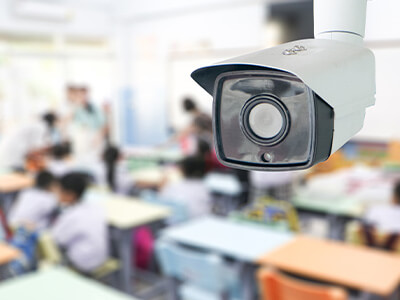
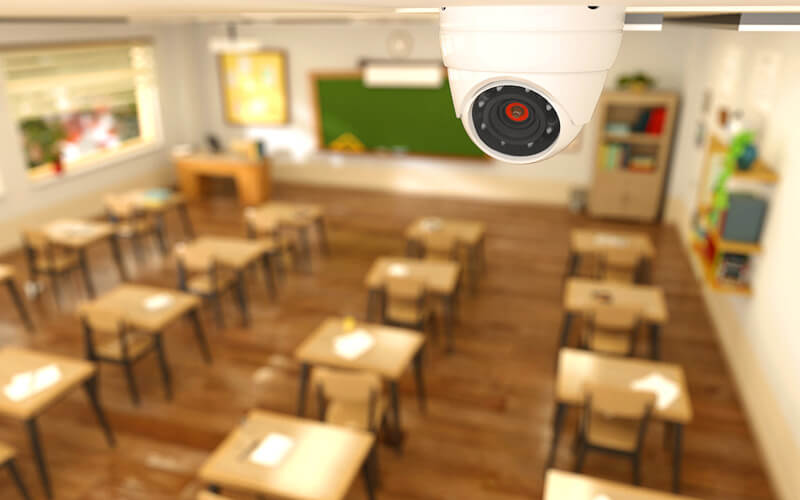
A security camera overlooks a classroom where children are seated at desks.

Cloud-based video security for seamless remote monitoring

Solink’s cloud-based video security offers schools a modern and highly effective way to monitor campus safety. Unlike traditional on-site systems, which require administrators or security personnel to be physically present to access video footage, cloud solutions allow real-time access from anywhere. Whether you’re at your desk, at home, or even off-campus, you can securely monitor live and recorded video feeds using any device with an internet connection.

This flexibility is a game-changer for school safety. In case of emergencies, administrators can respond instantly, even if they are not on-site, by viewing live video and directing security staff or law enforcement as needed. The cloud-based storage also eliminates the need for large, expensive servers, reducing both upfront costs and ongoing maintenance. Plus, with Solink’s scalable cloud platform, you can easily manage security across multiple campuses in one place, making district-wide monitoring simple and effective.

For schools that have limited IT resources, the cloud-based system also removes the burden of manual updates and upgrades. Solink automatically handles software updates, ensuring that your security system stays current with the latest features and improvements without disrupting daily operations. Remote monitoring, combined with real-time alerts and smart motion detection, helps administrators and IT staff respond faster and more effectively to incidents, giving them the tools they need to keep students and staff safe 24/7.

Easy integration with existing school security systems

One of the standout features of a high-quality VMS is its ability to integrate seamlessly with your school’s existing security infrastructure. Unlike many systems that require a complete “rip and replace” approach, which can be costly and disruptive, a company like Solink protects school's and educational institutions with a cloud based surveillance systemSolink is designed to work with the cameras, sensors, and equipment you already have in place. This means schools can upgrade their security capabilities without overhauling the entire system or spending a fortune on new hardware.
By using Solink, schools can make the most of their current investments while gaining access to advanced features like cloud-based storage, remote monitoring, and intelligent video analytics. The system enhances what’s already in place, offering powerful new capabilities without the need for expensive upgrades. For budget-conscious schools, this is a huge advantage—it allows for incremental improvements that don’t disrupt operations or break the bank.

Furthermore, the integration process is simple and designed to minimize downtime. Solink works with various camera brands and systems, so there’s no need to worry about compatibility issues. Schools can continue operating while gradually upgrading their security system, ensuring a smooth transition that keeps both students and staff protected without the hassle or high cost associated with complete system overhauls.

Advanced motion detection and smart alerts for real-time responses

Advanced motion detection and smart alert features give schools the power to monitor exactly what matters most. Instead of receiving endless notifications for every minor movement across the entire campus, a quality VMS allows you to set specific zones within your school for focused monitoring. Whether it’s the main entrance, hallways, or sensitive areas like storage rooms, you can customize the system to watch key locations and receive alerts only when activity is detected in those areas.

Additionally, a great VMS, like Solink, offers the flexibility to schedule alerts based on specific times. For instance, you can receive notifications for motion detected after school hours or during weekends, allowing you to keep an eye on the building when no one should be there.

Secure, scalable video storage with cloud capabilities

Cloud-based video storage is designed to meet the unique security needs of schools, providing a reliable, scalable, and secure solution. Unlike traditional on-site storage that can be limited by physical space or vulnerable to damage, cloud storage grows as your needs expand, whether you’re adding more cameras or increasing the length of time you need to store footage. This flexibility allows schools to easily scale their security systems without the headache of managing bulky hardware or purchasing additional storage devices.

Cloud storage also ensures that your data is continuously protected. Solink’s system, for example, offers encrypted, automatic backups, safeguarding your footage from both physical damage (such as fires or theft) and cyber threats. In the event of an incident, you can access your stored video from any location, giving administrators and security staff peace of mind that they can retrieve crucial footage at any time. The convenience and security of cloud storage make it an ideal choice for schools looking to maintain long-term security without the hassle of constant infrastructure updates.

Simplified incident review with intelligent video search

Intelligent video search features streamline the process of reviewing security footage, turning hours of video into minutes of actionable insights. Schools often need to act fast when an incident occurs, whether it’s investigating a student altercation, vandalism, or an unauthorized visitor. Solink’s system allows you to search and filter video based on multiple criteria, including specific times, dates, locations, or detected motion in key areas. This dramatically reduces the time it takes to locate the footage that matters.

For example, if you need to review footage of a hallway outside of class hours, you can simply set those parameters and immediately access the staircase-security-schoolrelevant clips, bypassing hours of irrelevant footage. The system’s smart search tools also allow you to isolate specific movements, such as detecting if someone enters a restricted area, so you can act quickly and efficiently. This capability not only speeds up incident investigations but also ensures that important details don’t slip through the cracks, providing a comprehensive view of security events at your school.
Conclusion and key takeaways

Overall it really comes down to what your VMS can do for you with the infrastructure you already have in place. A company like Solink can provide things such as:

  • Cloud-based video security meant for scalability, video protection and growth
  • An easy to search dashboard and incident alerting that is unmatched in any area
  • Advanced motion detection and alerting to make sure you’re in the know
  • Easy search, save and send capabilities with authorities when incidents do occur in your school

Ensure more safety for teachers and students with the right VMS system today. Solink brings advanced video analytics to your school campus so you can protect your students and property from all threats. Solink can deter theft and vandalism, improve incident response, and help staff follow-up on bullying claims.

To see how Solink can help your educational institution, sign up for a demo today.

Protect your business today with Solink

Solink’s video analytics and monitoring solutions help create a safe, secure, and healthy environment for businesses.

Schedule a product demo with our experts

*Solink does not currently service private residential properties

Table of Contents

Table of Contents

Using tablets in restaurants has become common, but are you making the most of this technology? In this article, we’ll explore restaurant tablet best practices within the industry to help you streamline operations and improve customer service. Whether you’re just starting with tablets or looking to refine your current setup, these tips can make a real difference in your restaurant’s efficiency and customer satisfaction.

A group of people dine together at a modern restaurant. Overhead text discusses how full service restaurants use data, AI, and sensors to improve security.

How full service restaurants are taking advantage of better security

Cut security headaches, not corners.

Discover how top full-service restaurants are simplifying security and operations with smarter tech. This guide breaks down how to link your POS and cameras, use AI to prevent loss, and turn video into real-time alerts—so your team can stay focused on delivering great service.

How are restaurants using tablets more within their business?

Restaurants are increasingly integrating tablets into various parts of their business. One common use is tableside ordering, where servers or customers use tablets to place orders directly into the kitchen. This reduces order errors and speeds up service. Some restaurants also use tablets as digital menus, allowing easy updates to offerings and prices without reprinting. Additionally, tablets can be used for payment processing, making transactions faster and more secure. From managing reservations to training staff, tablets provide flexibility that helps restaurants operate more efficiently.

Why restaurants are switching more and more to tablets

Restaurants are turning to tablets more frequently because they offer a range of benefits that traditional methods can’t match. First, they save time by allowing staff to enter orders directly into the system without running back and forth to a terminal. Tablets also enhance the customer experience by reducing wait times and offering interactive features like customizable orders. Additionally, the ability to instantly update menus and track sales data in real-time gives restaurant owners greater control over their business. As technology becomes more affordable and user-friendly, more restaurants are making the switch to tablets to stay competitive.

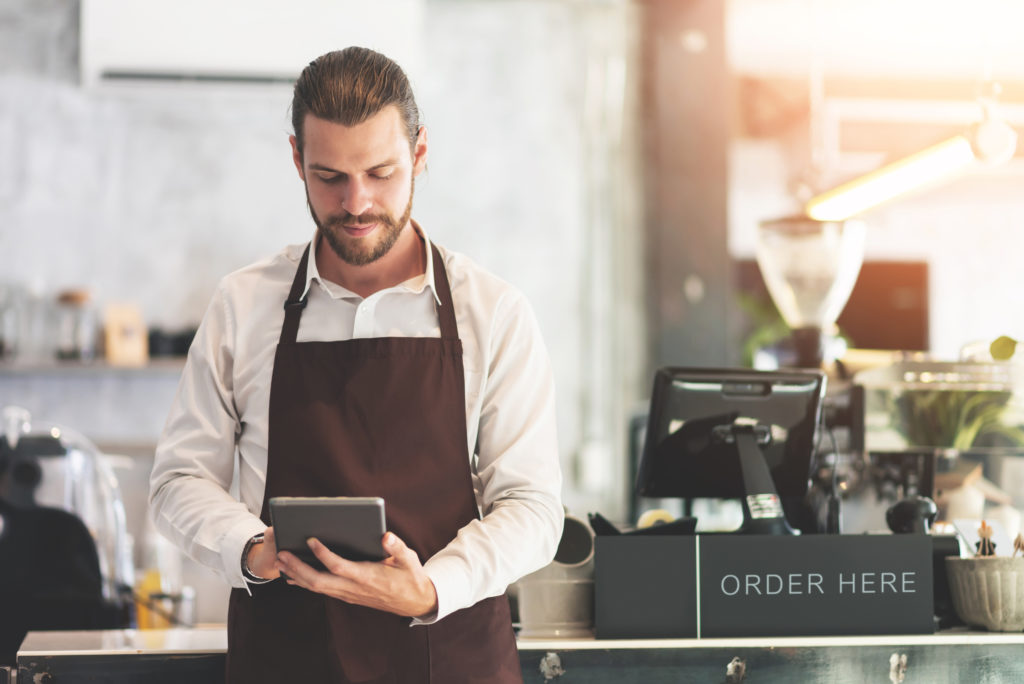
A man in an apron is using a tablet in a coffee shop.

The benefits of tablets being used in the restaurant industry

The benefits of using tablets in restaurants are extensive. They improve order accuracy by eliminating handwriting errors, ensuring that customers get exactly what they want. Tablets also increase efficiency, as they allow for faster order processing and immediate communication with the kitchen. For customers, the convenience of tablets can enhance their dining experience, from faster service to interactive menu options. On the business side, tablets offer valuable data insights, helping restaurant owners track inventory, monitor sales trends, and make informed decisions. Overall, tablets are a powerful tool for improving both front-of-house and back-of-house operations.

Restaurant tablet best practices within the industry

To get the most out of tablets in your restaurant, it’s important to follow some best practices. First, invest in durable, high-quality tablets that can withstand the busy restaurant environment. Train your staff thoroughly on how to use the devices to ensure they are comfortable and efficient. Keep software updated to benefit from the latest features and security patches. Also, make sure your network infrastructure is strong enough to support multiple devices without lag. Finally, regularly gather feedback from both staff and customers to identify any issues or areas for improvement. By following these best practices, you can maximize the benefits of tablets in your restaurant.

Here are the best practices, laid out in list format, for using tablets in restaurants:

  1. Invest in durable tablets: Choose models that can handle spills, drops, and the high-traffic environment of a restaurant.
  2. Provide thorough staff training: Ensure all employees know how to use the tablets effectively, from taking orders to processing payments.
  3. Keep software updated: Regularly update your tablet software to access the latest features and security enhancements.
  4. Ensure strong network infrastructure: Make sure your Wi-Fi network can handle multiple tablets without lag or connection issues.
  5. Use protective cases and accessories: Equip tablets with cases and mounts to protect them and keep them accessible for staff.
  6. Regularly back up data: Set up automatic backups to protect against data loss in case of technical issues.
  7. Gather feedback from staff and customers: Continuously ask for input to identify any problems or opportunities for improvement with tablet usage.
  8. Customize tablets for your restaurant’s needs: Tailor tablet functions to fit your specific menu, ordering process, and payment methods.
  9. Monitor battery life: Regularly check and charge tablets to ensure they are always ready for use during busy periods.
  10. Integrate tablets with POS systems: Make sure your tablets are fully integrated with your point-of-sale system to streamline operations and reduce errors.

Solink in the restaurant industry: The right tech for your restaurant

Like tablets being used in restaurants, Solink is a powerful tool for the restaurant industry, offering cloud-based video management that works seamlessly with your existing security cameras and point-of-sale (POS) system. Just like tablets have transformed ordering and payment processes, Solink enhances your ability to monitor and optimize operations. It provides real-time access to video footage and integrates with your POS data to help you identify and address issues like employee theft, customer disputes, or operational inefficiencies. By giving you instant insights into what’s happening in your restaurant, Solink helps you maintain a smooth, secure, and efficient environment, ultimately improving your bottom line.

Protect your business today with Solink

Solink’s video analytics and monitoring solutions help create a safe, secure, and healthy environment for businesses.

Schedule a product demo with our experts

*Solink does not currently service private residential properties

Table of Contents

Table of Contents

Attracting customers to your restaurant is essential for growth and success in a competitive market. Whether you’re a new establishment or an experienced player, knowing how to attract customers to your restaurant can make all the difference. This guide covers eight actionable strategies that will help you create an experience people can’t resist, from leveraging word of mouth to enhancing your social media presence. By implementing these tips, you’ll not only draw in more diners but also build a loyal customer base that keeps coming back for more.

Create an experience

People don’t just go to restaurants for the food—they’re looking for an experience. Whether it’s the ambiance, the service, or the unique vibe, creating an unforgettable experience can set your restaurant apart from the competition.

Think about what makes your restaurant special. Is it the cozy atmosphere with dim lighting and soft music? Or maybe it’s an open kitchen where guests can watch their meals being prepared. Whatever it is, lean into those aspects. Personal touches like staff remembering regulars by name or offering complimentary appetizers for special occasions can make a lasting impression. You want your customers to feel like they’re part of something unique every time they walk through your doors.

Get word of mouth going

Word of mouth remains one of the most powerful marketing tools, especially in the restaurant industry. When people recommend your restaurant to friends and family, it comes with built-in trust. This kind of organic marketing is invaluable, but it doesn’t happen on its own.

Encourage satisfied customers to spread the word by offering incentives, like a discount on their next meal for every new customer they bring in. Host events that get people talking, such as cooking classes or wine tastings. And don’t underestimate the power of asking happy customers to leave a review or share their experience on social media. The more buzz you create, the more people will want to check out your restaurant.

Engage in social media marketing

In today’s digital age, having a strong social media presence is non-negotiable. Platforms like Instagram, Facebook, and TikTok are where potential customers are spending their time, and you want your restaurant to be on their radar.

Post regularly and focus on content that showcases your food, staff, and the atmosphere of your restaurant. High-quality photos and videos of your dishes can tempt people to visit. Interact with your followers by responding to comments, hosting giveaways, or running polls about new menu items. The key is to keep your audience engaged and interested. Consider running targeted ads on these platforms as well to reach a broader local audience.

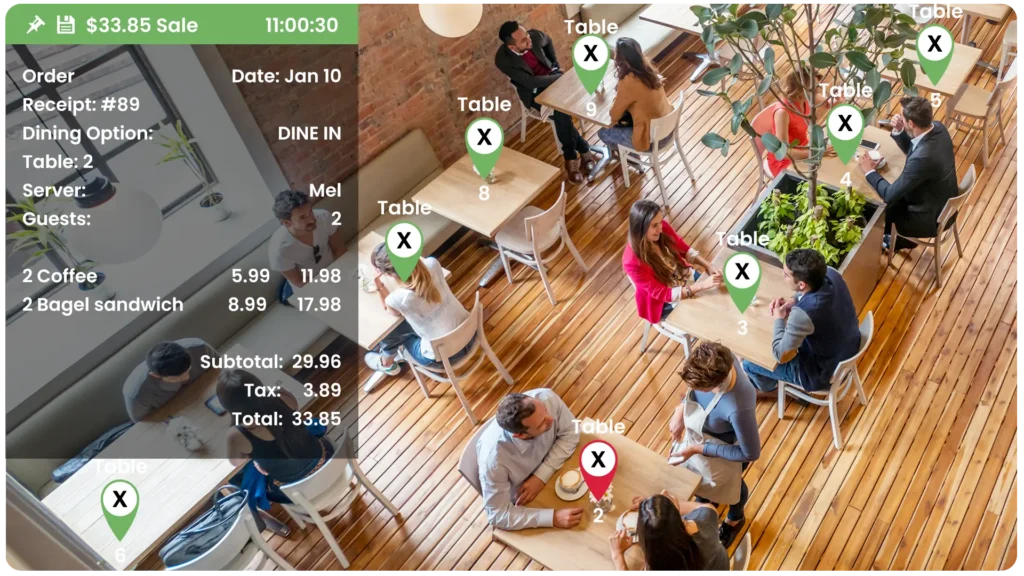
Use table markers within Solink to associate patrons to orders - Overhead view of a restaurant with six tables, each labeled with a table number. Inset graphic displays a receipt totaling $33.85 for two coffees and two bagel sandwiches, timed at 11:00:30.

Get your brand logo everywhere locally

Visibility is key when it comes to building brand recognition. The more people see your restaurant’s logo, the more it sticks in their minds, increasing the likelihood they’ll think of you when deciding where to eat.

Partner with local businesses for cross-promotion. For example, you could provide branded napkins or coffee sleeves for a nearby café, or sponsor a local event with your logo prominently displayed. Don’t overlook simple things like takeout bags and delivery packaging—make sure your branding is front and center. Even getting involved in community activities, like sponsoring a sports team or participating in local fairs, can keep your brand visible and top of mind.

Specialize in something and keep the focus on that thing

Trying to be everything to everyone can dilute your brand. Instead, focus on what you do best and become known for it. Whether it’s a specific type of cuisine, a famous dish, or an exceptional service, honing in on a specialty helps create a strong brand identity.

Think about what sets your restaurant apart. Maybe it’s the only place in town with authentic Neapolitan pizza, or perhaps you’re known for a farm-to-table dining experience. Whatever your niche, make it the cornerstone of your marketing efforts. This not only attracts customers who are specifically looking for what you offer but also makes it easier for your restaurant to stand out in a crowded market.

Have people of influence talk about you

Influencer marketing isn’t just for big brands. Getting local influencers to talk about your restaurant can bring in new customers who trust their recommendations.

Identify influencers in your area who align with your brand. This could be a local food blogger, a popular Instagrammer, or even a well-known community figure. Invite them for a complimentary meal or offer to host an event at your restaurant. The goal is to give them a positive experience that they’ll want to share with their followers. When they post about your restaurant, it can lead to a surge in interest from people who trust their opinion.

Encourage and maintain positive online reviews that offer value

Online reviews play a crucial role in shaping your restaurant’s reputation. Many people won’t visit a new restaurant without first checking out its reviews. Positive reviews can be a huge draw, but they don’t happen by accident.

Encourage happy customers to leave reviews on platforms like Google, Yelp, and TripAdvisor. You can do this by including a reminder on receipts, through follow-up emails, or by simply asking at the end of a meal. Respond to all reviews, positive and negative, in a professional manner. Acknowledge praise and address concerns to show that you value customer feedback. The more engaged you are with your reviews, the more likely it is that future customers will feel confident choosing your restaurant.

High quality media that creates “fomo”

Fear of Missing Out (FOMO) can be a powerful motivator. When people see others enjoying your restaurant, they want to experience it too. High-quality media is the best way to create this feeling.

Invest in professional photography and videography to capture the best aspects of your restaurant—think mouth-watering shots of your dishes, videos of your chef at work, or scenes from a bustling night at the bar. Share these on your website, social media, and any promotional materials. You can also encourage customers to share their own photos by creating Instagrammable spots in your restaurant, like a beautifully decorated wall or an eye-catching dish. The goal is to make your restaurant look so appealing that people feel like they have to visit.

Solink for your security: The more guests you get the better security you’re going to need

As your restaurant grows and attracts more guests, your security needs will increase as well. More traffic means more opportunities for things to go wrong, from theft to employee disputes. Ensuring the safety of your customers, staff, and property is crucial to maintaining your restaurant’s reputation and operations.

This is where Solink can help. With our cloud-based video management system, you can monitor your restaurant in real-time from anywhere. Solink integrates with your POS system, allowing you to quickly review transactions alongside video footage to spot any discrepancies. It also provides advanced analytics that help you understand customer behavior, reduce shrinkage, and improve overall efficiency. As your restaurant becomes busier, having a reliable security solution like Solink is key to protecting your investment and ensuring smooth operations.

Protect your business today with Solink

Solink’s video analytics and monitoring solutions help create a safe, secure, and healthy environment for businesses.

Schedule a product demo with our experts

*Solink does not currently service private residential properties

Table of Contents

Table of Contents

What is FOH and BOH?

In the restaurant industry, the terms front of house (FOH) and back of house (BOH) refer to two distinct areas with specific roles and responsibilities. The FOH includes everything that customers interact with—the dining area, bar, and host stand, among other spaces. The BOH, on the other hand, is where all the behind-the-scenes work happens, like food preparation, cooking, and inventory management.

Understanding the difference between FOH and BOH is crucial for running a successful restaurant. Both areas must operate smoothly to ensure great customer service and efficient operations. While they serve different functions, FOH and BOH need to work together seamlessly to deliver the best possible dining experience.

Key aspects of the front of house (FOH) operations in a restaurant

The front of house is where customers directly interact with your restaurant. Key aspects of FOH operations include:

  • Greeting and seating: Hosts are responsible for managing reservations, welcoming guests, and seating them efficiently. This first impression is crucial to customer satisfaction.
  • Order taking and service: Waitstaff take orders, deliver food and beverages, and handle customer requests. Their communication with the BOH is vital for timely and accurate service.
  • Payment processing: The FOH handles transactions, including cash, credit card payments, and managing tips. Ensuring accuracy in this process is key to preventing revenue loss.
  • Ambiance management: Lighting, music, and cleanliness all contribute to the overall dining experience. FOH staff must be attentive to these details to create a welcoming environment.

Smooth FOH operations depend on effective communication, well-trained staff, and consistent service standards. Any breakdown in these areas can lead to dissatisfied customers and lost revenue.

Key aspects of the back of house (BOH) operations in a restaurant

The back of house is where the magic happens—it’s where food is prepared, cooked, and plated before it reaches the customer. Important BOH operations include:

  • Food preparation: This includes all tasks leading up to cooking, such as chopping, marinating, and assembling ingredients. Prep work needs to be organized to ensure efficiency during busy service times.
  • Cooking and plating: Chefs and line cooks prepare dishes according to orders. Attention to detail and speed are crucial to maintaining the quality and timeliness of meals.
  • Inventory management: Keeping track of ingredients, managing stock levels, and placing orders with suppliers are essential to avoid shortages and overstock.
  • Dishwashing and cleaning: Cleanliness is critical in the BOH. Dishwashers and cleaning staff ensure that all utensils, cookware, and kitchen surfaces are sanitized to meet health standards.

A well-organized BOH supports the FOH by ensuring that food is prepared quickly and correctly. The BOH must run like a well-oiled machine to keep the entire restaurant operating smoothly.

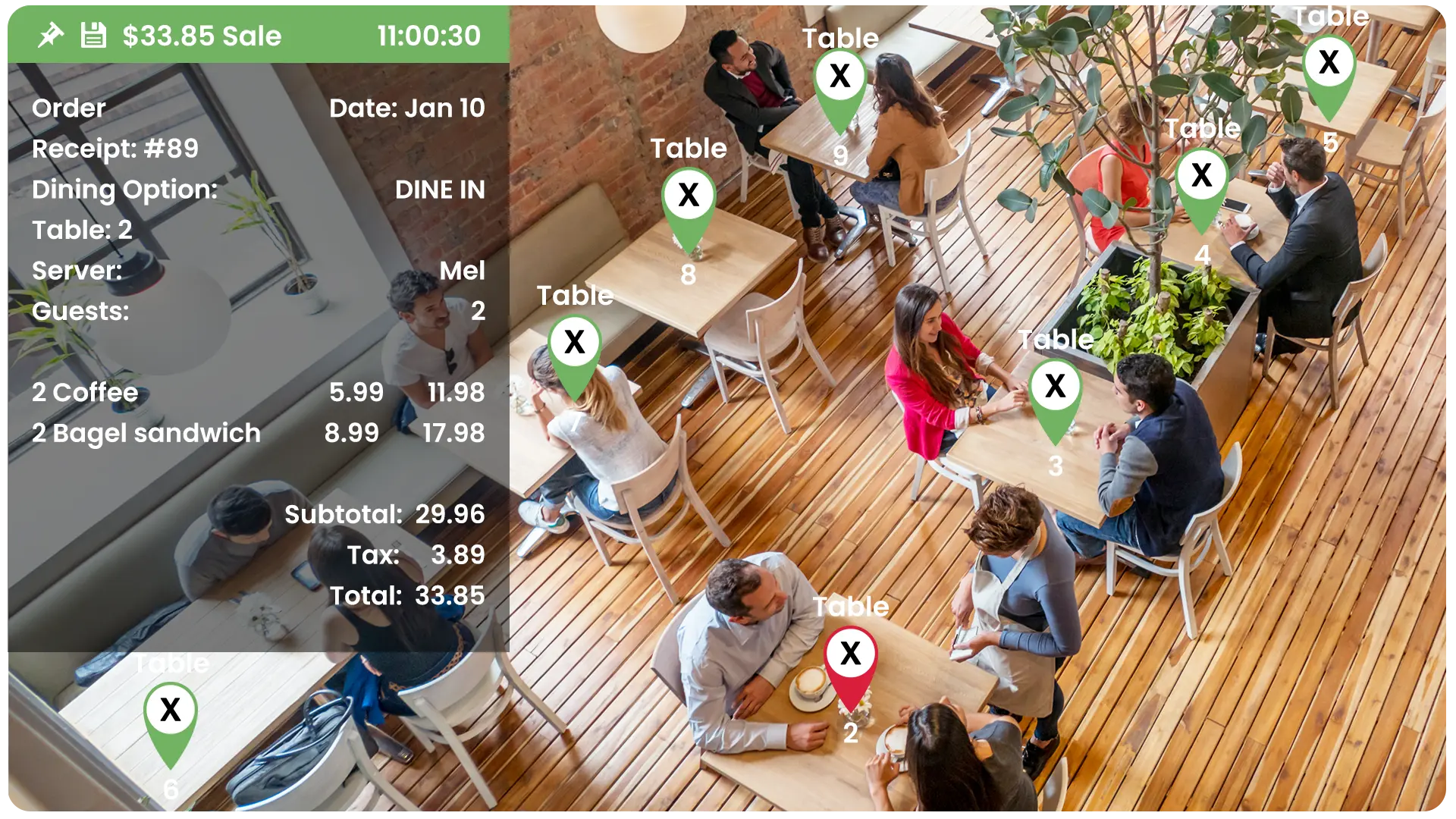
Use table markers within Solink to associate patrons to orders - Overhead view of a restaurant with six tables, each labeled with a table number. Inset graphic displays a receipt totaling $33.85 for two coffees and two bagel sandwiches, timed at 11:00:30.

A group of people dine together at a modern restaurant. Overhead text discusses how full service restaurants use data, AI, and sensors to improve security.

How full service restaurants are taking advantage of better security

Cut security headaches, not corners.

Discover how top full-service restaurants are simplifying security and operations with smarter tech. This guide breaks down how to link your POS and cameras, use AI to prevent loss, and turn video into real-time alerts—so your team can stay focused on delivering great service.

Streamlining operations with the help of the right video security system

A robust video security system can do more than just protect against theft—it can be a powerful tool for streamlining both FOH and BOH operations. Here’s how:

  • Improving service quality: By reviewing footage, managers can identify patterns in service, like how long customers wait to be seated or how quickly orders are fulfilled. This data helps in adjusting staffing levels and training to improve overall efficiency.
  • Enhancing staff performance: Video footage can be used to monitor and coach staff, showing them real examples of where they excel and where they might improve, whether it’s quicker table turnover in the FOH or better communication in the BOH.
  • Optimizing workflow: Cameras placed in key areas like the kitchen and dining room can help managers see where bottlenecks occur, such as during food preparation or customer seating. This information is invaluable for making process improvements.
  • Monitoring cleanliness and safety: A video system helps ensure that health and safety standards are being met in both FOH and BOH. Quick identification of spills, clutter, or improper food handling practices can prevent potential hazards.

When used strategically, a video security system can be a powerful ally in creating a more efficient and productive restaurant environment.

Why investing in the right security system benefits both FOH and BOH

Investing in a security system tailored to your restaurant’s needs offers several benefits for both FOH and BOH:

  • Loss prevention: Integrating video with POS systems allows you to match transactions with footage, reducing incidents of theft, voids, and fraud. This protects your revenue and ensures that all sales are accurately recorded.
  • Employee accountability: Knowing that activities are being monitored can deter improper behavior and encourage staff to adhere to best practices. This applies to everything from handling cash in the FOH to following food safety procedures in the BOH.
  • Quick incident resolution: In case of disputes, whether with a customer in the FOH or between staff in the BOH, video footage provides a clear record of what happened, helping to resolve issues quickly and fairly.
  • Operational insights: Regularly reviewing footage allows managers to spot inefficiencies in real time, from slow table turnover to delayed food prep. These insights can lead to targeted changes that improve overall performance.

A security system is not just about keeping your restaurant safe—it’s about enhancing every aspect of your operations, making both the FOH and BOH more efficient and effective.

Real-world examples: Improving restaurant operations with Solink

Solink has helped numerous restaurants improve their FOH and BOH operations. Here are a few examples:

Reducing wait times: A busy restaurant used Solink to monitor customer wait times and discovered that delays in seating were due to a lack of coordination between the host and servers. By addressing this with better communication tools and training, they reduced wait times and increased customer satisfaction.

Improving order accuracy: Another restaurant found that errors in orders were frequently occurring during the handoff between the FOH and BOH. By reviewing Solink footage, they identified that the issue was due to miscommunication at the POS terminal. After implementing clearer order confirmation steps, accuracy improved, leading to fewer customer complaints.

Enhancing food safety: A kitchen was able to use Solink to monitor food handling practices. They identified that certain staff were not adhering to hand-washing protocols consistently. With targeted retraining, they improved compliance with health standards, reducing the risk of contamination.

These examples show how Solink’s video management system goes beyond security to offer valuable insights that help restaurants optimize their operations, leading to better service, happier customers, and a healthier bottom line.

Protect your business today with Solink

Solink’s video analytics and monitoring solutions help create a safe, secure, and healthy environment for businesses.

Schedule a product demo with our experts

*Solink does not currently service private residential properties

Table of Contents

Table of Contents

Running a restaurant involves more than just serving food—it’s about creating a seamless experience from the moment guests arrive until they leave satisfied. A restaurant POS system, or point of sale system, is an essential tool that can simplify your daily operations, from order taking to payment processing. Whether you’re new to the restaurant business or holding onto traditional methods, understanding the benefits of a modern POS system is crucial. These systems do much more than just replace a cash register—they streamline operations, boost efficiency, and ultimately help make your business more successful. As you explore options for your restaurant, this guide will answer all your questions about choosing the right POS system.

Discover how Solink’s technology can integrate security video footage with your POS system today.

What is a POS system in a restaurant?

A POS (point of sale) system in a restaurant is the central hub where all sales transactions occur. It’s more than just a cash register; it’s a combination of software and hardware that helps restaurant owners manage orders, process payments, track inventory, and analyze sales data. Restaurant POS systems also streamline communication between the front of house (servers, cashiers) and the kitchen, ensuring orders are accurate and delivered on time. Modern POS systems are digital, often cloud-based, and come with features tailored specifically for the restaurant industry.

How do restaurant POS systems work?

Restaurant POS systems work by connecting various parts of your business—from order taking to payment processing. When a server inputs an order, the POS system sends the details directly to the kitchen display or printer. This seamless communication speeds up service and reduces errors. Once the order is complete, the system calculates the total, including taxes and tips, and processes the payment through integrated card readers or mobile payment options. The POS system also tracks inventory in real-time, updating stock levels as items are sold, and generates detailed reports on sales performance, helping you make informed decisions about your business.

resturant-worker-on-pos

How to use a restaurant POS system

Using a restaurant POS system starts with setting it up according to your menu and business needs. Input all menu items, including prices, modifiers (like extra cheese), and any special offers. Train your staff to use the system efficiently, ensuring they can navigate through order entry, payment processing, and customer management with ease. On a daily basis, use the POS to manage orders, track inventory, and run end-of-day reports to review sales and identify trends. Many POS systems also offer employee management features, such as clocking in/out and tracking tips, which can be integrated into your payroll system.

What kinds of restaurants need a POS system?

Almost all types of restaurants can benefit from a POS system, whether it’s a small café, a fast-food chain, or a fine dining establishment. Quick-service restaurants rely on POS systems to manage high volumes of orders quickly, while full-service restaurants use them to track table orders, manage reservations, and process payments. Even food trucks and pop-up restaurants can use mobile POS systems to handle transactions and inventory on the go. Essentially, if your restaurant involves taking orders and processing payments, a POS system is a crucial tool for streamlining operations and improving customer service.

What hardware do you need for a POS system in a restaurant?

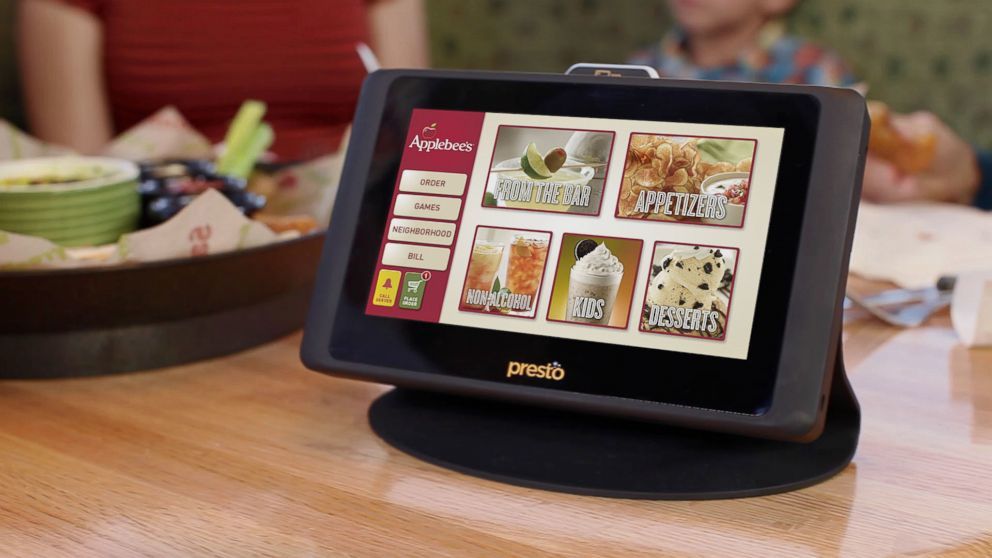
The hardware for a restaurant POS system typically includes a touchscreen monitor or tablet, a cash drawer, receipt printer, and a card reader for processing payments. You may also need kitchen printers or displays to communicate orders to the kitchen staff, and barcode scanners if you sell retail items like bottled beverages. Some systems also include customer-facing displays to improve transparency and speed up the payment process. Depending on your setup, you might need mobile devices like tablets for tableside ordering, which can enhance the dining experience by reducing wait times and increasing order accuracy.

What are the benefits of a restaurant POS system?

Improved order accuracy:

  • Digital order entry reduces mistakes.
  • Streamlines communication between front and back of house.

Faster service:

  • Orders are processed and sent to the kitchen instantly.
  • Speeds up the overall service time.

Better inventory management:

  • Real-time tracking of inventory levels.
  • Automatically updates stock as items are sold.

Valuable sales insights:

  • Generates detailed sales reports.
  • Helps identify popular menu items and peak business hours.

Customer relationship management (CRM) features:

  • Track customer preferences and purchase history.
  • Manage loyalty programs and promotions.

Increased efficiency and profitability:

  • Streamlines operations from order taking to payment processing.
  • Enhances customer satisfaction, leading to repeat business.


How to choose a POS system for your restaurant

Choosing a POS system for your restaurant involves considering factors like the size of your business, the complexity of your menu, and your specific operational needs. Start by identifying what features are most important to you—such as inventory tracking, table management, or integration with third-party apps like delivery services. Consider whether you prefer a cloud-based system that offers remote access and automatic updates, or an on-premise solution that might be more customizable. Look for a system with reliable customer support, as issues can arise during busy service times. Lastly, read reviews and, if possible, take advantage of free trials to ensure the system meets your needs before committing.

Integrating security video footage with your POS – where Solink comes to help

Integrating video with your POS system data can revolutionize how you manage and secure your restaurant. Solink offers a cloud video management system that syncs with your POS data, allowing you to visually verify transactions and monitor employee behavior. This integration helps you quickly resolve disputes, identify training opportunities, and spot potential theft or fraud. By matching video footage with specific transactions, you can see exactly what’s happening at the point of sale, improving accuracy and accountability. Solink’s system also allows for remote access, giving you the ability to monitor your restaurant from anywhere, at any time.

See in even more detail within this article here what exactly it is Solink can help do for you alongside your POS system.

FAQs about POS systems for restaurants

Q: What is the difference between a traditional cash register and a POS system?
A: A traditional cash register only handles payments, while a POS system manages orders, payments, inventory, and provides detailed sales reports. POS systems offer much more functionality, making them essential for modern restaurants.

Q: Can a POS system integrate with my current accounting software?
A: Yes, most modern POS systems offer integration with popular accounting software, allowing you to streamline financial reporting and reduce manual data entry.

Q: How secure is a POS system?
A: POS systems are designed with security in mind, often featuring encryption, user authentication, and compliance with PCI DSS standards to protect customer payment information.

Q: Do I need internet access to use a POS system?
A: Cloud-based POS systems require internet access to function fully, but some offer offline modes that allow you to continue taking orders and processing payments even if the connection is lost.

Q: How much does a POS system cost?
A: The cost of a POS system varies depending on the features and hardware you need. Expect to pay anywhere from a few hundred to several thousand dollars, with ongoing monthly fees for software and support.

Q: Can a POS system help manage multiple locations?
A: Yes, many POS systems are designed to support multi-location management, allowing you to track sales, inventory, and staff across all your restaurants from a single dashboard. This feature is particularly useful for chain restaurants or businesses planning to expand.

Q: Do POS systems support online ordering and delivery services?
A: Most modern POS systems integrate with online ordering platforms and delivery services, enabling seamless order management across both in-house and off-premise channels. This integration helps maintain accuracy and efficiency, even during busy times.

Q: How long does it take to set up a POS system?
A: The setup time for a POS system can vary depending on the complexity of your menu and the size of your restaurant. On average, it takes a few days to configure the system, input menu items, and train staff. Some providers offer setup assistance to streamline the process.

Protect your business today with Solink

Solink’s video analytics and monitoring solutions help create a safe, secure, and healthy environment for businesses.

Schedule a product demo with our experts

*Solink does not currently service private residential properties

Table of Contents

Table of Contents

Ensuring the safety of your business premises is crucial in today’s world. With threats ranging from theft and vandalism to natural disasters, it’s essential to understand and mitigate potential risks. Conducting a physical security risk assessment helps you identify these threats and vulnerabilities, allowing you to take preventive measures. This guide will walk you through the essential steps for a better physical security risk assessment, helping you safeguard your organization effectively.

What is a physical security risk assessment?

A physical security risk assessment is a systematic process used to evaluate the potential risks to an organization’s physical assets. This includes buildings, equipment, and personnel. The goal is to identify vulnerabilities and threats, assess the impact of potential incidents, and develop strategies to mitigate these risks. By understanding and addressing these risks, organizations can better protect their assets and ensure the safety of their employees. The assessment involves several key activities, such as identifying critical assets, analyzing threats and vulnerabilities, and prioritizing risks based on their potential impact and likelihood.

See how Solink can help your security.

How they benefit an organization

Physical security risk assessments offer several benefits to organizations:

Enhanced safety: Identifying and addressing risks helps create a safer environment for employees and visitors. By proactively managing threats, you reduce the likelihood of incidents that could harm people or disrupt operations.

Cost savings: Preventing incidents can save money on repairs, legal fees, and insurance claims. A thorough assessment can help avoid costly disruptions and damage to property.

Regulatory compliance: Many industries have security regulations that organizations must follow. A thorough assessment helps ensure compliance with these regulations, avoiding potential fines and legal issues.

Improved reputation: Demonstrating a commitment to security can enhance your organization’s reputation and build trust with clients and partners. Customers and stakeholders are more likely to engage with businesses that prioritize safety and security.

8 steps for a high-quality physical risk assessment

1. Identify assets: List all physical assets, including buildings, equipment, and personnel. Understanding what needs protection is the first step in the assessment process. Consider both tangible assets like technology and infrastructure and intangible assets like proprietary information.

  • Create an inventory of all physical assets, including buildings, equipment, and personnel.
  • Categorize assets into groups such as infrastructure, technology, and human resources.
  • Document the location, function, and value of each asset.
  • Identify critical assets that are essential for business operations.

2. Determine potential threats: Identify potential threats, such as theft, vandalism, natural disasters, or unauthorized access. Consider both internal and external threats. This step involves gathering information on past incidents, industry trends, and possible future risks.

  • Research past incidents and industry trends to identify common threats.
  • Consult with security experts and stakeholders to gather insights on potential threats.
  • Categorize threats as internal (e.g., employee theft) or external (e.g., natural disasters).
  • Create a comprehensive list of potential threats for each asset.

3. Assess vulnerabilities: Evaluate the weaknesses in your current security measures. Look for gaps that could be exploited by threats. This could include outdated security systems, lack of personnel training, or inadequate physical barriers.

  • Conduct a walk-through of your facilities to identify physical weaknesses (e.g., broken locks, inadequate lighting).
  • Review existing security policies and procedures for gaps.
  • Assess the effectiveness of current security systems (e.g., cameras, alarms).
  • Interview employees to identify potential weaknesses in security awareness and training.

4. Analyze the impact: Determine the potential impact of each threat on your organization. Consider factors such as financial loss, operational disruption, and harm to personnel. Quantify the impact in terms of potential costs and recovery time.

  • Estimate the financial loss associated with each identified threat (e.g., cost of stolen equipment, repair costs).
  • Assess the operational impact, such as downtime or disruption to business activities.
  • Consider the potential harm to personnel, including physical injury or emotional distress.
  • Use historical data and expert judgment to quantify the impact of each threat.

5. Prioritize risks: Rank the identified risks based on their likelihood and potential impact. Focus on addressing the most critical risks first. Use a risk matrix to categorize risks and allocate resources efficiently.

  • Use a risk matrix to evaluate the likelihood and impact of each threat (e.g., low, medium, high).
  • Rank risks from highest to lowest priority based on their combined score.
  • Focus on addressing the highest priority risks first.
  • Allocate resources (time, budget, personnel) to the most critical risks.

6. Develop mitigation strategies: Create strategies to reduce or eliminate the identified risks. This could include physical barriers, security personnel, security systems, or updated policies and procedures. Consider both short-term and long-term solutions.

  • Design physical barriers like fences, gates, and locks to prevent unauthorized access.
  • Hire or train security personnel to monitor and respond to potential threats.
  • Implement or upgrade security systems for continuous monitoring.
  • Update policies and procedures to address identified vulnerabilities.

7. Implement security measures: Put your mitigation strategies into action. Ensure all employees are aware of and trained in the new security measures. Effective implementation involves clear communication, training programs, and regular drills.

  • Communicate new security measures to all employees.
  • Conduct training sessions to ensure employees understand their roles in security.
  • Perform regular drills to practice response to security incidents.
  • Monitor the implementation process to ensure all measures are properly applied.

8. Monitor and review: Regularly review and update your security measures. Conduct periodic assessments to identify new risks and adjust your strategies accordingly. Continuous improvement is key to maintaining an effective security posture.

  • Schedule regular security reviews and assessments.
  • Update your risk assessment based on new information or incidents.
  • Adjust mitigation strategies as needed to address emerging threats.
  • Gather feedback from employees to improve security measures.

Preparing your workplace for security threats

A thorough physical security risk assessment is essential for protecting your organization’s assets and ensuring the safety of your employees. By following these eight steps, you can identify potential risks, develop effective mitigation strategies, and maintain a secure environment. Regularly reviewing and updating your security measures will help you stay ahead of emerging threats and safeguard your business. Investing time and resources in a comprehensive risk assessment today can prevent costly and damaging incidents in the future.

Protect your business today with Solink

Solink’s video analytics and monitoring solutions help create a safe, secure, and healthy environment for businesses.

Schedule a product demo with our experts

*Solink does not currently service private residential properties

Table of Contents

Table of Contents

Choosing the right cables for your building’s network is crucial for safety and performance. Two common types of cables used in different spaces are riser and plenum cables. Understanding their differences and when to use each can help you make the best decision for your setup. So, how do you tell the difference between riser vs plenum cables and what do they both accomplish?

What is plenum space?

Plenum space refers to the area in buildings used for air circulation for heating, ventilation, and air conditioning (HVAC). These spaces often include the space between a dropped ceiling and the structural ceiling or under raised floors. Due to their role in air distribution, plenum spaces require materials that reduce the spread of flames and smoke.

What is plenum cable and when to use it?

Plenum cable is specifically designed for use in plenum spaces. These cables have a special insulation made from low-smoke and flame-retardant materials. They are ideal for areas where fire safety is a concern. Use plenum cables in any space designated for air circulation, such as above ceiling tiles or under raised floors.

See how Solink can help your security.

What is riser cable and when to use it?

Riser cable is used to run between floors in non-plenum areas. These cables are designed to prevent fires from traveling along vertical pathways. They are less strict in terms of fire resistance compared to plenum cables but still provide necessary safety measures. Use riser cables for vertical runs that don’t pass through plenum spaces.

The main differences between the two

The main differences between riser and plenum cables lie in their fire resistance and intended use:

Fire resistance: Plenum cables have a higher fire resistance due to their low-smoke, flame-retardant materials. Riser cables, while still fire-resistant, do not have the same stringent requirements.

Usage areas: Plenum cables are used in plenum spaces, while riser cables are used for vertical runs between floors that do not involve plenum spaces.

Cost: Plenum cables tend to be more expensive due to their enhanced safety features.

Common acronyms for plenum and riser cables

When searching for plenum or riser cables, you’ll come across various acronyms.

CMP: Communications plenum. These cables are suitable for any plenum or riser space.

CMR: Communications riser. These cables are designed for riser applications.

NEC: National Electrical Code. A guideline under the NFPA that ensures electrical system safety and protects against electrical hazards.

NFPA: National Fire Protection Association. They create the standards that cables must meet for residential and commercial fire safety.

CL2P and CL3P: Class 2 and Class 3 plenum cables. These are used for in-wall installations in plenum and riser spaces. Class 2 is intrinsically safe, while Class 3 requires a protection device within the power supply.

CL2R and CL3R: Class 2 and Class 3 riser cables. These are used for in-wall installations in riser spaces.

How to tell the difference between plenum and riser cables

You can tell the difference between plenum and riser cables by looking at their markings and materials:

Markings: Check the cable jacket for markings like CMP or CMR.

Materials: Plenum cables usually have a smoother jacket and are made of low-smoke, flame-retardant materials. Riser cables might have a tougher, less smooth exterior.

Price: If you have both types available, plenum cables will normally be more expensive.

By understanding these differences, you can ensure a safer and more efficient network setup.

Takeaways

Choosing between riser and plenum cables depends on your specific installation needs and safety requirements. Plenum cables, marked as CMP, are essential for areas that circulate air, such as spaces above ceilings or under floors. Riser cables, marked as CMR, are suitable for vertical runs between floors. By understanding the differences in fire resistance, usage areas, and cost, and by familiarizing yourself with the common acronyms, you can ensure that you select the right cable for your building’s network. Making the right choice enhances both safety and performance, providing peace of mind for your installation.

Protect your business today with Solink

Solink’s video analytics and monitoring solutions help create a safe, secure, and healthy environment for businesses.

Schedule a product demo with our experts

*Solink does not currently service private residential properties

Table of Contents

Table of Contents

Ensuring the safety and security of your business is more critical than ever. One technology that stands out for its efficiency and reliability is the Power over Ethernet (PoE) camera system. This guide will help you understand what a PoE camera is, how it works, its main benefits and features, and what to look for when buying one.

What is a PoE camera system?

A PoE camera system uses Power over Ethernet technology, which allows network cables to carry electrical power. This means you can power your security cameras and transmit data through a single Ethernet cable. It simplifies installation and reduces the need for additional wiring.

How do PoE cameras work?

PoE cameras receive power and transmit data over the same Ethernet cable. The PoE injector or switch sends power to the camera through the cable. The camera then sends video data back to the network video recorder (NVR) or cloud storage for viewing and recording. This dual functionality streamlines the setup process and reduces clutter.

See how Solink can help your security.

Main benefits of PoE cameras and key features

Simplicity and Cost-Effectiveness

With PoE cameras, there’s no need for separate power cables, making installation simpler and cheaper.

Enhanced Reliability

PoE technology ensures a stable power supply, reducing the risk of camera outages.

Scalability

Easily add more cameras to your system without complex wiring changes. Just connect new cameras to the existing Ethernet network.

High-Quality Video

PoE cameras often support high-definition video, providing clear and detailed footage for better security monitoring.

Remote Access and Management

Many PoE camera systems allow you to access live and recorded footage remotely through apps or web interfaces.

Differences between PoE and IP cameras

PoE cameras are a type of IP camera. However, not all IP cameras are PoE-enabled. IP cameras use network cables to transmit data but may require separate power sources. PoE cameras combine data and power over one cable, making them more convenient for installation and management.

Common types of PoE camera hardware

Bullet Cameras

These cameras are compact and often used for outdoor security. They are easy to install and adjust.

Dome Cameras

Dome cameras are typically used indoors and have a dome-shaped casing, making them less obtrusive and harder to tamper with.

PTZ Cameras

Pan-Tilt-Zoom cameras can move in different directions and zoom in on specific areas, providing versatile monitoring options.

Fixed Cameras

These cameras have a fixed field of view, suitable for monitoring specific areas without the need for adjustments.

What to look for in a PoE camera if you are buying one

When selecting a PoE camera, there are several important features to consider to ensure you get the best performance and value. Here’s a detailed look at the key aspects:

Resolution

High resolution is essential for capturing clear and detailed video footage. Look for cameras with at least 1080p (Full HD) resolution. Higher resolutions, such as 4K, provide even more clarity, which is crucial for identifying faces, license plates, and other important details. Higher resolution cameras typically require more storage space, so plan accordingly.

Night Vision

Night vision capabilities are vital for 24/7 security. Ensure the camera has infrared (IR) LEDs or other night vision technology that allows it to capture clear video in low light or complete darkness. Check the range of the night vision to make sure it covers the area you need to monitor. Some advanced cameras offer color night vision, which provides more detail than standard black-and-white night vision.

Weatherproofing

If you plan to use the camera outdoors, weatherproofing is crucial. Look for cameras with an IP (Ingress Protection) rating. An IP66 or higher rating indicates that the camera is well-protected against dust and heavy rain. This ensures the camera can operate effectively in various weather conditions, from heavy rain to extreme temperatures.

Storage Options

Consider how the camera stores its footage. Common options include:

Local Storage: Some cameras come with built-in SD card slots for local recording. This is convenient but may have limited capacity.

Network Video Recorder (NVR): NVRs can store large amounts of footage and provide centralized management for multiple cameras.

Cloud Storage: Cloud storage offers secure, off-site storage that can be accessed remotely. Check if there are any subscription fees associated with cloud storage and how much footage can be stored.

Choose the storage option that best fits your needs for accessibility and capacity.

Motion Detection

Motion detection is a valuable feature that can help you save storage space and make it easier to review footage. Cameras with motion detection can send alerts to your phone or email when movement is detected, allowing you to respond quickly to potential security incidents. Advanced motion detection features include customizable detection zones and sensitivity settings, helping reduce false alarms from non-threatening movements like tree branches swaying in the wind.

Additional Features

Audio Capabilities: Some PoE cameras come with built-in microphones and speakers for two-way audio, allowing you to listen and talk through the camera. This is useful for communication or deterrence.

Field of View (FOV): A wider field of view allows the camera to cover more area. Check the FOV to ensure it matches your monitoring needs.

Integration with Other Systems: Ensure the camera is compatible with your existing security system or smart home devices. Compatibility with software like Solink’s cloud video management system can provide advanced analytics and easier management.

By carefully considering these features, you can choose a PoE camera that best meets your security needs and ensures reliable, high-quality video security for your business.

Conclusion

Power over Ethernet (PoE) cameras offer a reliable, efficient, and scalable solution for business security needs. Understanding what PoE cameras are, how they work, and their benefits can help you make an informed decision when purchasing and installing a security system. By choosing the right PoE camera, you can enhance your security setup with ease and confidence.

Protect your business today with Solink

Solink’s video analytics and monitoring solutions help create a safe, secure, and healthy environment for businesses.

Schedule a product demo with our experts

*Solink does not currently service private residential properties