

AI camera
Artificial intelligence (AI) cameras are security cameras (or camera systems) that use AI – often machine learning (ML) – to detect, classify, and sometimes search for objects and events in video (for example, people, vehicles, loitering, unusual POS activity, line crossing, or restricted area access).
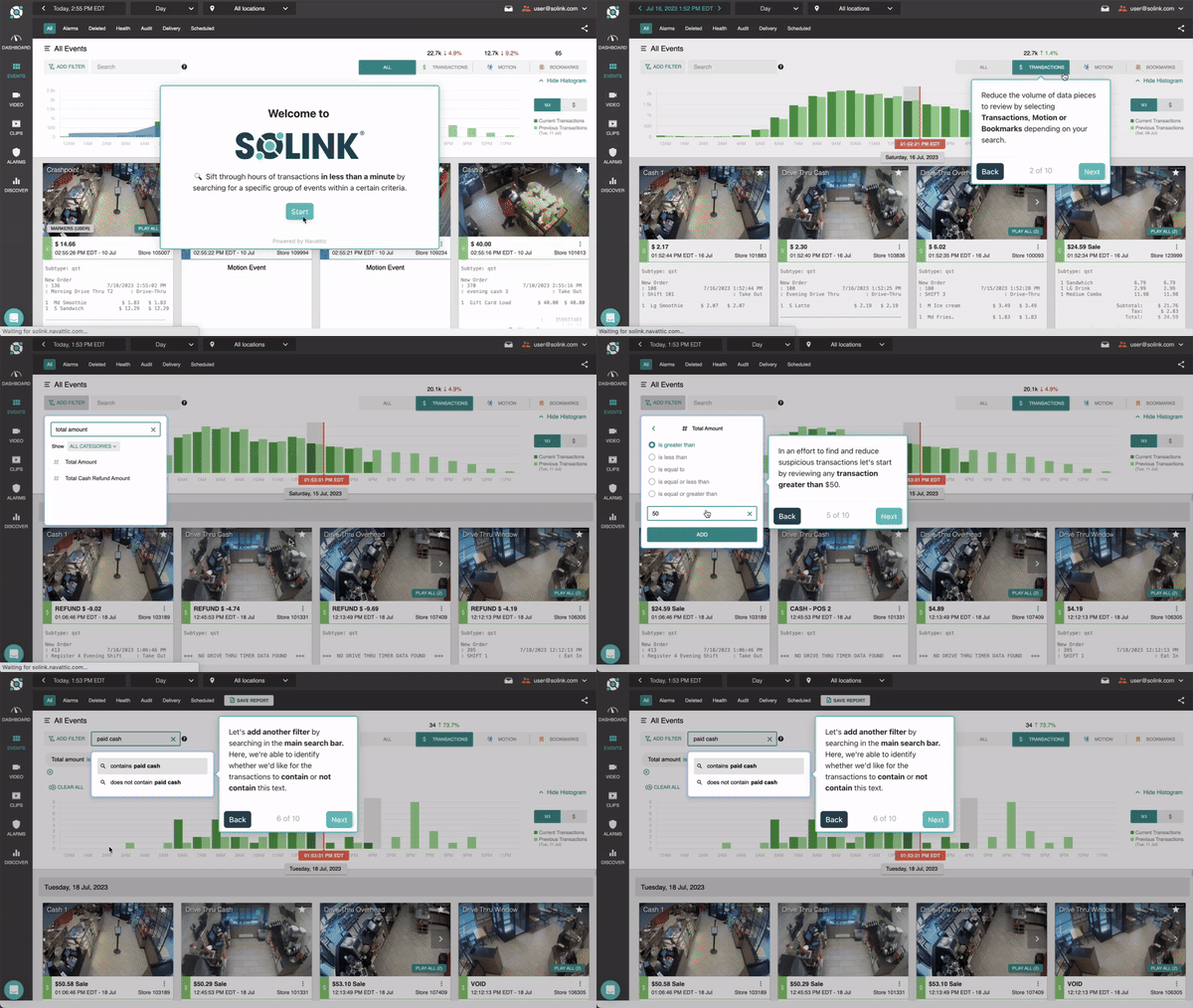
Unlike traditional cameras that simply record footage, video AI can interpret what it sees and generate metadata, alerts, or searchable events that make video highly valuable for security, operations and loss prevention. This dramatically speeds up investigations, and gives businesses critical data and insights that allow them to prevent loss, improve operational efficiency and increase profitability.
What is an AI camera?
An AI camera is a security camera that has been connected to powerful technology that can interpret what the camera can see. A traditional security camera, even modern IP cameras, can only record images of what is within its field of view. AI cameras go one step further and understand what is being recorded.
Machine learning is usually the base technology within AI cameras. It enables the AI to learn what it is seeing by inputting many previous instances of events with proper labeling. For example, a database might contain one thousand instances of a person walking across the field of view of a camera. By showing the AI these instances, it can then learn to interpret similar motion events in the future.
Being able to detect and interpret motion in a camera view unlocks many AI camera applications.
An AI camera is typically one of two things:
- A camera with built-in (“edge”) AI: The AI runs on the camera itself. It may detect people/vehicles, trigger alerts, and tag video with searchable events.
- A standard camera connected to an AI video platform: The camera streams video to a recorder or cloud platform where AI analytics run. In this setup, the AI is in the software layer rather than inside the camera hardware.
Both approaches can deliver “AI camera” capabilities in practice. The difference is where the AI runs, how flexible the system is, and how easily it scales across locations.
See your security cameras in a whole new way
Leverage your video footage for loss prevention and sales insights.
How do AI cameras work?
Most AI cameras rely on computer vision models trained to recognize patterns in images and video. In simple terms, the system:
- Sees frames of video from the camera
- Detects objects (like a person) and tracks movement
- Classifies what’s happening (person vs vehicle, entering zone, lingering, etc.)
- Creates an output your team can use (an alert, an event tag, a clip, or searchable metadata)
Modern systems combine:
- Object detection (person/vehicle detection instead of basic motion)
- Behavior analytics (line crossing, loitering, intrusion zones)
- Search and filtering (find events by type, time, location, or description)
AI camera vs traditional security camera
Traditional security cameras are primarily designed to:
- Record footage
- Provide live viewing
- Support basic motion detection
AI cameras add a “thinking” layer that can:
- Reduce time spent reviewing footage
- Trigger alerts for meaningful events (not just motion)
- Help security teams find incidents faster
- Support standardized workflows across sites
AI camera vs AI video analytics
This is one of the most common points of confusion.
- AI camera: AI is on the camera (edge) or tightly tied to the camera hardware ecosystem.
- AI video analytics platform: AI is delivered through software that can work across many camera brands and sites.
For multi-location businesses, the platform approach is often attractive because it can:
- Work with existing cameras (less rip-and-replace)
- Centralize management across locations
- Connect video to other systems (alarms, access control, POS)
- Scale analytics without being locked into a single hardware vendor
Why are AI cameras important?
AI cameras not only help improve the security of a business but also facilitate better decision making overall. AI cameras help with security by allowing for new services such as video alarms, which allow owners to catch events earlier, verify alarms, and share real-time video with emergency responders.
AI cameras also make people counting or traffic counting possible, which is a major step forward for improved metrics tracking and benchmarking.
Common AI camera use cases
AI cameras are most valuable when applied to specific, repeatable workflows. Common use cases include:
- Video verification and faster response: Confirm whether an alarm is real and respond with context instead of guessing.
- After-hours intrusion and perimeter monitoring: Detects people in restricted zones or after-hours presence.
- Loitering and safety risk detection: Identify lingering near entrances/exits or restricted areas.
- Operational visibility: People counting, occupancy awareness, traffic patterns, queue monitoring.
- Faster investigations: Find key moments without scrubbing hours of footage.
How to choose an AI camera or AI security camera system
If you’re evaluating either AI cameras or AI-driven video analytics these questions will quickly tell you whether you’re looking at a strong system, or a future headache:
- Do you need to replace cameras, or can the solution work with what you have?
- Where does the AI run, on-camera (edge) or in a platform (cloud/hybrid)?
- How do you control alert noise? (zones, schedules, per-camera tuning)
- Can you centralize management across locations?
- Does it integrate with your security stack and other business-critical systems? (alarms, access control, incident workflows and POS system)
- What governance controls exist? (role-based access, audit logs, retention policies)
FAQ
Do I need to replace my cameras to get AI features?
Not always. Some solutions require cameras with built-in AI chips, while others add AI through software and on-site/cloud components.
Do AI cameras require the cloud?
Not necessarily. Some AI runs on-camera (edge AI), some in the cloud, and many deployments are hybrid.
Are AI cameras accurate at night?
Accuracy depends heavily on lighting, camera placement, and the quality of the model. Low-light performance varies by system.
What’s the biggest mistake companies make with AI cameras?
Treating AI like a “set it and forget it” feature. The best outcomes come from good camera placement, clear zones, and tuning alerts to your real risks.