Solink Agentic AI summit
| Tuesday, June 23 |

Table of Contents

Table of Contents

Businesses need reliable security camera systems to protect their assets and ensure safety. A hybrid security camera system, which combines cloud and on-site storage as well as different types of cameras, offers a perfect solution. This article will explore how Solink provides this service, the benefits of hybrid camera systems, and answer common questions about video storage.

What is a hybrid security camera system?

The term hybrid security camera system has two meanings. Both are common and many modern systems combine them.

1. Hybrid camera types: Analog + IP cameras

This setup mixes older analog cameras with newer IP cameras in the same system. A hybrid recorder connects to both types. This lets businesses keep their existing cameras while adding high-definition IP models over time.

Why it matters: You don’t have to rip and replace. You can upgrade at your own pace.

2. Hybrid storage: On-site + cloud

This version blends local video storage (like a DVR or NVR) with cloud storage. Footage is saved on-site and also backed up to the cloud. This gives you fast access when you’re on location, and remote access when you’re not.

Why it matters: You get the speed of local storage plus the flexibility and safety of the cloud.

Some systems use just one hybrid approach. Others use both. The key benefit is flexibility, you can build a security setup that fits your business today and grows with you later.

Why Choose a hybrid security camera System?

A hybrid security camera system gives you flexibility, control, and room to grow without starting over.

Whether you’re combining analog and IP cameras or blending on-site and cloud storage, hybrid setups help you get more from what you already have.

Here’s why businesses choose hybrid systems:
  • Upgrade without the full cost
    Keep your analog cameras and add IP cameras as needed. Use existing cabling and infrastructure to save on install costs.

  • Store footage your way
    Get fast access with local storage and secure off-site backup with the cloud. It’s easier to find footage, share clips, and stay protected from hardware failures.

  • Remote access from anywhere
    Even if your cameras are old, hybrid systems let you access video through the cloud on your phone or laptop.

  • Stay open, even during internet outages
    Local storage keeps recording if your connection drops. Cloud backup resumes when you’re back online.

  • Scale when you’re ready
    Add more cameras, more storage, or more locations without ripping out what’s already working.


Hybrid gives you options so you can invest in security that fits your business now and adapts as it grows.
Solink cover image with the text: "From video surveillance to vision intelligence. How to get more value from your video in 2025," featuring digital graphics and a padlock symbol.

The path forward: Steps to modernize security and maximize video-driven value

Most businesses are sitting on a goldmine of untapped video data, limited by outdated systems that keep video siloed and reactive. Download our guide on how to get more from your video data.

Choosing the right hybrid security system for you

Not every business needs the same setup. The right hybrid security camera system depends on what you already have—and where you want to go.

Here’s how to make the right choice:

Start with your current equipment

Have analog cameras? A system that supports both analog and IP lets you upgrade gradually. Already using IP? Focus on hybrid storage for more flexibility.

Think about storage

If fast, on-site access is key, make sure your system has a strong local storage option. If remote access, off-site backup, or multi-location management matters more, prioritize cloud storage.

Plan for growth

Choose a platform that makes it easy to add cameras, locations, or users later. You shouldn’t have to start over every time your business expands.

Look for smart integrations

The best hybrid systems don’t just store video, they connect to your business data. That means faster searches, better alerts, and more value from every camera.

The biggest benefits of a hybrid security system

Hybrid security camera systems give you the flexibility to upgrade without the usual cost and complexity. Whether you’re blending camera types, storage methods, or both, here’s what you get:

1. Keep what works, upgrade what doesn’t

Use your existing analog cameras and add IP where it counts. No need to rip out everything just to modernize.

2. Store smarter

Use local storage for quick access, and cloud storage for backup, remote viewing, and sharing. Get the best of both worlds.

3. Lower upfront costs

Stretch your budget by phasing in upgrades over time. Avoid paying for a full overhaul all at once.

4. Built-in backup

If internet goes down, local recording keeps running. If hardware fails, cloud backup saves you. Redundancy means less risk.

5. Remote access anytime

Check footage, get alerts, and share video from anywhere. No more waiting until you’re back on-site.

6. Scalable as you grow

Add more cameras, locations, or storage as your business changes. Hybrid systems grow with you, not against you.

See how McDonald's benefits from cloud-based security

Frequently asked questions about hybrid security camera systems

What is a hybrid security camera system?
A hybrid system combines two things: analog and IP cameras, or local and cloud storage—or both. It’s a flexible way to upgrade without replacing everything at once.

Can I use my existing cameras with a hybrid system?
Yes. If you have analog cameras, a hybrid video recorder lets you keep using them while adding IP cameras as needed.

Do hybrid systems cost more?
Not usually. In fact, they often cost less upfront since you can keep your current setup and upgrade in stages.

What happens if the internet goes down?
Local storage keeps recording. Once the internet’s back, cloud uploads resume automatically.

Can I view my footage remotely?
Yes. Most hybrid systems support remote access through an app or browser, even for analog cameras.

How is footage stored in a hybrid system?
Footage can be saved locally (on a DVR/NVR) and in the cloud. You decide how much goes where, and for how long.

Is a hybrid system secure?
Yes—as long as it’s set up with encryption, strong access controls, and secure cloud storage. Look for providers with strong data protection standards.

Can I expand the system later?
Definitely. You can add more cameras, more storage, or more sites without a full rebuild.

Choosing Solink for your hybrid security needs

Solink makes it easy to upgrade your security without starting over. Our hybrid security camera system works with both analog and IP cameras, combining on-site recording with secure cloud storage. That means you can keep the hardware you already have, add the features you need, and scale at your own pace.

You get remote access, smart search, real-time alerts, and the flexibility to grow your system as your business grows. Whether you’re managing one location or many, Solink gives you better visibility, better control, and a smarter way to protect what matters. Book a demo to see it in action.

Protect your business today with Solink

Solink’s video analytics and monitoring solutions help create a safe, secure, and healthy environment for businesses.

Schedule a product demo with our experts
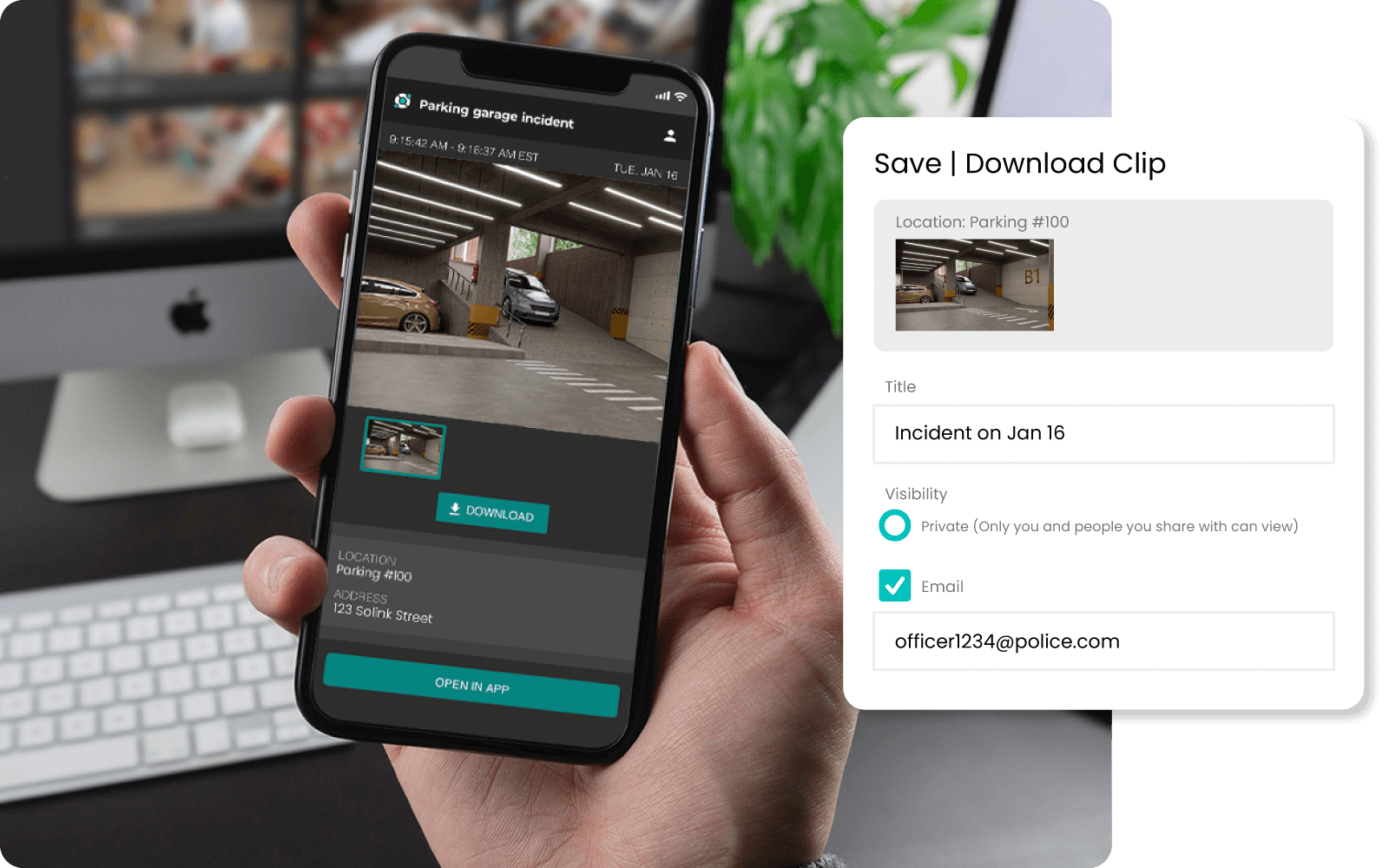
*Solink does not currently service private residential properties

Table of Contents

Table of Contents

Instead of relying on bulky on-site servers, cloud storage for security cameras offers a streamlined, flexible solution, making it easy to store and access video data from anywhere. Understanding its benefits and challenges can help you make the best choice for your business.

With Solink, managing cloud storage for your video clips and camera backups is simple and secure. Adjust your storage settings anytime through the platform:

  • Select cameras to prioritize

  • Change quality and storage duration by camera

  • Manage storage capacity across locations

Every subscription includes free storage per location, with options to pool storage across multiple locations or add more capacity as needed. Whether optimizing costs or ensuring essential footage is always available, Solink gives you the tools to take control.

This article will guide you through the pros and cons of cloud storage for security cameras, helping you decide if it’s the right fit for your needs.

Don’t guess—Calculate your video storage needs

Use our security storage calculator to determine how much space your business needs to store essential footage in the cloud.

What is cloud storage for security cameras?

Cloud storage for security cameras is a modern solution that allows businesses to store and manage video footage on remote servers accessed via the internet. Instead of relying on physical storage devices located on-site, video data is transmitted to and stored in the cloud, providing several advantages in terms of accessibility, scalability, and security. This technology is compatible with various types of security cameras, including IP cameras, analog cameras with digital video recorders (DVRs), and network video recorders (NVRs).

Solink compares the difference between local vs cloud storage

One of the key benefits of cloud storage is its compatibility with a wide range of camera systems. Whether you have traditional analog cameras or more advanced IP cameras, cloud storage can integrate seamlessly, allowing you to store footage without the need for bulky on-site equipment. This flexibility makes it an attractive option for businesses of all sizes, from small retail shops to large corporate offices. Additionally, many cloud storage solutions offer features like motion detection, real-time alerts, and easy video sharing, enhancing the overall functionality of your security system.

Cloud storage also simplifies the process of managing video data. With a centralized platform, you can access and review footage from multiple locations, making it easier to monitor various sites simultaneously. This is particularly useful for businesses with multiple branches or remote facilities. Furthermore, cloud storage providers often include robust security measures, such as encryption and regular backups, to protect your data from unauthorized access and loss.

Solink cover image with the text: "From video surveillance to vision intelligence. How to get more value from your video in 2025," featuring digital graphics and a padlock symbol.

The path forward: Steps to modernize security and maximize video-driven value

Most businesses are sitting on a goldmine of untapped video data, limited by outdated systems that keep video siloed and reactive. Download our guide on how to get more from your video data.

What are the pros of using cloud storage for my video footage?

Using cloud storage for security cameras offers numerous advantages that can enhance the overall efficiency and effectiveness of your security system.

Easy access: Cloud storage allows you to access your video footage from anywhere with an internet connection. This is particularly beneficial for businesses with multiple locations or for managers who need to monitor security remotely. You can view live feeds or review archived footage on various devices, such as smartphones, tablets, or computers.

Scalability: One of the biggest advantages of cloud storage is its scalability. You can easily adjust your storage capacity based on your needs without investing in additional physical hardware. This flexibility ensures that you always have enough storage space for your video data, whether you are expanding your business or experiencing increased security demands.

Lower initial costs: Cloud storage reduces the need for expensive on-site storage equipment, such as servers and hard drives. This can significantly lower your initial setup costs, making it a more affordable option for businesses, especially small and medium-sized enterprises.

Automatic backups: Many cloud storage providers offer automatic backups, ensuring that your data is regularly saved and protected against loss. This feature reduces the risk of losing valuable footage due to hardware failures or other unexpected events.

Reduced maintenance: With cloud storage, the responsibility for maintaining and updating hardware falls on the service provider. This reduces the burden on your IT staff and eliminates the need for ongoing maintenance and upgrades to on-site storage devices.

Disaster recovery: Cloud storage helps protect your data from local disasters such as fires, floods, or theft. Since the data is stored off-site, it remains safe and accessible even if your physical location is compromised.

Enhanced security features: Cloud storage providers often implement robust security measures, including data encryption, multi-factor authentication, and regular security audits, to protect your data from unauthorized access and cyber threats.

These advantages make cloud storage an appealing choice for businesses looking to streamline their security camera systems, reduce costs, and enhance data accessibility and protection.

What are the cons of using cloud storage for security footage?

While cloud storage offers many benefits for security cameras, it also comes with several drawbacks that businesses should consider.

Internet dependency: Cloud storage requires a stable and reliable internet connection for accessing and uploading video footage. In areas with poor connectivity or during internet outages, you may experience delays or difficulties in accessing your data, which can be critical for security operations.

Recurring costs: Although cloud storage reduces initial hardware expenses, it involves ongoing subscription fees. These costs can add up over time, especially as your storage needs grow. It’s essential to factor in these recurring expenses when evaluating the total cost of ownership.

Potential security risks: Storing data online can expose it to cyber threats such as hacking, data breaches, and malware attacks. While cloud providers implement robust security measures, no system is entirely foolproof. Businesses must ensure they choose reputable providers and take additional steps to secure their data, such as using strong passwords and enabling multi-factor authentication.

Vendor dependency: Relying on a third-party cloud service provider means that your data’s availability and security depend on the provider’s performance. Any disruptions, service outages, or changes in the provider’s policies can impact your access to and control over your video footage. Choosing a reliable and trustworthy provider is crucial to mitigate this risk.

Data transfer speeds: Uploading and retrieving large volumes of video footage can be slower compared to on-site storage, especially if your internet connection is not fast enough. This can affect the efficiency of your data retrieval and backup processes, particularly during peak usage times or when handling high-resolution video files.

Understanding these cons can help businesses weigh the potential drawbacks of cloud storage against its benefits, ensuring they make an informed decision that aligns with their specific needs and circumstances.

What are they key differences between cloud storage and other options?

When comparing cloud storage to other forms of data storage (like local, network-attached, and external storage), there are several key differences that affect accessibility, scalability, cost, and security.

On-site storage:

On-site storage is a method of storing data locally on physical servers and storage devices located within a business’s premises.

  • Control: You have full control over your data and hardware, allowing you to manage storage, security protocols, and access.
  • Security: Data is stored locally, reducing the risk of breaches through internet connections. However, physical security is crucial to protect against theft or damage.
  • Cost: High initial investment in servers, storage devices, and maintenance. Over time, expenses can add up with hardware upgrades and IT support.

Cloud storage:

Cloud storage is a method of storing data on remote servers accessed via the internet. 

  • Accessibility: Access your video footage anytime, anywhere via the internet. This is especially useful for businesses with multiple locations or remote management needs.
  • Scalability: Easily increase or decrease storage capacity based on your requirements without purchasing additional hardware. This flexibility can save money and space.
  • Cost: Lower initial costs since there is no need for expensive equipment. However, ongoing subscription fees are required, and costs can vary based on storage needs and service providers.

Bottom line: On-site storage offers control and security but involves significant upfront costs and maintenance responsibilities. Cloud storage provides greater accessibility and scalability with lower initial expenses, though it depends on a reliable internet connection and includes recurring subscription fees. Consider your business’s specific needs, budget, and infrastructure when choosing between these options.

This table highlights the key differences between cloud storage and on-site storage, helping businesses evaluate which option best suits their needs.

Aspect

Cloud Storage

On-site Storage

Accessibility

Access data from anywhere with an internet connection.

Limited access, usually requiring physical presence or complex remote setups.

Scalability

Easily adjust storage capacity as needed without additional hardware.

Expanding capacity involves purchasing and installing more hardware.

Initial Costs

Lower initial costs; no need for expensive on-site equipment.

High initial investment in servers and storage devices.

Recurring Costs

Subscription fees can add up over time.

No recurring fees after initial setup, but ongoing maintenance costs exist.

Maintenance

Minimal maintenance required; handled by the service provider.

Requires ongoing maintenance, upgrades, and IT support.

Security

Vulnerable to cyberattacks; depends on the provider’s security measures.

More control over security; physical breaches only.

Internet Dependency

Requires a stable internet connection for access and uploads.

No reliance on internet connectivity; always accessible on-site.

Disaster Recovery

Data is safe from local disasters like fires or floods; automatic backups are common.

Vulnerable to local disasters; additional backups needed for data protection.

Vendor Dependency

Dependence on the service provider for uptime and support.

Full control over data and hardware, with no reliance on external vendors.

Data Transfer Speed

Can be slower, especially with large files or volumes of data.

Typically faster data retrieval and backup processes.

Conclusion

Cloud storage for security cameras offers numerous advantages, including easy access, scalability, lower initial costs, automatic backups, reduced maintenance, and enhanced disaster recovery. These benefits make it an appealing option for many businesses looking to modernize their security infrastructure. However, it’s important to consider the potential drawbacks, such as internet dependency, recurring costs, security risks, vendor dependency, and data transfer speeds.

When deciding between cloud storage and on-site storage, businesses should carefully evaluate their specific needs, budget, and existing infrastructure. Cloud storage can provide significant flexibility and convenience, but it’s essential to weigh these against the potential challenges to ensure the best choice for your security system. Understanding the pros and cons will help you make an informed decision that enhances the effectiveness and reliability of your video management strategy.

Protect your business today with Solink

Experience the power of Solink’s video analytics and monitoring solutions. Transform your business into a safe, secure, and thriving environment. Fill out the form for a demo and see the difference!

Schedule a product demo with our experts

*Solink does not currently service private residential properties

Table of Contents

Table of Contents

Choosing between cloud vs on-premise security isn’t just a tech decision. It’s a business one. Each option shapes how your team manages risk, scales operations, and protects valuable data. Whether you’re upgrading an outdated system or building from scratch, understanding the benefits of both cloud-based and on-premise security can help you make the right call for your business today and tomorrow.

Cloud vs. on-premise security – what’s the exact difference?

Cloud and on-premise security systems handle video, data, and access in very different ways. The key difference is where your security system is hosted and who manages it.

Cloud security runs on remote servers managed by a third-party provider. Your video footage, logs, and system settings live in the cloud, which means your team can access them from anywhere. Updates happen automatically, storage can scale, and there’s no need for physical servers on-site.

On-premise security runs on servers and hardware located at your business. Your team manages everything in-house: installation, updates, storage, and system maintenance. It offers full control, but requires more time, budget, and IT support to keep it running smoothly.

The choice comes down to flexibility vs. control. Cloud systems offer access and automation. On-premise systems offer ownership and oversight.

Pros and cons of cloud security vs on-premise

Cloud-based security is popular with fast-moving businesses, especially those with multiple locations or limited IT resources. But it’s not right for everyone.

Benefits of cloud security for businesses

  • Remote access from anywhere
    Check video, alerts, and system status from any device, in real time.

  • Lower upfront costs
    No need to buy and maintain physical servers.

  • Automatic updates
    Stay protected with the latest features and security patches, no manual work required.

  • Scales as you grow
    Add users, cameras, or locations without overhauling infrastructure.

  • Centralized visibility
    See activity across all sites in one dashboard, with searchable video linked to business data.

Common challenges with cloud security vs on-premise

  • Internet dependency
    If your connection drops, so does your live feed access—though video can still record locally in most cases.

  • Recurring subscription costs
    Lower upfront investment, but you’re paying monthly or annually.

  • Perceived control gap
    Some teams prefer to own and manage their system fully in-house.

What makes cloud security safer today that on-premise?

  • Data encryption in transit and at rest

  • Multi-factor authentication

  • Redundant cloud backups

  • Continuous monitoring for unusual activity

Pros and cons of on-premise security vs cloud

On-premise security gives businesses full control over their systems. It’s often preferred by teams with strict compliance needs or dedicated IT staff. But it comes with trade-offs.

Benefits of on-premise security

  • Full ownership and control
    You manage where data is stored, how it’s accessed, and who has permission.

  • No reliance on internet
    Systems can run and record locally, even during outages.

  • Custom configurations
    Ideal for unique environments or businesses with specific integration needs.

  • No ongoing subscription fees
    Higher upfront costs, but fewer recurring payments if maintained well.

Limitations of on-premise security vs cloud

  • Higher upfront investment
    Servers, software licenses, and setup costs add up fast.

  • Manual maintenance and updates
    IT teams are responsible for patches, backups, and troubleshooting.

  • Scalability is limited
    Adding locations or users usually means more hardware and complexity.

  • Harder to access remotely
    Remote access requires advanced setup, increasing the risk of exposure if not properly secured.

Who benefits most from on-premise security

  • Financial institutions

  • Government buildings

  • Businesses in remote areas with unreliable internet

  • Teams with strict internal data policies

Cloud vs. on-premise, which is better for your business?

When deciding whether cloud or on-site servers are better for your business, consider several key factors to guide your decision:

Scalability needs

  • Cloud: If your business is growing or has fluctuating demands, cloud servers offer flexible scalability. You can increase or decrease resources as needed without large hardware investments.
  • On-premise: If your resource needs are stable and predictable, an on-site server might be sufficient, though scaling up will require more physical infrastructure.

Budget and cost

  • Cloud: Cloud servers have lower upfront costs but involve ongoing subscription fees. They are ideal if you want to avoid heavy initial investments and prefer operational expenses (OPEX).
  • On-premise: On-site servers require a larger upfront capital investment (CAPEX) for hardware, setup, and maintenance but have no recurring hosting costs. This might make sense for businesses with the budget to invest initially and save on long-term costs.

Control and customization

  • Cloud: You’ll have less control over the infrastructure, as the cloud provider manages much of the backend. However, this reduces the complexity of management for your internal team.
  • On-premise: Full control over your server’s hardware and software configurations allows for more customization, which might be necessary for businesses with specific IT or security requirements.

Security and compliance

  • Cloud: Security is typically robust in cloud services, but some industries (e.g., healthcare, finance) have strict compliance rules that may require data to be kept on-premises. If compliance is an issue, make sure your cloud provider meets those standards.
  • On-premise: If your business handles highly sensitive data or prefers to maintain direct control over security, an on-site server may be a better option. You’ll be responsible for setting up firewalls, encryption, and other security measures.

IT resources

  • Cloud: Cloud providers handle much of the maintenance, including updates, security patches, and backups, so your internal IT team can focus on other tasks. This is ideal for businesses with limited IT resources.
  • On-premise: Managing an on-site server requires dedicated IT personnel for maintenance, troubleshooting, and updates. If your company has a capable IT team, this might not be an issue, but for smaller businesses, this can be resource-intensive.

Disaster recovery and business continuity

  • Cloud: Cloud servers typically come with built-in redundancy and disaster recovery options, reducing the risk of data loss from physical damage or downtime.
  • On-premise: Without proper backup and disaster recovery systems, on-site servers are vulnerable to physical threats like fire, floods, or theft. Setting up a reliable disaster recovery system for on-premise servers can be costly and complex.

Remote access and mobility

  • Cloud: Cloud servers are ideal for businesses with remote workers or multiple locations, offering easy access to data and applications from anywhere with an internet connection.
  • On-premise: If your business operates in one central location with limited remote access needs, an on-site server may be sufficient. However, setting up remote access for on-site servers requires additional infrastructure and security measures.

Which is better?

  • Choose cloud: If your business needs flexibility, remote access, easy scalability, and minimal upfront investment, cloud servers are likely the better option. This is especially useful for startups, fast-growing companies, or businesses with fluctuating workloads.
  • Choose on-premise: If your business requires full control over your infrastructure, has specific compliance or security needs, and can afford the upfront cost, an on-site server may be the better choice. It’s also ideal for businesses with a stable, predictable IT environment and sufficient internal IT resources.

Each option has trade-offs, and the best solution depends on your company’s specific needs for scalability, security, budget, and IT management.

Person using a smartphone and a laptop to view analytical data and security footage on dashboards.

Why more businesses are choosing Solink for cloud and on-premise security

Solink combines the flexibility of the cloud with the reliability businesses need. You get secure, remote access to your video and data from any device without giving up control. Whether you’re running one location or one hundred, Solink scales with you.

Our system pairs video with real business data, so you can quickly find footage, flag issues, and protect your operations, all in one platform. Plus, there’s no bulky hardware to manage, and updates happen automatically.

Solink is built for teams that want to spend less time managing systems and more time managing the business.

See how it works with a quick demo.

Protect your business today with Solink

Solink’s video analytics and monitoring solutions help create a safe, secure, and healthy environment for businesses.

Schedule a product demo with our experts

*Solink does not currently service private residential properties

Table of Contents

Table of Contents

If you’re looking into cloud video security, you’ve probably seen the term cloud NVR. But what does it actually mean and how is it different from traditional systems?

A cloud NVR, or network video recorder, lets you record and store security camera footage in the cloud instead of on a physical device at your business. It gives you the same basic function as an on-site recorder but adds easier access, less maintenance, and more flexibility.

In this guide, we’ll explain what a cloud NVR is, how it works, and why more businesses are choosing it for their video security setup.

Solink cover image with the text: "From video surveillance to vision intelligence. How to get more value from your video in 2025," featuring digital graphics and a padlock symbol.

The path forward: Steps to modernize security and maximize video-driven value

Most businesses are sitting on a goldmine of untapped video data, limited by outdated systems that keep video siloed and reactive. Download our guide on how to get more from your video data.

What is cloud NVR, how does cloud NVR work?

A cloud NVR, or network video recorder, is a system that captures and stores video footage from your security cameras, but instead of saving that footage on a local device like a traditional NVR, it stores everything in the cloud.

In a traditional setup, you’d have a physical box (the NVR) sitting in your back office, recording video to a local hard drive. A cloud NVR removes that on-site storage box. Instead, the footage is sent over the internet to secure, remote servers, where it’s stored and managed through a cloud platform.

In some cases, a small on-site device is still used, often to help stream video smoothly, manage bandwidth, or provide a backup if your internet connection goes down. But that device doesn’t need maintenance, updates, or attention. Everything is controlled through a web or mobile app.

Here’s what the setup usually looks like:

  • Your cameras connect to the internet via your business network.

  • Video footage is sent securely to the cloud in real time.

  • You access, search, and share footage through an online dashboard—no matter where you are.

It works like modern file storage systems. Think of it like replacing an external hard drive with Google Drive, but for security video.

Cloud NVR systems are popular because they reduce hardware costs, simplify access, and make it easier to manage video across multiple sites without being on location.

Pros and cons of cloud NVRs

Like any technology, cloud NVRs come with trade-offs. Here’s a look at the key benefits and potential drawbacks to help you decide if it’s the right fit for your business.

Pros

Remote access
You can view live and recorded footage from anywhere—whether you’re at another location, working from home, or traveling.

Lower on-site hardware needs
No bulky NVR to manage, maintain, or upgrade. Some systems use a small device to help stream or buffer video, but it’s low-maintenance and often invisible to daily operations.

Automatic updates
Software updates, security patches, and performance improvements happen in the background—no manual installs or technician visits.

Scalability
It’s easier to add new locations or cameras without worrying about local storage limits or buying extra hardware.

Off-site storage
Video is stored in secure cloud servers, reducing the risk of losing footage to theft, damage, or device failure.

Cons

Internet dependence
Cloud NVRs rely on a stable internet connection. If your connection drops or is too slow, video uploads and remote access may be affected.

Ongoing costs
Instead of a one-time purchase, most cloud NVRs are part of a monthly or annual subscription. You’re paying for convenience, support, and storage over time.

Bandwidth usage
High-resolution video takes up bandwidth. Without proper network management, it can affect other business systems.

Limited control over data storage location
Depending on the provider, you may not have full control over where your video is stored geographically, which can raise questions for regulated industries.

Cloud NVR requirements

Before switching to a cloud NVR, it’s important to make sure your business has the right setup in place. While cloud systems are generally easier to deploy than traditional ones, a few key requirements help everything run smoothly.

Reliable internet connection
Because video footage is streamed and stored online, a stable internet connection is essential. Businesses with multiple cameras or high-resolution video should also ensure they have enough upload bandwidth to avoid delays or dropped footage.

Compatible IP cameras
Most cloud NVRs work with standard IP (network) cameras. If you’re already using these, you’re likely in good shape. Some platforms also support analog cameras using encoders or hybrid connections, but it’s best to confirm compatibility before getting started.

Network configuration
Your local network—routers, switches, and firewalls—should be properly configured to allow secure video transmission to the cloud. Most providers will assist with setup or offer plug-and-play devices to make this easier.

Power backup (optional but recommended)
Adding a basic uninterruptible power supply (UPS) can help keep cameras running during short outages and prevent footage loss. It’s not required, but it’s a smart move for high-security environments.

Small local device (depending on the provider)
Some cloud NVR systems use a lightweight on-site device to help manage bandwidth, improve streaming, or act as a buffer if the internet goes down. These devices usually require no ongoing maintenance.

User access and permissions
Plan ahead for who needs access to video and how permissions will be managed. Most cloud NVRs support multiple user roles and remote logins, which is especially helpful for businesses with multiple locations or departments.

Frequently asked questions (FAQs) about cloud NVRs

How is cloud NVR different from a traditional NVR?
Traditional NVRs store video locally on a hard drive at your business. Cloud NVRs send footage to remote, secure cloud servers. This reduces hardware, simplifies access, and makes it easier to manage multiple sites from one dashboard.

Is a cloud NVR the same as a cloud-based camera system?
Not exactly. A cloud NVR still focuses on recording and storing video, just without the local hardware. A full cloud-based camera system goes further, integrating video with tools like POS, alerts, and analytics for deeper business insights.

When does a cloud NVR make the most sense for a business?
A cloud NVR is ideal if you want remote access, off-site storage, and simplified maintenance—but still want a familiar NVR-style setup. It’s a great fit for businesses transitioning away from traditional video storage or managing multiple locations.

What’s the difference between cloud NVR and a full cloud-based camera platform?
A cloud NVR stores video in the cloud but still functions primarily as a recorder. Full cloud platforms, like Solink, offer real-time analytics, system integrations, AI search, and smart alerts—turning your video into a proactive business tool.

Can I use a cloud NVR with the cameras I already have?
In many cases, yes. Most cloud NVR systems work with standard IP cameras, and some can even connect to older analog cameras using encoders. It’s always best to confirm compatibility with your provider.

Is cloud NVR secure enough for sensitive business environments?
Yes—most cloud NVRs use encrypted video transmission, secure logins, and regular updates to keep your data safe. Look for providers that follow industry standards like SOC 2 or GDPR to ensure compliance and data protection.

What should I avoid when switching to a cloud NVR?
Watch out for hidden bandwidth costs, long-term contracts, or systems that don’t support your current hardware. Choose a provider that offers flexibility, clear pricing, and support during setup.

What does it feel like to use a cloud NVR day to day?
You’ll log in through a secure dashboard or app to view footage, search events, or manage alerts. There’s no need to maintain on-site hardware, and updates happen automatically—saving you time and IT resources.

How does Solink make cloud NVR easier for businesses?
Solink combines cloud NVR functionality with advanced business tools. You get cloud storage, POS integration, AI-powered search, and unlimited access from any device. Plus, Solink handles the setup and support, so your team stays focused on operations.

Still unsure if cloud NVR or full cloud is right for you?
That depends on your business needs. If you’re focused on basic remote access and storage, cloud NVR may be enough. If you want to connect video to real insights, full cloud systems offer more flexibility and value. We’ve broken down both options in a separate guide.

Is your security future based in the cloud?

More businesses are saying yes—and for good reason. Cloud NVRs offer a flexible, low-maintenance way to manage video across multiple locations, without the weight of on-site servers or outdated hardware.

Whether you’re just starting to explore your options or ready to upgrade your system, thinking cloud-first puts you one step ahead.

Your cameras are watching. Now it’s time to make your video work smarter.

Protect your business today with Solink

Solink’s video analytics and monitoring solutions help create a safe, secure, and healthy environment for businesses.

Schedule a product demo with our experts
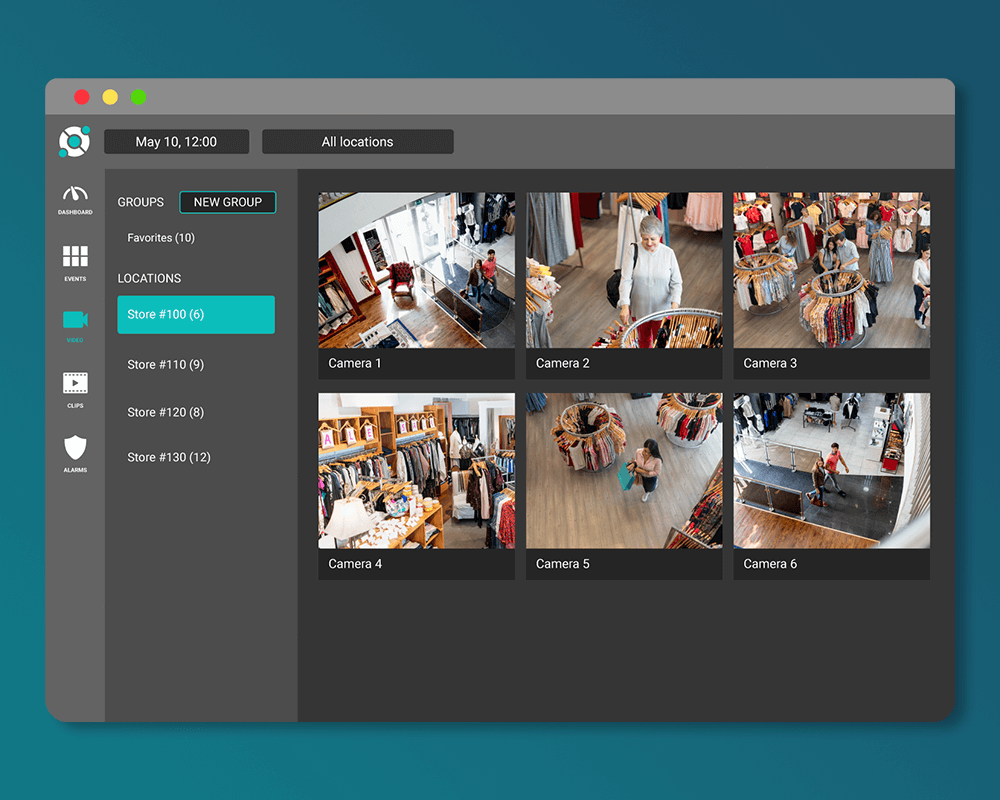
*Solink does not currently service private residential properties

Table of Contents

Table of Contents

Alarm Validation Scoring (AVS) is transforming how security systems and emergency services work together. Developed by The Monitoring Association (TMA), AVS standardizes how alarms are classified based on their severity, enabling faster, more accurate responses to real threats.

Why is this important?

False alarms have become a massive problem, with 95% of alarm responses in the U.S. proving unnecessary. These false alarms overwhelm police, delay responses to genuine emergencies, and lead to expensive fines for businesses. Video verification is gaining traction in many states as a solution, but AVS goes further by offering a scalable, standardized approach that tackles the root of the problem. In this article, we’ll explain how AVS works, its benefits for public safety, and why it’s quickly becoming essential for modern alarm systems.

What is The Alarm Validation Scoring Standard (AVS-01)?

The Alarm Validation Scoring Standard (AVS-01) is a framework created by The Monitoring Association (TMA) to improve how alarms are classified and communicated. This standard provides a consistent method for scoring alarms based on their severity, helping monitoring centers and emergency services prioritize responses more effectively. The Alarm Validation Scoring Standard (AVS-01) was introduced earlier in 2023 and while its adoption is voluntary, many major central monitoring stations across the U.S. have already started implementing it, and it’s quickly moving toward universal use. AVS-01 emphasizes verification. Real-time data—like video or audio evidence—is used to validate alarms and determine their severity. This approach reduces false alarms, streamlines communication, and ensures that public safety resources are used efficiently.

AVS-01 categorizes alarms into five levels, ranging from Level 0 (no response required) to Level 4 (imminent threat to life). Each level reflects the urgency and type of threat involved, with higher levels triggering faster and more resource-intensive responses. This system gives first responders a clearer understanding of the situation before arriving, enabling better decision-making and safer outcomes.

With AVS-01 quickly gaining adoption across North America, it’s setting a new standard for alarm monitoring and response, making it a crucial element for businesses and monitoring centers aiming to improve their security systems.

Some of the major cities in both Canada and the US where verification is required include:
  • New York City
  • Los Angeles
  • Chicago
  • Houston
  • Phoenix
  • Philadelphia
  • San Antonio
  • San Diego
  • Dallas
  • San Jose
  • Seattle
  • Toronto
  • Edmonton
  • Winnipeg
  • Calgary

How does The Alarm Validation Scoring Standard (AVS-01) work?

Here’s a breakdown of the five AVS-01 alarm levels:

Level 0: No Call for Service
The alarm is canceled, or there is no evidence of a threat. No response is required.

Level 1: Minimal Information
The alarm was triggered, but no additional evidence (e.g., video or audio) is available to confirm a threat. A call for service may be made, but it is treated as low priority.

Level 2: Human Presence Detected
Evidence, such as video or audio, indicates a person is on the property, but their intent is unclear. This level prompts a higher-priority response.

Level 3: Confirmed Threat to Property
Evidence confirms a legitimate threat to property, such as a break-in or vandalism. This level demands a prompt response from emergency services.

Level 4: Confirmed Threat to Life Evidence confirms an immediate danger to human life. This is the highest-priority alarm, requiring an urgent response with full resources.

Each alarm starts at Level 1, with operators escalating or de-escalating the level based on real-time data such as video feeds, audio recordings, or eyewitness accounts. This ensures that emergency services are provided with the most accurate and actionable information, reducing response times and improving public safety outcomes.

The importance of verification

Verification is the cornerstone of effective alarm management. Without it, monitoring centers and emergency services are left guessing about the nature of a triggered alarm, leading to unnecessary deployments or missed opportunities to address real threats. Verification—whether through video, audio, or other real-time evidence—bridges the gap between uncertainty and action.

For businesses, verification isn’t just about improved security—it’s also about saving money. Many jurisdictions impose steep fines for repeated false alarms, with some cities even suspending police response for frequent offenders. Verification helps prevent these costly mistakes by validating alarms before dispatch, ensuring only credible threats trigger a response.

By leveraging real-time video feeds, audio clips, or sensor data, monitoring centers can assign appropriate alarm levels and give first responders a clearer picture of the situation. This precision allows emergency teams to allocate resources efficiently, prioritize critical incidents, and reduce the risk of harm during responses. In short, verification transforms alarm systems from reactive tools to proactive solutions.

How to be AVS-compliant with Solink Video Alarms

Solink's professional alrm monitoring notifies you via email or text message
Given the severity of false alarms and the rapid adoption of AVS by major cities, providers like Solink are leading the way in eliminating false alarms with video-assisted alarm technology, helping businesses meet AVS compliance.

Solink Video Alarms turns ordinary security cameras into reliable video-based alarm systems. It automatically detects, records, verifies, and alerts on unauthorized motion inside and outside a property during scheduled hours, as part of Solink’s comprehensive video security and analytics platform. Our platform uses video evidence to help monitoring centers assign proper alarm levels, escalating to Level 3 or Level 4 when threats to property or life are confirmed. With Solink, businesses can meet AVS requirements today without reinvesting in expensive alarm equipment.

Shareable video alerts

Solink equips any run-of-the-mill security camera with monitoring software, enabling monitoring agents or business owners to see what’s happening the moment an alarm is triggered through motion, which can easily be shared with dispatch to give police and other responders a clear picture of the situation before they arrive, improving response times and safety. This context ensures alarms can be escalated quickly and accurately when real threats are present.

Intelligent verification

Solink takes a verification-first approach by using your existing cameras to create intelligent monitoring zones, eliminating the need for traditional motion sensors. Our AI analyzes camera footage to detect when a person or vehicle enters these zones, saving each motion trigger as an alarm event. Alerts are then sent for human verification—whether self-monitored, handled by your security team, or managed by a third-party agency. This method ensures every alarm is backed by real evidence, drastically reducing false alarms and delivering a smarter, more reliable security solution.

Cost-effective integration

The beauty of our platform is that we leverage cameras already installed as alarm sensors. There’s no need to buy additional motion detectors or purchase new cameras. Everything—from monitoring to alerts to scheduling—is managed through our VMS and saved in the cloud for easy remote access.
By prioritizing verification through tools like video and analytics, Solink helps businesses navigate a security landscape plagued by false alarms and outdated hardware. This fragmented ecosystem has overwhelmed police resources, making swift responses to real threats increasingly difficult.

The AVS-01 standard was developed to bring clarity and focus, ensuring police resources are used effectively. As AVS rapidly becomes an industry standard, Solink empowers businesses to adhere to these guidelines and improve security today—leveraging existing cameras without the need to reinvest in costly new hardware. This approach not only enhances emergency response but also builds trust with law enforcement, reduces liability, and keeps people and property safer.

Table of Contents

Table of Contents

Choosing the best NAS (network attached storage) for security cameras involves comparing traditional physical NAS systems with innovative cloud-based solutions. Among these options, the hybrid NAS in the cloud approach, as utilized by Solink, stands out for its unique blend of accessibility, security, and efficiency. This article introduces why Solink’s hybrid cloud NAS solution is considered the best NAS for security cameras, offering a comprehensive overview for those exploring advanced storage solutions for their security footage.

What is NAS?

NAS (network attached storage) is a dedicated file storage solution that allows multiple users and devices to access data from a central location. Unlike traditional hard drives that connect directly to a computer, NAS devices are connected to a network. This setup makes it easier to share and manage data across different platforms and devices. NAS systems are highly valued for their flexibility, scalability, and convenience, making them ideal for both home and business environments.

In the context of security cameras, NAS plays a crucial role by serving as a reliable storage repository for video footage. With the capacity to handle high volumes of data and the ability to scale storage as needs grow, NAS systems ensure that security footage is accessible and secure. This is especially important for organizations that require continuous video monitoring and need to store large amounts of video data over extended periods.

What is cloud video storage?

Cloud video storage refers to the practice of storing video footage on remote servers accessed via the Internet. This method offers significant advantages over traditional storage solutions, including enhanced accessibility, scalability, and cost-effectiveness. Users can access their video data from anywhere at any time, provided they have an Internet connection. 

Additionally, cloud storage solutions often come with advanced security features to protect data from unauthorized access and cyber threats. The scalable nature of the cloud allows users to adjust their storage requirements based on their needs, ensuring they only pay for what they use.

What is “NAS in the cloud”?

“NAS in the cloud” combines the benefits of network attached storage (NAS) with the flexibility and scalability of cloud storage services. This hybrid approach provides a powerful solution for managing and storing video security footage. By leveraging cloud technology, NAS in the cloud offers unparalleled access to data, enabling users to view, manage, and analyze their video footage from any location. 

This model also offers robust data protection features, ensuring that footage is securely backed up and protected against hardware failures and cyber threats. For security camera systems, Solink stands out as a leading choice, offering a seamless, secure, and efficient way to store and manage security data.

See how Solink elevates your security camera system.

What are other types of storage for security cameras?

When considering storage solutions for security cameras, two common systems come to mind: digital video recorders (DVR) and network video recorders (NVR). Both play a crucial role in the security industry, capturing and storing video footage from security cameras. The debate of “DVR vs NVR” often centers around the differences in their setup and the types of cameras they support. 

DVR systems are designed for analog cameras and convert analog signals to digital format for storage. On the other hand, NVR systems are used with IP cameras, capturing digital video directly for storage, which often results in higher quality footage and easier setup due to their network-based design. See more about the differences in IP vs analog cameras.

Despite the utility of DVR and NVR systems, they come with limitations, including the need for physical hardware and the costs associated with purchasing, maintaining, and upgrading these devices. This is where Solink offers a distinct advantage. 

Solink’s solution eliminates the need for traditional DVR and NVR systems, directly saving customers money on hardware and maintenance. By providing a cloud-based platform for video monitoring, Solink not only simplifies the management and storage of video footage but also enhances accessibility and security, making it a cost-effective and efficient alternative to conventional storage methods.

Solink Recording Device Surveillance Station offers a range of models catering to different needs, from home security to large-scale business security. Each model is uniquely designed to suit specific environments, ensuring efficient monitoring and robust security. 

Here are some examples of Solink Recording Device NAS devices.

The TS-983XU-RP is tailored for larger business environments, where extensive security coverage is essential. It excels in handling multiple high-resolution camera feeds and offers advanced security features. This model is a top choice for organizations seeking a comprehensive and scalable security solution.

Designed for small- to medium-sized businesses, the TS-453D strikes a perfect balance between functionality and affordability. It’s an ideal choice for businesses that need a reliable security system without the complexity of larger setups. This model is known for its user-friendly interface and versatile security capabilities.

The TVS-672N is perfect for businesses that require both high-performance and substantial storage capacity. It supports real-time monitoring and playback, making it suitable for environments where immediate response to security events is crucial. This model is also a great fit for businesses that prioritize video quality and storage efficiency.

Ideal for home or small office environments, the TS-251D offers a balanced mix of security, storage, and multimedia capabilities. It’s an excellent choice for users who need a compact yet powerful security system that can also serve as a home entertainment center.

The TS-653D is a versatile option that caters to a variety of video security needs. It is suitable for those who require robust storage capabilities along with efficient monitoring. This model is favored in scenarios where flexibility and adaptability in security are key requirements.

Solink provides a fully warrantied, handsoff storage appliance

Solink’s innovative approach to video security storage marks the end of the traditional end-of-life (EOL) cycle associated with NVRs and DVRs. By offering a fully warrantied, hands-off storage appliance, Solink ensures that businesses no longer have to deal with the hassles of upgrading or replacing outdated hardware. 

This solution not only simplifies the management of security footage but also provides a more sustainable and cost-effective alternative to conventional storage methods. With Solink, businesses can enjoy the peace of mind that comes from knowing their security system is always up to date and fully supported, without the need for constant oversight or investment in new hardware.

Looking to get more value out of your security cameras? See what Solink has to offer.

Table of Contents

Table of Contents

Can employers record audio at work? It’s a common question with a complicated answer. While security cameras are widely accepted in businesses, recording conversations comes with stricter legal limits. Federal and state laws determine when and where audio recording is allowed, often requiring employee consent. In some states, just one person needs to agree, while others require approval from everyone involved. Failing to follow these laws can lead to legal trouble, fines, and even lawsuits. If you’re a business owner considering audio recording or an employee wondering about your rights, this guide breaks down the rules, consent requirements, and best practices to stay compliant.

What is audio surveillance or audio monitoring?

Audio surveillance or audio monitoring refers to the recording or listening of conversations, sounds, or other audio within a workplace. This can include phone calls, meetings, customer interactions, or general workplace discussions. Employers may use audio recording for security, training, or compliance purposes, but strict laws regulate when and where it is allowed. Unlike video recording, which is widely permitted in public work areas, audio recording often requires consent from employees. Some states allow recording if one person is aware, while others require all parties to agree. Understanding the legal and ethical boundaries of audio monitoring is crucial for both employers and employees.

Can employers legally record audio at work?

The legality of audio recording in the workplace depends on both federal and state laws. While employers may have legitimate business reasons for recording, strict regulations protect employee privacy.

Federal laws on workplace audio recording

At the federal level, the Electronic Communications Privacy Act (ECPA) generally prohibits recording oral, wire, or electronic communications without consent. However, an exception allows recording if at least one person in the conversation consents. This means that, in many cases, an employer could record conversations as long as at least one participant is aware.

Another key law, the National Labor Relations Act (NLRA), restricts employers from recording union-related meetings or discussions. This law is designed to prevent intimidation and ensure employees can freely engage in union activities.

State laws: One-party vs. All-party consent

State laws vary significantly when it comes to audio recording:
  • One-party consent states (38 states): Only one person in the conversation needs to be aware of and consent to the recording. This means an employer could legally record conversations they are part of without informing the other participant.
  • All-party consent states (12 states): Every individual in the conversation must agree before recording can occur. These states include California, Florida, Illinois, and Pennsylvania, among others. Employers in these states must obtain explicit consent before recording any workplace conversations.

Where employers can and cannot record

Even in states where one-party consent applies, recording is not allowed in areas where employees have a reasonable expectation of privacy. This includes:
  • Restrooms
  • Locker rooms
  • Break rooms
  • Changing areas
Employers must also avoid secretly recording employees without their knowledge, as hidden recording devices can lead to severe legal consequences.

What employers must do to stay compliant

To legally record audio in the workplace, employers should: – Disclose their recording policy in an employee handbook – Obtain written consent from employees, especially in all-party consent states – Post visible signs informing customers and employees about audio recording – Limit recording to business-related conversations in public work areas Failing to comply with audio recording laws can lead to fines, lawsuits, and reputational damage. Employers should always check both federal and state laws before implementing any form of workplace audio recording.

How audio recording differs from video recording

While both audio and video recording are used for workplace security and monitoring, audio recording faces stricter legal and ethical restrictions. Understanding the key differences can help employers make informed decisions and stay compliant with privacy laws.

  1. Legal restrictions
  • Video recording: Generally legal in most workplaces as long as cameras are placed in public or shared areas where employees do not have a reasonable expectation of privacy.
  • Audio recording: Subject to stricter consent laws, with some states requiring all parties in a conversation to agree before recording. Unauthorized audio recording can violate wiretapping and eavesdropping laws.
  1. Privacy considerations
  • Video recording: Typically used for security purposes, such as preventing theft, monitoring high-risk areas, or ensuring workplace safety. Employees usually expect video monitoring in public areas.
  • Audio recording: Seen as more intrusive because it captures private conversations, potentially exposing confidential information or personal discussions that employees may assume are private.
  1. Consent requirements
  • Video recording: Employers are often not required to obtain consent if cameras are visible and placed in public areas. Some states may require employers to inform employees, but signage is usually sufficient.
  • Audio recording: Federal and state laws often require explicit consent from one or all parties. Employers may need to include consent clauses in employee handbooks or require verbal/written agreement.
  1. Enforcement and legal risks
  • Video recording: Misuse of video recording (e.g., hidden cameras in private areas) can result in fines and lawsuits but is generally easier to justify for security reasons.
  • Audio recording: Illegal recording can lead to criminal charges, civil lawsuits, and significant financial penalties. Unauthorized audio monitoring can violate both federal and state laws, making compliance critical.

Should businesses use both video and audio recording?

While video recording is widely accepted, audio recording should be carefully considered based on business needs, legal requirements, and employee privacy concerns. In most cases, video alone provides sufficient security without the legal risks associated with recording conversations.

Best practices for video and audio security systems

Implementing workplace recording requires a balance between security and privacy. To stay compliant and maintain trust, businesses should follow these best practices.

  1. Define a clear recording policy

  2. A well-documented policy helps set expectations and ensures compliance. Employers should outline:
    • The purpose of video and audio recording
    • Where and when recording will take place
    • Who will have access to recorded data
    • How long recordings will be stored
    This policy should be reviewed regularly and updated as laws change.
  1. Limit recording to necessary areas

  2. Recording should only occur in spaces where there is a business need. Areas where employees collaborate, handle transactions, or interact with customers are reasonable locations. However, private offices or informal gathering spaces may not be appropriate unless there is a documented reason for monitoring.
  1. Train managers on compliance

  2. Employers should educate managers on legal recording practices to prevent misuse. Training should cover:
    • Consent requirements
    • Handling employee concerns
    • Proper use and storage of recorded data
    Misuse of recordings, even unintentionally, can lead to workplace disputes or legal consequences.
  1. Establish secure storage and access controls

  2. Unauthorized access to recordings can create security risks. To protect sensitive data:
    • Restrict access to authorized personnel
    • Store recordings on encrypted servers
    • Set automatic deletion policies based on retention requirements
    Having strict controls prevents potential misuse and ensures compliance with privacy laws.
  1. Regularly audit recording practices
  2. Employers should conduct periodic reviews of their recording practices to ensure compliance with company policies and legal requirements. Audits can help identify any gaps, ensure recordings are being used appropriately, and confirm that retention policies are being followed.

    Following these best practices helps businesses maintain workplace security while respecting employee rights and legal boundaries.

Table of Contents

Table of Contents

Need funding to grow your retail business? Whether you’re opening a new store, expanding inventory, or upgrading equipment, retail business loans provide the financial support you need. This guide breaks down what these loans are, how they work, and the best options available—so you can make the right choice for your business.

See how Solink can help your retail business.

What is a retail business loan?

A retail business loan is financing designed to help retailers manage expenses and fuel growth. Whether you need to stock up on inventory, cover payroll, hire staff, or upgrade technology, these loans provide the capital to keep your business running smoothly. Retailers also use them to expand physical locations, invest in marketing, or enhance their online presence. With the right loan, you can stay competitive and seize new opportunities without cash flow concerns.

Woman holding a tablet and smiling in a cozy store environment.

Types of retail business loans

Retailers have several financing options depending on their needs. Here are some common types:

  • Business Term Loans – Borrow a lump sum and repay it over time with interest. Ideal for large, one-time investments like renovations or inventory purchases. Short-term loans work well for immediate needs, while long-term loans spread costs over time.

  • Business Lines of Credit – A flexible option where you draw funds as needed and pay interest only on what you use. Perfect for managing cash flow, covering daily expenses, or handling unexpected costs.

  • SBA Loans – Backed by the U.S. Small Business Administration, SBA 7(a) loans offer low rates and flexible terms. They can be used for various expenses, including expansion, inventory, and equipment.

  • Equipment Financing – Designed specifically for purchasing new or used equipment. Since the equipment itself serves as collateral, these loans are often easier to qualify for.

  • Merchant Cash Advances (MCAs) – Receive an upfront sum and repay it through a percentage of daily debit and credit card sales. While MCAs are quick and easy to obtain, they tend to have high fees and interest rates.

Choosing the right loan depends on your business goals, cash flow, and repayment ability.

Where to get retail business loans from

Retail business loans are available from both traditional and online lenders. Each option has its pros and cons:

  • Banks and Credit Unions – Offer the lowest interest rates and best repayment terms but require strong credit and an established business history. Funding can take days or even weeks. Some also offer SBA loans, which have competitive rates but strict qualification requirements.

  • Online Lenders – Provide faster funding, sometimes within 24 hours, and have more flexible requirements, making them a good option for startups or businesses with lower credit. However, they often come with higher interest rates.

Choosing the right lender depends on how quickly you need funds and your business’s financial profile.

How to get a retail business loan

Securing a retail business loan involves a few key steps:

Assess Your Needs – Decide how much funding you require and how you’ll use it. A line of credit works well for recurring expenses, while a term loan is better for one-time purchases like inventory or equipment. Make sure your business can handle the repayment.

Check Your Eligibility – Lenders look at factors like credit score, annual revenue, and time in business. Some also consider cash flow, collateral, and existing debt. Understanding your financial standing can help you find the right lender.

Compare Lenders – Research banks, credit unions, and online lenders to find the best terms. Look at loan types, repayment schedules, interest rates, fees, and funding speed. Reading reviews can also help you gauge lender reputation.

Prepare Your Application – Gather essential documents, such as financial statements, tax returns, bank statements, and details on collateral or existing debt. Online lenders may approve and fund your loan quickly, while traditional banks often take longer.

Taking the time to compare options and prepare your application increases your chances of securing the best loan for your retail business.

What you need to give the bank to secure a business loan for a retail store

Banks require comprehensive documentation to evaluate your credibility and business viability.

Here are nine things you need to get a business loan for a retail store:

  1. Business plan
  2. Personal credit history
  3. Business credit history
  4. Financial statements
  5. Personal and business tax forms
  6. Collateral 
  7. Legal documents
  8. Resume
  9. Projected financial statements

1. Business plan

A business plan isn’t merely a document; it’s a reflection of your vision and strategy. It should encompass:

  • Executive summary: A snapshot of your business, offering a concise overview but packed with the essence of your business idea.
  • Market analysis: Detailed research about the market size, growth, trends, and the competitive landscape. This gives lenders a clear picture of the environment in which your store operates and its potential for success. Consider a SWOT analysis.
  • Marketing and sales strategy: How you plan to attract and retain customers, your advertising methods, promotions, and sales techniques.
  • Organization structure: Details about your team, their roles, and expertise. This shows lenders the strength and capability of your team to drive the business forward.
  • Financial projections: Detailed forecasts for at least the next three years. This should include projected income statements, balance sheets, cash flow statements, and capital expenditure budgets.

2. Personal credit history

Your personal financial discipline plays a critical role in a bank’s decision-making process. Factors to consider include:

  • Credit score: This numeric value represents your creditworthiness, with higher scores indicating better financial health.
  • History of borrowing: Regularly check your credit report for any inaccuracies. Rectify them before presenting them to a lender.
  • Credit components: Lenders will look at the length of your credit history, credit mix, and new credit. A diverse mix and longer history usually bode well for loan applications.

3. Business credit history

For those with an existing business, its financial reputation is crucial. Factors include:

  • Business credit score: Much like personal credit, this evaluates your business’s financial habits. Regularly monitor and work on improving this score.
  • Trade references: Suppliers or vendors can vouch for your business’s payment habits. Positive trade references can bolster your application.
  • Debt utilization: How much debt your business carries relative to its credit limit can influence decisions. Aim for a lower utilization ratio.

4. Financial statements

These documents offer a transparent view of your business’s current financial status:

  • Balance sheets: This statement provides a snapshot of your assets, liabilities, and equity at a particular point.
  • Profit and loss statements: Detailing revenues, costs, and expenses over a period, it showcases your store’s profitability.
  • Cash flow statements: This indicates how changes in balance sheet accounts affect cash and cash equivalents.

5. Personal and business tax returns

Tax returns are a testament to your store’s revenue and profitability:

  • Consistency: Steady or increasing returns over the years can indicate business stability and growth potential.
  • Tax liabilities: Ensure any due taxes are paid. Outstanding liabilities can be a red flag for lenders.
  • Deductions and claims: Be prepared to explain any significant deductions or claims.

6. Collateral

This provides lenders with an assurance of loan recovery:

  • Valuation: Regularly get assets valued to provide an accurate picture to the bank.
  • Liquidity: Assets that can be quickly converted into cash, like accounts receivables or inventory, are viewed favorably.
  • Ownership: Ensure you have clear titles and no disputes on assets being pledged.

7. Legal documents

These underscore the legitimacy and legal standing of your retail store:

  • Business registration: Proof that your business is registered and recognized by the state or local authorities.
  • Lease agreements: If you’re renting a commercial space, this agreement shows your commitment to the location.
  • Licenses and permits: Depending on the nature of your retail store, you might need health permits, signage permits, etc. Have these at hand.

8. Resume

A resume is more than just a career summary; it showcases your capability to run and manage a retail store successfully:

  • Industry experience: Highlight your tenure in the retail industry and specific achievements.
  • Skills and certifications: List any relevant courses or certifications that enhance your credibility.
  • References: Past employers or business associates vouching for your capabilities can be a boon.

9. Projected financial statements

Future projections paint a picture of your ambition and realistic expectations:

  • Revenue projections: Based on market analysis and past trends, estimate the revenues for the upcoming years.
  • Expense estimates: Detail anticipated costs, considering factors like inflation, expansion, or additional hiring.
  • Profit expectations: Clearly state what profit margins you aim for, giving lenders a clear idea of potential ROI.

Unlocking doors to growth

Securing the right retail business loan gives you the financial foundation to expand, invest, and stay competitive. But funding is just one piece of the puzzle. To truly maximize growth, retailers need real-time insights into their operations. That’s where Solink comes in.

By integrating video security with business data, Solink helps retailers track foot traffic, monitor conversion rates, and identify opportunities to improve efficiency. With the right financing and the right tools, you can make smarter decisions, boost sales, and create a stronger, more profitable business.

To see how Solink can help secure your profits, sign up for a demo today.

Table of Contents

Table of Contents

Running a successful restaurant is about more than great food—efficient operations are just as important. A reliable POS (point of sale) system streamlines orders, manages inventory, and improves customer experiences. But with so many options, finding the right fit can feel overwhelming. That’s why we’ve curated a list of the best restaurant POS software systems. Whether you’re a small café or a busy chain, these tools will help you save time, reduce errors, and grow your business.

What is a restaurant POS system?

A POS (point of sale) system is the technology businesses use to process transactions and manage sales. For restaurants, a POS system typically includes hardware like touchscreens, card readers, and receipt printers, along with software to handle orders, payments, and inventory tracking. Modern POS systems often integrate with other tools, such as kitchen displays, delivery platforms, and customer loyalty programs, making them essential for streamlining operations and enhancing the dining experience.

POS systems can also integrate with security camera systems like Solink to provide an added layer of protection and insight for restaurant operations. This integration links transaction data with video footage, making it easy to review discrepancies, prevent theft, and resolve disputes. For example, if a refund or voided transaction seems suspicious, you can instantly match the POS data with video evidence. This connection not only improves security but also helps streamline operations by identifying inefficiencies and improving accountability.
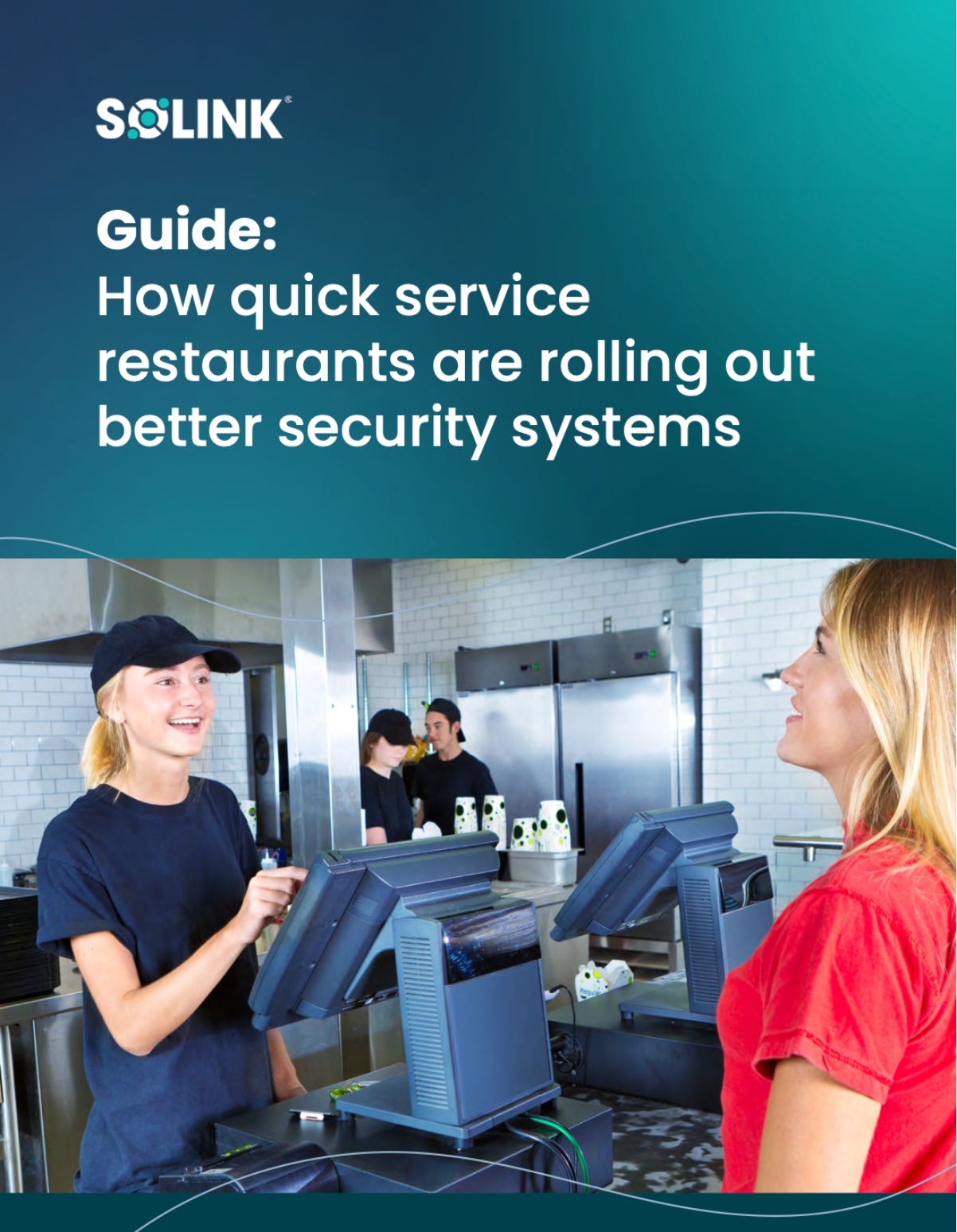
Two women interact at a restaurant counter with POS terminals; text above promotes a guide on security systems for quick service restaurants.

Unlock smarter operations for your quick service restaurant

Boost speed, security, and savings in every store.

Discover how leading QSRs are using technology to improve service, reduce loss, and streamline operations. This guide covers practical strategies to modernize your restaurant without disrupting your workflow—so you can serve more customers with confidence.

What are the different types of POS systems?

Here are the main types of POS systems:

Cloud-based POS systems
  • Operate online and store data in the cloud.
  • Accessible from anywhere with an internet connection.
On-premise POS systems
  • Installed locally on servers or devices at the business location.
  • No internet required, but limited remote access.
Mobile POS systems (mPOS)
  • Run on smartphones or tablets.
  • Ideal for food trucks, pop-ups, or tableside service.
All-in-one POS systems
  • Combine hardware and software into a single device.
  • Sleek design and simple setup for small businesses.
Self-service POS systems
  • Kiosks or touchscreens for customers to place orders and pay.
  • Popular in fast-food or quick-service restaurants.
Open-source POS systems
  • Customizable software for businesses with specific needs.
  • Requires technical expertise to implement and maintain.
Industry-specific POS systems
  • Tailored for restaurants, retail, salons, and other industries.
  • Offers features specific to each business type, like table management for restaurants.
Hybrid POS systems
  • Combines cloud and on-premise functionalities.
  • Operates offline but syncs data to the cloud when reconnected.
Each type serves unique business needs, so selecting the right one depends on your restaurant’s size, budget, and operational requirements.

Best way to choose a restaurant POS system

Choosing the right POS system starts with understanding your restaurant’s specific needs. Start by evaluating your current challenges—are you struggling with order accuracy, inventory management, or payment processing? A good POS system should solve those problems while offering room for growth.

Here’s a simple guide to finding the best fit:
  1. Identify must-have features Look for tools like inventory tracking, employee management, and security integrations, such as Solink’s video monitoring.
  2. Consider your business type Quick-service, fine dining, and multi-location chains each have unique requirements. Ensure the POS is designed for your restaurant type.
  3. Test usability The system should be intuitive for staff to use. A confusing interface can lead to slow service and errors.
  4. Evaluate costs Compare upfront costs, subscription fees, and potential ROI. Balance affordability with functionality.
  5. Check for integrations Seamless connections with delivery platforms, loyalty programs, and security tools can streamline your operations.
  6. Read reviews and get demos Research user experiences and request a demo to see the system in action.
The right POS system should simplify daily operations, improve efficiency, and give you greater control over your business. Take the time to choose wisely, and the results will pay off.

Integrating your restaurant POS system with Solink

A customer pays with a credit card using a card reader held by a server at a table with pizza and beer.
As a cloud video management system, Solink provides restaurants with innovative features that enhance security and operational insights. By connecting your POS system with Solink, you unlock powerful tools to protect your business and streamline processes.

Here’s what Solink offers:
  • Link transactions to video footage
    Instantly match POS transactions with corresponding video footage to review refunds, voids, or discounts. Quickly verify activity and address discrepancies.
  • Automated notifications and flagging
    Get alerts for suspicious activities, like high-value refunds, discounts, or after-hours transactions. Solink helps you take action before issues escalate.
  • Searchable insights
    Use advanced search tools to locate specific events by time, date, or transaction details. Save time by narrowing down footage in seconds.
  • Employee accountability
    Monitor staff interactions with customers, cash handling, and adherence to policies. Improve training and ensure compliance.
  • Loss prevention
    Identify patterns of theft or fraud by connecting sales data with video. Prevent losses and enhance trust within your team.

The 8 best POS software systems for restaurants

Toast POS

Best for: Restaurants needing durable hardware and mobile payment options.

Toast is a versatile POS system built specifically for restaurants, offering features that make running a busy establishment easier:

  • Handheld devices for tableside ordering and payments, ensuring faster service and better guest feedback collection.
  • Spill-resistant hardware designed to withstand the challenges of a fast-paced restaurant environment.
  • Delivery integrations that connect directly with platforms like DoorDash and Uber Eats, streamlining off-premise sales.
  • Smart menu management that allows updates from any device and tracks inventory in real time, reducing waste and improving efficiency.

Lightspeed

Best for: Restaurants looking for robust reporting and multi-location management.

Lightspeed is a powerful POS system ideal for restaurants that value detailed analytics and streamlined operations. It offers features designed to enhance efficiency and profitability:

  • Comprehensive reporting tools that provide in-depth insights into sales, staff performance, and inventory trends.
  • Multi-location management for seamless coordination between different branches, perfect for growing restaurant groups.
  • Customizable menus that allow you to make real-time updates across all locations or tailor offerings for each site.
  • Integrated payment processing that simplifies transactions and reduces errors with options for tableside payments.
  • Third-party integrations with platforms like accounting software, delivery services, and reservation tools to centralize operations.

Clover

Best for: Small to mid-sized restaurants wanting flexibility and user-friendly hardware.

Clover is a highly customizable POS system offering easy-to-use hardware and software, perfect for restaurants looking for a scalable solution. Its standout features include:

  • Modular hardware options like portable card readers, countertop stations, and handheld devices, allowing you to design a setup that fits your needs.
  • Built-in payment processing for seamless transactions, with support for all major payment methods, including contactless options.
  • Inventory management tools to track stock levels, automate low-stock alerts, and streamline ordering.
  • Customer loyalty programs that help you engage with diners through discounts, rewards, and promotions.
  • Third-party app marketplace with integrations for delivery platforms, accounting software, and marketing tools.

NCR Voyix

Best for: Established restaurants seeking enterprise-grade features and reliability.

NCR Voyix is a robust POS system built for restaurants that need advanced capabilities to manage complex operations. Its enterprise-focused tools make it ideal for multi-location businesses and high-volume establishments. Key features include:

  • Enterprise-grade reporting for deep insights into sales, customer behavior, and operational performance across multiple locations.
  • Customizable workflows to streamline everything from order entry to kitchen operations, improving efficiency and reducing errors.
  • Cloud-based infrastructure that ensures data accessibility and real-time updates from any device.
  • Integrated payment processing with options for contactless, mobile, and traditional payment methods.
  • Loyalty and marketing tools to attract and retain customers through personalized offers and promotions.

Lavu

Best for: Small restaurants and cafes needing an affordable, mobile-first POS system.

Lavu is a user-friendly POS system designed with small to mid-sized restaurants in mind. It’s known for its affordability, ease of use, and mobile-focused functionality. Key features include:

  • iPad-based system that offers portability and convenience for tableside ordering and payment processing.
  • Customizable menu management with real-time updates, making it easy to adjust pricing, add seasonal items, or mark items as out of stock.
  • Inventory tracking that alerts you when supplies run low and helps reduce food waste.
  • Built-in payment processing with support for contactless payments and EMV chip cards.
  • Third-party integrations with popular tools like QuickBooks, online delivery platforms, and kitchen display systems.

Heartland

Best for: Restaurants and retailers seeking a versatile, all-in-one point-of-sale solution with integrated payment processing.

Heartland POS offers a comprehensive system designed to streamline operations for both the food service and retail industries. Key features include:

  • Integrated payment processing: Accepts various payment methods, including credit cards, EMV chip cards, and mobile wallets, ensuring secure and efficient transactions.
  • Inventory management: Real-time tracking of stock levels helps prevent shortages and overstocking, optimizing inventory control.
  • Customer relationship management (CRM): Tools to manage customer interactions and loyalty programs, enhancing customer engagement and retention.
  • Employee management: Features for tracking employee hours, managing schedules, and assigning roles, improving workforce efficiency.
  • Reporting and analytics: Comprehensive reports on sales, inventory, and employee performance support informed decision-making.

Square

Best for: Small restaurants and cafes seeking an affordable, easy-to-use POS system.

Square is a flexible and budget-friendly POS solution ideal for small food service businesses. Known for its simplicity, it offers features that streamline operations without requiring significant technical expertise. Key features include:

  • Free software: Square’s basic POS software is free and includes features like menu management, order tracking, and payment processing.
  • Integrated payments: Accepts all major payment types, including chip cards, contactless payments, and mobile wallets, with no separate hardware required.
  • Inventory tracking: Helps you monitor stock levels, set alerts for low inventory, and maintain better control over supplies.
  • Online ordering integration: Allows you to create a free online store for takeout and delivery orders that syncs directly with your POS system.
  • Employee management tools: Tracks hours, roles, and sales performance, helping to simplify team oversight.

FocusPOS

Best for: Restaurants seeking a customizable, feature-rich point-of-sale system to enhance efficiency and profitability.

Focus POS is designed to meet the diverse needs of the hospitality industry, offering tools that streamline operations and improve customer service. Key features include:

  • Order and pay at the table: Enables guests to place orders and make payments directly from their table, enhancing convenience and turnover rates.
  • Comprehensive inventory management: Monitors stock levels in real time, helping to prevent shortages and reduce waste.
  • Customer loyalty programs: Facilitates the creation of rewards and promotions to encourage repeat business and boost customer engagement.
  • Sales reporting and analysis: Provides detailed insights into sales trends, employee performance, and customer preferences to inform strategic decisions.
  • User-friendly interface: Features an intuitive touchscreen interface that reduces training time and minimizes errors during service.

Table of Contents

Table of Contents

The QSR industry—short for quick-service restaurants—has become a cornerstone of modern dining, evolving far beyond its fast-food roots. From classic burger joints to global chains offering healthier, tech-driven options, the QSR industry continues to adapt to shifting consumer preferences and technological advancements. With billions of dollars in projected growth worldwide, understanding the factors driving this expansion is crucial for business owners and industry watchers alike.

In this article, we’ll explore the growth and evolution of the QSR industry, breaking down its rise in popularity, key innovations, and the trends shaping its future. Whether you’re a business leader or a curious consumer, this deep dive will show why quick-service restaurants remain essential
Two women interact at a restaurant counter with POS terminals; text above promotes a guide on security systems for quick service restaurants.

Unlock smarter operations for your quick service restaurant

Boost speed, security, and savings in every store.

Discover how leading QSRs are using technology to improve service, reduce loss, and streamline operations. This guide covers practical strategies to modernize your restaurant without disrupting your workflow—so you can serve more customers with confidence.

What Is the QSR industry?

The QSR industry, or quick-service restaurant industry, refers to businesses that specialize in providing fast, affordable meals with minimal wait times. These establishments often feature limited menus, streamlined operations, and convenient ordering methods like drive-thrus, mobile apps, and kiosks. The focus is on speed and efficiency, making QSRs ideal for today’s busy consumers.

While the term “fast food” is often used interchangeably, the QSR industry is broader. It includes traditional fast-food chains like McDonald’s and KFC as well as brands like Subway, Chipotle, and Dunkin’ that emphasize niche offerings or healthier options. With innovations like AI-powered drive-thrus, loyalty programs, and delivery-first models, the QSR industry continues to adapt to meet evolving consumer demands while maintaining its core focus on convenience and value.

Fast food vs. QSR: What’s the difference?

The distinction between fast food and QSR lies in how the terms are applied, though they often overlap:

 
Fast Food QSR (Quick Service Restaurants)
Definition Refers primarily to the speed of food preparation and delivery. A broader industry term encompassing a variety of fast, affordable dining options.
Focus Highlights quick service, low cost, and standardized menu items. Includes traditional fast-food chains and other establishments like Dunkin’, Domino’s, or Subway, which serve specific, often higher-quality menu items.
Perception Often associated with traditional fast-food giants like McDonald’s or Burger King. Many QSRs include innovations like healthier menu options, loyalty programs, and tech-forward services (e.g., mobile apps or AI-powered drive-thrus).
Customer Experience Includes drive-thrus, counter service, or quick pick-up options. Goes beyond just fast food by incorporating convenience-focused innovations like kiosks, personalized menus, drive-thrus and delivery-friendly systems.
Key takeaway:

While all fast-food restaurants are QSRs, not all QSRs are fast-food restaurants. QSR is a more comprehensive term that includes chains focusing on speed, cost efficiency, and convenience while also embracing innovation and varied menu offerings.

Here’s an example illustrating the distinction between fast food and QSR:

Fast food example: McDonald’s

McDonald’s epitomizes the traditional fast food model. Known for its burgers, fries, and iconic drive-thru service, McDonald’s focuses on speed, affordability, and consistency. Customers expect standardized menu items prepared quickly, making it the quintessential fast-food experience.

QSR example: Chipotle

Chipotle, on the other hand, falls under the broader QSR industry. While it also emphasizes fast service, Chipotle offers a customizable menu with fresh, high-quality ingredients. It appeals to consumers seeking healthier or more personalized options. Additionally, Chipotle integrates technology with features like mobile app ordering, loyalty rewards, and efficient pickup systems, showcasing the innovation and flexibility that define a modern QSR.

The difference:

While both McDonald’s and Chipotle are part of the QSR industry, McDonald’s fits the traditional fast-food mold, whereas Chipotle demonstrates how QSRs can evolve to meet changing consumer preferences.
The distinction between fast food and QSR lies in how the terms are applied, though they often overlap:

Fast food

  • Definition: Refers primarily to the speed of food preparation and delivery.
  • Focus: Highlights quick service, low cost, and standardized menu items.
  • Perception: Often associated with traditional fast-food giants like McDonald’s or Burger King.
  • Customer experience: Includes drive-thrus, counter service, or quick pick-up options.

QSR (Quick-Service Restaurants)

  • Definition: A broader industry term encompassing a variety of fast, affordable dining options.
  • Scope: Includes traditional fast-food chains and other establishments like Dunkin’, Domino’s, or Subway, which serve specific, often higher-quality menu items.
  • Flexibility: Many QSRs include innovations like healthier menu options, loyalty programs, and tech-forward services (e.g., mobile apps or AI-powered drive-thrus).
Customer experience: Goes beyond just fast food by incorporating convenience-focused innovations like kiosks, personalized menus, drive-thrus and delivery-friendly systems.

Key takeaway:

While all fast-food restaurants are QSRs, not all QSRs are fast-food restaurants. QSR is a more comprehensive term that includes chains focusing on speed, cost efficiency, and convenience while also embracing innovation and varied menu offerings.

Here’s an example illustrating the distinction between fast food and QSR: Fast food example: McDonald’s McDonald’s epitomizes the traditional fast food model. Known for its burgers, fries, and iconic drive-thru service, McDonald’s focuses on speed, affordability, and consistency. Customers expect standardized menu items prepared quickly, making it the quintessential fast-food experience.

QSR example: Chipotle

Chipotle, on the other hand, falls under the broader QSR industry. While it also emphasizes fast service, Chipotle offers a customizable menu with fresh, high-quality ingredients. It appeals to consumers seeking healthier or more personalized options. Additionally, Chipotle integrates technology with features like mobile app ordering, loyalty rewards, and efficient pickup systems, showcasing the innovation and flexibility that define a modern QSR.

The difference:

While both McDonald’s and Chipotle are part of the QSR industry, McDonald’s fits the traditional fast-food mold, whereas Chipotle demonstrates how QSRs can evolve to meet changing consumer preferences.

The evolution of menu offerings in the QSR industry

The QSR industry has undergone significant changes in its menu offerings over the years, shifting from basic, standardized fare to diverse, customer-driven options. Early quick-service restaurants focused on simple, low-cost staples like burgers, fries, and soda, designed for speed and mass appeal. However, as consumer tastes evolved, so did the menus. Today’s QSRs offer a variety of choices that cater to a wide range of dietary needs, lifestyles, and cultural preferences.

One of the most notable shifts in QSR menus is the incorporation of healthier options. With rising awareness of nutrition and wellness, many brands now include items like salads, grilled proteins, and plant-based alternatives. Chains like Subway led the charge with customizable sandwiches, while others, like Burger King and KFC, introduced vegan or vegetarian items to attract health-conscious consumers. This trend continues to grow as the demand for transparency in ingredients and calorie counts influences how QSRs design their menus.

Another key evolution has been the emphasis on global flavors and niche offerings. To stand out in a competitive market, many QSRs now feature menu items inspired by international cuisines or regional favorites. Taco Bell, for instance, introduced a variety of Mexican-inspired dishes, while chains like Panda Express brought Asian flavors to the forefront. Similarly, seasonal or limited-time offerings, such as McDonald’s McRib or Starbucks’ Pumpkin Spice Latte, create excitement and draw customers eager to try something unique.

Finally, technology has played a role in personalizing menu offerings. Many QSRs now use customer data to curate dynamic menus that reflect popular choices or provide personalized recommendations through apps and kiosks. Brands like Chipotle allow customers to build their meals with specific ingredients, tailoring their experience to individual preferences. This level of customization has transformed the QSR menu from a one-size-fits-all approach to a more flexible and consumer-centric model.

The evolution of menu offerings in the QSR industry reflects a broader shift towards inclusivity, innovation, and adaptability. By embracing trends like healthier options, international flavors, and personalized dining experiences, QSRs continue to meet the changing demands of modern consumers while staying competitive in an ever-evolving market.

The key trends driving growth in the QSR industry

One of the emerging drivers of growth in the QSR industry is the increasing emphasis on value-oriented pricing strategies. With inflation and economic pressures impacting consumer spending, many QSRs are prioritizing affordable menu items, combo deals, and value menus. These strategies resonate with customers looking for budget-friendly meal options, particularly during uncertain economic times. By maintaining cost efficiency without sacrificing quality, QSRs continue to attract a loyal customer base.

Another trend fueling growth is the rise of dual-brand or hybrid establishments. Chains like Taco Bell/KFC or Dunkin’/Baskin Robbins leverage shared spaces and resources to provide consumers with a broader range of choices under one roof. This approach maximizes convenience for diners, minimizes operational costs for businesses, and fosters greater brand loyalty by appealing to multiple preferences in a single visit.

Loyalty programs and data-driven marketing have also emerged as critical growth strategies. QSRs are increasingly using customer data to create personalized offers and rewards. Brands like Subway and Starbucks offer tiered loyalty systems, encouraging repeat visits while providing insights into customer preferences. This data enables QSRs to fine-tune marketing campaigns and menu offerings, ensuring they align with current trends and consumer demands.

Lastly, the integration of automation in back-of-house operations is quietly revolutionizing the QSR industry. Automated food preparation systems, inventory management tools, and predictive demand algorithms help restaurants maintain consistency and reduce waste. This behind-the-scenes efficiency supports rapid service times and cost-effective operations, allowing QSRs to meet growing customer demand while staying competitive.

These additional trends illustrate the innovative ways QSRs are positioning themselves for continued success, balancing cost, convenience, and customer engagement to sustain growth in a dynamic market.

How technology is transforming the QSR industry, especially within security

Technology is revolutionizing the QSR industry, touching everything from customer ordering to kitchen operations and beyond. Innovations like mobile ordering apps, AI-powered drive-thrus, and contactless payment systems are redefining how quick-service restaurants meet customer expectations for speed and convenience. For instance, AI systems now offer personalized menu recommendations based on past orders, while robotic kitchen assistants streamline food preparation, reducing wait times and improving consistency.

Operational efficiency is also a major focus. Many QSRs are leveraging predictive analytics tools to optimize staffing, manage inventory, and even forecast sales trends. Cloud kitchens and centralized management platforms are enabling restaurants to expand their reach without the need for costly dine-in spaces, catering to the growing preference for delivery and pickup options.

Amid all this innovation, security technology has emerged as a critical area of focus, with companies like Solink leading the way in protecting QSR businesses. Integrated security and analytics systems are now key to safeguarding operations while offering insights that drive better business decisions.

Enhancing QSR security and insights with Solink

Solink’s platform combines video security and POS (point-of-sale) data, providing QSR operators with a powerful tool to combat fraud, theft, and operational inefficiencies. For example, managers can quickly review transactions flagged as voids or refunds, cross-referencing them with video footage to identify and address suspicious behavior. This integration helps minimize losses in high-traffic environments where every second counts.

Beyond fraud prevention, Solink uses advanced video analytics to provide actionable insights. Features like motion detection, line-crossing alerts, and heat mapping go beyond traditional security functions. Heat maps, for instance, help QSR operators understand traffic flow within the restaurant, enabling better placement of menu boards, kiosks, or promotional displays.

Video analytics also play a role in employee performance and customer experience monitoring. For example, drive-thru cameras paired with transaction timestamps help identify bottlenecks or inconsistencies in service speed, allowing for targeted training and workflow improvements. Motion-triggered alerts can notify managers of potential safety risks, such as back-door activity during non-operational hours, improving overall security.

By integrating cloud-based systems, Solink also ensures that multi-location QSR operators can manage and monitor all sites remotely. This includes tracking compliance with health and safety standards, reviewing incidents across stores, and maintaining operational consistency at scale.

The bigger picture

While customer-facing technologies like mobile apps and AI-powered ordering systems continue to transform the QSR industry, security technology has become a behind-the-scenes powerhouse. Companies like Solink provide solutions that protect assets and deliver insights to improve operations, all while enabling QSRs to thrive in an increasingly competitive market. By blending security with business intelligence, these tools support the industry’s evolution and its ability to meet modern consumer demands.

Challenges facing the QSR industry and how one might overcome them

The QSR industry thrives on speed, efficiency, and convenience, but these same qualities often come with unique challenges. From rising operational costs to evolving customer expectations, quick-service restaurants must address these obstacles head-on to maintain profitability and competitiveness.
Labor shortages and retention issues
One of the most pressing challenges is the shortage of skilled labor. High turnover rates, low wages, and demanding working conditions make it difficult for QSRs to retain employees. This problem is compounded by the need to train new staff regularly, leading to inefficiencies and added costs.

Solution:

To tackle this, QSRs can invest in employee-centric policies, such as higher wages, flexible schedules, and growth opportunities. Offering benefits like tuition assistance (as Starbucks does) or retention bonuses can also improve morale and loyalty. Additionally, incorporating technology like self-service kiosks and automated kitchen systems can reduce reliance on labor-intensive roles while streamlining operations.
Inflation and supply chain disruptions have led to increased costs for ingredients and packaging, squeezing already thin profit margins. These rising expenses also put pressure on QSRs to adjust pricing carefully, balancing profitability without alienating cost-conscious customers.

Solution:

Optimizing inventory management through predictive analytics can minimize waste and improve ordering accuracy. Many QSRs are also renegotiating supplier contracts or sourcing locally to cut transportation costs. Promoting value-driven menu items, such as combo deals, can maintain customer appeal while mitigating the impact of rising prices.
The growth of fast-casual restaurants, ghost kitchens, and meal delivery services has intensified competition in the food service sector. These options often offer perceived higher quality or greater convenience, drawing customers away from traditional QSRs.

Solution:

QSRs can differentiate themselves by focusing on what they do best—speed and value—while embracing trends like healthier menu options and expanded delivery services. Leveraging loyalty programs and personalized marketing through mobile apps can also help retain customers in a competitive market.
High transaction volumes and cash-heavy operations make QSRs vulnerable to fraud, theft, and security risks. Issues like employee theft, refund scams, and data breaches can result in significant financial losses and reputational damage.

Solution:

Implementing integrated systems, like those offered by Solink, can mitigate these risks. Combining
video security with POS data allows operators to identify fraudulent transactions and track suspicious behavior in real time. Advanced analytics and motion-detection features further enhance security and operational oversight.
Modern consumers demand more than just fast food—they want healthier options, eco-friendly packaging, and tech-forward experiences. QSRs that fail to evolve risk losing relevance among key demographics like Gen Z and millennials.

Solution:

Staying attuned to customer preferences through regular surveys and market research is critical. Offering plant-based menu options, sustainable packaging, and seamless mobile ordering capabilities can help QSRs meet these expectations. Moreover, being transparent about sourcing and nutritional information builds trust and loyalty.

Exploring the role of AI and automation in the QSR industry

AI and automation are transforming the QSR industry, helping restaurants meet rising consumer expectations while addressing operational challenges. From streamlining food preparation to enhancing the customer experience, these technologies are becoming essential tools for quick-service restaurants aiming to stay competitive in a fast-paced market.

One of the most visible applications of AI in QSRs is AI-powered drive-thru systems. These systems use natural language processing to take orders accurately and efficiently, even during peak hours. With the ability to suggest upsells based on past customer behavior or order patterns, AI helps drive additional revenue while reducing the strain on human staff. Brands like McDonald’s and Taco Bell are already implementing this technology in select locations, paving the way for widespread adoption.

In the kitchen, automation is revolutionizing food preparation and efficiency. Robotic systems can handle repetitive tasks like flipping burgers, frying items, or assembling pizzas, ensuring consistency and reducing errors. For example, Domino’s has invested in autonomous pizza assembly lines that work seamlessly alongside human employees. These systems not only improve speed but also allow staff to focus on customer-facing roles, enhancing the overall dining experience.

AI is also playing a significant role in inventory management and demand forecasting. Predictive analytics tools analyze sales data, seasonal trends, and even weather patterns to predict inventory needs. This reduces waste, ensures ingredient availability, and helps QSRs operate more cost-effectively. Restaurants using these systems can minimize overstocking while ensuring popular items are always in supply.

Enhancing security and business intelligence

AI and automation extend beyond customer-facing applications to include security and business insights. Integrated platforms like Solink use AI to analyze video footage alongside POS data, identifying patterns that may indicate fraud, employee theft, or operational inefficiencies. For instance, AI can flag suspicious behaviors, such as frequent voided transactions, and alert managers in real time.

Another practical example is ensuring shelves and displays are always stocked. Imagine knowing instantly if your donut case is empty or if a key item in your fridge needs replenishing. AI-integrated systems, like Solink’s, provide real-time alerts based on video and data, helping you maintain stock levels without constant manual checks. This means fewer customer complaints, more efficient staff, and no missed sales opportunities. By adding this level of visibility to your operations, you create a seamless experience for both your team and your customers.

Moreover, AI-driven video analytics provide actionable insights into customer traffic patterns, peak service times, and employee performance. This data helps QSRs optimize staffing, streamline workflows, and enhance the customer experience. Automation in these areas reduces the manual effort required to analyze and act on operational data, making businesses more agile and effective.

A glimpse into the future

As AI and automation continue to evolve, their role in the QSR industry will only grow. From autonomous delivery systems to hyper-personalized marketing campaigns, these technologies are set to redefine how quick-service restaurants operate. By adopting these innovations, QSRs can improve efficiency, meet customer demands, and maintain a competitive edge in an increasingly dynamic industry.

Solink and the QSR industry

Solink is redefining how the QSR industry approaches security and operational efficiency. By integrating video security, POS systems, and advanced analytics, Solink empowers quick-service restaurants to protect their businesses while gaining actionable insights to improve performance. From identifying fraud and reducing losses to streamlining workflows and enhancing customer experiences, Solink’s solutions are tailored to meet the unique challenges of the QSR industry. As technology continues to shape the future of quick-service dining, partnering with companies like Solink ensures that QSR operators stay ahead—secure, efficient, and ready to adapt to evolving consumer needs.