Solink Agentic AI summit
| Tuesday, June 23 |

Table of Contents

Table of Contents

Explore the top retail security cameara software systems and learn how these solutions can enhance store safety, reduce theft, and streamline operations. This guide highlights the essential features of modern security systems, including video surveillance, data integration, and mobile accessibility. Plus, discover a list of the leading retail security providers in the industry to help you choose the right solution.

Recent statistics highlight the escalating challenges in the area of retail security. In the UK, retailers faced over 20 million theft incidents in the year leading up to August 31, 2024, resulting in losses amounting to £2.2 billion. Additionally, there was a significant increase in violence and abuse against retail workers, with more than 2,000 daily incidents reported, up from 1,300 the previous year.

When selecting a retail security system, several critical factors are key. Seamless integration, real-time monitoring, advanced analytics, and compliance capabilities all play an important role. We’ll start by exploring what modern retail security systems offer, followed by an in-depth look at the components that define top-tier solutions to help you better protect your business.

What makes up the best retail security camera software systems?

Retail security systems are advanced video security solutions designed to integrate seamlessly with store operations while storing footage securely in the cloud. These systems offer real-time monitoring and management, giving retail business owners flexibility and scalability.

The best retail security systems feature:

  • Always operational: These systems ensure zero downtime, with instant alerts if cameras or devices malfunction. Continuous operation is crucial for reliable security.
  • Seamless integration: A top-tier retail security system connects both hardware and software, allowing video and business data to work together. This provides remote access and smooth integration with other store management systems.
  • Accessible anywhere, anytime: The ability to monitor your store from anywhere, at any time, is essential for keeping an eye on security and key metrics remotely.
  • Automatic updates: These systems stay updated with the latest security patches, protecting against cyber threats without manual intervention. This ensures you benefit from the newest features to maximize your return on investment (ROI).

While many systems claim to be cloud-based, they often fail to fully leverage true cloud technology. At Solink, our approach to retail security goes beyond basic video storage. We believe that a comprehensive security solution should not only enhance safety but also improve operational efficiency, providing robust features that drive business performance.

What Are the Benefits of the best Retail Security Systems?

The best retail security systems offer immense value, often paying for themselves through cost savings, improved security, and enhanced operational efficiency. Here’s how these systems drive ROI for retail businesses:

Easy video sharing

Cloud-based storage makes video management simple. Storing footage on a cloud server means sharing critical clips is as easy as sending a link. This feature is essential when quick access is needed for investigations or law enforcement. Solink enhances this by automatically saving relevant footage based on triggers, like motion detection, saving time and allowing instant sharing.


Remote monitoring

Access your security data from anywhere, whether you oversee one store or a chain of retail locations. Solink provides real-time video and data access across all your stores, allowing you to monitor ongoing activity and make informed decisions on the go.

Unified data and video

Managing business data can be overwhelming. Solink’s platform integrates video footage with data from other systems, offering security insights while revealing key business metrics, helping you streamline your operations.

Proactive alerts

Instead of manually monitoring your store, Solink uses AI and motion detection to alert you to potential issues. From unauthorized access to inventory discrepancies, Solink notifies you when critical metrics deviate, enabling fast responses to prevent problems before they escalate.

Off-site cloud storage backup

While cloud storage can use significant bandwidth, combining it with local storage boosts system reliability. Solink’s hybrid approach ensures that important footage is securely stored off-site while keeping costs down and complying with industry regulations.

Continuous improvements

Unlike traditional systems, cloud-based security evolves with regular updates. Solink consistently rolls out new features, such as enhanced Location Management tools, to improve both security and operational efficiency, keeping your system up to date with the latest innovations.

Automated security updates

Cybersecurity is critical. Cloud-based solutions like Solink automatically receive free security updates to safeguard your business from vulnerabilities, ensuring your data stays protected over time.

System health checks

Solink performs regular health checks to ensure your cameras and systems stay online. If an issue arises, you receive instant alerts, allowing you to address problems before they compromise your security. Routine checks also keep your system protected from potential vulnerabilities.

POS system integration

Solink integrates with your retail POS system, pairing transactional data with video footage. This feature allows you to verify each sale or void in real time. For instance, if an unusual transaction occurs, you can immediately review the video, reducing theft, preventing fraud, and improving employee accountability. This integration boosts both operational insights and security, helping you optimize efficiency and protect your revenue.

AI in retail security camera systems

Storing your retail security footage in the cloud unlocks powerful AI-driven features that go far beyond traditional systems. Cloud computing provides the processing power needed for advanced capabilities, transforming how you monitor and manage your business. Here are some key AI features:

Motion search

AI-powered motion search makes reviewing footage faster and more efficient, especially for investigating incidents like theft. Simply select the area where an item went missing, and the system will highlight all motion events in that zone, skipping unnecessary footage. This saves valuable time and helps quickly identify suspicious activity.

Event search

Employee theft at the point of sale (POS) is a common issue in retail. With POS integration, you can search for high-risk transactions—such as discounts, voids, or no-sale till openings—paired with corresponding video footage. This allows you to review these transactions in real time, enhancing loss prevention efforts and identifying potential fraud.

Camera linking

Solink’s AI-driven Camera Linking automatically detects overlapping views across your cameras. This feature makes it easy to follow an individual’s movements throughout your store, tracking them from one camera to the next. Whether investigating suspicious activity or verifying customer behavior, Camera Linking provides seamless navigation for complete oversight.

Line crossing

AI-powered line crossing technology allows you to set up virtual lines within your camera feeds to detect when someone enters a restricted or critical area. This feature goes beyond security by integrating with POS data, enabling you to track foot traffic and analyze customer behavior. With these insights, you can assess conversion rates and calculate revenue per customer, turning video footage into actionable business intelligence.

Zone tracking

With AI-enabled zone tracking, you can measure how long customers or employees spend in key areas like service counters, waiting lines, or product displays. By tracking dwell time, you can identify bottlenecks, assess the effectiveness of store layouts, and improve customer flow. This feature helps optimize operations, reduce wait times, and enhance the overall customer experience.

Scalability for Growing Retail Businesses

Cloud-based retail security systems offer unmatched scalability, allowing you to expand your security setup as your business grows. Remote monitoring and cloud integration make it easy to manage multiple locations and users seamlessly. Here’s how cloud-based video security scales with your business:

Number of sites
With cloud-based systems, adding new locations is simple. As your retail chain expands, you can bring additional sites online effortlessly. Remote monitoring allows you to oversee all locations from a single platform, ensuring consistent security across your entire business.

Number of users
It’s easy to add new users as your team grows. You can also customize access levels, ensuring employees only view the data and footage they need, while keeping sensitive information secure.

Number of connected systems
Solink’s system integrates with various retail technologies, from POS systems to scheduling software and access control. As you implement new systems, Solink can integrate them into your dashboard, providing a centralized view of both security and operational data. This flexibility ensures your security system scales alongside your business.

The Best Retail Security System Companies on the Market

The logo for solink.

1) Solink

Solink is a leading provider of retail security systems, managing over 30,000 locations and hundreds of thousands of cameras. Their platform offers scalable solutions for businesses of all sizes, with a focus on industries such as retail, cannabis, and banking. What sets Solink apart is its highly customizable platform and seamless integration of video security with point-of-sale (POS) data, giving business owners deeper insights beyond traditional security systems.

This integration allows you to link transactions with video footage, making it easier to detect and resolve incidents like theft or fraud. Solink also shines in user experience, offering one-click video sharing, advanced search tools, and automatic event tagging to simplify daily operations.

While many systems focus solely on basic video storage and remote access, Solink’s advanced analytics and data integration make it a comprehensive business intelligence solution, providing both enhanced security and valuable operational insights.

Advantages of Solink

Here are some of the key features that make Solink’s retail security system stand out:

  • User-friendly platform: Easy to learn and accessible to staff across different roles, enabling quick adoption throughout your organization.
  • Continuous updates: Regularly releases new features like Camera Linking, Threshold Notifications, and Location Management to keep your system cutting-edge.
  • 24/7 support: Access help anytime through in-app chat, email, phone, or the comprehensive help center.
  • Mobile excellence: Offers a top-tier mobile experience on Apple and Android devices, as well as Apple TV and web apps.
  • High ROI: Saves time, boosts revenue, and reduces costs by preventing theft and improving operational efficiency.
  • Top-tier security: Provides industry-leading network security and data protection to safeguard your business.
  • Quick installation and maintenance: Fully managed hardware with installation and maintenance handled by Solink.
  • Hundreds of integrations: Seamlessly connects with POS systems, access control, scheduling software, and more for complete system integration.
  • Video alarms: Offers both self-serve and managed options for video verification of alarms.
  • Flexible contracts: No-term agreements, allowing for flexibility as your business evolves.
  • Real-time alerts and daily reports: Get instant notifications for critical events and daily summary emails with key data points.
  • Technology-agnostic: Compatible with most existing security cameras and connected systems.
  • End-to-end solution: Solink can source, install, and manage your entire security camera system, offering a complete, hassle-free solution for your business.

Direct comparison table

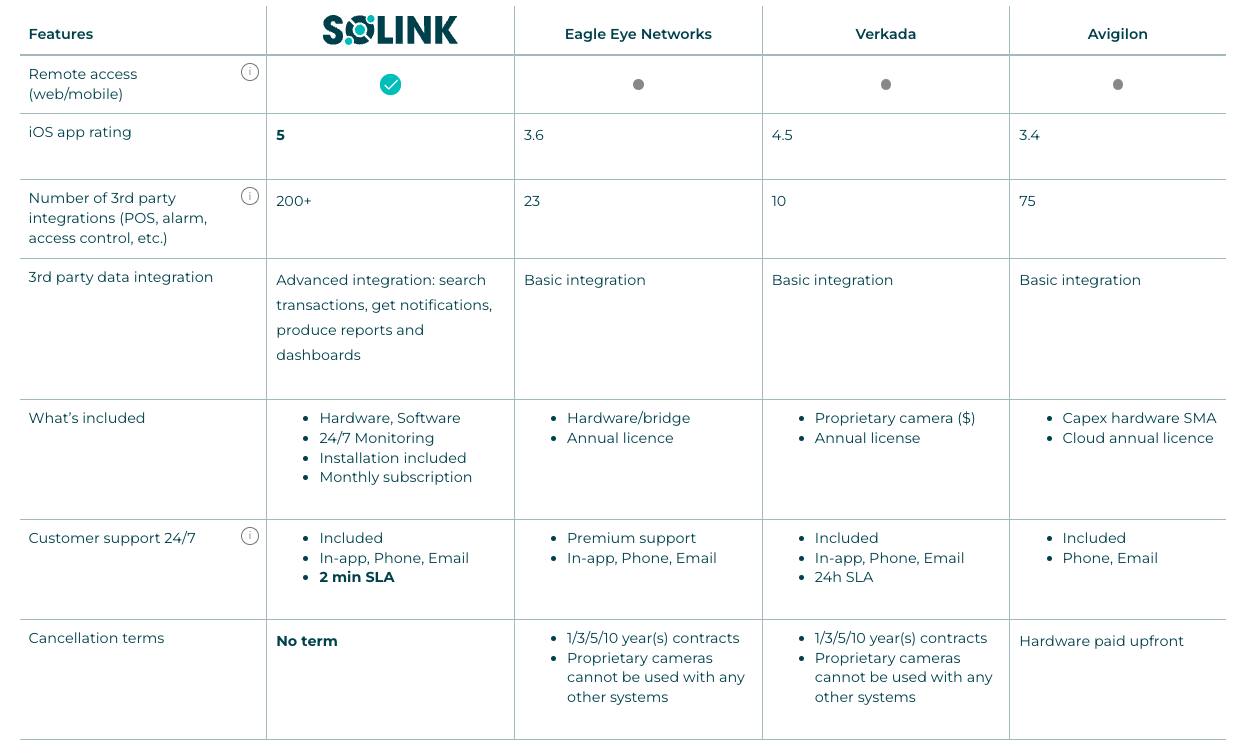
In the chart below, we provide a detailed comparison between Solink and other leading video security providers, such as Verkada, Avigilon, and Eagle Eye Networks. This side-by-side analysis highlights key features and capabilities of each system, helping you understand how Solink’s integration of video security with POS data, advanced analytics, and user-friendly functionalities beats out the offerings of these competitors. Whether you’re prioritizing advanced data correlation, ease of use, or comprehensive security solutions, this chart will help you see why Solink is the superior choice for your business needs.

Comparison chart of remote access tools showing features and terms for link, eagle eye networks, verkada, and avigilon. columns include integration, included features, and connection terms.

2) Verkada

Verkada is a cloud-based security camera company offering a simple, scalable solution for businesses. Their system combines cloud management with onboard storage, ensuring secure, accessible video. Key features include AI-powered analytics, end-to-end encryption, and a user-friendly interface. Verkada designs both hardware and software for seamless integration, making it a solid choice for businesses of all sizes.

Quick overview:

  • Cloud-managed cameras: Access footage and manage systems remotely.
  • Hybrid storage: Combines local and cloud storage for reliability.
  • Integrated design: Hardware and software built for seamless use.
  • Security-focused: End-to-end encryption and access controls.
  • AI analytics: Facial recognition, people counting, vehicle detection.
  • User-friendly: Intuitive interface for easy management.

3) Eagle Eye Networks

Eagle Eye Networks is a leading provider of cloud-based video security solutions, offering flexibility, scalability, and advanced features for businesses of all sizes.

Quick overview:

  • Cloud-based platform: Manage and access video footage remotely.
  • Open API: Integrates easily with existing security systems.
  • Flexible storage: Choose from cloud, local, or hybrid options.
  • AI-powered analytics: Features like object detection, license plate recognition, and real-time alerts.
  • Cybersecurity focus: Strong encryption and regular updates.
  • Scalable solutions: Suitable for any size business, from small retail to large enterprises.

4) Rhombus

Rhombus offers a cloud-based security camera system with a focus on simplicity, AI-driven features, and robust security. Their platform is designed for easy deployment and management across multiple locations.

Quick overview:

  • Cloud-based system: Access and manage video remotely.
  • AI-driven analytics: Includes facial recognition, object detection, and people counting.
  • Scalable deployment: Add or manage cameras easily across locations.
  • Strong security: Ensures data encryption and secure handling.
  • User-friendly interface: Designed for simple management.
  • Real-time alerts: Immediate notifications for suspicious activity.

5) Avigilon

Quick overview:

Avigilon, part of Motorola Solutions, provides high-quality security camera systems known for their advanced video analytics and high-resolution video.

  • High-definition video: Exceptional clarity and resolution.
  • AI-powered analytics: Includes facial recognition and unusual motion detection.
  • End-to-end solutions: Integrated hardware and software for seamless performance.
  • Scalability: Ideal for businesses ranging from small operations to large enterprises.
  • Strong security: Data encryption and secure video management.
  • Easy integration: Works with existing systems and infrastructure.

6) Spot AI

Spot AI provides an advanced cloud-based video security system that focuses on making video footage actionable through AI-driven insights. Their system is designed for businesses that want to enhance their security without overhauling existing infrastructure.

Quick overview:

  • Hybrid cloud system: Uses both cloud and on-premises storage, offering flexibility and enhanced security.
  • AI-powered features: Real-time alerts, advanced search, and video analytics help quickly identify and resolve incidents.
  • Compatibility: Works with any existing IP cameras, allowing easy integration without needing new hardware.
  • Centralized management: A single dashboard to manage all camera feeds, improving efficiency and accessibility.
  • Scalability: Easily scales to meet the needs of growing businesses.
  • Easy deployment: Quick setup with minimal disruption to current operations.

7) Axis Communications

Quick overview:

Axis Communications is a leader in network video solutions, offering cloud-based options that integrate seamlessly with their high-quality IP cameras. Axis is known for its reliability and innovation in video security technology.

  • Cloud-based management: Axis offers cloud storage and management options that allow users to access and control their camera systems remotely.
  • Advanced analytics: Their systems support various analytics like motion detection, people counting, and license plate recognition, which are processed either on the camera itself or via cloud services.
  • High-definition video: Axis cameras provide exceptional image quality, even in challenging lighting conditions.
  • Cybersecurity: Strong focus on cybersecurity with features like secure boot, signed firmware, and encrypted data streams to protect video footage.
  • Integration capabilities: Easily integrates with other security systems like access control and alarm systems, making it ideal for complex, large-scale installations.

8) Hanwha Techwin (Wisenet)

Hanwha Techwin, known for its Wisenet camera line, provides cloud-based video security solutions focused on high-resolution imaging and AI-driven analytics.

Quick overview:

  • Cloud and hybrid storage: Offers both cloud and hybrid storage solutions, giving businesses flexibility in how they store their video footage.
  • AI-driven features: Includes advanced analytics like facial recognition, object detection, and people counting, helping businesses get more actionable insights from their security footage.
  • High-resolution cameras: Hanwha’s cameras are known for delivering crisp, clear video, even in low-light conditions.
  • Scalability: The system is designed to scale easily, making it suitable for both small businesses and large enterprises.
  • Cybersecurity: Equipped with strong security protocols to protect video data from unauthorized access and cyber threats.

9) Openeye

OpenEye provides cloud-based video management solutions that are easy to deploy and manage, with a strong emphasis on cybersecurity and system reliability.

Quick overview:

  • Cloud-based video management: Allows remote access to video feeds and system management from any internet-connected device.
  • Flexible storage: Offers a mix of cloud, local, or hybrid storage options, allowing businesses to tailor their system to their specific needs.
  • Strong cybersecurity: Focuses on securing video data with features like end-to-end encryption and regular software updates.
  • User-friendly interface: Designed for ease of use, making it simple for businesses to manage their video security without extensive training.
  • Scalability: Easily scalable to accommodate the needs of growing businesses, from small shops to large enterprises.

10) Genetec

Genetec offers a comprehensive suite of security solutions, including cloud-based video management systems that integrate video security with access control and other security tools.

Quick overview:

  • Unified platform: Genetec’s cloud-based solutions allow for the integration of video security, access control, and other security systems under a single platform.
  • Advanced analytics: Provides real-time analytics, including facial recognition, object tracking, and behavioral analysis, to enhance security operations.
  • Scalability: Designed to scale from small installations to large, complex environments, making it ideal for businesses of all sizes.
  • Strong security: Features robust cybersecurity measures to protect against threats, including encryption, authentication, and regular updates.
  • Remote access: Allows users to monitor and manage their security systems from anywhere, providing flexibility and convenience.

11) Cloudastructure

Cloudastructure focuses on providing pure cloud-based video security solutions with a strong emphasis on AI-powered analytics and secure cloud storage.

Quick overview:

  • Pure cloud solution: Offers a fully cloud-based video management system, eliminating the need for on-site servers and making it easier to deploy and manage.
  • AI-driven analytics: Features include facial recognition, object detection, and behavioral analysis, helping businesses to proactively address security concerns.
  • Scalable: The system is designed to scale effortlessly, whether for a single location or multiple sites across a large organization.
  • Strong cybersecurity: Ensures data is protected with advanced encryption and regular security updates, making it highly secure against breaches.
  • User-friendly: Provides a simple, intuitive interface that makes it easy for businesses to monitor and manage their video security systems.


Why Solink is the Best Choice for Your Retail Security System

Solink is the ideal choice for a retail security system because it combines advanced video monitoring with intelligent data integration to provide actionable insights. Unlike traditional systems that simply store footage, Solink integrates seamlessly with your existing cameras and POS systems, turning video into a powerful tool for enhancing security, reducing loss, and improving operations.

With a user-friendly platform, real-time alerts, remote access, and advanced search features, Solink allows you to manage multiple retail locations from a single dashboard. In addition, Solink prioritizes cybersecurity with end-to-end encryption and regular updates, delivering a secure and reliable solution for modern retail businesses.

Protect your business today with Solink

Solink’s video analytics and monitoring solutions help create a safe, secure, and healthy environment for businesses.

Schedule a product demo with our experts

*Solink does not currently service private residential properties

Table of Contents

Table of Contents

The convenience store industry is transforming faster than ever, adapting to changing consumer habits, advancing technology, and new growth opportunities. Once viewed as simple stops for fuel and snacks, convenience stores are evolving into dynamic destinations for fresh food, innovative services, and seamless shopping experiences.

In this article, we explore the top convenience store trends shaping the industry. From loyalty programs and EV charging to healthier options and new wave technology, these trends are redefining what it means to be “convenient” for both operators and customers. Let’s look at the future of the corner store.

Main trends driving the convenience store evolution

Here are six main convenience store trends that are driving the change inside the industry.

1. Food service revolution

Food service is redefining the role of convenience stores, turning them into destinations for quality, on-the-go meals. In 2023, prepared food officially overtook cigarettes as the largest category in C-stores, marking a significant shift in consumer preferences. This growth is driven by the demand for fresh, customizable, and restaurant-quality options that fit into busy lifestyles.

Convenience stores are stepping up to meet these expectations, offering everything from made-to-order sandwiches to premium coffee. Chains like Wawa are leading the charge with high-protein meal options, while others experiment with stand-alone coffee shops and international-inspired menus.

This evolution is more than a trend—it’s a new standard. By prioritizing food service, convenience stores can attract a wider customer base, increase foot traffic, and create a loyal following of customers who now see them as more than a quick pit stop.

2.  Fueling change with EV charging

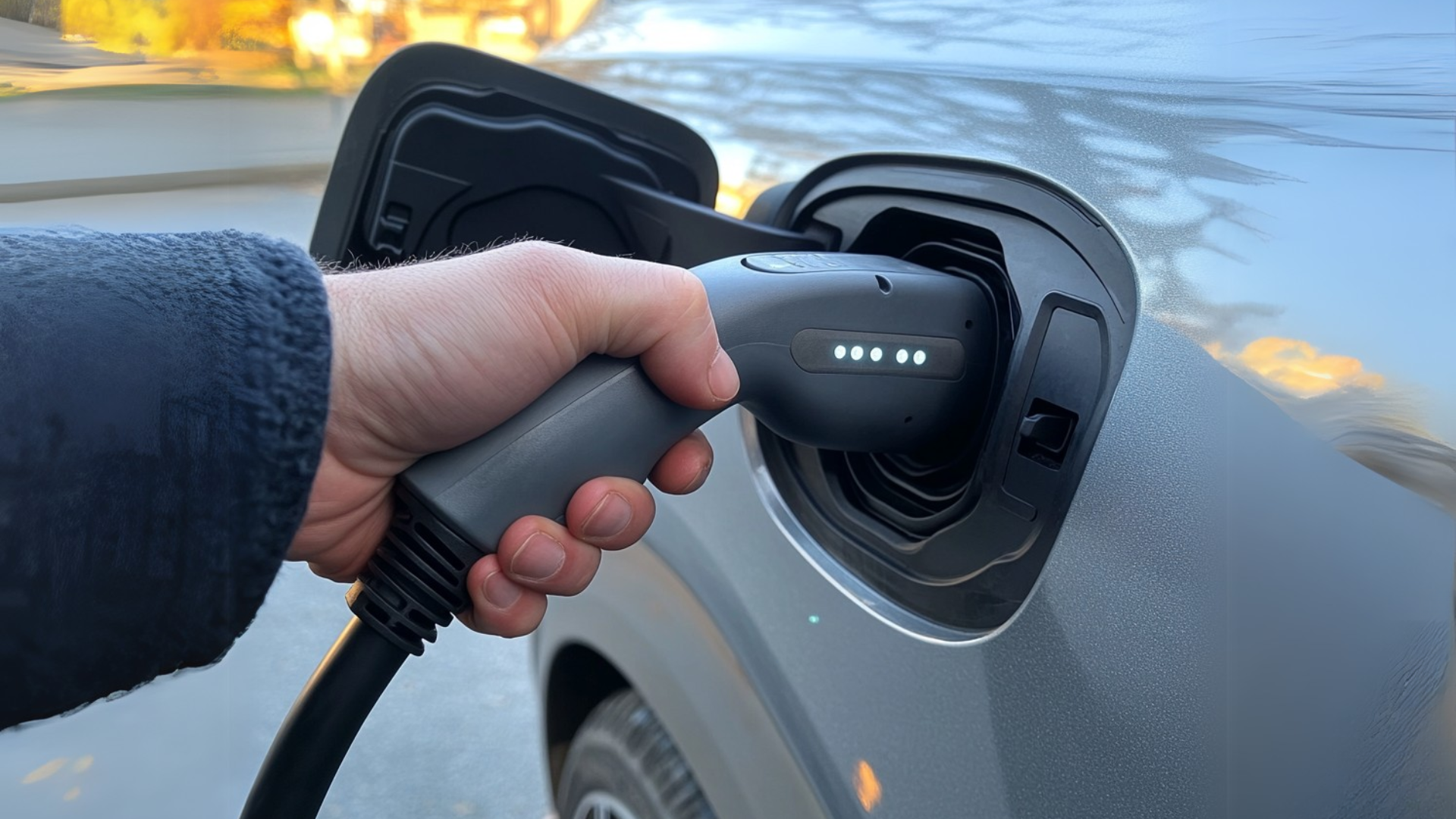
A hand plugs a charging cable into an electric car's charging port.
The shift to electric vehicles (EVs) is transforming how convenience stores approach their business models. While gasoline still accounts for 62% of C-store sales, the growing popularity of EVs is reshaping trip missions. Increasingly, stores are becoming destinations for food, beverages, and other services—not just fuel.

With over 40 million EVs registered globally, forward-thinking C-stores are adding EV charging stations to attract a new wave of eco-conscious customers. These stations provide more than just convenience—they create opportunities for in-store purchases while drivers wait to charge their vehicles. Chains like Shell are experimenting with EV-only locations and integrating food service into charging areas to enhance customer experiences.

Although adoption varies by region, this trend offers C-stores a chance to future-proof their operations. By positioning themselves as hubs for EV drivers, stores can increase foot traffic, build brand loyalty, and tap into government incentives supporting clean energy infrastructure. EV charging is more than a service—it’s a strategy for long-term growth.

3. Loyalty programs and personalization

Loyalty programs have become essential for convenience stores looking to attract and retain customers. These programs offer more than just points—they create a personalized shopping experience that keeps customers coming back.

With the help of data analytics, stores can tailor offers and rewards based on individual shopping habits, making each visit feel unique. Mobile apps play a major role in this shift, offering customers an easy way to track rewards, access exclusive deals, and engage with the brand on the go.

By focusing on personalization and convenience, loyalty programs help stores build deeper connections with their customers, encouraging repeat visits and fostering long-term relationships. In a competitive landscape, this level of engagement is a powerful tool for driving growth.

4. Technology transforming the experience

Technology is reshaping how convenience stores operate and connect with customers, making shopping faster, smarter, and more seamless than ever before. From self-checkout kiosks to AI-powered inventory management, stores are leveraging tech to enhance efficiency and improve the customer experience.

Self-checkout systems, for example, allow customers to skip the line and enjoy a faster, more independent shopping trip. AI is also making a difference behind the scenes, helping stores predict demand, optimize stock levels, and even adjust pricing dynamically. Meanwhile, retail media networks are turning store visits into opportunities for brands to reach shoppers with in-store advertising, creating new revenue streams for convenience stores.

By embracing these innovations, stores can streamline operations, meet customer expectations, and stand out in an increasingly competitive market. Technology isn’t just improving convenience—it’s defining it.

5. Healthier and better-for-you offerings

A clear container holds a fresh salad with cherry tomatoes, cucumber slices, red onion, olives, and leafy greens, garnished with herbs.
Convenience stores are catering to a growing demand for healthier, better-for-you products. Once dominated by indulgent snacks, shelves are now filled with options like protein-packed snacks, fresh produce, and beverages with added health benefits.

This shift reflects changing consumer priorities. Shoppers are looking for clean ingredients, simple labels, and functional foods that align with their wellness goals. Items like probiotic sodas, organic snacks, and made-to-order meals are becoming staples in modern convenience stores, appealing to health-conscious customers.

By expanding their product mix to include healthier options, stores can attract a broader audience and boost customer loyalty. Offering wellness-focused choices doesn’t just meet demand—it positions stores as destinations for mindful eating on the go.

6. Sustainability and cleanliness

Sustainability and cleanliness are no longer optional—they’re expectations for today’s convenience stores. Customers increasingly prefer businesses that align with their environmental values and provide a spotless, welcoming environment.

Stores are responding by adopting eco-friendly practices like biodegradable packaging, energy-efficient lighting, and waste reduction programs. Many are also implementing recycling initiatives and offering locally sourced products to reduce their environmental impact.

Cleanliness has become equally critical, especially as ready-to-eat options grow in popularity. A well-maintained store not only attracts customers but also encourages them to stay longer and return more often.

By prioritizing sustainability and cleanliness, convenience stores can enhance customer trust, improve brand perception, and create a shopping experience that feels both responsible and refreshing.

Preparing for the future of convenience stores

The convenience store industry is undergoing a transformation, driven by evolving customer expectations and new opportunities in technology, sustainability, and product offerings. From healthier food options and loyalty programs to EV charging and advanced technology, these trends are redefining what it means to be a convenience store in 2025.

To stay competitive, store operators must adapt quickly and strategically. Success lies in balancing innovation with the convenience customers value most—whether it’s offering personalized shopping experiences, maintaining spotless and eco-friendly environments, or leveraging new technologies to improve efficiency and security.

That’s where Solink can help as well. By integrating video security with business data, Solink provides unmatched visibility into your operations, helping you improve customer experiences, reduce shrink, and make data-driven decisions. With Solink, you can ensure your store is ready to meet the challenges and opportunities of a rapidly changing industry.

Set your convenience store up for success today—explore how Solink can be your partner in growth and innovation.

Table of Contents

Table of Contents

Here is a fast, quick and easy to digest list of all the features and tools that you can potentially use within your restaurant that Solink offers within its security packages. See for yourself the difference AI In restaurants can make when it comes to your security needs.

What are restaurant AI features and tools in security?

Here is a fast, quick and easy to digest list of all the features and tools that you can potentially use within your restaurant that Solink offers within its security packages. See for yourself the difference AI In restaurants can make when it comes to your security needs. AI security tools enhance traditional systems by using artificial intelligence to automate and improve security and operations in restaurants. These tools go beyond standard methods, leveraging AI-driven analytics, anomaly detection, and predictive insights to create a smarter, more proactive approach. They don’t just boost security—they also streamline operations by monitoring customer flow, optimizing staffing, and ensuring compliance with safety protocols. With real-time monitoring and the ability to spot unusual patterns, restaurants can respond to incidents faster and more effectively. Plus, these systems improve over time, delivering even better results as they learn.

How AI security tools and features are making their way into restaurant video security systems

AI is transforming restaurant video security from basic recording systems into intelligent, proactive tools. These systems now provide real-time alerts and smart monitoring, helping managers secure multiple locations with less manual effort. By analyzing video alongside POS data, AI focuses on critical events, making security more efficient and reducing staff workload. This shift aligns security systems with the unique needs of restaurants, enhancing protection while streamlining operations. As AI continues to advance, restaurants gain smarter, more responsive tools to safeguard assets and ensure peace of mind.
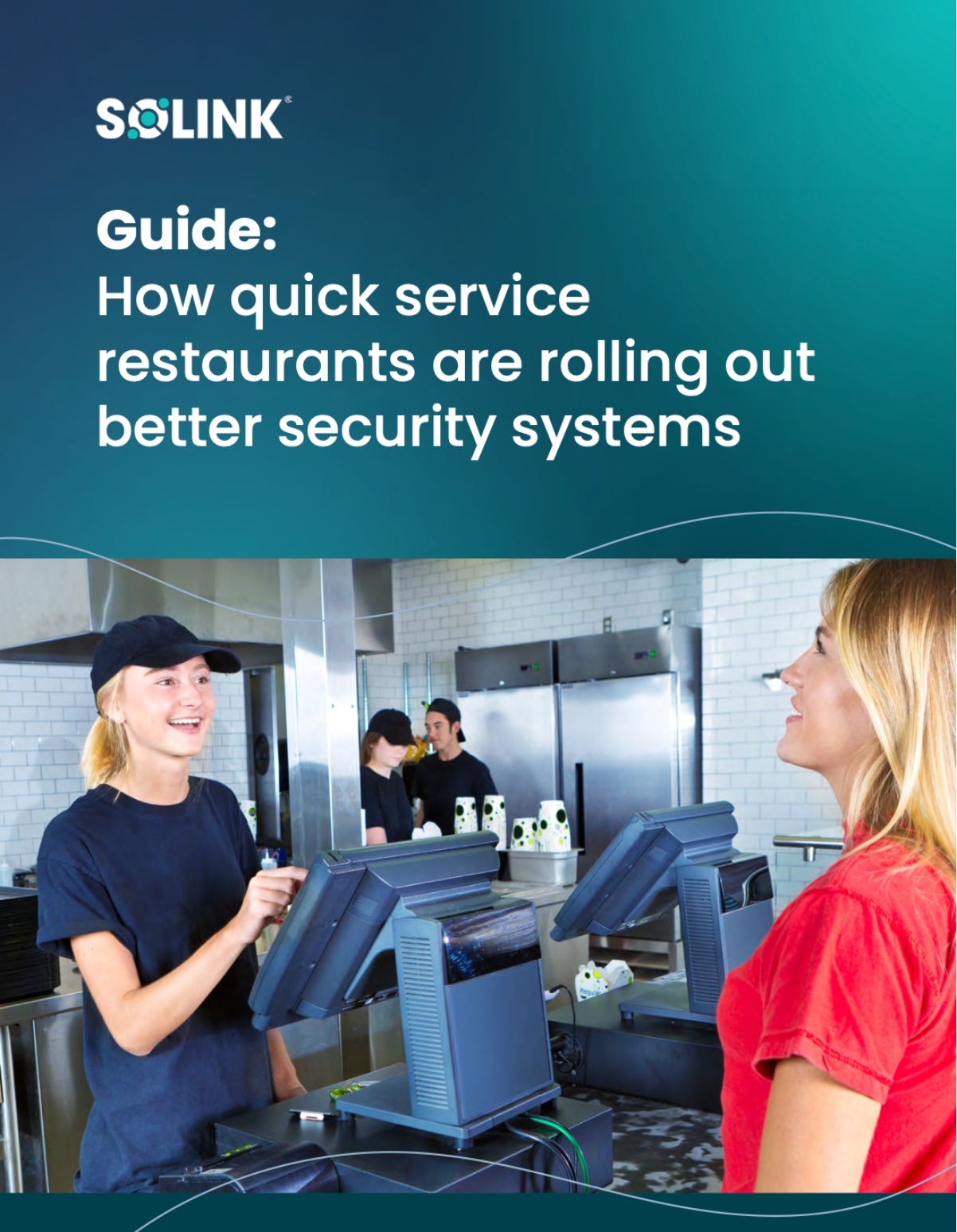
Two women interact at a restaurant counter with POS terminals; text above promotes a guide on security systems for quick service restaurants.

Unlock smarter operations for your quick service restaurant

Boost speed, security, and savings in every store.

Discover how leading QSRs are using technology to improve service, reduce loss, and streamline operations. This guide covers practical strategies to modernize your restaurant without disrupting your workflow—so you can serve more customers with confidence.

The best AI tools and features being implemented within restaurant video security software today

Here are some of the top AI-driven tools and features being implemented making a significant impact on restaurant video security:

Virtual spot checks

  • What it does: Ask any question and receive feedback based on key moments from your video feeds. Schedule recurring spot checks or conduct them as needed. 
  • Example: Have your business virtually audited hourly through your cameras to see if there are dirty tables without customers present. If yes you can be notified, or only get notified when it occurs more than 3 times in a day.

Line crossing

  • What it does: Detects people crossing a virtual line and combines foot traffic metrics with POS data to analyze conversion rate and revenue per customer.
  • Example: Detecting when people cross a virtual boundary at the entrance or within specific areas of the restaurant and combining that data with foot traffic metrics and point-of-sale (POS) data.

Zone tracking

  • What it does: Measure how long people spend in a specific virtual area to better understand queue times, assess display effectiveness, and identify loitering. 
  • Example: Monitor queue times during peak lunch hours and find the accurate average customer wait time data.

Face blur

  • What it does: Ensure compliance with privacy regulations by blurring faces when saving a video clip.
  • Example: Review footage for operational purposes, such as monitoring traffic flow or incidents, without compromising customer privacy or violating data protection laws.

Blocked exit detection

  • What it does: Maintains a safe work environment and reduces health and safety fines by getting notified when an object is blocking an exit route.
  • Example: If a delivery inadvertently blocks an emergency exit, the system will send an alert notification to address the issue, maintaining compliance and safety.

Vehicle wait time

  • What it does: Improve your drive-thru throughput by measuring wait times and receiving alerts when they exceed your service standard.
  • Example: Track each vehicle’s time, and have it automatically send alerts to store managers if wait times exceed the restaurant’s service standard.

Person and vehicle detection

  • What it does: Keep an eye on key areas by logging events when people or vehicles enter those zones.
  • Example: If there’s an area where people shouldn’t be in and a person is detected, we’ll log it as an event and notify you based on the criteria you choose. 

Camera linking

  • What it does: Follow a person’s journey through your business with intuitive navigation from one camera view to the next.
  • Example: If an incident does occur with a specific customer or staff member, their movements can be traced via camera to camera linking.

The biggest difference AI is making in restaurants

Whether it’s streamlining daily tasks or detecting, analyzing, and interpreting key moments from your video feeds, with zero to minimal setup requirements, AI’s influence is being felt on a granular level and cloud video platforms can support restaurants in achieving this.

Operational efficiency on a granular level

Use it to:
  • Optimize Staffing: Forecast peak hours with AI and avoid overstaffing or short-handed shifts.
  • Ensure Cleanliness: Monitor key areas to maintain health standards and compliance.
  • Improve Customer Flow: Analyze traffic patterns to reduce wait times and enhance seating.
Smarter video tools mean smoother operations and better service.

Theft prevention and cost savings

One of the most significant benefits AI brings to restaurants is its ability to prevent theft and save money. AI-powered security tools go beyond mere recording; they actively analyze behavior patterns to detect suspicious activities, such as unauthorized access to cash registers or storage rooms at different times. By flagging these activities, AI helps deter theft before it occurs, especially in-house from employees, safeguarding valuable assets and reducing losses.

Time savings and ease of use

AI saves time and money by automating tasks like video monitoring, report generation, and inventory management. It eliminates manual effort, reduces errors, and makes processes like video searches or scheduling faster and easier. With user-friendly tools, even non-technical staff can boost efficiency without adding complexity.

Takeaways and conclusion

AI is transforming restaurant security and operations with cloud video solutions that bring precision, efficiency, and proactive management. It turns video systems into intelligent tools that prevent theft, optimize staffing, maintain cleanliness, and analyze customer flow for smoother operations and better service. By saving time, cutting costs, and boosting efficiency, AI helps restaurants deliver top-quality experiences while protecting their bottom line. Embracing these tools isn’t optional—it’s essential for staying ahead.

Table of Contents

Table of Contents

children-in-church

Churches are meant to be sanctuaries—safe spaces for worship, community, and reflection. But in today’s world, ensuring that safety requires more than just good intentions. Modern security challenges demand modern solutions, and relying on outdated methods leaves vulnerabilities that can’t be ignored within church security.

Bringing your church security into the 21st century and beyond means embracing technology as a key part of your plan. Advanced tools like video monitoring, remote access, and smart integrations help protect your congregation while making security easier to manage. By combining the right technology, a dedicated security team, and effective physical measures, you create a welcoming environment that’s as secure as it is serene.

Let’s explore how to elevate your church security strategy to safeguard your community today—and tomorrow.

The top 3 things to pay attention to in church security

When it comes to protecting your church, a comprehensive approach is key. Effective security isn’t just about one solution—it’s about combining the right tools, people, and practices to create a safe, welcoming space.

Here are the top three areas every church should focus on to strengthen their security today:

1. Technology and best practices in church security today

Modern security starts with the right tools – this means a full-fledged video security system. Looking for a video security system that offers video alarms, remote monitoring, and health checks to ensure everything works when it’s needed most is crucial. Choosing technology that simplifies security and integrates seamlessly with your existing cameras is also important. It’s not just about having security cameras anymore, but how you’re choosing to use them on a platform you can access daily and that can work better for you.

2. Having a church security team

People are the backbone of any security strategy. A dedicated team trained to handle emergencies and monitor potential risks is essential to creating a safe environment for your congregation.

3. Having strong physical security measures in place

From lighting and locks to controlled entry points, the physical aspects of your church building play a vital role in security. Evaluating and upgrading these areas helps minimize vulnerabilities and enhance peace of mind.

It’s these three pillars that security is built on and they work together to protect your church today while preparing for the challenges of the future.

Let’s dive a little deeper into each one and feature some details you can take with you.

Technology and best practices in church security today

Technology has transformed how churches approach security. With things like video security systems and monitoring platforms, you can stay ahead of potential threats while simplifying everyday safety tasks. Here’s how a company like Solink’s advanced features help protect your church in the 21st century. It’s not just about having security cameras anymore, it’s what you can do with them that makes all the difference. This is an insightful list of features and tools we (Solink) provide for churches that are in a need of protecting their people and buildings via cloud-based security video platform software:

Having access to video alarms: Far superior to traditional alarms

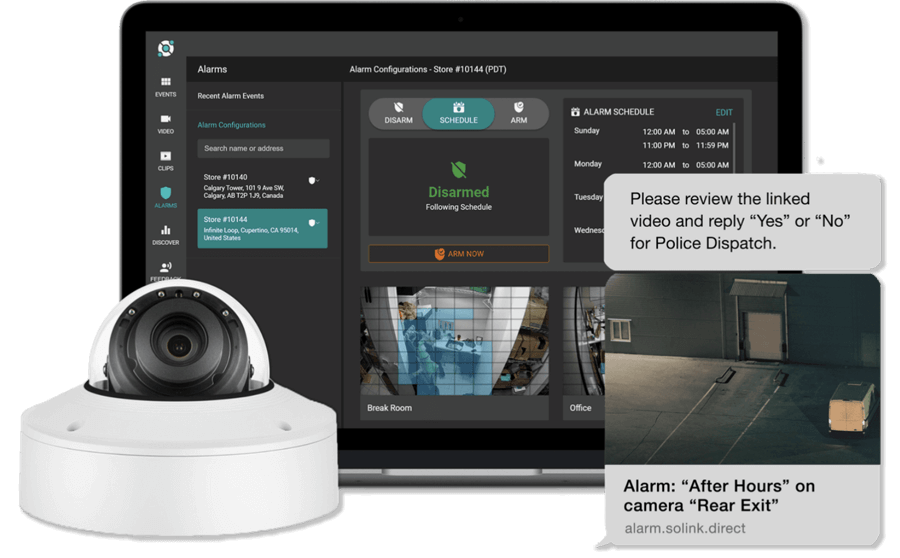
A church without an alarm system at all is living in the past, however so may be the church with a traditional alarms system still in place. With video alarms, you’re never left guessing. Unlike traditional alarms, video alarms use your cameras as the alarm system, eliminating the need for separate equipment. Through Solink software, they can offer real-time video verification when an alarm triggers, helping you decide whether to cancel or call the police. Here’s how it works:

  • Set automated arming/disarming schedules for your cameras.
  • When motion is detected in a monitored area, Solink’s AI analyzes whether it’s caused by a person.
  • Video of the event is sent to you or Solink’s professional monitoring team.

A reviewer confirms if the alarm is a real threat or a false alarm, then takes action—canceling unnecessary alerts or dispatching police for emergencies. Video alarms’ key advantage? Video verification. If an intruder enters a motion zone, Solink logs a clip as evidence, ready to share with police or insurance providers. No more searching through security footage or ending up empty handed if there are no security cameras in place.

Solink video alarm configurations dispatching police

The ability to remote monitor: Be in the know from wherever you are

Church leaders and security teams can’t always be on-site. Remote monitoring technology within your security system gives you access to live video feeds from anywhere. Whether you’re checking in during a late-night event or ensuring everything is secure after hours, peace of mind can be just a tap away. This ability and technology is at the forefront of protecting the property and patrons at the church.

banking-remote-monitoring

Camera health checks: Ensure everything’s working and be alerted when it’s not

There are usually multiple security cameras installed within a church and a broken or offline camera is a blind spot. A video security software platform like Solink has the technology to perform regular health checks on your cameras, notifying you of any issues so they can be fixed before they become a problem. This ensures your system is always ready to protect your church.

Easier incident reporting: No more manual searching, save time and your sanity

While churches are very peaceful places, they can sometimes have incidents occur that are not so peaceful. Finding a specific moment in hours of footage from security cameras can be overwhelming. A video security platform like Solink, with its technology, allows for the ability to “motion search”. This is a tool that makes it easy to pinpoint incidents by allowing you to identify a key area of video and then search for any interaction within that area. This means faster responses to security concerns and less time spent reviewing video.

See an example of this below…

Easy footage sharing and secure cloud storage

When an incident occurs, quick access to video footage is critical. Solink makes it simple to save important clips directly to secure cloud storage, ensuring they’re never lost or overwritten. Sharing footage with local authorities is just as easy—you can send them a secure link or download and email the video within minutes.

Whether it’s evidence of a break-in, vandalism, or even a missing item, Solink ensures you can quickly provide the information needed to resolve the situation. Plus, with cloud storage, your church’s security footage is protected from hardware failures or tampering, giving you added peace of mind.

Another example below…


Being hardware agnostic and ready with what you have in place

Matching new technology with old cameras is something relatively new within the security industry. The best part about many of these companies including Solink is that they can connect their software and have their platforms working on what are already existing cameras in your building. Upgrading your system doesn’t mean starting from scratch. Solink works with most existing camera setups, making it easy and cost-effective to enhance your church’s security without replacing everything.

Book a demo with Solink today to really understand your opportunity to take your church security to the next level with the latest technologies propelling churches into the new world of full-fledged protection.

Having a church security team

While technology like Solink lays the foundation for effective church security, having a dedicated team ensures no detail is overlooked. A well-structured security team brings people together to protect every corner of the church, from the parking lot to the sanctuary. These individuals help create an environment where worshippers can focus on their faith without concern for their safety.

Building a church security team

A successful team involves diverse roles, each with distinct responsibilities that contribute to a comprehensive security strategy.

Security Director

The security director is the team’s leader, responsible for overseeing all operations. This role involves coordinating with church leadership, creating emergency plans, and training team members. A security director doesn’t need a law enforcement or military background but should be highly organized and capable of leading others.

Access Control Monitors

These team members manage entry points during services and events. They confirm identities, welcome visitors, and ensure restricted areas remain secure. For example, a monitor might staff the main doors or oversee check-ins for children’s ministries.

Patrol Officers

Patrol officers move throughout the property, both inside and outside, to maintain a visible security presence. Their goal is to deter potential threats and ensure everything runs smoothly. They might check parking lots, assist with crowd flow, or respond to any suspicious behavior.

Emergency Responders

Emergencies, whether medical or security-related, require a quick and effective response. These team members handle incidents like medical crises, evacuations, or disruptive individuals. Having members trained in first aid and CPR adds an extra layer of preparedness.

Communications Specialist

A smooth operation depends on clear communication. The communications specialist manages radios or other tools to ensure team members stay connected. They also relay critical updates to church leaders or law enforcement during emergencies.

Volunteers

Many churches rely on trained volunteers to support the core team. Volunteers might help in high-traffic areas like children’s classrooms or the parking lot, offering an extra layer of attention while freeing up team members for more critical tasks.

Best practices for church security teams

  • Create a presence: Team members should be clearly identifiable—either by lanyards, shirts, or a professional demeanor—while maintaining a welcoming approach.
  • Focus on communication: Equip the team with radios or communication apps for quick and efficient coordination.
  • Provide regular training: Ongoing training ensures everyone understands procedures for evacuations, medical emergencies, or disruptive behavior.
  • Work in collaboration: Build relationships with local law enforcement for additional guidance, support, and joint emergency response planning.
  • Evaluate and adapt: Schedule regular reviews to assess team performance, update security plans, and adapt to new challenges.

By clearly defining roles and maintaining a culture of preparedness, your church security team becomes an integral part of keeping your congregation safe. Together with tools like your video security system and specific cameras, this team ensures that your church remains a sanctuary for worship and community.

Having strong physical security measures in place

Physical security measures form the backbone of a church’s overall safety strategy. While advanced technology and a well-trained team are vital, strong physical defenses help deter threats and minimize risks before they escalate. Here are the most important elements of physical security and how they contribute to a safe environment for your congregation.

Secure entry points

  • Why it matters: Doors and windows are the most common entry points for unauthorized access. Securing them reduces the likelihood of break-ins and vandalism.
  • Best practices:
    • Install heavy-duty locks and deadbolts on all exterior doors.
    • Use electronic access controls like key cards or coded locks for restricted areas, such as offices and classrooms.
    • Ensure windows are reinforced with shatterproof glass or security film.
    • Keep unused entrances locked and clearly marked as off-limits.

Adequate lighting

  • Why it matters: Poorly lit areas create opportunities for trespassing and other suspicious activity. Proper lighting enhances visibility and acts as a natural deterrent.
  • Best practices:
    • Install motion-activated lighting around the building, especially in parking lots and near entry points.
    • Use floodlights to illuminate large areas, such as playgrounds, fields, or gathering spaces.
    • Ensure walkways and pathways between buildings are always well-lit.

Parking lot safety

  • Why it matters: Parking lots are common sites for theft and confrontations. Effective measures ensure the safety of vehicles and individuals.
  • Best practices:
    • Use cameras to monitor activity across the lot.
    • Mark designated parking zones to maintain organization and avoid congestion.
    • Station security personnel or volunteers during busy times to assist and observe activity.
    • Maintain clear signage directing visitors to entrances and exits.

Controlled access to sensitive areas

  • Why it matters: Certain parts of the church, like children’s areas, financial offices, and storage rooms, require additional layers of protection.
  • Best practices:
    • Use ID badges or check-in systems for staff and volunteers in sensitive areas.
    • Install surveillance cameras at key access points.
    • Ensure only authorized personnel have keys, codes, or keycards for these spaces.

Emergency exits and evacuation routes

  • Why it matters: In emergencies, clear and accessible exits prevent panic and ensure everyone can leave safely.
  • Best practices:
    • Mark all emergency exits clearly with illuminated signs.
    • Keep exit paths unobstructed at all times.
    • Conduct regular drills to familiarize the congregation with evacuation routes.

Physical barriers and fencing

  • Why it matters: Physical barriers discourage unauthorized access and guide visitors to designated entry points.
  • Best practices:
    • Install fences or gates around the property perimeter.
    • Use bollards or planters near entrances to protect against vehicle-based threats.
    • Maintain landscaping to eliminate potential hiding spots for intruders.

Regular maintenance and inspections

  • Why it matters: Even the best physical security measures fail if they’re not maintained. Regular checks ensure everything remains functional.
  • Best practices:
    • Inspect locks, doors, windows, and cameras regularly for signs of wear or damage.
    • Replace burnt-out lightbulbs promptly.
    • Review landscaping to ensure it doesn’t create safety risks, such as overgrown bushes near entry points.

Signage and clear communication

  • Why it matters: Signs help direct visitors and remind them of security protocols, creating a more organized and secure environment.
  • Best practices:
    • Post “No Unauthorized Access” signs in restricted areas.
    • Use directional signage to guide people to main entrances, exits, and parking areas.
    • Display emergency contact numbers and evacuation instructions prominently.

By combining these physical security measures with a robust security team and advanced technology like Solink, your church can create a well-rounded safety strategy. This approach not only protects your congregation but also reinforces their sense of trust and comfort within the church community.

Conclusion: Protect your church with up-most confidence

Creating a secure and welcoming environment for your congregation requires a thoughtful blend of technology, people, and physical measures. Solink’s advanced video security platform empowers churches to monitor, respond, and protect in ways that were once unimaginable—saving time, reducing risk, and offering peace of mind.

By combining tools like Solink with a dedicated security team and robust physical defenses, your church can confidently face the challenges of the 21st century. Safety isn’t just about protection; it’s about fostering trust, community, and a place where everyone feels secure.

Take the first step toward transforming your church’s security today. Book a Solink demo and see how seamlessly safety can integrate into your mission.

Protect your business today with Solink

Solink’s video analytics and monitoring solutions help create a safe, secure, and healthy environment for businesses.

Schedule a product demo with our experts

*Solink does not currently service private residential properties

Table of Contents

Table of Contents

Retail theft rings are a growing concern for businesses of all sizes. These organized groups use sophisticated tactics to steal large quantities of merchandise, costing retailers billions annually. Beyond the financial impact, theft rings can disrupt operations, compromise safety, and erode customer trust.

To protect your business, it’s crucial to understand how these groups operate and implement strategies to stop them in their tracks. In this article, we’ll break down what retail theft rings are and share a practical list of the best ways to defend your store and profits.

Get a demo with Solink today and see how your retail environment can be properly protected.

What is a retail theft ring?

A retail theft ring is an organized group that collaborates to steal merchandise from businesses, often in large quantities, with the intent to resell it for profit. These groups use coordinated tactics, such as distraction, bulk theft, and fraudulent returns, making them more sophisticated and impactful than individual shoplifters.

Organized retail crime (ORC) has become a significant concern for retailers, with sophisticated theft rings causing substantial financial losses. In the United States, ORC is responsible for approximately $45 billion in annual retail losses. The impact of ORC extends beyond financial losses, as it often leads to increased prices for consumers and poses safety risks to employees and shoppers.

Retail theft rings matter because they pose a significant threat to businesses, communities, and the economy. Here’s why:

  • Financial losses: These groups cause billions in revenue losses annually, cutting into profits and driving up prices for consumers.
  • Operational disruption: Coordinated thefts can overwhelm staff, disrupt inventory management, and reduce product availability for paying customers.
  • Safety risks: Their tactics, which often involve multiple individuals, can escalate into dangerous situations for employees and customers.
  • Community impact: Proceeds from stolen goods often fund other criminal activities, compounding the social harm.
  • Regulatory pressure: Businesses may face stricter compliance demands, adding to operational costs.

Understanding and combating retail theft rings is essential to safeguard your business and maintain a safe shopping environment.

How might a retail theft ring normally operate?

theft triangle diagram OpportunityRetail theft rings operate through organized, systematic methods designed to steal merchandise efficiently and covertly. Understanding their typical operations can help businesses implement effective countermeasures. Here’s an overview of common tactics:

1. Team coordination

Members often work in groups, each assigned specific roles:

  • Boosters: Individuals who physically steal merchandise.
  • Lookouts: Monitor store staff and security to alert boosters of potential risks.
  • Distraction artists: Engage employees to divert attention away from the theft.

2. Diversion techniques

Thieves create distractions to facilitate theft:

  • Causing disturbances or accidents to draw staff away.
  • Engaging employees in lengthy conversations or requests.

3. Concealment methods

Stolen items are hidden using various means:

  • Specially modified clothing or bags with hidden compartments.
  • Utilizing strollers, umbrellas, or other personal items to obscure merchandise.

4. Rapid exits

Quick departures minimize detection:

  • Using emergency exits or less-monitored doors.
  • Coordinating with getaway drivers for immediate escape.

5. Use of technology

Some rings employ technology to aid their activities:

  • Using devices to deactivate security tags or alarms.
  • Communicating via earpieces or messaging apps to coordinate actions.

6. Resale of stolen goods

After theft, merchandise is quickly sold through:

  • Online marketplaces, often anonymously.
  • Physical flea markets or pawn shops.
  • Fencing operations that distribute goods further.

By understanding these tactics, retailers can develop targeted strategies to detect and prevent organized retail theft, safeguarding their inventory and bottom line.

How to better defend against retail theft rings and retail theft in general 

Preventing retail theft and defending against organized theft rings requires a proactive, multi-layered approach. From leveraging advanced technology to fostering a security-focused workplace culture, each step strengthens your ability to protect your business. Here’s how you can better safeguard your store, starting with the power of a cloud video security system like Solink:

Install a cloud video security system
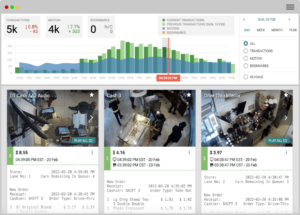
Solink's cloud business camera security system makes it easy to search and filter through your business's dataA cloud video security system, like Solink, is one of the most effective tools for defending against retail theft rings and general theft. These systems provide real-time monitoring and advanced analytics, allowing businesses to identify and respond to suspicious behavior quickly. Here’s how a system like Solink helps safeguard your business:

Internal theft monitoring with POS and transaction tracking
Organized theft rings can exploit internal processes, such as fraudulent refunds, discount abuse, or inventory manipulation. By integrating video security with your POS system, a cloud video platform links each transaction to its corresponding footage. This makes it easier to identify patterns like excessive refunds, voided transactions, or unusual register activity, which may indicate internal involvement or fraudulent activity. With video evidence readily available, you can investigate incidents thoroughly and ensure accountability.

“Thanks to Solink, we caught an employee theft ring that was stealing between 8-10 thousand a year, not even considering food costs. Other team members simply thought she was a rock star, as she could work so quickly and do everything herself. Then I found her voiding another TM’s transactions and that’s when I knew they were working together. What I found when I had completed my investigation was shocking.” – Johnny Mizzoni, restaurant franchisee

[Read more: Restaurant Franchisee Discovers $12,000 Employee Theft Ring With Solink’s Video Security System]

Proactive monitoring of high-risk areas
Certain parts of your store, such as shelves with high-value items or stockrooms with inventory, are particularly vulnerable to theft. Cloud video security allows you to define and prioritize these high-risk areas, providing real-time alerts for unusual activity. For example, you can monitor how inventory is handled in the backroom or watch for suspicious behaviors near frequently targeted products. This proactive monitoring helps deter theft and ensures swift responses to potential threats.

Camera linking for seamless tracking
When suspicious activity occurs, cloud video systems let you seamlessly track an individual’s movements throughout the store by linking cameras. For instance, if someone exhibits unusual behavior in one area, you can follow their actions across different zones. This feature provides a comprehensive view of how potential theft unfolds, allowing you to respond effectively and gather strong evidence if needed.

Centralized monitoring with a video wall
A video wall feature consolidates live footage from multiple cameras onto a single screen, providing a bird’s-eye view of your entire operation. This makes it easier for staff to monitor multiple areas simultaneously, identify coordinated activities by theft rings, and stay alert to developing situations. Whether it’s a large retail space or a multi-location setup, a video wall ensures nothing goes unnoticed.

By combining these features, a cloud video security system empowers businesses to stay ahead of theft rings and protect their operations. It provides the tools needed to detect, deter, and respond to theft, giving you peace of mind and safeguarding your bottom line.

Train employees on theft prevention

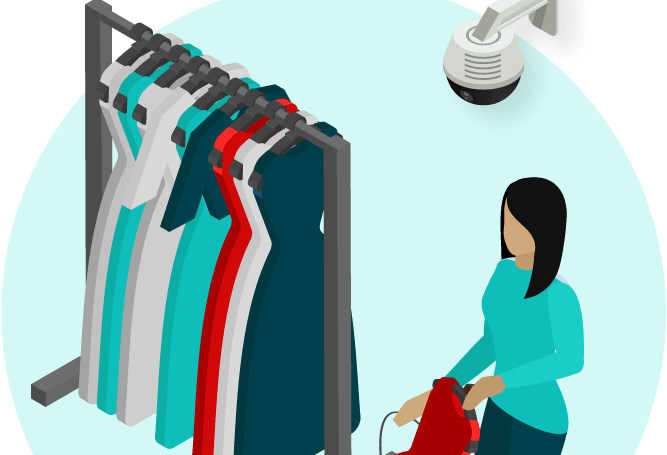
Your employees are your first line of defence. Provide training to help them recognize suspicious behaviors, such as groups working together, individuals lingering in one area, or the use of large bags or strollers to conceal merchandise. Teach de-escalation techniques so staff can respond to potential thefts confidently and safely. Empowering employees with knowledge and strategies creates a proactive security culture.

Improve store layout and visibility

Your store layout can significantly impact theft prevention. Design an open floor plan with clear sightlines to reduce hiding spots for thieves. Position high-value merchandise in highly visible areas, close to staff or away from exits, to deter opportunistic theft. Better visibility makes it easier for employees to monitor customers and for potential thieves to know they are being observed.

Implement access control

Restricting access to sensitive areas, such as stockrooms and cash drawers, can prevent internal theft and limit opportunities for external theft. Solink’s integrated monitoring system can help track unauthorized access to these areas, providing video evidence when violations occur. This added layer of control protects your inventory and ensures accountability.

Leverage data and analytics

Data is a powerful tool in the fight against theft. Solink combines video insights with sales and inventory data, helping you identify patterns of theft or discrepancies in inventory. By tracking peak times for theft, you can optimize staffing during vulnerable hours and implement targeted security measures. This data-driven approach ensures your resources are used efficiently.

Deploy anti-theft technology

Technology like RFID tags, electronic article surveillance (EAS), and security gates are effective deterrents against theft. These tools can detect stolen items leaving the store and alert staff to potential theft attempts, enabling an immediate response. Other technologies, such as counterfeit detection systems for cash handling and point-of-sale (POS) monitoring software, can also reduce theft by flagging suspicious transactions or fraudulent returns. Integrating these tools into your operations ensures a more comprehensive approach to protecting your business.

Foster a culture of security awareness

Creating a workplace culture focused on security makes theft prevention a team effort. Regularly update employees on loss prevention strategies and encourage open communication about suspicious activities. When employees feel empowered to report potential theft without fear, your business becomes more resilient against criminal activities.

Partner with local law enforcement

Strong relationships with law enforcement are vital for combating organized retail theft effectively. Collaborating with local authorities ensures quick responses to incidents, streamlines investigations, and strengthens cases against theft rings. Providing clear and actionable evidence, such as detailed video footage or transaction records, can help law enforcement build strong cases that lead to prosecutions. Regular communication and participation in local business watch programs further enhance these partnerships by keeping you informed of emerging theft trends. Law enforcement can also provide training or guidance on best practices for preventing theft, offering valuable resources to support your efforts against organized crime.

Audit policies regularly

Theft tactics are constantly evolving, and your policies and procedures need to keep pace to remain effective. Regularly reviewing your security protocols is crucial to addressing new threats, closing potential gaps, and ensuring compliance with industry regulations. Conduct thorough audits of your loss prevention strategies to identify weaknesses and implement changes based on trends, such as the rise of organized retail theft rings or advancements in theft methods.

Utilize data from inventory management systems, transaction logs, and incident reports to gain insights into how theft occurs in your store. For example, discrepancies between inventory counts and sales data may indicate areas of vulnerability. Employee feedback can also provide valuable perspectives on the effectiveness of current protocols.

Once vulnerabilities are identified, update your policies to reflect new challenges. This might include refining staff training programs, upgrading anti-theft technology, or altering store layouts to improve visibility. Establishing a schedule for regular reviews ensures your strategies remain agile and responsive, helping you stay ahead of evolving threats.

By combining smart tools like Solink with proactive employee training, optimized store design, and robust policies, you can significantly reduce the risk of retail theft and protect your business.

Why Solink is your best defense against retail theft rings

A hand holding a smartphone with a social media app on it.When it comes to protecting your business from retail theft rings, Solink offers an all-in-one solution that combines powerful video security with actionable business insights. Its advanced tools and intuitive interface make it easy to monitor your operations, identify threats, and respond effectively. Solink is designed to help retailers combat theft proactively while streamlining security management.

Key features that make Solink your best defense:

  • Integrated POS monitoring: Link transactions to video footage to identify suspicious patterns like fraudulent refunds or voided sales.
  • Real-time alerts: Receive instant notifications of unusual activity in high-risk zones, helping your team respond swiftly.
  • Camera linking: Track movements throughout the store to monitor individuals or incidents from start to finish.
  • High-risk zone monitoring: Define priority areas, such as inventory storage or high-value product displays, for extra vigilance.
  • Video wall: View multiple live camera feeds on a single screen, ensuring comprehensive monitoring of large or multi-location operations.
  • Easy evidence sharing: Quickly compile and share video footage with law enforcement to support investigations and prosecutions.
  • Scalable cloud solution: Manage multiple locations seamlessly from anywhere, providing flexibility and control.

Solink empowers you to stay one step ahead of organized theft rings, protect your assets, and maintain a secure, productive environment for your employees and customers. Choose Solink to safeguard your business with confidence.

Protect your business today with Solink

Solink’s video analytics and monitoring solutions help create a safe, secure, and healthy environment for businesses.

Schedule a product demo with our experts

*Solink does not currently service private residential properties

Table of Contents

Table of Contents

Guests expect speed—and they notice when it’s missing. In the dining industry, where every second counts, maintaining speed of service (SOS) is more than a convenience; it’s a competitive edge. Quick, efficient service not only keeps guests happy but also drives repeat business and higher sales. Here’s how your team can elevate efficiency without sacrificing quality.

Get a demo with Solink today and see how your speed of service can be improved quickly.

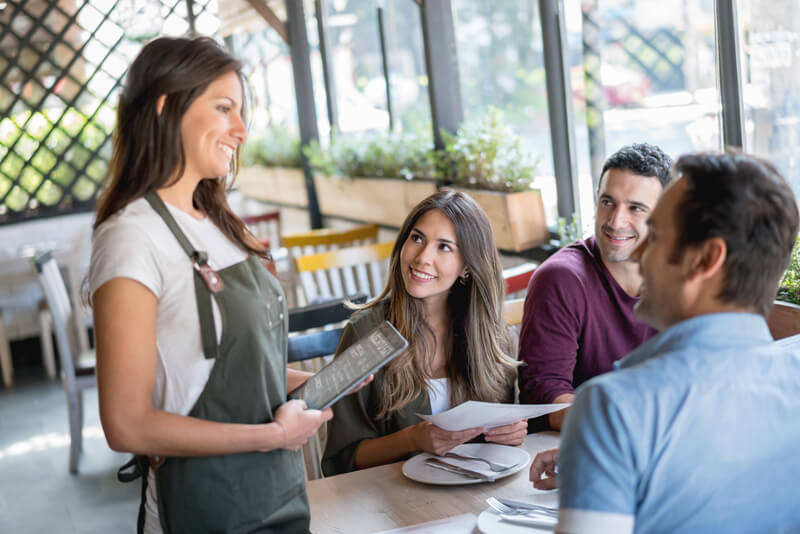
A group of people dine together at a modern restaurant. Overhead text discusses how full service restaurants use data, AI, and sensors to improve security.

How full service restaurants are taking advantage of better security

Cut security headaches, not corners.

Discover how top full-service restaurants are simplifying security and operations with smarter tech. This guide breaks down how to link your POS and cameras, use AI to prevent loss, and turn video into real-time alerts—so your team can stay focused on delivering great service.

What is speed of service (SOS)?

Speed of service (SOS) measures how quickly a restaurant serves guests from the moment they arrive until their needs are fully met. It’s a critical metric for guest satisfaction, directly impacting repeat business and reviews. For example, in a full-service restaurant, efficient SOS might mean greeting guests within 30 seconds, delivering appetizers within 5 minutes, and processing payments without delay.

Why is speed of service so important?

Speed of service (SOS) is more than just a metric—it’s a cornerstone of guest satisfaction and operational success. Here’s why it matters:

  1. Guest Satisfaction
    Long waits frustrate diners, no matter how great the food is. Quick service shows you value their time, leaving a positive impression and encouraging repeat visits.
  2. Higher Table Turnover
    Faster service means more guests served during peak hours. This boosts revenue potential without needing more tables or staff.
  3. Better Online Reviews
    Speed often factors heavily into reviews. Positive feedback on efficiency can enhance your restaurant’s reputation and attract new guests.
  4. Operational Efficiency
    A focus on SOS ensures your team operates at peak performance, reducing bottlenecks and minimizing staff burnout.
  5. Competitive Advantage
    Diners have options, and they’ll choose restaurants that offer a seamless experience. Speed of service can set you apart in a crowded market.

Example: A guest who waits 20 minutes to place an order will likely feel overlooked and impatient—even if their meal is excellent. Contrast that with a table greeted within a minute and served efficiently; they’ll not only leave happier but are more likely to recommend your restaurant.

Faster service isn’t just about speed—it’s about creating a better overall experience.


8 ways to improve your speed of service with ease

Improving your speed of service doesn’t have to mean a complete overhaul of your operations. Small, strategic changes can make a big impact, keeping your guests happy and your restaurant running smoothly. Here are 8 practical tips to boost efficiency without sacrificing the quality or personal touch your diners expect:

Top performers in the right positions

Your team is your greatest asset when it comes to speed of service. Placing top performers in key roles during peak hours ensures that high-traffic times are managed with efficiency and expertise. The right people in the right positions—whether it’s a seasoned server handling a busy section or an experienced cook leading the line—can keep your operation running like clockwork.

Equally important is scheduling enough staff to handle the rush. Being understaffed slows everything down, from seating guests to delivering orders. Strategically planning your schedule with peak hours in mind ensures your team can meet demand without feeling overwhelmed. An effective staffing strategy combines talent with timing

Never have a wasted trip – zero inefficiency

Efficiency is essential in a fast-paced restaurant, and every movement should count. Adopting a “full hands in, full hands out” approach minimizes wasted trips between the dining room and the kitchen. Servers should carry multiple items—like drinks, dishes, or utensils—on every trip to save time and effort.

Managers play a key role here by observing staff and coaching them to maximize their movements. For example, if a server heads to the kitchen with empty hands, it’s a missed opportunity to clear a table or deliver an order. These small adjustments add up, reducing overall service time and improving workflow. A more efficient team means faster service and happier guests.

Greet, greet, greet

The guest experience starts the moment they walk in, and a quick, friendly greeting sets the tone. Whether it’s a host at the door or a server at the table, acknowledging guests immediately shows they’re valued and prevents them from feeling ignored.

For full-service restaurants, it’s crucial to establish a clear expectation for how quickly guests should be greeted—ideally within 30 seconds. Even if the team is busy, a simple acknowledgment like “I’ll be right with you” can make a big difference. First impressions matter, and a warm, timely greeting creates a positive start to their dining experience.

Supply and prep organization

A table full of white cups and saucers.A well-organized kitchen is the backbone of fast, efficient service. Supplies, ingredients, and tools should be strategically arranged so staff can access what they need without delay. Group items by menu categories and ensure every station is set up consistently every day—your team should know exactly where to find everything, even during a rush.
Prep schematics are equally critical. Organize ingredients by the dishes they belong to, streamlining the process for cooks to assemble orders quickly. For example, keeping all components for a popular entrée within arm’s reach reduces wasted motion and saves precious seconds.

Encourage staff to share ideas for improving their workstations—often, they’ll spot inefficiencies that can be easily fixed. A well-thought-out kitchen setup minimizes delays, maximizes output, and keeps the pace steady even during peak hours.

Cross-training for different roles

Cross-training your team is one of the most effective ways to maintain speed of service, especially during busy shifts or unexpected situations. When employees are trained to handle multiple roles, they can step in where needed, keeping operations smooth and efficient.

For example, a server trained to assist with basic prep work in the kitchen can help clear a backlog during a rush, or a host who knows how to run food can support the floor when it gets busy. This flexibility reduces bottlenecks and ensures no task is left undone.

By investing in cross-training, you create a more versatile team that can adapt to challenges, improve workflow, and keep service running at top speed. It’s a win for your staff and your guests.

Menu locations

Make your menu visible before guests even sit down. When diners have time to browse the menu while waiting to be seated, they’re ready to order sooner, speeding up the entire dining process.

Place menus in strategic spots like walls near the entrance, digital displays, or hand-held copies available in the waiting area. This approach works especially well during busy times when guests may wait a few minutes for a table. By the time they’re seated, they already know what they want, reducing order time and helping your staff serve faster.

A visible, easy-to-read menu isn’t just convenient—it’s a simple way to keep your service moving efficiently while improving the guest experience.

Check settlement

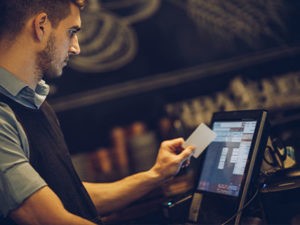
A man is using a credit card at a bar.The final step of the dining experience should be seamless and swift. Long waits to settle the check can leave a negative last impression, even after an otherwise great meal. Train your staff to prioritize processing payments quickly and efficiently.
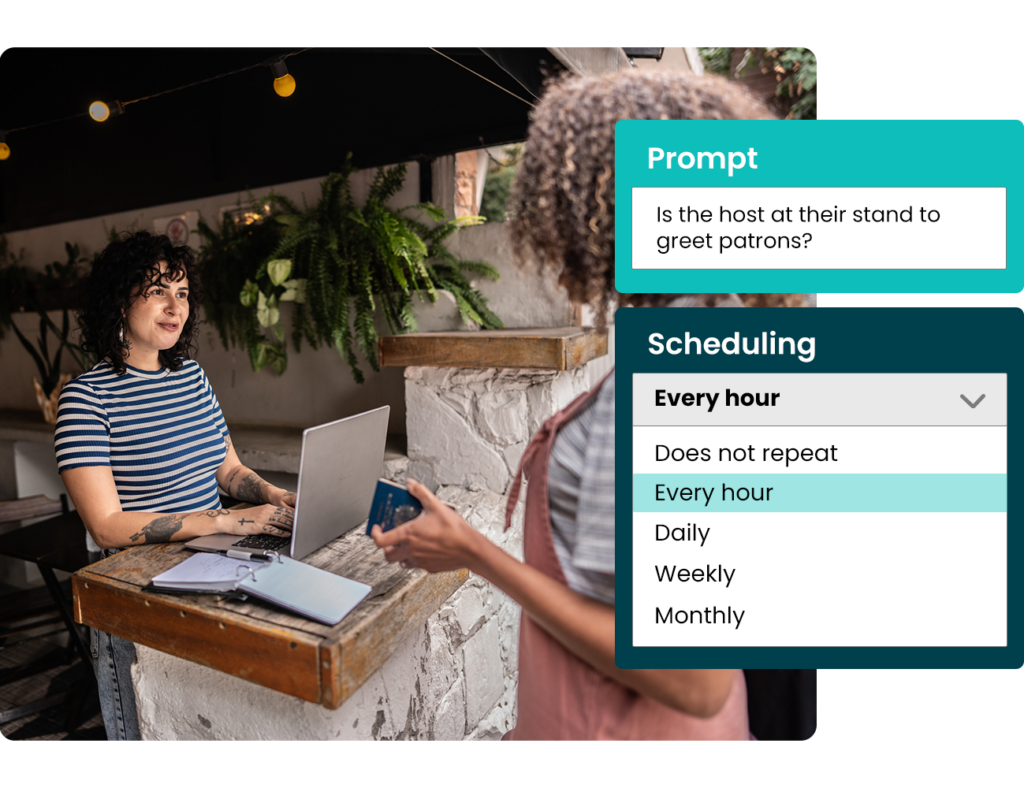
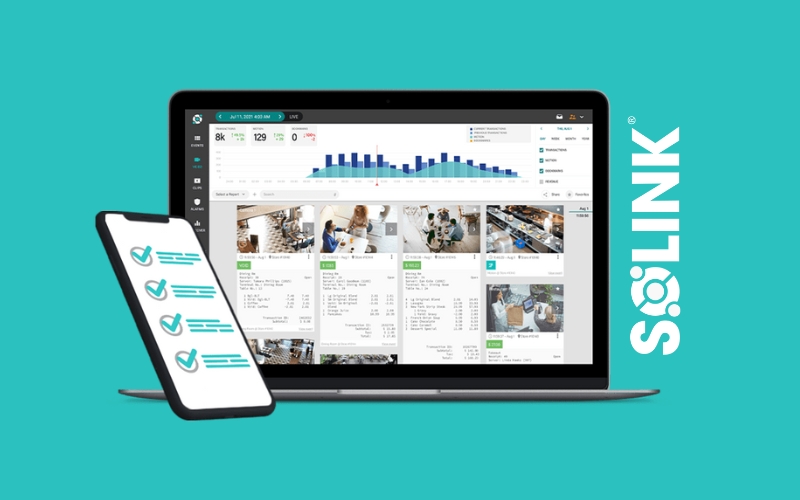

Equip servers with portable payment devices when possible, allowing them to handle transactions tableside without making multiple trips to a register. If that’s not an option, encourage them to check in promptly after delivering the bill to ensure guests don’t feel forgotten.

Fast, hassle-free check settlement leaves guests with a positive impression and frees up tables for the next party, boosting your overall service efficiency.

Having the right technology in place

Technology can transform how efficiently your restaurant operates. For example, giving servers handheld tablets allows them to take orders directly at the table and send them instantly to the kitchen. This eliminates unnecessary trips to a stationary POS system, saving time and reducing the chance of errors.

Another option is digital ordering at tables, where guests use a tablet to browse the menu and place their own orders. This approach works well in restaurants that want to speed up service while giving guests more control over their experience.

Choosing the right solution depends on your restaurant’s needs and workflow, but both options streamline operations, reduce wait times, and ensure guests are served faster and more accurately.

How Solink can help with speed of service

Solink’s AI-powered platform brings a new level of insight to restaurant operations, helping you streamline processes and keep service running smoothly. By using advanced video analytics, Solink tracks key areas of your restaurant to identify potential bottlenecks, ensuring your team stays on top of every detail.

With features like zone tracking, Solink monitors high-traffic areas such as entryways, dining rooms, and kitchens, providing real-time insights to improve guest flow and reduce wait times. For example, if the host station is left unattended during peak hours, Solink’s system can flag it, ensuring no guests feel ignored.

Sidekick AI takes it a step further by automating spot checks, helping you maintain consistency across key operations:

  • Staffing: Ensure hosts, servers, and kitchen staff are in place during critical times to avoid delays.
  • Cleanliness: Verify that food prep areas are tidy and ready for the next order, keeping the pace steady and up to health standards.
  • Efficiency: Track whether your restaurant opens on time and identify any operational hiccups before they impact service.

With Solink, you don’t just respond to service issues—you prevent them. This proactive approach means faster service, happier guests, and a smoother dining experience overall. It’s not just about keeping up with the competition; it’s about exceeding expectations.

A host at their stand to greet patrons

Solink’s line-crossing technology also provides valuable data on foot traffic and guest flow within your restaurant. By tracking how and when guests move through your space, you can pinpoint your busiest times and optimize staffing schedules to match peak demand. This ensures you have the right number of employees in key positions when you need them most, helping to reduce wait times and maintain excellent service.

People counting further enhances your ability to understand traffic patterns, allowing you to adjust layouts, monitor table turnover rates, and identify potential bottlenecks. With these insights, you’re better equipped to deliver a seamless dining experience, even during your most hectic hours.

Get a demo with Solink today and see how your speed of service can be improved quickly.

Protect your business today with Solink

Solink’s video analytics and monitoring solutions help create a safe, secure, and healthy environment for businesses.

Schedule a product demo with our experts

*Solink does not currently service private residential properties

Table of Contents

Table of Contents

Sollink partner logo on a green background.
A black background with a black square.

If you’re using Shopify’s point-of-sale (POS) system, you already know how powerful Shopify integrations can be, with options for everything from online sales to inventory management. Shopify integrations streamline operations, improve service, and create a seamless experience for your customers.

With Solink, you can take your Shopify POS data even further. By connecting Shopify with Solink’s video and data integration platform, you gain enhanced visibility into every transaction, helping you track performance, identify trends, and prevent losses—all in one place.

In this guide, we’ll cover:

  • How Solink’s integration with Shopify works

  • Key benefits for business owners

  • Steps to get started with Shopify and Solink

Let’s explore how connecting Shopify with Solink can give you the insights you need to run a more efficient, secure, and successful business.

How Solink’s Shopify Integrations Work

Solink’s integration with Shopify is designed to give you complete visibility into your daily operations. By connecting your Shopify POS to Solink’s video and data platform, every transaction on your Shopify POS syncs with real-time video footage, allowing you to easily investigate discrepancies, unusual activity, or employee interactions. This Shopify integration provides essential insights to help you monitor performance, reduce losses, and improve overall efficiency—all from an easy-to-use dashboard. With transaction data and video footage side by side, you can confidently make data-driven decisions to optimize your business.

Key Benefits of Solink and Shopify

Solink’s integration with Shopify POS is packed with features that add value across multiple areas of business management. First, it’s a powerful loss prevention tool, enabling you to catch discrepancies or suspicious transactions instantly. Second, it boosts operational efficiency—whether you’re tracking transaction times, identifying peak sales hours, or monitoring employee interactions, the data is always accessible. Lastly, it’s a customer service enhancer. With deeper insights into the customer experience, you can refine your service model to increase satisfaction and loyalty. By adding Solink to your Shopify POS setup, you get a full view of your business’s performance metrics, empowering you to make smart, impactful improvements.

Getting Started with Shopify and Solink

Connecting Shopify and Solink is straightforward. Once your Shopify POS is set up, integrating it with Solink requires a quick software setup that links your POS data with Solink’s secure cloud platform. Afterward, your video and transaction data are automatically synced, allowing you to start using Solink’s suite of analytics tools immediately. Solink’s team provides guidance throughout the setup process to ensure every integration detail is optimized for your business. In just a few steps, you’ll have a comprehensive security and data solution that keeps your business efficient, secure, and ready to grow.

Solink + Shopify POS

Ready to take your Shopify POS to the next level? Contact Solink today to get started with seamless integration. Our team is here to help you unlock the full potential of your data with a quick, hassle-free setup process. With Solink’s support, you’ll gain powerful insights to enhance security, boost efficiency, and create a smoother experience for your customers. Reach out now to discover how Solink can help your business run smarter and more securely.

Protect your business today with Solink

Solink’s video analytics and monitoring solutions help create a safe, secure, and healthy environment for businesses.

Schedule a product demo with our experts

*Solink does not currently service private residential properties

Table of Contents

Table of Contents

Sollink partner logo on a green background.
Lightspeed integration.

If you’re using Lightspeed’s point-of-sale (POS) system, you already know how powerful Lightspeed integration can be, offering tools for everything from online sales to inventory management. Lightspeed integration streamlines operations, enhances service, and creates a seamless experience for your customers.

With Solink, you can take your Lightspeed POS data even further. By connecting Lightspeed with Solink’s video and data integration platform, you gain complete visibility into every transaction, helping you track performance, uncover trends, and reduce losses—all in one place.

In this guide, we’ll cover:

  • How Solink’s integration with Lightspeed works

  • Key benefits for business owners

  • Steps to get started with Lightspeed and Solink

Let’s explore how connecting Lightspeed with Solink can give you the insights you need to run a more efficient, secure, and successful business.

How Solink’s Lightspeed Integration Works

Solink’s integration with Lightspeed is designed to give you complete visibility into your business’s daily operations. By connecting your Lightspeed POS to Solink’s video and data platform, every transaction on your Lightspeed POS syncs with real-time video footage, making it easy to investigate discrepancies, unusual activity, or employee interactions. This Lightspeed integration provides essential insights to help you monitor performance, reduce theft, and boost efficiency—all from a user-friendly dashboard. With transaction data and video footage side by side, you can make data-driven decisions to optimize your business with confidence.

Key Benefits of Solink and Lightspeed

Solink’s integration with Lightspeed POS offers features that bring value across multiple areas of business management. First, it’s a powerful loss prevention tool, allowing you to catch discrepancies or suspicious transactions instantly. Second, it boosts operational efficiency—whether you’re tracking transaction times, identifying peak sales hours, or monitoring employee interactions, the data is always at your fingertips. Finally, it enhances customer service. With deeper insights into the customer experience, you can refine your service model to drive satisfaction and loyalty. By adding Solink to your Lightspeed POS setup, you gain a comprehensive view of your performance metrics, helping you make smart, impactful improvements.

Getting Started with Lightspeed and Solink

Connecting Lightspeed and Solink is straightforward. Once your Lightspeed POS is set up, integrating it with Solink only requires a quick software setup that links your POS data with Solink’s secure cloud platform. After that, your video and transaction data are automatically synced, letting you start using Solink’s suite of analytics tools immediately. Solink’s team provides guidance throughout the setup process to ensure every integration detail is optimized for your business. In just a few steps, you’ll have a comprehensive security and data solution that keeps your operations efficient, secure, and ready for growth.


Solink + Lightspeed POS

Ready to take your Lightspeed POS to the next level? Contact Solink today to get started with seamless integration. Our team is here to help you unlock the full potential of your business’s data with a quick, hassle-free setup process. With Solink’s support, you’ll gain powerful insights to enhance security, boost efficiency, and create a smoother experience for your customers. Reach out now to discover how Solink can help your business run smarter and more securely.

Protect your business today with Solink

Solink’s video analytics and monitoring solutions help create a safe, secure, and healthy environment for businesses.

Schedule a product demo with our experts

*Solink does not currently service private residential properties

Table of Contents

Table of Contents

Sollink partner logo on a green background.
The toast logo on a black background.

If you’re using Toast’s point-of-sale (POS) system in your restaurant, you already know how powerful Toast integrations can be, with options for everything from online ordering to inventory management. Toast integrations streamline operations, improve service, and create a smoother experience for your customers.

With Solink, you can take your Toast POS data further. By connecting Toast with Solink’s video and data integration platform, you gain enhanced visibility into every transaction, helping you track performance, identify trends, and prevent losses—all in one place.

In this guide, we’ll cover:

  • How Solink’s integration with Toast works

  • Key benefits for restaurant owners

  • Steps to get started with Toast and Solink

Let’s explore how connecting Toast with Solink can give you the insights you need to run a more efficient, secure, and successful business.

How Solink’s Toast Integrations Work

Solink’s integration with Toast is designed to give you total visibility into your restaurant’s daily operations. By connecting your Toast POS to Solink’s video and data platform, every transaction on your Toast POS syncs with real-time video footage, allowing you to easily investigate discrepancies, unusual activity, or employee interactions. These Toast integrations provide essential insights that help you monitor performance, reduce theft, and improve overall efficiency—all from an easy to use dashboard. With transaction data and video footage side by side, you can confidently make data-driven decisions to optimize your business.

Key Benefits of Solink and Toast for Restaurant Owners

Solink’s integration with Toast POS is packed with features that deliver value across multiple areas of restaurant management. First, it’s a powerful loss prevention tool, letting you catch discrepancies or suspicious transactions instantly. Second, it helps with operational efficiency—whether you’re tracking order times, identifying peak sales hours, or monitoring employee interactions, the data is always accessible. Lastly, it’s a customer service booster. With better insights into the customer experience, you can refine your service model to increase satisfaction and loyalty. By adding Solink to your Toast POS setup, you get a full view of your restaurant’s performance metrics, helping you make smart improvements.

Getting Started with Toast and Solink

Connecting Toast and Solink is straightforward. Once you’ve set up your Toast POS, integrating it with Solink requires a simple software setup that links your POS data with Solink’s secure cloud platform. Afterward, your video and transaction data are automatically synced, allowing you to start using Solink’s suite of analytics tools right away. Solink’s team offers guidance throughout the setup process to ensure that every integration detail is optimized for your restaurant. In just a few steps, you’ll have a comprehensive security and data solution that keeps your business efficient, secure, and ready to grow.

Case Study: Inta Juice Smoothie Bars

Inta Juice, a growing smoothie and juice bar franchise, needed a reliable, scalable way to oversee security and daily operations across multiple locations. To keep up with their rapid growth, they looked for a solution that could unify transaction monitoring and video footage, ensuring consistency and control without overburdening staff.

Solink’s platform became the ideal fit. With seamless integration of POS data and real-time video, Solink provided Inta Juice with an intuitive dashboard where managers could instantly review transactions alongside video, spot discrepancies, and address issues on the spot. The streamlined interface also allowed for quick training, so each location could efficiently maintain high security and operational standards.

The logo for inta juice is shown on a blue background.

Since adding Solink, Inta Juice has significantly reduced losses and improved overall efficiency across all stores. Managers now have the tools to investigate any incident with ease, saving time and boosting confidence in day-to-day operations.

“Solink’s Toast integration cuts about 90 percent of the time I would take to find something in my receipts. The more information I can get out of my receipts, the better, and Solink is always working with Toast to make that data more accessible.” — Brandi Peter, Franchisee, Inta Juice

Solink + Toast POS

Ready to take your Toast POS to the next level? Contact Solink today to get started with seamless integration. Our team is here to help you unlock the full potential of your restaurant’s data with a quick, hassle-free setup process. With Solink’s support, you’ll gain powerful insights to enhance security, boost efficiency, and create a smoother experience for your customers. Reach out now to discover how Solink can help your business run smarter and more securely.

Protect your business today with Solink

Solink’s video analytics and monitoring solutions help create a safe, secure, and healthy environment for businesses.

Schedule a product demo with our experts

*Solink does not currently service private residential properties

Table of Contents

Table of Contents

When selecting a warehouse security camera system, it’s important to consider the latest technology designed to improve safety, prevent theft, and streamline operations. In this guide, we’ll explore the top warehouse security systems, focusing on essential features like video security, data integration, and mobile accessibility. You’ll also discover some of the leading providers in the industry to help you make an informed decision.

Key factors to look for include real-time monitoring, seamless integration, advanced analytics, and strong compliance capabilities. Read on to learn how modern security systems can protect and optimize your warehouse.

What Are the Benefits of a Warehouse Security System?

A warehouse security camera system is an advanced video security solution that integrates seamlessly with warehouse operations, while securely storing footage in the cloud. These systems offer real-time monitoring and management, providing flexibility and scalability for warehouse managers.

The best warehouse security systems feature:

  • Always operational: With no downtime, instant alerts notify you if cameras or devices malfunction.
  • Seamless integration: These systems connect video security with business data, offering remote access and integration with other warehouse management systems.
  • Accessible anywhere: Monitor your warehouse from anywhere, anytime, ensuring security and tracking key metrics remotely.
  • Automatic updates: Stay protected with the latest security patches and features without manual intervention.

Solink’s warehouse security system goes beyond basic video storage. It enhances safety while improving operational efficiency, offering robust features that elevate business performance.

Easy video sharing

Cloud-based storage makes sharing important footage as simple as sending a link. Solink enhances this with automated footage saving based on motion detection, enabling quick access for investigations or law enforcement.


Remote monitoring

Access your security data from anywhere, across one or multiple warehouse locations. Solink provides real-time video and data access to help you monitor activity and make informed decisions on the go.

Unified data and video

Solink integrates video footage with business data, offering security insights while revealing key operational metrics, helping you streamline your warehouse operations.

Proactive alerts

Solink’s AI-driven alerts notify you of potential issues, from unauthorized access to inventory discrepancies, enabling quick responses before problems escalate.

Off-site cloud storage backup

Solink’s hybrid cloud solution combines cloud and local storage, ensuring secure footage backup while reducing costs and meeting compliance regulations.

Continuous improvements

Cloud-based systems like Solink regularly update with new features, such as enhanced Location Management tools, keeping your system up-to-date with the latest innovations.

Automated security updates

Solink automatically installs security updates to protect against cybersecurity threats, ensuring your data remains secure over time.

System health checks

Regular health checks ensure cameras and systems stay online. Solink sends instant alerts when issues arise, allowing for fast troubleshooting before security is compromised.

AI Features and Benefits for Warehouse Security Systems

Storing your warehouse security footage in the cloud unlocks powerful AI-driven features that go beyond traditional systems. Cloud computing provides the processing power needed for advanced capabilities, transforming how you monitor and manage warehouse operations. Here are some key AI features:

Motion search

AI-powered motion search makes reviewing warehouse footage faster and more efficient, especially when investigating incidents like inventory theft or misplaced goods. Simply select the area where an item went missing, and the system will highlight all motion events in that zone, skipping unnecessary footage. This saves valuable time and helps quickly identify suspicious activity or operational issues.


Event search

Employee theft or errors during inventory management are common challenges in warehouses. With system integration, you can search for high-risk events—such as unauthorized stock movement, equipment misuse, or manual overrides—paired with corresponding video footage. This allows you to review these events in real time, improving loss prevention and operational oversight.

Camera linking

Solink’s AI-driven Camera Linking automatically detects overlapping views across your warehouse cameras. This feature allows you to track an individual or a piece of inventory as it moves through the warehouse, seamlessly switching from one camera to the next. This helps ensure proper handling of goods and provides complete visibility over warehouse operations.

Vehicle wait time tracking

For warehouses with loading docks or delivery bays, AI can track vehicle wait times to optimize logistics. This feature monitors how long trucks or delivery vehicles are waiting and sends alerts when delays occur, allowing warehouse staff to respond quickly. Reducing wait times improves shipping and receiving efficiency, leading to better supply chain management.

Line crossing

AI-powered line crossing technology allows you to set up virtual boundaries within your camera feeds to detect when unauthorized personnel or vehicles enter restricted warehouse zones. This enhances security while also helping monitor workflows, such as tracking when deliveries enter or leave specific areas. This feature provides actionable insights into warehouse traffic and security breaches.

Zone tracking

With AI-enabled zone tracking, you can measure how long workers or equipment spend in key warehouse areas such as loading docks, storage zones, or packing stations. By tracking dwell time, you can identify inefficiencies, assess workflow effectiveness, and optimize the warehouse layout. This helps reduce bottlenecks, improve productivity, and streamline operations.

Scalability for Growing Warehouse Operations

Cloud-based warehouse security systems offer unmatched scalability, allowing you to expand your security setup as your business grows. Remote monitoring and cloud integration make it easy to manage multiple warehouse locations and users seamlessly. Here’s how cloud-based video security scales with your warehouse operations:

Number of sites: With cloud-based systems, adding new warehouse locations is simple. As your business expands, you can bring additional sites online effortlessly. Remote monitoring enables you to oversee all locations from a single platform, ensuring consistent security and operational oversight across your entire network.

Number of users: As your team grows, adding new users is easy. You can also customize access levels, ensuring that employees only have access to the data and footage relevant to their roles, while keeping sensitive security information protected.

Number of connected systems: Solink’s system integrates with various warehouse technologies, from inventory management systems to access control and equipment tracking software. As you implement new systems, Solink can integrate them into your dashboard, providing a centralized view of both security and operational data. This flexibility ensures your security system scales alongside your warehouse operations, adapting to evolving needs.

The Best Warehouse Security System Companies on the Market

The logo for solink.

1) Solink

Solink is a top provider of warehouse security systems, managing over 30,000 locations and hundreds of thousands of cameras. Their platform offers scalable solutions for businesses of all sizes, with a focus on industries such as warehousing, logistics, cannabis, and banking. What sets Solink apart is its highly customizable platform and seamless integration of video security with warehouse management data, providing deeper insights beyond traditional security systems.

This integration allows you to link inventory transactions, employee activities, and security footage, making it easier to detect and resolve incidents like theft, mismanagement, or equipment misuse. Solink also excels in user experience, offering one-click video sharing, advanced search tools, and automatic event tagging to simplify daily warehouse operations.

While many systems focus solely on basic video storage and remote access, Solink’s advanced analytics and data integration make it a comprehensive business intelligence solution, providing both enhanced security and valuable operational insights to optimize warehouse efficiency.

Advantages of Solink

Here are some of the key features that make Solink’s warehouse security system stand out:

  • User-friendly platform: Easy to learn and accessible to staff across various roles, enabling quick adoption throughout your warehouse operations.
  • Continuous updates: Regularly introduces new features like Camera Linking, Threshold Notifications, and Location Management, ensuring your system stays cutting-edge.
  • 24/7 support: Access help anytime via in-app chat, email, phone, or Solink’s comprehensive help center.
  • Mobile excellence: Offers a top-tier mobile experience on Apple and Android devices, along with Apple TV and web apps, making it easy to monitor your warehouse on the go.
  • High ROI: Saves time, reduces costs, and improves operational efficiency by preventing theft and optimizing workflow.
  • Top-tier security: Provides industry-leading network security and data protection to safeguard your warehouse operations.
  • Quick installation and maintenance: Solink manages all hardware, with installation and maintenance fully handled to minimize disruptions.
  • Hundreds of integrations: Seamlessly connects with warehouse management systems, access control, inventory tracking, and more for complete system integration.
  • Video alarms: Offers both self-serve and managed options for video verification of alarms, enhancing real-time security responses.
  • Flexible contracts: No-term agreements, offering flexibility as your warehouse business grows and evolves.
  • Real-time alerts and daily reports: Receive instant notifications for critical events and daily summary emails with key data points to stay informed.
  • Technology-agnostic: Compatible with most existing warehouse security cameras and connected systems, ensuring easy integration with your current setup.
  • End-to-end solution: Solink can source, install, and manage your entire warehouse security camera system, providing a complete, hassle-free solution tailored to your needs.

Direct comparison table

In the chart below, we provide a detailed comparison between Solink and other leading video security providers, such as Verkada, Avigilon, and Eagle Eye Networks. This side-by-side analysis highlights key features and capabilities of each system, helping you understand how Solink’s integration of video security with POS data, advanced analytics, and user-friendly functionalities beats out the offerings of these competitors. Whether you’re prioritizing advanced data correlation, ease of use, or comprehensive security solutions, this chart will help you see why Solink is the superior choice for your business needs.

Comparison chart of remote access tools showing features and terms for link, eagle eye networks, verkada, and avigilon. columns include integration, included features, and connection terms.

2) Verkada

Verkada is a cloud-based security camera company offering a simple, scalable solution for businesses. Their system combines cloud management with onboard storage, ensuring secure, accessible video. Key features include AI-powered analytics, end-to-end encryption, and a user-friendly interface. Verkada designs both hardware and software for seamless integration, making it a solid choice for businesses of all sizes.

Quick overview:

  • Cloud-managed cameras: Access footage and manage systems remotely.
  • Hybrid storage: Combines local and cloud storage for reliability.
  • Integrated design: Hardware and software built for seamless use.
  • Security-focused: End-to-end encryption and access controls.
  • AI analytics: Facial recognition, people counting, vehicle detection.
  • User-friendly: Intuitive interface for easy management.

3) Eagle Eye Networks

Eagle Eye Networks is a leading provider of cloud-based video security solutions, offering flexibility, scalability, and advanced features for businesses of all sizes.

Quick overview:

  • Cloud-based platform: Manage and access video footage remotely.
  • Open API: Integrates easily with existing security systems.
  • Flexible storage: Choose from cloud, local, or hybrid options.
  • AI-powered analytics: Features like object detection, license plate recognition, and real-time alerts.
  • Cybersecurity focus: Strong encryption and regular updates.
  • Scalable solutions: Suitable for any size business, from small retail to large enterprises.

4) Rhombus

Rhombus offers a cloud-based security camera system with a focus on simplicity, AI-driven features, and robust security. Their platform is designed for easy deployment and management across multiple locations.

Quick overview:

  • Cloud-based system: Access and manage video remotely.
  • AI-driven analytics: Includes facial recognition, object detection, and people counting.
  • Scalable deployment: Add or manage cameras easily across locations.
  • Strong security: Ensures data encryption and secure handling.
  • User-friendly interface: Designed for simple management.
  • Real-time alerts: Immediate notifications for suspicious activity.

5) Avigilon

Avigilon, part of Motorola Solutions, provides high-quality security camera systems known for their advanced video analytics and high-resolution video.

Quick overview:

  • High-definition video: Exceptional clarity and resolution.
  • AI-powered analytics: Includes facial recognition and unusual motion detection.
  • End-to-end solutions: Integrated hardware and software for seamless performance.
  • Scalability: Ideal for businesses ranging from small operations to large enterprises.
  • Strong security: Data encryption and secure video management.
  • Easy integration: Works with existing systems and infrastructure.

6) Spot AI

Spot AI provides an advanced cloud-based video security system that focuses on making video footage actionable through AI-driven insights. Their system is designed for businesses that want to enhance their security without overhauling existing infrastructure.

Quick overview:

  • Hybrid cloud system: Uses both cloud and on-premises storage, offering flexibility and enhanced security.
  • AI-powered features: Real-time alerts, advanced search, and video analytics help quickly identify and resolve incidents.
  • Compatibility: Works with any existing IP cameras, allowing easy integration without needing new hardware.
  • Centralized management: A single dashboard to manage all camera feeds, improving efficiency and accessibility.
  • Scalability: Easily scales to meet the needs of growing businesses.
  • Easy deployment: Quick setup with minimal disruption to current operations.

7) Axis Communications

Axis Communications is a leader in network video solutions, offering cloud-based options that integrate seamlessly with their high-quality IP cameras. Axis is known for its reliability and innovation in video security technology.

Quick overview:

  • Cloud-based management: Axis offers cloud storage and management options that allow users to access and control their camera systems remotely.
  • Advanced analytics: Their systems support various analytics like motion detection, people counting, and license plate recognition, which are processed either on the camera itself or via cloud services.
  • High-definition video: Axis cameras provide exceptional image quality, even in challenging lighting conditions.
  • Cybersecurity: Strong focus on cybersecurity with features like secure boot, signed firmware, and encrypted data streams to protect video footage.
  • Integration capabilities: Easily integrates with other security systems like access control and alarm systems, making it ideal for complex, large-scale installations.

8) Hanwha Techwin (Wisenet)

Hanwha Techwin, known for its Wisenet camera line, provides cloud-based video security solutions focused on high-resolution imaging and AI-driven analytics.

Quick overview:

  • Cloud and hybrid storage: Offers both cloud and hybrid storage solutions, giving businesses flexibility in how they store their video footage.
  • AI-driven features: Includes advanced analytics like facial recognition, object detection, and people counting, helping businesses get more actionable insights from their security footage.
  • High-resolution cameras: Hanwha’s cameras are known for delivering crisp, clear video, even in low-light conditions.
  • Scalability: The system is designed to scale easily, making it suitable for both small businesses and large enterprises.
  • Cybersecurity: Equipped with strong security protocols to protect video data from unauthorized access and cyber threats.

9) Openeye

OpenEye provides cloud-based video management solutions that are easy to deploy and manage, with a strong emphasis on cybersecurity and system reliability.

Quick overview:

  • Cloud-based video management: Allows remote access to video feeds and system management from any internet-connected device.
  • Flexible storage: Offers a mix of cloud, local, or hybrid storage options, allowing businesses to tailor their system to their specific needs.
  • Strong cybersecurity: Focuses on securing video data with features like end-to-end encryption and regular software updates.
  • User-friendly interface: Designed for ease of use, making it simple for businesses to manage their video security without extensive training.
  • Scalability: Easily scalable to accommodate the needs of growing businesses, from small shops to large enterprises.

10) Genetec

Genetec offers a comprehensive suite of security solutions, including cloud-based video management systems that integrate video security with access control and other security tools.

Quick overview:

  • Unified platform: Genetec’s cloud-based solutions allow for the integration of video security, access control, and other security systems under a single platform.
  • Advanced analytics: Provides real-time analytics, including facial recognition, object tracking, and behavioral analysis, to enhance security operations.
  • Scalability: Designed to scale from small installations to large, complex environments, making it ideal for businesses of all sizes.
  • Strong security: Features robust cybersecurity measures to protect against threats, including encryption, authentication, and regular updates.
  • Remote access: Allows users to monitor and manage their security systems from anywhere, providing flexibility and convenience.

11) Cloudastructure

Cloudastructure focuses on providing pure cloud-based video security solutions with a strong emphasis on AI-powered analytics and secure cloud storage.

Quick overview:

  • Pure cloud solution: Offers a fully cloud-based video management system, eliminating the need for on-site servers and making it easier to deploy and manage.
  • AI-driven analytics: Features include facial recognition, object detection, and behavioral analysis, helping businesses to proactively address security concerns.
  • Scalable: The system is designed to scale effortlessly, whether for a single location or multiple sites across a large organization.
  • Strong cybersecurity: Ensures data is protected with advanced encryption and regular security updates, making it highly secure against breaches.
  • User-friendly: Provides a simple, intuitive interface that makes it easy for businesses to monitor and manage their video security systems.

Why Solink is the Best Choice for Your Warehouse Security System

Solink is the ideal choice for a warehouse security system because it combines advanced video monitoring with intelligent data integration to provide actionable insights. Unlike traditional systems that simply store footage, Solink seamlessly integrates with your existing cameras and warehouse management systems, turning video into a powerful tool for enhancing security, reducing loss, and improving operational efficiency.

With a user-friendly platform, real-time alerts, remote access, and advanced search features, Solink allows you to manage multiple warehouse locations from a single dashboard. Additionally, Solink prioritizes cybersecurity with end-to-end encryption and regular updates, providing a secure and reliable solution for modern warehouse operations.

Protect your business today with Solink

Solink’s video analytics and monitoring solutions help create a safe, secure, and healthy environment for businesses.

Schedule a product demo with our experts

*Solink does not currently service private residential properties