Solink Agentic AI summit
| Tuesday, June 23 |

Table of Contents

Table of Contents

Understanding the significance and use of turret security cameras in modern security setups is crucial. These cameras, distinct from other types, offer specific advantages and applications in various business settings.

See how Solink can complete your business security camera system.
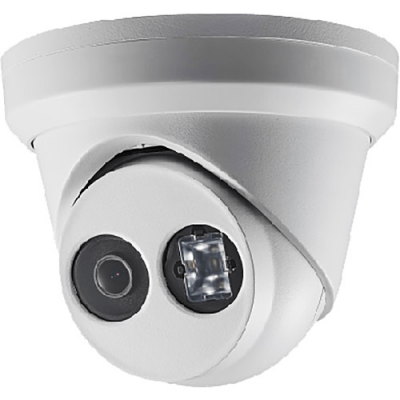
Hikvision ip dvr ddr ddr ddr ddr ddr.

What is a turret security camera?

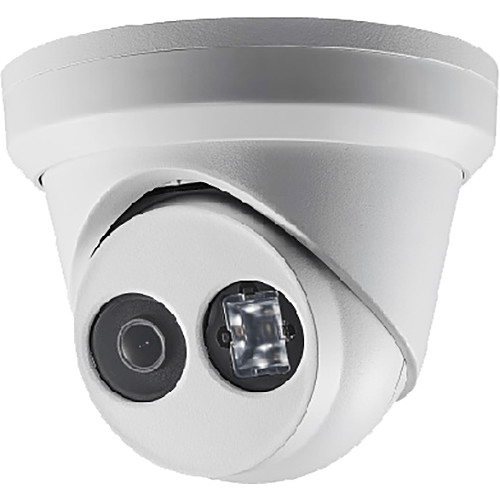
A turret security camera, often known as an eyeball or mini-dome camera, features a unique design that sets it apart from other camera types. Its most notable characteristic is the ball-and-socket type design that allows the camera lens to rotate freely inside a fixed base. This design provides greater flexibility in terms of viewing angles and direction adjustments compared to traditional fixed cameras. Unlike dome cameras, turret cameras have no glass casing around the lens, reducing glare and allowing for clearer night vision.

Turret security camera advantages

Turret cameras are increasingly popular due to their distinct benefits:

  • Versatile installation: Turret cameras are easily mounted on walls or ceilings and suitable for both indoor and outdoor use.
  • Wide range of vision: The ball-and-socket design allows for extensive field of view adjustments.
  • Infrared night vision: Turret cameras offer clear images in low-light conditions.
  • Vandal-resistant design: These security cameras are constructed to withstand tampering or physical damage.
  • Cost-effective: Generally, they are more affordable than other high-end camera types.

Here’s a helpful comparison between turret and dome security cameras.

Turret security camera disadvantages

Despite their advantages, turret cameras have some limitations:

  • Limited coverage for large areas: Turret security cameras are not ideal for covering extensive areas without using multiple units.
  • Exposed lens: More prone to dirt and fingerprints during manual adjustments.
  • Limited zoom and focus capabilities: Compared to PTZ cameras, they offer less flexibility in zooming and focusing on distant objects.
  • Installation limitations: They are not suitable for all surfaces or corners.
  • Weather susceptibility: In extreme weather conditions, additional protective measures might be necessary.

Here’s a helpful comparison between turret and bullet security cameras.

Where should you place turret security cameras in a business?

Effective placement of turret cameras maximizes their utility:

  • Entrances and exits: Monitor those entering and leaving, crucial for security and data collection. It can also help you measure customer footfalls.
  • Cash registers: Oversee transactions and deter employee POS theft.
  • Warehouses: Survey inventory and activity.
  • Parking lots: Enhance safety and monitor vehicle movements.
  • Reception areas: Observe visitor interactions and secure entry points.

Turret security camera examples

There are many turret security cameras on the market today. Several models stand out for their performance and reliability. Make sure that any cameras you purchase are technology-agnostic.

Otherwise, you may not be able to use your purchased cameras with the cloud-based video security system of your choice.

The Axis P3265-LVE is an outdoor 2MP dome camera with IR and deep learning, offering excellent image quality and advanced analytics​​.

Hanwha’s ANE-L7012R 4MP Night Vision Outdoor Turret IP Security Camera features a 3 mm fixed lens and is suitable for various environments​​.

Ubiquiti’s UVC-G3-FLEX UniFi G3 Series 2MP Full HD Indoor/Outdoor IP Surveillance IR Mini Turret Camera offers versatility in mounting and is weather-resistant​​​​.

Connect your turret security cameras to Solink

Integrating turret security cameras with Solink enhances their capabilities, providing cloud-based video security, loss prevention, and business insights. Solink’s platform allows for easy access, analysis, and management of video data, turning standard video monitoring into a powerful business tool.

To see how Solink brings new value to your turret security cameras, sign up for a demo today.
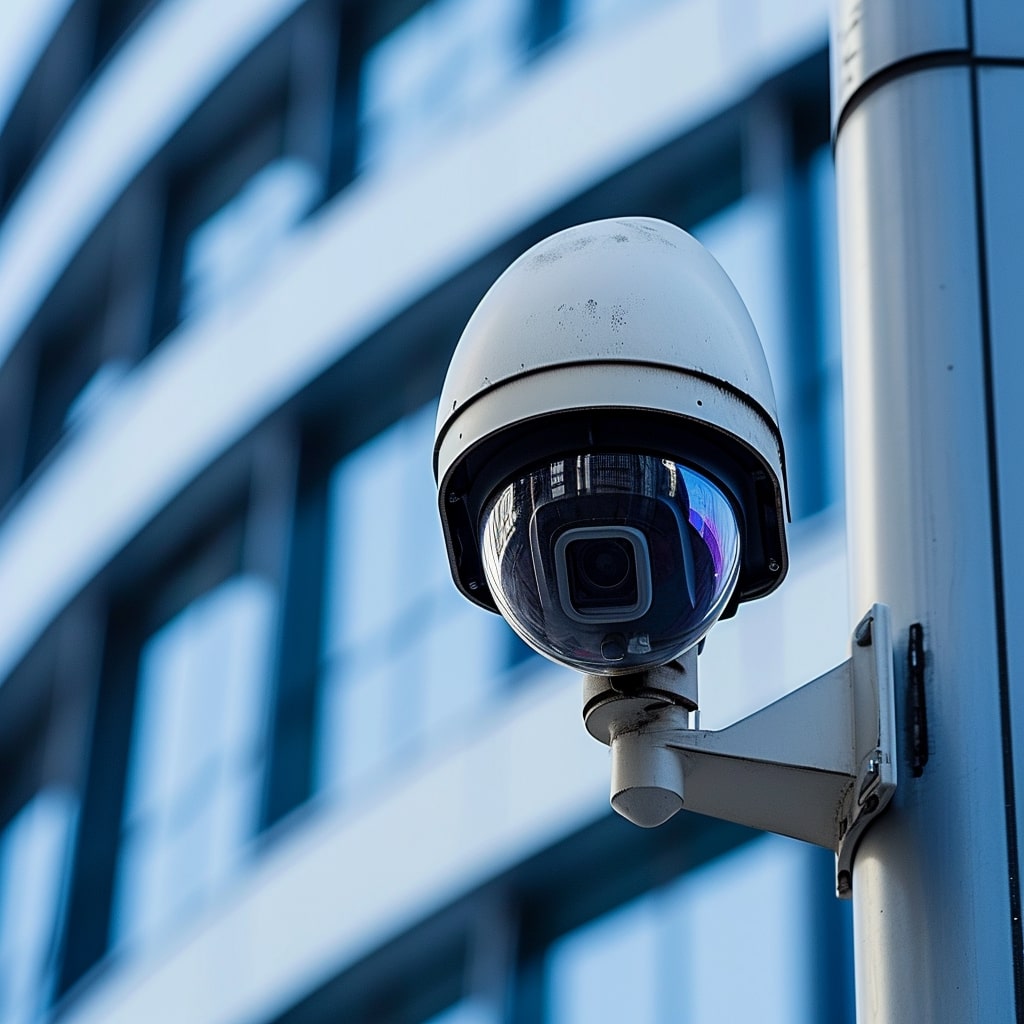
Table of Contents

Table of Contents

Delving into the functionalities and applications of PTZ security cameras is essential for modern monitoring strategies. These cameras stand out for their mobility and range, making them a versatile choice in various settings.

See how Solink can complete your business security camera system.

A cctv camera on a pole in front of a building.

What is a PTZ security camera?

A PTZ security camera is a robust security device capable of pan, tilt, and zoom movements, controlled remotely. This capability allows the camera to cover a larger area and focus on specific points of interest. PTZ cameras are ideal for areas requiring active monitoring and can be programmed for automatic patrols or motion-triggered tracking.

PTZ security camera advantages

PTZ cameras are favored for several reasons:

  • Wide coverage area: Their ability to pan and tilt covers large areas with a single camera.
  • Zoom capability: Optical zoom provides detailed views of distant objects without losing image quality.
  • Remote control: Operators can adjust the camera’s focus and angle remotely, optimizing monitoring.
  • Auto-tracking features: Some models can automatically track moving objects, enhancing monitoring efficiency.
  • Flexibility in use: PTZ security cameras are suitable for both indoor and outdoor environments, adaptable to various video security needs.

Here’s a helpful comparison between PTZ and 360 security cameras.

PTZ security camera disadvantages

However, PTZ cameras also have certain drawbacks:

  • Higher cost: Generally, they are more expensive than fixed or turret cameras due to their advanced features.
  • Complex installation: PTZ security cameras require more time and expertise to install properly.
  • Limited coverage when moving: Unlike fisheye cameras, PTZ security cameras miss activities in areas outside their current focus.
  • Potential for mechanical failure: Moving parts may lead to more wear and tear over time.
  • Requires active monitoring: To fully utilize their capabilities, active video monitoring by personnel is often necessary.

Where should you place PTZ security cameras in a business

Strategic placement of PTZ cameras maximizes their effectiveness:

  • Parking lots: Monitor large areas and track any suspicious activities.
  • Retail stores: Oversee multiple aisles and zoom in for detail.
  • Perimeters of large facilities: Patrol extensive boundary lines.
  • Lobbies and large open areas: Track movements and focus on disturbances.
  • Loading docks: Monitor deliveries and prevent external theft.

PTZ security camera examples

There are many PTZ security cameras on the market today. Several models stand out for their performance and reliability. Make sure that any cameras you purchase are technology-agnostic.

Otherwise, you may not be able to use your purchased cameras with the cloud-based video security system of your choice.

The Axis M5000 PTZ Camera is a unique 15 MP indoor camera with 10x optical zoom. It features three 5MP sensors for comprehensive situational awareness and covers indoor areas up to 400 m2 (4300 ft2)​​.

The AXIS P5655-E PTZ Network Camera offers HDTV 1080p with 32x optical zoom. It features Forensic WDR, Lightfinder 2.0, focus recall, EIS, and Zipstream support for H.264 and H.265​​.

The AXIS M5074 PTZ Camera is a compact, palm-sized PTZ camera with 5x optical zoom, autofocus, WDR, and built-in analytics. It’s designed for discreet installations and is cost-efficient​​.

The Hanwha XNP-9303RW is a 4K 30x IR Wiper PTZ Camera known for its advanced AI auto tracking, wiper functionality for clear viewing, and extended IR distance​​​​.

The Hanwha XNP-8303RW is a 6MP 30x IR Wiper PTZ Camera offering precise PTZ control, AI-based auto tracking, and various lens options for different monitoring needs​​​​.

The Ubiquiti UVC-G4-PTZ is a high-performance pan-tilt-zoom camera with 4K, 24 FPS video streaming, 22x optical zoom, and adaptive IR LED night vision. It offers AI event detections and is weatherproof for outdoor use​​.

Table of Contents

Table of Contents

Bullet security cameras are a common sight in many security systems. Known for their distinct cylindrical shape, these cameras are versatile and can be used in a variety of settings.

See how Solink can complete your business security camera system.

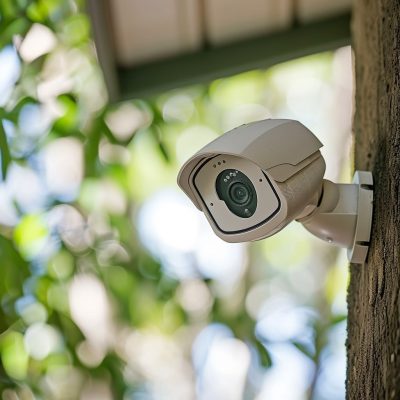
Cctv camera on a wall with trees in the background.

What is a Bullet Security Camera?

A bullet security camera is characterized by its long, cylindrical shape that resembles a bullet. This design is not just aesthetic; it facilitates easy installation and offers a high degree of flexibility with regards to the direction and angle of the camera. Bullet cameras are often equipped with infrared night vision capabilities and can be used both indoors and outdoors.

Bullet Security Camera Advantages

There are several benefits to using bullet cameras:

  • Easy to install: Their design allows for straightforward mounting on walls or ceilings.
  • Visible deterrence: Their noticeable shape can act as a deterrent to potential intruders.
  • Flexible field of view: Many models allow for manual adjustment to optimize the monitoring area.
  • Weather-resistant: Typically, bullet security cameras are designed to withstand outdoor environmental conditions (or those found in a restaurant walk-in).
  • High-quality imaging: Many models offer high resolution and night vision capabilities.

Here’s a helpful comparison between bullet and turret security cameras.

Bullet Security Camera Disadvantages

However, bullet cameras also have some limitations:

  • Limited coverage: They generally have a fixed field of view, which might require multiple units to cover large areas.
  • Vulnerability to vandalism: Their protruding design can make them a target for tampering or damage.
  • Aesthetic impact: Their size and shape might not blend seamlessly with all architectural styles.
  • Fixed focus: Some models may lack the pan and tilt features found in dome or PTZ cameras.

Here’s a helpful comparison between bullet and dome security cameras.

Where Should You Place Bullet Security Cameras in a Business

The strategic placement of bullet cameras enhances their effectiveness:

  • Entrances and exits: Monitor those entering and leaving the premises so you can calculate your store’s conversion rate.
  • Long, narrow spaces: Ideal for hallways and corridors due to their focused field of view.
  • Perimeter walls: Oversee the boundaries of a property.
  • Parking lots: Monitor vehicles and activity in parking areas.
  • Reception areas: Observe visitor interactions to enhance customer experience and secure sensitive entry points.

Bullet Security Camera Examples

There are many bullet security cameras on the market today. Several models stand out for their performance and reliability. Make sure that any cameras you purchase are technology-agnostic.

Otherwise, you may not be able to use your purchased cameras with the cloud-based video security system of your choice.

The Axis M2036-LE is a 4 MP affordable camera with deep learning capabilities. It offers Quad HD 1440p resolution, a compact and lightweight design, and is outdoor-ready with IR illumination​​.

The AXIS Q1798-LE combines superior 4K resolution with ultra-high light sensitivity. It features a 4/3″ sensor, 12–48 mm Canon lens, Lightfinder 2.0, and Zipstream support for H.264/H.265​​.

The AXIS Q1805-LE and Q1806-LE offer 2 MP and 4 MP resolutions, respectively, with OptimizedIR for clear footage in darkness, Lightfinder 2.0, and Forensic WDR. They are built on ARTPEC 8 and include deep learning processing units for improved analytics​​.

The Hanwha ANO-L7012R is a 4MP IR bullet camera suitable for outdoor use. It provides high-quality imaging and reliable monitoring in different environments​​​​.

Ubiquiti UVC-G5-Bullet

The Ubiquiti UVC-G5-Bullet is a next-gen indoor/outdoor 2K HD PoE Camera. It offers a 2K (4MP) video resolution, flexible 3-axis adjustable mount, 9 m (30 ft) IR night vision, and AI event detections​​.

Connect Your Bullet Security Cameras to Solink

Linking bullet security cameras to Solink’s cloud-based platform enhances their functionality. This integration offers advanced video analytics, cloud storage, and efficient video data management, turning standard monitoring into a powerful security and business intelligence tool.

To see how Solink brings new value to your bullet security cameras, sign up for a demo today.
Table of Contents

Table of Contents

Video loss on security cameras can significantly impact security and video monitoring efforts. Effective troubleshooting is key to maintaining the reliability and effectiveness of these systems. With the growing reliance on security cameras in various sectors, understanding how to quickly and effectively address video loss is crucial.

See how Solink can complete your business security camera system.

A close up of a server rack with wires connected to it.

Identifying video loss on security cameras

Identifying the type of video loss is crucial for effective troubleshooting. Whether it’s intermittent disruptions or a complete blackout, understanding the nature of the problem helps in applying the correct solution.

  • Intermittent disruptions might suggest issues with network stability or power supply. Checking these aspects should be your initial step.
  • A complete blackout of video could indicate a serious issue with the hardware or connections. A detailed inspection of the camera system and its network or power connections is essential in such cases.

Basic troubleshooting for video loss

Starting with basic troubleshooting can quickly resolve many common causes of video loss. This step involves checking the physical and technical aspects of the security camera system.

  • Carefully inspect each cable connected to your security cameras. Damage or wear can lead to video loss, and replacing faulty cables can often resolve the issue.
  • The power supply to your cameras must be stable and adequate. Fluctuations or insufficiencies in power can lead to intermittent or total video loss.
  • For issues related to your cloud VMS, accurate configuration of account settings and permissions is essential for uninterrupted video transmission.

Addressing IP security camera video loss

IP security cameras, integral to modern security systems, can face unique challenges leading to video loss, primarily related to network issues.

  • Ensuring correct network settings, including the configuration of PoE switches, is fundamental for stable video transmission in IP cameras.
  • Physical examination of Ethernet cables is necessary as damage to these cables can disrupt network connectivity, leading to video loss.
  • Resetting network equipment like routers and switches can address some IP camera video loss issues, especially those caused by network glitches or configuration errors.

Solving analog security camera video loss

Analog security cameras, while older technology, are still widely used and require specific troubleshooting methods to address video loss.

  • Check the power and video transmission cables of analog cameras for integrity and secure connections, as faults here are common causes of video loss.
  • Testing the quality of video transmission can identify issues with signal strength or clarity, which can lead to video loss.
  • Power cycling, or rebooting, the cameras can resolve issues related to connection stability, often restoring normal video transmission.

Resolving cloud VMS-related video loss

Problems with cloud-based video management systems (VMS) can lead to video loss, necessitating specific troubleshooting steps to resolve these issues.

  • For cloud VMS issues, Solink’s customer support provides a direct line for troubleshooting and resolving these specific problems. Their expertise can be vital in quickly addressing and fixing video loss issues.
  • Regular checks for software updates or maintenance alerts on your cloud VMS are crucial as these can impact video transmission.
  • Solink’s dedicated support team, accessible through various channels, is equipped to assist with any VMS-related video loss issues, ensuring minimal downtime.

Comprehensive troubleshooting for video loss

In cases where basic troubleshooting doesn’t resolve the issue, a more comprehensive approach is necessary to diagnose and fix the problem.

  • Securing all connections, both physical and network-based, is essential as loose or improper connections can lead to video loss.
  • Rebooting your business security camera system can help in resolving transient issues that might be causing video loss, as it reinitializes the system and refreshes connections.
  • Keeping your system’s firmware and software up to date is critical to prevent issues of incompatibility or outdated protocols that could lead to video loss.

Advanced solutions for resolving video loss

When standard troubleshooting methods fail, advanced techniques are required to address persistent or complex video loss issues.

  • Addressing IP conflicts in a network with multiple cameras is important as overlapping IP addresses can cause network congestion and resultant video loss.
  • Checking camera settings for correct configuration, particularly for video transmission and recording, is vital. Incorrect settings can lead to video loss.
  • Contacting the manufacturer for technical support can provide model-specific solutions and insights, which are particularly useful for complex or persistent video loss problems.

Solink prevents video loss on security cameras with automatic health checks

Systematic troubleshooting often leads to resolving video loss issues. Solink’s automatic health checks regularly confirm that cameras are online, recording, and unobstructed, allowing for quicker identification and resolution of problems. 

This proactive approach ensures continuous, reliable video monitoring and peace of mind. For comprehensive support and solutions in maintaining optimal security camera performance, Solink is your go-to partner.

To discover how Solink can help prevent video loss on your security cameras, sign up for a demo today.

Table of Contents

Table of Contents

The retail industry, particularly in the electronics sector, faces significant challenges in loss prevention. Security tags for electronics have become a crucial tool in mitigating these challenges, providing an effective blend of deterrence and detection that is essential for protecting high-value items.

See how Solink can complete your business security camera system.

Two boxes on a shelf in a warehouse.

Understanding the threats

Retailers confront a constant threat from shoplifting and organized retail crime, which lead to direct losses and impact store operations and customer experience. Additionally, internal theft, often overlooked, can be just as damaging as external threats. It’s crucial for businesses to acknowledge and address this internal risk. 

Another critical aspect is operational shrinkage, where inaccurate inventory counts and damaged products not secured properly contribute to operational losses. These factors can significantly affect a business’s bottom line.

Types of security tags for electronics

Magnetic tags are common in retail due to their affordability and ease of use. They work well for general merchandise but have limitations in detection range. Acousto-magnetic tags, on the other hand, offer a wider detection range and are more difficult to shield, making them suitable for larger stores with wider exits. 

RFID tags provide inventory tracking and theft prevention, and are particularly useful for real-time inventory management. Customized tags are designed for specific items like laptops or smartphones and offer specialized security tailored to the product’s needs.

Security tag vs EAS

The term “security tag” specifically refers to the tags attached to items, which can function independently or as part of an EAS system. EAS, or electronic article security, is a broader term that encompasses the entire system, including tags, detectors, and deactivators. It focuses on the synergy of components for optimal loss prevention.

Benefits of using security tags in retail

Security tags act as both a physical and psychological barrier against theft, and their visible presence can significantly reduce the incidence of shoplifting. They also enhance accuracy in tracking stock levels, reducing the time and resources spent on manual inventory checks. 

This leads to an improved customer experience by minimizing intrusive security measures and creating a more pleasant shopping environment. Additionally, security tags streamline store operations and reduce losses due to theft and inventory inaccuracies.

Integrating security tags into a comprehensive loss prevention system

EAS security gates serve as a final checkpoint in the loss prevention strategy by detecting active security tags as customers exit. Pairing these systems with Solink’s cloud video security enhances overall security by allowing for post-event analysis and real-time monitoring

Employee training and awareness are crucial for the effective use of security tags, ensuring staff are vigilant and knowledgeable about loss prevention strategies. Leveraging technology for strategic loss prevention helps in identifying patterns and areas of vulnerability.

Future trends in security tags

The future of security tags in retail is shaped by technological advancements. Innovations in RFID technology and integration with IoT devices are set to revolutionize inventory management and loss prevention.

5 security tag examples

In the world of retail loss prevention, the diversity and specificity of security tags play a crucial role. From high-tech solutions for electronics to simple yet effective tags for general merchandise, the range of options available caters to various retail needs. Below are examples of security tags, each with unique features and applications, providing a snapshot of the solutions available to retailers looking to enhance their loss prevention strategies.

  • Sensormatic APX Advanced Performance Xtreme Labels AM 58 KHZ: Ideal for protecting electronics and other metallic goods, these AM labels offer a slightly raised profile with major benefits for items with high metal/foil content. They’re priced at $199.00 for a box of 5,000.
  • Labels RF 8.2 MHz – Dummy Barcode: Suited for retailers with high volumes of packaged products, these transparent, adhesive labels are ideal for a range of retail environments. They’re available for $39.00 for a roll of 1,000.
  • Prosegur Spartan Tag: A highly tamper-resistant tag with added visual deterrence, ideal for thick materials with its wide ergonomic pinhead. Prices are available on inquiry.
  • Prosegur Double Lock Tag: Features a patented hook & magnet release mechanism, making it extremely difficult to defeat. Compatible with existing tags from other manufacturers. Prices are available on inquiry.
  • Sensormatic RF 8.2Mhz Lock Tight Tag: Designed for protecting hardware and sporting goods, this tag is ideal for all types of bottles, bats, and similar items. They’re priced at 100 for $95.00.

These examples showcase the variety of security tags available in the market, each designed to meet specific retail needs and enhance loss prevention strategies.

Solink completes your loss prevention system

While security tags play a critical role in protecting high-value electronics, Solink’s cloud-based video security system completes the loss prevention puzzle. 

By integrating advanced video analytics with security tag systems, Solink provides an all-encompassing solution that safeguards assets, improves operational efficiency, and enhances the overall security framework.

To see how Solink completes your loss prevention system, sign up for a demo today.

Table of Contents

Table of Contents

When it comes to running security camera wires, knowing the right approach and considerations can make a significant difference in both the installation process and the effectiveness of your security system. This guide outlines essential tips to help you navigate the complexities of wiring, ensuring a reliable and efficient setup. Let’s dive into the key aspects that will streamline your installation and enhance your system’s performance.

See how Solink can complete your business security camera system.

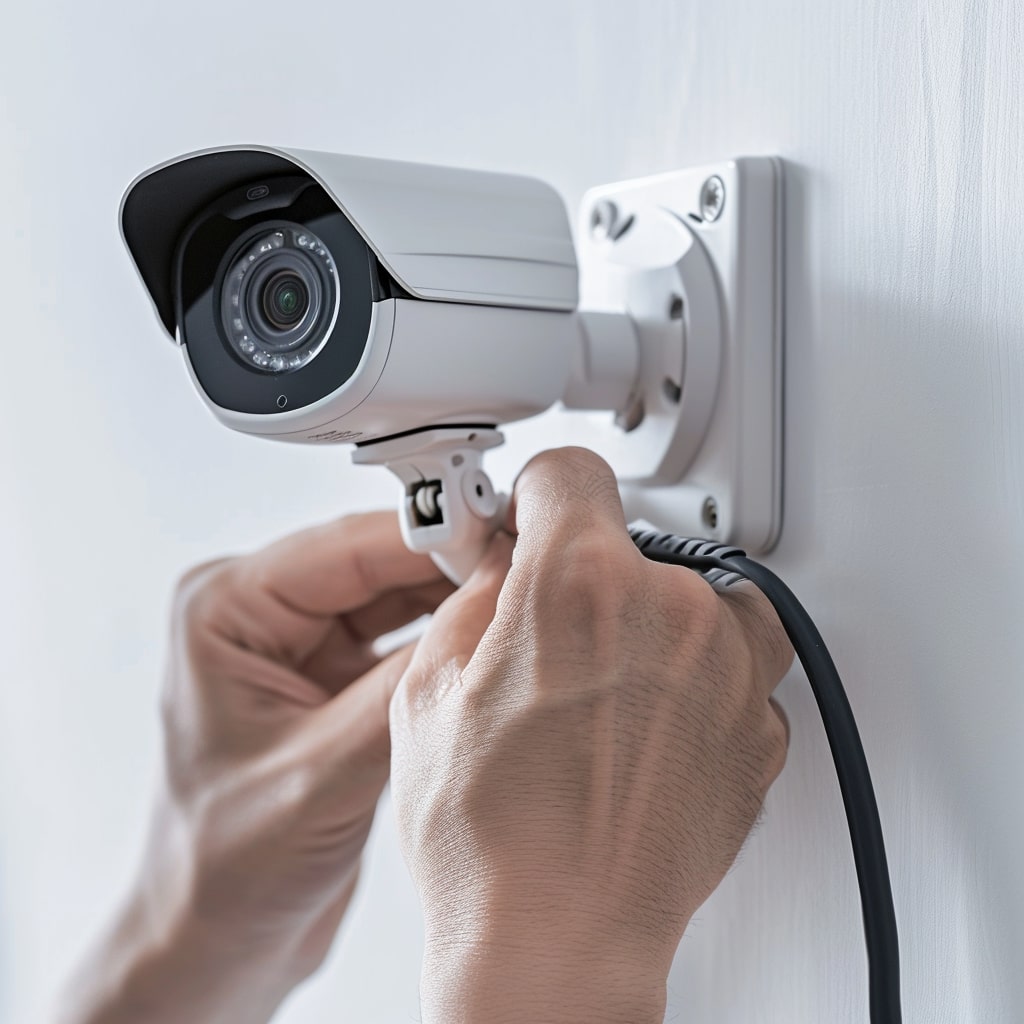
A person installing a security camera on a wall.

Assessing your business security needs

Before installing any wires, it’s crucial to assess your specific security needs. This assessment involves determining the number and types of cameras needed, identifying key areas to monitor, and understanding the level of security required. 

Factors like the size of the area, the presence of valuable items, and the typical foot traffic play a role in this decision. By assessing your needs upfront, you can ensure that your security system is tailored to provide the most effective coverage and protection.

Integrating your security cameras with existing systems

If you already have a security system in place, understanding how to integrate new cameras into the existing setup is important. This integration might involve compatibility checks between new and old cameras, understanding the limitations of your current system, and planning the integration in a way that enhances, rather than disrupts, your existing security measures. 

Proper integration ensures a cohesive security system where all components, including your POS, work in harmony, providing comprehensive video monitoring without any gaps or overlaps.

Running security camera wires: what you need to know

When embarking on the task of running security camera wires, it’s vital to consider several key aspects to ensure a successful installation. This process, pivotal for effective video security, involves more than just connecting cameras; it demands careful planning and consideration of various technical and environmental factors.

From understanding the nuances of different wire types to ensuring compliance with local wiring codes, each step plays a crucial role in creating an efficient and reliable security system. Integrating Solink’s cloud video security advanced solution can also enhance this process, offering streamlined integration and valuable insights.

  1. Type of security cables needed
  2. Understand local wiring codes
  3. Plan the route carefully
  4. Consider wireless alternatives
  5. Protect against environmental factors
  6. Maintain aesthetic appeal
  7. Ensure secure connections
  8. Keep future expansion in mind
  9. Regular maintenance and inspection
  10. Professional consultation
  11. Each point in this list serves as a fundamental guideline to follow for an effective and safe security camera wire installation.

Type of wires needed

Selecting the appropriate type of wires is crucial in setting up a reliable security camera system. Power over Ethernet (PoE) cables are often a preferred choice as they carry both data and power over a single cable, making installation simpler and more efficient. This choice reduces the number of cables needed and simplifies the overall setup.

When choosing wires, consider the length of the cable runs and the quality of the cables to ensure they can transmit data effectively over the distance required. Higher quality cables can reduce the risk of signal loss and interference, which is essential for maintaining the integrity of your security system.

Understand local wiring codes

Compliance with local wiring codes is not just a legal requirement but also a safety measure. These codes are designed to ensure that all electrical installations, including security camera wiring, are done safely and to a standard that minimizes the risk of electrical fires and other hazards.

Before starting your installation, research your local area’s specific electrical codes. This research might involve consulting with local authorities or hiring a licensed electrician. This step is especially important if you are installing cameras in a commercial or public space, as these areas often have more stringent requirements.

Plan the route carefully

Effective planning of the wiring route can significantly impact the ease of installation and future maintenance. The ideal route is both the shortest and the least intrusive, reducing the amount of cabling needed and minimizing the visual impact. It’s important to consider obstacles such as walls, ceilings, and other structural elements.

In planning the route, also consider the ease of access for future maintenance or upgrades. Avoid running cables through areas that are difficult to reach or where they might be subject to damage. This foresight can save time and money in the long run.

Consider wireless alternative

While traditional wired cameras are reliable, considering wireless alternatives can offer flexibility and ease of installation. Wireless cameras eliminate the need for running extensive cabling throughout the property. They are particularly useful in areas where wiring is impractical or too invasive.

However, wireless systems rely on a strong and stable Wi-Fi signal. For this reason, Solink recommends wired cameras whenever it is possible.

Protect against environmental factors

Environmental factors such as moisture, temperature extremes, and physical disturbances can affect the longevity and performance of your security camera wires. Using conduits or cable casings can protect cables from these elements, especially when running wires outdoors or in industrial settings.

Consider the type of insulation and shielding for the cables. Some cables are specifically designed for outdoor use with extra protection against UV rays and weather conditions. This protection is an important consideration for maintaining the integrity of your security system over time.

Maintain aesthetic appeal

The visual impact of security camera wires should be considered, especially in residential or customer-facing commercial areas. Concealing wires, using paintable conduits, or choosing cabling that blends with the building can help maintain the property’s aesthetic appeal.

Strategically plan the cable runs to minimize their visibility. Running cables along the edges of walls or under eaves can make them less noticeable. Keeping the installation neat and tidy not only looks better but also makes maintenance easier.

Ensure secure connections

Secure connections are vital to the reliability of your security camera system. Loose or poorly made connections can lead to signal loss, interference, or complete failure of the camera. Use high-quality connectors and ensure that each connection is tight and secure.

Regularly check the connections, especially after any maintenance work or adjustments to the camera system. This practice ensures ongoing operational reliability and helps to prevent issues from arising due to connection problems.

Here are some security camera troubleshooting tips if you are having trouble with your cameras.

Keep future expansion in mind

While planning your current security camera installation, consider potential future expansions or upgrades. Running extra cables, or choosing a wiring system that can accommodate additional cameras, can save significant time and effort in the future.

Plan for scalability by using a modular system or leaving extra capacity in your network switches for additional cameras. This forward-thinking approach ensures that your security system can grow and adapt to changing needs without requiring a complete overhaul.

Regular maintenance and inspection

Regular maintenance and inspection of your security camera wiring are essential for ensuring long-term reliability and performance. This maintenance involves checking for any signs of wear and tear, ensuring that all connections are secure, and testing the system for any potential issues.

Set a maintenance schedule and stick to it. This routine can help identify and resolve minor issues before they become major problems, ensuring that your security system remains effective and reliable.

Professional consultation

When in doubt, seeking professional consultation can be invaluable. Professional installers have the expertise and experience to ensure that your security camera wiring is done correctly and safely. They can also provide valuable advice on the best type of system for your specific needs and the most effective installation techniques.

Consulting with a professional can also provide insights into the latest technology and trends in security cameras. Solink works with a network of professional camera installers to help businesses across the globe install and expand their security system.

Let Solink source and install your security cameras

To ensure a seamless and effective installation of your security camera system, consider Solink as your trusted partner. With their expertise in cloud video security and a commitment to providing top-notch security solutions, Solink ensures a hassle-free and professional installation experience. Choose Solink for peace of mind and a state-of-the-art security system.

To see how Solink can help improve your security system, sign up for a demo today.

Table of Contents

Table of Contents

The integration of motion detectors in security cameras has been a game-changer in security technology. Solink Motion Search is at the forefront of this innovation, transforming the approach to security monitoring and management in various industries.

See how Solink can complete your business security camera system.

A white cctv camera on the side of a tree.

The evolution and mechanism of motion detection in security cameras

Today’s security cameras have evolved from passive recording devices to proactive monitoring tools. Motion detection technology employs advanced algorithms to analyze video frames for movement, marking a significant leap from mere recording to intelligent analysis. This evolution is a key feature in modern cloud video management systems, enabling more effective and proactive security measures.

Key benefits of implementing motion detection in security systems

The adoption of motion detection technology in security cameras has brought about a transformation in video monitoring strategies. This technology offers several key benefits that enhance the effectiveness and efficiency of security systems. 

From improving real-time monitoring to reducing false alarms, the advantages are numerous and impactful for various industries. Here are the primary benefits of integrating motion detection into security systems:

  • Enhanced real-time security monitoring: Motion detectors in security cameras enable quicker responses to potential security threats, allowing for more effective monitoring. This feature helps security personnel to focus on significant events, improving the overall efficiency of security operations.
  • Increased efficiency in video monitoring: By focusing on relevant events, motion detection technology streamlines video monitoring, making it more efficient. This targeted approach helps businesses in reducing the need for constant manual monitoring, leading to better resource management and cost savings.
  • Cost savings through reduced labor expenses: The implementation of motion detectors reduces the dependency on continuous manual video monitoring, leading to significant manpower cost savings. Businesses can allocate their resources more effectively, ensuring better utilization of security personnel.
  • Improved accuracy in threat detection: Motion detection technology enhances the accuracy of identifying potential security threats. This minimizes the occurrence of false alarms, allowing security teams to concentrate on genuine threats, thereby increasing overall security effectiveness.
  • Streamlined investigations with quick access to critical events: The technology enables faster retrieval of video footage related to specific movements or incidents. This feature is invaluable in streamlining investigations and responding promptly to incidents, making case management more efficient.
  • Better resource allocation by focusing on areas of movement: Motion detection allows security systems to focus on areas with movement, ensuring more effective use of video monitoring resources. This targeted approach ensures that attention is directed where it’s most needed, enhancing the overall security strategy.
  • Enhanced customer experience in retail through behavior analysis: In retail settings, motion detection can provide insights into customer behavior. This information is useful for improving store layouts and enhancing the overall customer experience, contributing to increased customer satisfaction and sales.
  • Optimized operational processes through movement pattern insights: By analyzing movement patterns, businesses can gain valuable insights to optimize their operational processes. This can lead to improvements in areas such as workflow efficiency and space utilization.
  • Effective crowd management and safety in public spaces: Motion detection technology is crucial for managing crowds and ensuring safety in public spaces. It helps in monitoring crowd dynamics and identifying potential safety issues, contributing to more effective crowd management strategies.
  • Proactive maintenance monitoring in industrial settings: In industrial environments, motion detection can be used for proactive maintenance monitoring. By detecting unusual movements or activities, it can help in early identification of potential equipment issues, preventing downtime and losses.
  • Data-driven decision-making for security enhancements: The insights gained from motion detection technology can inform data-driven decisions for enhancing security measures. This allows organizations to continuously improve their security strategies based on actual data and trends.

Real-world applications: beyond basic security

The application of motion detection technology in security cameras extends far beyond traditional security roles. It’s being innovatively used across various industries, offering unique benefits and enhancing operations in multiple sectors. From retail to healthcare, motion detection helps in analyzing customer behavior, managing crowds, ensuring safety, and much more. Here are some of the key real-world applications of motion detection technology:

  • Retail stores optimizing layouts and customer flow: Retail businesses utilize motion detection to understand customer movement patterns within their stores. This data is invaluable for optimizing store layouts and enhancing the overall shopping experience, leading to improved customer satisfaction and potentially increased sales.
  • Businesses deterring theft and enhancing workplace security: Companies leverage motion detection technology to proactively spot and deter theft, both external and internal. This helps in maintaining a secure environment for employees and customers, and it can significantly reduce losses due to theft.
  • Schools and campuses monitoring for unauthorized access: Educational institutions use motion detectors to monitor sensitive areas, ensuring only authorized individuals have access. This technology is crucial for maintaining the safety and security of students and staff on school grounds.
  • Transportation hubs managing crowd flow and detecting unattended items: Airports, train stations, and bus terminals employ motion detection to manage crowd flow and detect unattended items, enhancing overall safety and security. This technology is vital in preventing potential threats and ensuring smooth operations in these busy environments.
  • Industrial facilities monitoring equipment and safety protocols: In industrial settings, motion detection is used for monitoring equipment and ensuring adherence to safety protocols. This application helps in preventing accidents and maintaining operational efficiency.
  • Financial institutions securing sensitive areas: Banks and other financial institutions rely on motion detection technology to secure sensitive areas and prevent unauthorized access. This is essential for protecting financial assets and sensitive information.
  • Residential complexes enhancing security and resident safety: Motion detectors in residential complexes improve security and ensure resident safety. This technology is especially useful for monitoring common areas and entry points, deterring potential intruders, and providing residents with peace of mind.
  • Public spaces improving crowd management and event security: Motion detection is used in public spaces like parks, squares, and event venues for effective crowd management and enhanced event security. This helps in managing large gatherings and ensuring public safety during events.
  • Corporate offices monitoring for safety and optimizing space usage: In corporate settings, motion detectors help in monitoring safety and optimizing the use of office space. This technology can track movement patterns to ensure safety compliance and efficient use of office resources.
  • Urban planning using data for safer, more efficient city designs: City planners and urban developers use motion detection data to create safer and more efficient city designs. This information helps in understanding pedestrian and traffic flow, contributing to better urban planning decisions.

Spotlight on Solink Motion Search: Revolutionizing video monitoring

Solink Motion Search stands as a testament to the transformative power of motion detection technology in video monitoring. It’s not just about observing; it’s about understanding. By seamlessly integrating with existing camera systems, Solink Motion Search offers a user-friendly interface backed by powerful AI video analytics. This technology goes beyond traditional video monitoring, providing deep insights into behavioral patterns and activities. With its advanced capabilities, Solink Motion Search aids businesses and organizations in making smarter, data-driven decisions, elevating their security and operational strategies.

The real impact of Solink Motion Search lies in its versatility and adaptability. Whether it’s retail, property management, education, or any other sector, Solink provides tailored solutions that meet specific needs. This adaptability ensures that each industry can harness the full potential of motion detection, translating security footage into actionable intelligence. It’s this intelligent analysis that revolutionizes the role of video security, making Solink Motion Search an indispensable tool in today’s security landscape.

Showcasing success: Solink Motion Search across industries

Solink Motion Search has demonstrated its versatility and effectiveness in various industries. Let’s explore how different organizations have leveraged this technology to enhance their operations and security.

Veterans of America-Michigan (VOAMI) has integrated Solink into their operations, showcasing the system’s flexibility beyond traditional security roles. The organization utilizes Solink for incident prevention and workforce management, demonstrating how Solink’s innovative approach to security can be instrumental in maintaining safe and efficient environments in the nonprofit sector.

Frazier Farms, a retail grocery chain, has transformed its approach to security and business intelligence with Solink. The integration of Solink’s motion search technology has enhanced their loss prevention strategies and provided valuable insights into customer behavior, helping to optimize store operations and improve the overall shopping experience.

Chester Cathedral’s adoption of Solink represents a strategic move towards efficient and comprehensive security management. By utilizing Solink’s motion detection capabilities, the Cathedral has been able to streamline its security processes, effectively consolidating multiple security systems into a unified solution that protects this historic site.

Bottle King has applied Solink’s technology to address specific retail challenges, particularly in preventing employee theft and managing inventory. The insights provided by Solink’s advanced motion detection capabilities have significantly enhanced Bottle King’s ability to monitor and manage their operations, leading to improved loss prevention strategies.

In the Van Aken District, Solink plays a pivotal role in community development and daily operations. The district utilizes Solink’s comprehensive video monitoring capabilities to provide a secure and efficient environment. This has been crucial in the area’s development, ensuring safety and operational effectiveness in an urban setting.

At Cookies Retail, a leading cannabis dispensary, Solink is key to ensuring regulatory compliance and preventing loss. The dispensary uses Solink for monitoring high-risk transactions and maintaining strict adherence to industry regulations, demonstrating Solink’s adaptability and effectiveness in a highly regulated retail environment.

Solink brings new value to security cameras

Solink’s Motion and Event Search capabilities redefine the utility of security cameras. By providing advanced, intelligent analysis of security footage, Solink transforms passive recording into a proactive tool for security and business insights. 

These features enable users to swiftly pinpoint and review specific events and movements, greatly enhancing the efficiency and effectiveness of security monitoring. This innovation underscores Solink’s commitment to delivering cutting-edge solutions that add significant value to traditional security systems.

To see how Solink brings new ROI to your existing business security cameras, sign up for a demo today.
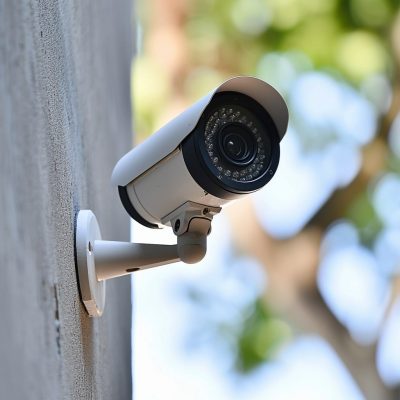
Table of Contents

Table of Contents

When it comes to running security camera wires, knowing the right approach and considerations can make a significant difference in both the installation process and the effectiveness of your security system. This guide outlines essential tips to help you navigate the complexities of wiring, ensuring a reliable and efficient setup. Let’s dive into the key aspects that will streamline your installation and enhance your system’s performance.

See how Solink can complete your business security camera system.

A man working on electrical wires in a shop.

Assessing your business security needs

Before installing any wires, it’s crucial to assess your specific security needs. This assessment involves determining the number and types of cameras needed, identifying key areas to monitor, and understanding the level of security required. 

Factors like the size of the area, the presence of valuable items, and the typical foot traffic play a role in this decision. By assessing your needs upfront, you can ensure that your security system is tailored to provide the most effective coverage and protection.

Integrating your security cameras with existing systems

If you already have a security system in place, understanding how to integrate new cameras into the existing setup is important. This integration might involve compatibility checks between new and old cameras, understanding the limitations of your current system, and planning the integration in a way that enhances, rather than disrupts, your existing security measures. 

Proper integration ensures a cohesive security system where all components, including your POS, work in harmony, providing comprehensive video monitoring without any gaps or overlaps.

Running security camera wires: what you need to know

When embarking on the task of running security camera wires, it’s vital to consider several key aspects to ensure a successful installation. This process, pivotal for effective video security, involves more than just connecting cameras; it demands careful planning and consideration of various technical and environmental factors.

From understanding the nuances of different wire types to ensuring compliance with local wiring codes, each step plays a crucial role in creating an efficient and reliable security system. Integrating Solink’s cloud video security advanced solution can also enhance this process, offering streamlined integration and valuable insights.

  1. Type of security cables needed
  2. Understand local wiring codes
  3. Plan the route carefully
  4. Consider wireless alternatives
  5. Protect against environmental factors
  6. Maintain aesthetic appeal
  7. Ensure secure connections
  8. Keep future expansion in mind
  9. Regular maintenance and inspection
  10. Professional consultation
  11. Each point in this list serves as a fundamental guideline to follow for an effective and safe security camera wire installation.

Type of wires needed

Selecting the appropriate type of wires is crucial in setting up a reliable security camera system. Power over Ethernet (PoE) cables are often a preferred choice as they carry both data and power over a single cable, making installation simpler and more efficient. This choice reduces the number of cables needed and simplifies the overall setup.

When choosing wires, consider the length of the cable runs and the quality of the cables to ensure they can transmit data effectively over the distance required. Higher quality cables can reduce the risk of signal loss and interference, which is essential for maintaining the integrity of your security system.

Understand local wiring codes

Compliance with local wiring codes is not just a legal requirement but also a safety measure. These codes are designed to ensure that all electrical installations, including security camera wiring, are done safely and to a standard that minimizes the risk of electrical fires and other hazards.

Before starting your installation, research your local area’s specific electrical codes. This research might involve consulting with local authorities or hiring a licensed electrician. This step is especially important if you are installing cameras in a commercial or public space, as these areas often have more stringent requirements.

Plan the route carefully

Effective planning of the wiring route can significantly impact the ease of installation and future maintenance. The ideal route is both the shortest and the least intrusive, reducing the amount of cabling needed and minimizing the visual impact. It’s important to consider obstacles such as walls, ceilings, and other structural elements.

In planning the route, also consider the ease of access for future maintenance or upgrades. Avoid running cables through areas that are difficult to reach or where they might be subject to damage. This foresight can save time and money in the long run.

Consider wireless alternative

While traditional wired cameras are reliable, considering wireless alternatives can offer flexibility and ease of installation. Wireless cameras eliminate the need for running extensive cabling throughout the property. They are particularly useful in areas where wiring is impractical or too invasive.

However, wireless systems rely on a strong and stable Wi-Fi signal. For this reason, Solink recommends wired cameras whenever it is possible.

Protect against environmental factors

Environmental factors such as moisture, temperature extremes, and physical disturbances can affect the longevity and performance of your security camera wires. Using conduits or cable casings can protect cables from these elements, especially when running wires outdoors or in industrial settings.

Consider the type of insulation and shielding for the cables. Some cables are specifically designed for outdoor use with extra protection against UV rays and weather conditions. This protection is an important consideration for maintaining the integrity of your security system over time.

Maintain aesthetic appeal

The visual impact of security camera wires should be considered, especially in residential or customer-facing commercial areas. Concealing wires, using paintable conduits, or choosing cabling that blends with the building can help maintain the property’s aesthetic appeal.

Strategically plan the cable runs to minimize their visibility. Running cables along the edges of walls or under eaves can make them less noticeable. Keeping the installation neat and tidy not only looks better but also makes maintenance easier.

Ensure secure connections

Secure connections are vital to the reliability of your security camera system. Loose or poorly made connections can lead to signal loss, interference, or complete failure of the camera. Use high-quality connectors and ensure that each connection is tight and secure.

Regularly check the connections, especially after any maintenance work or adjustments to the camera system. This practice ensures ongoing operational reliability and helps to prevent issues from arising due to connection problems.

Here are some security camera troubleshooting tips if you are having trouble with your cameras.

Keep future expansion in mind

While planning your current security camera installation, consider potential future expansions or upgrades. Running extra cables, or choosing a wiring system that can accommodate additional cameras, can save significant time and effort in the future.

Plan for scalability by using a modular system or leaving extra capacity in your network switches for additional cameras. This forward-thinking approach ensures that your security system can grow and adapt to changing needs without requiring a complete overhaul.

Regular maintenance and inspection

Regular maintenance and inspection of your security camera wiring are essential for ensuring long-term reliability and performance. This maintenance involves checking for any signs of wear and tear, ensuring that all connections are secure, and testing the system for any potential issues.

Set a maintenance schedule and stick to it. This routine can help identify and resolve minor issues before they become major problems, ensuring that your security system remains effective and reliable.

Professional consultation

When in doubt, seeking professional consultation can be invaluable. Professional installers have the expertise and experience to ensure that your security camera wiring is done correctly and safely. They can also provide valuable advice on the best type of system for your specific needs and the most effective installation techniques.

Consulting with a professional can also provide insights into the latest technology and trends in security cameras. Solink works with a network of professional camera installers to help businesses across the globe install and expand their security system.

Let Solink source and install your security cameras

To ensure a seamless and effective installation of your security camera system, consider Solink as your trusted partner. With their expertise in cloud video security and a commitment to providing top-notch security solutions, Solink ensures a hassle-free and professional installation experience. Choose Solink for peace of mind and a state-of-the-art security system.

To see how Solink can help improve your security system, sign up for a demo today.

INSIGHTS

What is PIR on security cameras and how does it work?

January 29, 2024

Table of Contents

Table of Contents

Understanding the meaning of PIR on security cameras is crucial for anyone looking to enhance their security system. PIR (passive infrared) is a technology used in security cameras for detecting motion. It plays a key role in making security systems more efficient and responsive.

See how Solink can complete your business security camera system.

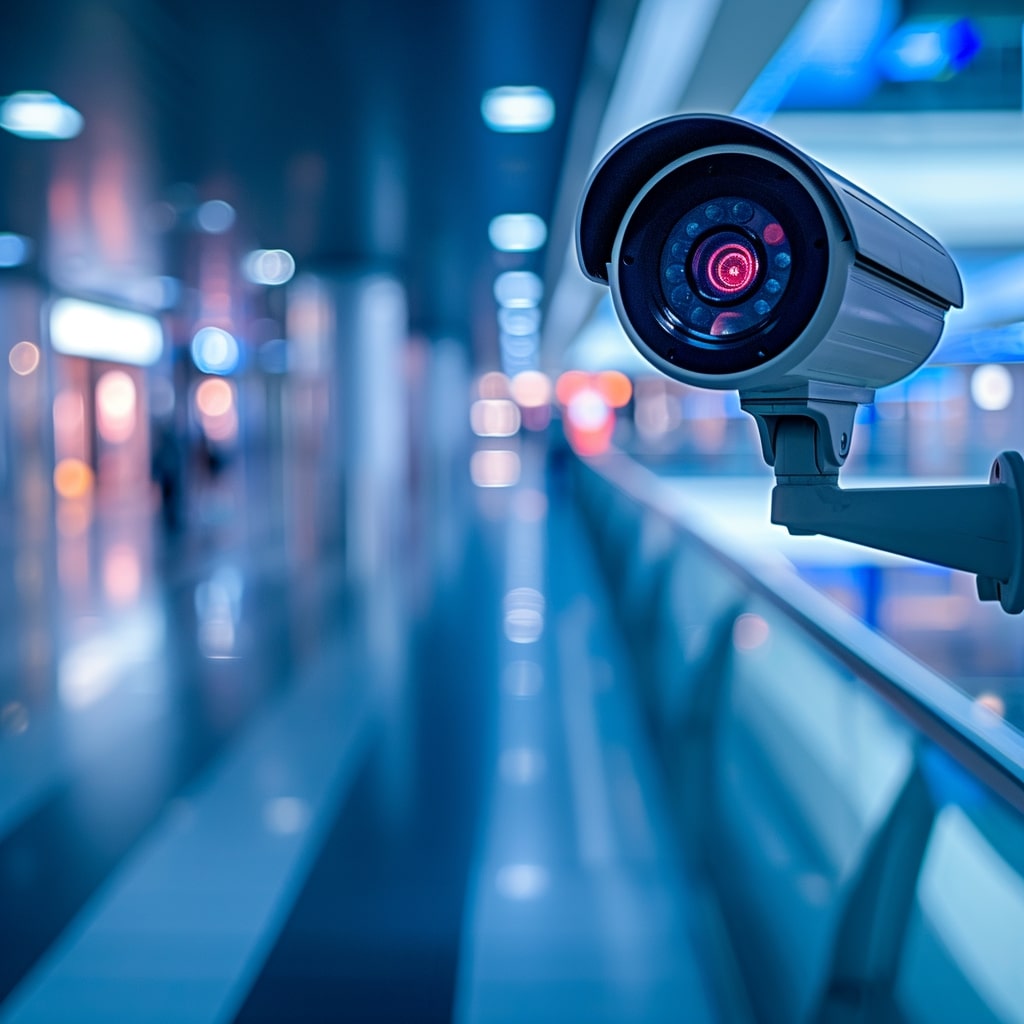
A cctv camera is mounted on an escalator in an airport.

What is PIR on security cameras?

PIR, or passive infrared, is a technology used in security cameras for motion detection. It’s a key feature that enables cameras to sense movement in their vicinity. Unlike regular cameras that continuously record, PIR-equipped cameras are more efficient. They activate and start recording only when they detect motion, saving energy and storage space. This feature is useful where continuous monitoring isn’t necessary or wireless battery-powered security cameras are the only feasible option.

PIR technology in security cameras works by detecting changes in infrared light levels emitted by objects in their field of view. Every object emits some level of infrared light, especially warm objects like humans and animals. PIR sensors are finely tuned to detect the infrared light emitted by these warm objects, making them ideal for security purposes. When a PIR sensor in a camera detects a change in the infrared light pattern—like when someone walks into a room—it triggers the camera to start recording or send an alert.

How does PIR work?

At a more technical level, PIR sensors operate by detecting changes in infrared energy levels. These sensors have two slots made of a special material that is sensitive to infrared. When these slots are exposed to the same amount of infrared radiation, such as in an empty room, the sensor remains idle. However, when a warm body like a human or animal passes by, it first intercepts one half of the PIR sensor, causing a positive differential change between the two halves. When it leaves the field of view of the sensor, this causes a negative differential change. These changes trigger the sensor.

The sensitivity and range of PIR sensors can vary. Typically, they have a detection range of up to 20 meters and a field of view of around 90 degrees, making them suitable for a variety of settings. Importantly, PIR sensors are designed to minimize false alarms, as they require a significant change in infrared energy to activate. This makes them more reliable than traditional motion detectors, which can be triggered by minor movements like falling leaves or passing cars. 

What are other ways to detect motion on security cameras?

In addition to PIR (passive infrared) sensors, security cameras use several other methods to detect motion, each with its unique mechanism and applications.

Each of these technologies offers unique advantages and can be chosen based on the specific requirements of the security area.

Video motion detection (VMD)

VMD works by analyzing the video feed to identify changes in the scene. It continuously compares consecutive frames and triggers an alert if it detects significant differences.

This method is highly adaptable and can be calibrated for sensitivity, making it useful in various environments. However, it may be more prone to false alarms due to environmental factors like changing light conditions or moving shadows.

AI-based motion detection

Advanced security systems now incorporate AI and machine learning algorithms to detect and analyze motion. These systems can differentiate between types of movements, such as distinguishing between a human and an animal.

AI-based detection reduces false alarms and provides more accurate alerts. It can also identify specific behaviors or patterns, offering sophisticated video monitoring capabilities.

Thermal imaging

Thermal cameras detect heat emitted by objects and people, creating a thermal image based on temperature differences. They are effective in total darkness and adverse weather conditions.

These cameras are particularly useful in outdoor and challenging environments. They can detect motion without visible light, providing an advantage over traditional cameras in low-light conditions.

Radar motion detection

Radar technology uses radio waves to detect movement. When these waves hit an object, they bounce back, and the sensor analyzes these echoes to detect motion.

This technology is effective over larger areas and can work in a variety of weather conditions. It’s often used in high-security or industrial settings where precision and reliability are crucial.

Sound detection

Some security cameras are equipped with microphones that trigger recording when they detect sound above a certain threshold. This can be particularly useful in environments where visual detection is not sufficient.

Sound detection complements visual motion detection, offering an additional layer of security. It can be effective in scenarios where movement is minimal or obstructed, but noise is a reliable indicator of activity.

Why you need motion detection in your business security cameras

In today’s business landscape, security cameras are not just about recording footage; they are crucial tools for comprehensive business management and security. Integrating motion detection technology into your security cameras can transform how you monitor, manage, and grow your business. This technology not only enhances security but also provides valuable insights into customer behavior and operational efficiency. From loss prevention to optimizing customer experiences, the benefits of motion detection are diverse and impactful.

Motion detection technology in security cameras serves as a proactive tool for various aspects of your business. Here’s how it touches every part of your operations:

  • Enhance security and monitoring: Motion detection cameras activate when they sense movement, ensuring that all significant activities are recorded. This feature helps in monitoring unauthorized access or suspicious activities, strengthening overall security.
  • Effective loss prevention: By alerting staff in real-time about unusual movements, these cameras play a key role in preventing theft and vandalism, directly contributing to loss prevention efforts.
  • Measure customer footfalls: Motion detection data can be used to count the number of people entering your store, helping you measure foot traffic and conversion rates. This insight is invaluable for marketing and staffing decisions.
  • Improve conversion rates: By analyzing the movement of customers, you can identify high-traffic areas and times, enabling you to deploy staff or promotions effectively to improve conversion rates.
  • Generate heat maps for enhanced merchandising: You can use motion detection to create heat maps of customer movement patterns. This data is crucial for optimizing store layout and product placement to enhance merchandising strategies.
  • Better customer experience: Understanding customer movement helps in optimizing store layouts, reducing wait times, and ensuring that high-demand areas are well-staffed, all contributing to a better customer experience.
  • Reduce liability: Motion-activated cameras can record incidents like slips or falls, providing evidence that can be crucial for legal protection and reducing liability.
  • Ensure cleanliness and order: These cameras can help monitor areas that require regular cleaning or maintenance, ensuring a clean and orderly environment for customers and employees.
  • Track down shoplifters: With real-time alerts and recorded footage, identifying and tracking down shoplifters becomes more efficient, aiding in loss prevention.
  • Reduce internal theft: Motion detection cameras can deter and detect internal theft, ensuring employees are accountable and reducing losses from within the organization.
  • Improve shrinkage and wastage control: By monitoring areas prone to shrinkage and wastage, such as inventory rooms or kitchens, these systems help in maintaining better control over assets.

Incorporating motion detection in your business security cameras is not just a measure for safety; it’s a strategic decision that affects many facets of your operations. From security to customer insights, the advantages it offers make it an indispensable tool for modern businesses.

Solink video motion detection can enhance your business

The integration of motion detection technology can significantly enhance your business operations. Solink’s advanced video motion detection capabilities are not just tools for security; they are powerful instruments for business intelligence and operational efficiency. 

By offering precise motion detection, real-time alerts, and insightful analytics, Solink enables businesses to not only secure their premises but also gain deeper insights into customer behavior, enhance loss prevention strategies, and improve overall business performance.

To see what business insights motion analytics can unlock, sign up for a demo today.

Table of Contents

Table of Contents

In recent years, the concept of cannabis security guard replacement has gained significant traction in the cannabis industry. This article explores the shift from traditional security methods to advanced video security systems. By adopting this innovative approach, cannabis businesses are not only enhancing their security measures but also benefiting from operational efficiencies and cost savings.

See how Solink can complete your business security camera system.

A person holds a jar with herbs in front of a tablet displaying product images. Text reads "Dispensary guide: Mitigating theft and boosting sales.

You're leaving money on the table if you skip this.

“Dispensary Guide: Mitigating Theft and Boosting Sales” reveals how to protect profits, prevent losses, and stay ahead of the competition. Download now—before your competitors do.

What is cannabis remote guarding?

Cannabis remote guarding, or virtual guarding, represents a paradigm shift in the approach to securing cannabis businesses, moving away from traditional security guards towards advanced technological solutions. This innovative approach leverages the power of artificial intelligence (AI), video security, and real-time monitoring to provide a comprehensive and effective security solution. It’s designed to address the unique security needs of cannabis dispensaries, cultivation centers, and other related facilities.

At the core of cannabis remote guarding is AI-powered video analytics. This technology not only analyzes live video feeds to detect unusual activities and potential security threats but also integrates with other systems like access control and environmental monitoring to create a cohesive security ecosystem. Its real-time monitoring capabilities ensure immediate alerting of designated personnel about any security breaches, facilitating prompt action.

Beyond security, cannabis remote guarding systems offer remote accessibility and collect valuable data that can provide insights into customer behavior, operational efficiency, and compliance with regulatory standards. This makes cannabis remote guarding a strategic business tool, offering a sophisticated, cost-effective, and efficient way to protect cannabis businesses while enhancing their operational insights. It’s setting a new benchmark in the industry for comprehensive, data-driven security solutions.

Shortcomings of live security guards in cannabis security

The reliance on live security guards for securing cannabis businesses, while traditional and may be legally mandated in some jurisdictions, presents several challenges and limitations. These shortcomings can impact both the effectiveness of security measures and the operational efficiency of cannabis businesses. 

Here are just some of these shortcomings:

  • Limited continuous monitoring
  • Higher operational costs
  • Potential for human error
  • Limited scope of monitoring
  • Reduced data and insights
  • Challenges in handling high-traffic periods
  • Inflexibility in adapting to different scenarios
  • Dependency on individual performance
  • Limited audit and compliance support
  • Challenges in maintaining consistent vigilance

Limited continuous monitoring

Live security guards, being human, are limited in their capacity to provide continuous, uninterrupted monitoring. Breaks, shift changes, and the physical limitations of monitoring multiple areas simultaneously can lead to gaps in security coverage, which is a critical concern for cannabis businesses.

Higher operational costs

Employing live security guards involves significant ongoing expenses, including salaries, benefits, and training costs. For cannabis businesses, where security needs are heightened, these costs can be substantial, impacting the overall financial efficiency of the operation.

Potential for human error

Human guards are susceptible to errors, lapses in attention, and inconsistencies in performance. In the sensitive environment of a cannabis business, such errors can lead to security breaches, inventory discrepancies, or non-compliance with regulatory requirements.

Limited scope of monitoring

Live guards can only be present in one location at a time, limiting the scope of monitoring they can provide. This is particularly challenging in larger cannabis facilities or those with multiple critical areas requiring close monitoring.

Reduced data and insights

Unlike advanced security systems, live guards do not provide additional data or business insights that can be gleaned from video analytics. This lack of data can hinder operational improvements and strategic decision-making in cannabis businesses.

Challenges in handling high-traffic periods

During periods of high customer traffic or complex operational activities, live guards may struggle to effectively monitor and manage security. This can lead to overlooked security issues or inefficient crowd management.

Inflexibility in adapting to different scenarios

Live guards may not always be able to adapt quickly to changing scenarios or unexpected events. Their response is often limited to their training and experience, which might not cover every possible security situation in a dynamic cannabis business environment.

Dependency on individual performance

The effectiveness of security provided by live guards heavily depends on the performance of individuals. Variability in performance and reliance on the physical and mental state of guards can lead to inconsistent security levels.

Limited audit and compliance support

Live guards provide limited assistance in audit trails and regulatory compliance, crucial aspects in the cannabis industry. Unlike video monitoring, they cannot offer permanent, objective records of incidents or compliance with standard operating procedures.

Challenges in maintaining consistent vigilance

Maintaining a consistent level of vigilance is challenging for human guards, especially over long periods. Factors like fatigue, distraction, and personal biases can impact their attentiveness and overall effectiveness in securing a cannabis facility.

Benefits of using video monitoring as a cannabis security guard replacement

The adoption of video security technology as a cannabis security guard replacement offers a multitude of advantages that are particularly beneficial for the cannabis industry. These encompass not only enhanced security and compliance with regulatory requirements but also operational efficiencies and cost savings. Here is a bulleted list of these advantages:

  • Comprehensive property monitoring
  • Permanent video evidence
  • Reduction in false alarm fines
  • Enhanced compliance and audit capabilities
  • Effective video alarm systems
  • Odor and environmental monitoring
  • Access control integration
  • Product tracking
  • Customized alert parameters
  • Employee safety monitoring

Comprehensive property monitoring

In the context of cannabis businesses, the ability to monitor every inch of the property continuously is invaluable. This comprehensive video monitoring ensures that sensitive areas, such as where cannabis is grown, processed, or stored, are under constant watch. This not only deters theft and unauthorized access but also helps in monitoring the overall operational activities, essential for maintaining product quality and safety.

Permanent video evidence

For cannabis operations, having permanent video records is crucial for various reasons. It aids in complying with legal requirements, which often mandate strict record-keeping. Additionally, in the event of any disputes, investigations, or audits, having accessible and permanent video evidence can be decisive. This aspect of video monitoring ensures transparency and accountability in operations.

Reduction in false alarm fines

False alarms are a common issue in security systems, leading to unnecessary costs and resource wastage. In the cannabis industry, where security systems are more sensitive and critical, reducing false alarms is even more important. Video security systems help in verifying alarms and reducing the incidence of false alerts, thereby saving costs and avoiding potential legal hassles.

Enhanced compliance and audit capabilities

Compliance with regulatory standards is a cornerstone of the cannabis industry. Video security systems provide an effective means of ensuring that operations adhere to these standards. They facilitate audits and compliance checks by providing clear and indisputable records of activities within the premises, thereby simplifying regulatory compliance.

Effective video alarm systems

The effectiveness of video alarm systems in the cannabis industry cannot be overstated. These systems provide enhanced area protection, crucial for securing high-value cannabis products. With video verification, these alarms offer a higher level of security, ensuring immediate and appropriate responses to any security breaches.

Odor and environmental monitoring

Unique to the cannabis industry, integrating odor and environmental monitoring with video monitoring adds another layer of security and quality control. This is especially relevant in cultivation areas where maintaining optimal growing conditions is crucial. Such monitoring can alert staff to changes in the environment that could affect product quality.

Access control integration

Integrating video monitoring with cloud-based access control systems enhances security in cannabis operations. It ensures that only authorized personnel have access to sensitive areas and provides a visual record of who accessed these areas and when. This is vital for both security and compliance with regulatory requirements.

Product tracking

Product tracking is an essential aspect of inventory control in the cannabis industry. Video monitoring aids in monitoring the movement of cannabis products within the premises, helping in preventing misplacement or theft, and ensuring that inventory records are accurate and up-to-date.

Customized alert parameters

Customizing alert parameters in video security systems to recognize specific activities or behaviors unusual in the cannabis industry enhances proactive security measures. This customization allows for early detection and response to potential security threats, tailored to the unique operational dynamics of cannabis businesses.

Employee safety monitoring

Given the high-value nature of cannabis products, ensuring employee safety is paramount. Video security systems play a crucial role in monitoring the safety of employees, especially in areas where they may be vulnerable to external threats or accidents. This not only protects employees but also aids in creating a secure working environment.

Use Solink as your cannabis security replacement

The transition to video monitoring as a cannabis security guard replacement offers numerous benefits for cannabis businesses. Solink stands out as a leading provider in this domain, offering advanced, integrated solutions tailored to the unique needs of the cannabis industry. 

By choosing Solink for your cannabis security replacement, you can ensure a high level of security while leveraging the latest in video analytics and AI technology to drive business growth and operational efficiency.

To see how Solink can provide cheaper and better cannabis dispensary and cultivation security, sign up for a demo today.